📘 příručky VISIONIS • Bezplatné online soubory PDF
Logo VISIONIS

VISIONIS manuály a uživatelské příručky

VISIONIS is a leading manufacturer of electronic security products, specializing in reliable access control systems, maglocks, and wireless technology.

Tip: Pro nejlepší shodu uveďte celé číslo modelu vytištěné na štítku VISIONIS.

O manuálech VISIONIS na Manuals.plus

VISIONIS Access Control Solutions

VISIONIS, partnered closely with FPC Security Corp., is a premier manufacturer of electronic security products with over a decade of industry expertise. They offer an extensive lineup of access control systems, including controllers, standalone keypads, IP and WiFi technology access software, and electromagnetic locks (maglocks).

VISIONIS is dedicated to manufacturing products with strict standards for reliability and long-term performance, providing robust security solutions for both residential and commercial buildings.

Manuály VISIONIS

Nejnovější manuály od manuals+ vytvořeno pro tuto značku.

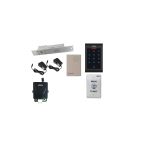
FPC SECURITY Pokyny k sadě řízení přístupu FPC-5850

2. dubna 2022
Sada pro řízení přístupu FPC SECURITY FPC-5850 – INSTALACE VENKOVNÍ BIOMETRICKÉ A ČTEČKY KART, MAGNUM ZÁMKU A VÝCHODOVÉHO TLAČÍTKA Toto schéma je pro sady: FPC-5850, FPC-5851, FPC-5852, FPC-5853, FPC-5854, FPC-5855 POZOR!…

Manuály VISIONIS od online prodejců

VISIONIS support FAQ

Časté dotazy ohledně manuálů, registrace a podpory této značky.

  • How do I change the master code on my VISIONIS standalone keypad?

    To change the master code, press * followed by the current master code (factory default is often 999999) and #. Then press 00, enter your new 6-8 digit master code, press #, and repeat the new code followed by #.

  • Does my VISIONIS electromagnetic lock require a specific voltage?

    Most VISIONIS maglocks support both 12 VDC and 24 VDC inputs. Properly configure the wiring by following the color-coding in your installation manual before turning on the power supply to prevent damage.

  • How do I reset my VISIONIS access control panel to factory settings?

    To reset the access controller, power off the device, power it back on, and press the RESET button for 3 seconds. This will reboot the device and clear the communication password, but check your specific manual to see if user records are retained.

  • What is the warranty period for VISIONIS products?

    VISIONIS offers a limited warranty that covers manufacturing defects in material and workmanship for three (3) years from the documented date of purchase.