1. Bezpečnostní informace
WARNING: Laser Class 4 Product. Always wear eye protection when operating.
Obecná bezpečnostní opatření:
- NEPOUŽÍVEJTE laser bez ochrany očí (laserové brýle).
- Set up laser engraver in a fireproofing area with good ventilation.
- Keep minors (especially kids younger than 14 years old) away from this laser engraver. Minors of any age should not use this laser without direct adult supervision and proper eye protection.
- Avoid strong impacts on the machine.
- Do not touch the laser beam with your hands or any other objects you do not wish to engrave/burn/cut. Serious physical harm is possible if used improperly.
- Do not touch the heat sink when the laser engraver has just stopped working, as it may cause burns.
- Use the laser engraver in a room that can be closed by a door and ensure that neither laser beams nor stray light can penetrate through windows.
- Při používání laserového gravírovače používejte štítky na dveřích nebo výstražné světlo na dveřích, které signalizují, že je laserový rytec v provozu.
Integrované bezpečnostní ochrany:
- Aktivní ochrana pozice: When the engraving machine is displaced or tilted, it will automatically stop the laser to prevent damage to the target from the laser.
- Ochranný kryt laserového paprsku: If the USB signal transmission fails, the laser will stop working immediately.
- Detekce a omezení doby expozice: If the engraving machine is turned on but there is no movement for a long time, it will be protected, and the laser will be turned off automatically.
- Systém řízení výkonu: If the engraving machine or computer crashes, the laser will stop working immediately to prevent continuous fire.
- Flame Detector + Buzzer: When the laser engraver detects flame, it will automatically stop and beep.
- Tlačítko nouzového zastavení: A dedicated button for immediate shutdown in case of emergency.
- Eye-protection Cover Design: The laser filter cover filters 98% of ultraviolet light. Protective safety glasses are also included.
2. Konec produktuview
The Ortur Laser Master 2 Pro S2-SF is a high-performance laser engraver and cutter designed for precision and versatility. It features a 5.5W (10000mW output) laser module with advanced compressed focal spot technology, enabling fine detail engraving and efficient cutting across a wide range of materials.

Figure 2.1: Ortur Laser Master 2 Pro S2-SF Laser Engraver with its main components.
Klíčové vlastnosti:
- 5.5W Laser Power & Enhanced Engraving: Equipped with an LU2-4-SF laser module utilizing FAC laser technology for a concentrated, ultra-fine 0.01mm high-precision compressed spot (0.17*0.25mm). Engraving speed up to 10000mm/min.
- 32-bit Motherboard: Features the latest OLM-MAXUP-V10 Motherboard with a 32-bit MCU, supporting 1.8 series firmware for faster execution, higher resolution, and improved system reliability.
- Pevná struktura: All-aluminum alloy structure design for durability and improved engraving accuracy. Includes 4 POM wheels for stable and smooth operation.
- Široká kompatibilita materiálů: Capable of working on over a hundred materials including wood, bamboo, metal, acrylic, stainless steel, leather, rubber, glass, ceramics, food, paper, and fabric.
- Uživatelsky přívětivý design: Easy to assemble with provided instructions and videos, typically taking 10-20 minutes.

Figure 2.2: Product dimensions (400x400mm working area) and highlighted features including safety emergency stop, limit switch, and 32-bit motherboard.
3. Nastavení a montáž
The Ortur Laser Master 2 Pro S2-SF is designed for straightforward assembly. Follow the steps below or refer to the official assembly tutorial video for visual guidance.
Video tutoriál k montáži:
Video 3.1: Official OLM2Pro-S2-LU2-4-SF Assembly Tutorial. This video provides a step-by-step guide to assembling your laser engraver.
Postup generálního shromáždění:
- Rozbalte komponenty: Opatrně vyjměte všechny díly z obalu a zkontrolujte je podle dodacího listu.
- Sestavte rám: Připojte hliníkový profesionálfiles to form the main frame of the engraver. Ensure all screws are tightened securely.
- Install X-Axis and Y-Axis: Attach the X-axis and Y-axis components, including the stepper motors and guide rails.
- Namontujte ovládací skříň: Secure the control box to the frame, ensuring easy access to ports and buttons.
- Připojení laserového modulu: Carefully mount the LU2-4-SF laser module to the X-axis carriage.
- Připojení kabeláže: Connect all necessary cables (power, motor, limit switches, laser module) to the control box. Ensure connections are firm and correctly oriented.
- Nastavení laserového zaostření: Use the provided focusing tool or method to set the correct focal distance for your laser module.

Figure 3.1: Diagram illustrating the various safety protection systems integrated into the Ortur Laser Master 2 Pro S2-SF.
4. Návod k obsluze
The Ortur Laser Master 2 Pro S2-SF is compatible with various engraving software. This section provides general operating guidelines.
Kompatibilita softwaru:
The laser engraver is compatible with popular software such as LaserGRBL (free) and LightBurn (paid). It supports Windows XP/7/8/10, macOS, and Linux systems (LightBurn required for macOS/Linux). Supported file formats include JPG, PNG, BMP, JPEG, SVG, etc.
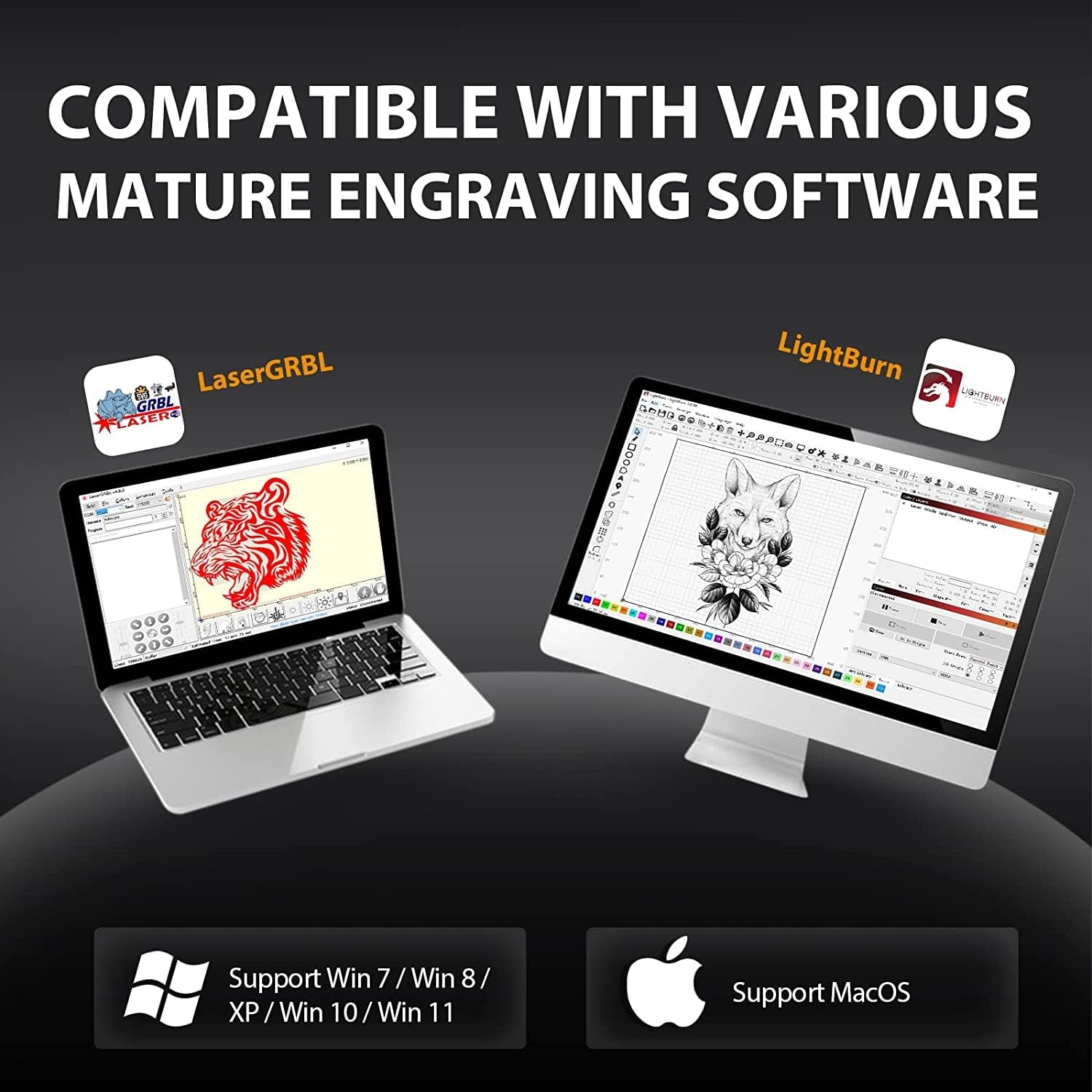
Figure 4.1: The Ortur Laser Master 2 Pro S2-SF is compatible with various engraving software like LaserGRBL and LightBurn, supporting Windows, macOS, and Linux.
Základní kroky provozu:
- Zapnutí: Connect the power adapter and turn on the machine.
- Připojení k počítači: Připojte gravírku k počítači přes USB.
- Spustit software: Open your preferred engraving software (e.g., LaserGRBL or LightBurn).
- Load Image/Design: Import your desired image or design into the software.
- Upravit nastavení: Set engraving parameters such as speed, power, and number of passes based on your material and desired effect.
- Materiál pozice: Place your material on the working area. Use the ruler markings on the frame for precise positioning.
- Frame Preview: Použijte funkci rámování v softwaru k předběžnémuview the engraving area on your material with the laser (low power).
- Začněte gravírovat: Once satisfied with the positioning and settings, initiate the engraving process from the software.
- Sledovat průběh: Supervise the engraving process at all times.
Example Engraving Projects:
Video 4.2: Engraving Leather Throw Pillows with Ortur Laser Engraver. This video demonstrates the process of engraving designs onto leather material.
Video 4.3: DIY Projects with Ortur Laser Master 2 Pro S2-SF Laser Engraver. This video showcases various DIY engraving and cutting projects possible with the machine.

Obrázek 4.2: Přamples of various materials compatible with the Ortur Laser Master 2 Pro S2-SF, including wood, leather, acrylic, and stainless steel.
5. Údržba
Regular maintenance ensures optimal performance and longevity of your Ortur Laser Master 2 Pro S2-SF.
- Vyčistěte objektiv: Periodically clean the laser lens with a soft, lint-free cloth and lens cleaning solution to maintain beam quality.
- Promazání vodicích lišt: Apply a small amount of lubricant to the guide rails to ensure smooth movement of the laser module.
- Zkontrolujte řemeny: Inspect the timing belts for tension and wear. Adjust or replace if necessary.
- Čistý pracovní prostor: Remove debris and dust from the working area and honeycomb bed (if applicable) after each use to prevent fire hazards and ensure clear engraving.
- Zkontrolujte kabeláž: Regularly check all electrical connections for any signs of wear or damage.
6. Řešení problémů
Tato část se zabývá běžnými problémy, se kterými se můžete setkat při používání laserového gravírovacího stroje.
Běžné problémy a řešení:
- Laser nesvítí:
- Zkontrolujte připojení k napájení a ujistěte se, že je stroj zapnutý.
- Verify USB connection to the computer.
- Ensure the emergency stop button is not pressed.
- Check software settings for laser power (S-Max) and speed.
- Špatná kvalita gravírování:
- Adjust laser focus. An out-of-focus laser will produce blurry results.
- Vyčistěte laserovou čočku.
- Adjust engraving speed and power settings. Different materials require different settings.
- Ujistěte se, že materiál je rovný a bezpečně usazený.
- Stroj nereaguje:
- Restart the software and the laser engraver.
- Check the COM port selection in your software.
- Verify USB cable integrity.
- Flame Detector Alarm:
- Okamžitě zastavte stroj.
- Check for actual flames or excessive smoke. Ensure proper ventilation.
- If no flame, ensure the flame detector sensor is clean and not obstructed.
7. Specifikace
| Funkce | Detail |
|---|---|
| Model | Laser Master 2 Pro S2-SF |
| Výstupní výkon laseru | 10000mW (5.5W optical) |
| Laserový modul | LU2-4-SF (Compressed Focal Spot Technology) |
| Focal Spot Size | 0.12x0.15mm (ultra-fine 0.01mm precision) |
| Rychlost gravírování | Až 10 000 mm/min |
| Základní deska | OLM-MAXUP-V10 (32-bit MCU) |
| Pracovní oblast | 400x400mm (15.75x15.75 palce) |
| Konektivita | USB |
| Softwarová kompatibilita | LaserGRBL, LightBurn |
| Operační systémy | Windows XP/7/8/10, macOS, Linux |
| Podporováno File Formáty | JPG, PNG, BMP, JPEG, SVG, etc. |
| Bezpečnostní funkce | Active Position Protection, Laser Beam Safety Guard, Exposure Duration Detection, Power Control System, Flame Detector+Buzzer, Emergency Stop Button, Eye-protection Cover |
| Hmotnost položky | 10.53 libry |
| Rozměry balení | 25.9 x 10.3 x 4.5 palce |
8. Záruka a podpora
For warranty information, technical support, or service inquiries, please refer to the official Ortur webwebu nebo se přímo obraťte na jejich zákaznický servis.
- Oficiální Webmísto: Navštivte Obchod Ortur for the latest product information, FAQs, and support resources.
- Služby zákazníkům: Contact details for customer support can typically be found on the product packaging or the official webmísto.


