Zavedení
This manual provides essential information for the proper setup, operation, and maintenance of your GOBOULT Mustang Racer Smart Watch. Please read these instructions carefully before using your device to ensure optimal performance and longevity.
Co je v krabici
Upon unboxing your GOBOULT Mustang Racer Smart Watch, verify that all the following components are present:
- GOBOULT Mustang Racer Smart Watch (Black Blaze)
- Nabíjecí kabel
- Uživatelská příručka (tento dokument)
- Záruční list

Image: The GOBOULT Mustang Racer Smart Watch packaging, showing the watch, charging cable, user manual, and warranty card.
Konec produktuview
The GOBOULT Mustang Racer Smart Watch features a robust design with intuitive controls and a vibrant display.
Klíčové komponenty:
- 1.43palcový AMOLED displej: Obrazovka s vysokým rozlišením pro jasný obraz.
- Otočná luneta: A functional bezel for navigating menus and features.
- Paddle Shifter: A unique side button for quick access to functions.
- Senzory: Located on the rear for health monitoring.
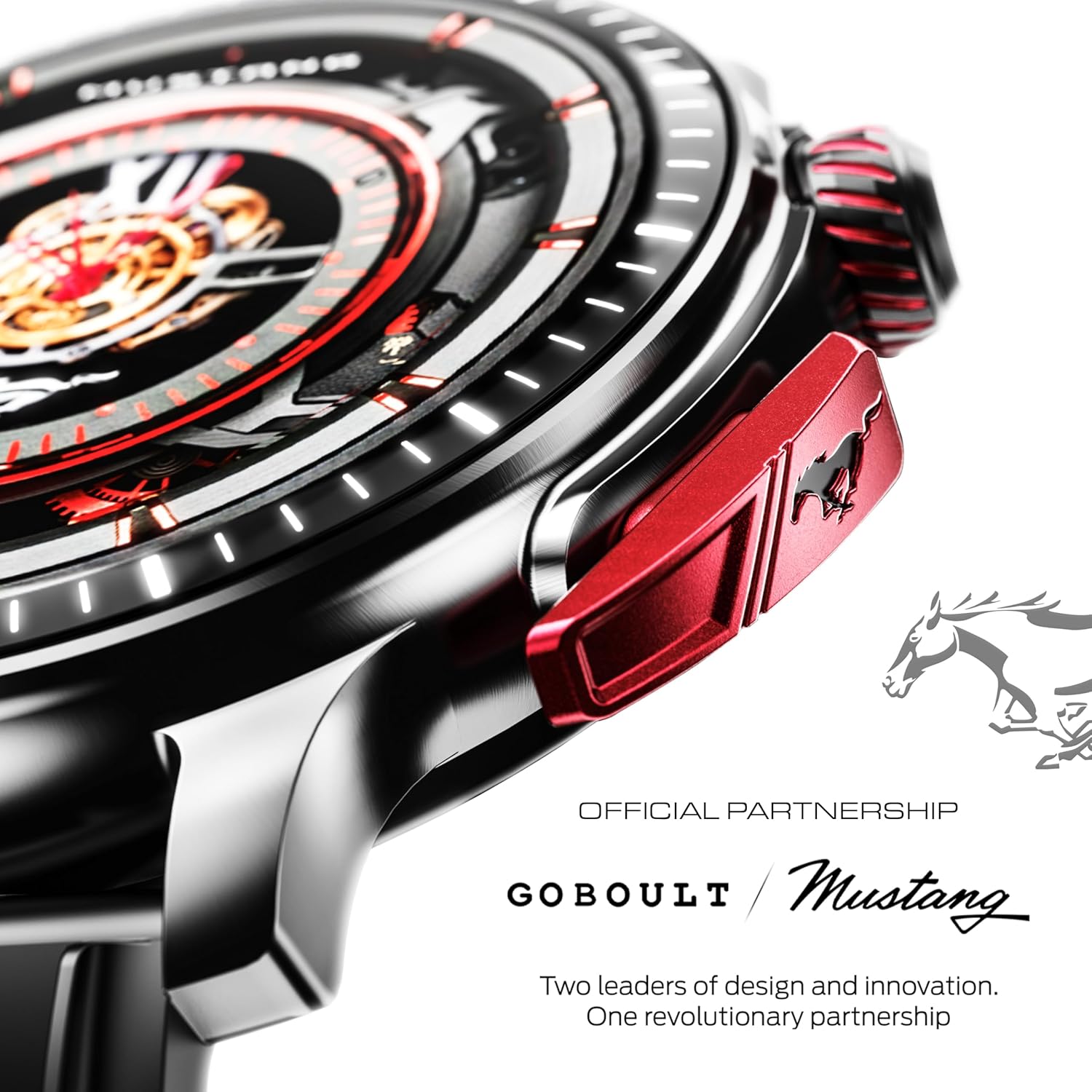
Obrázek: Podrobný view of the watch's side, highlighting the red paddle shifter and the textured rotating crown.

Image: The watch face, showcasing the 1.43-inch AMOLED display and the functional paddle shifter.
Nastavení
1. Nabíjení zařízení
Before initial use, fully charge your smart watch. Connect the provided charging cable to the charging port on the back of the watch and to a standard USB power adapter (not included). A full charge typically takes approximately 120 minutes.
2. Párování s vaším smartphonem
- Download the official GOBOULT companion app from your smartphone's app store.
- Ujistěte se, že je na vašem smartphonu povoleno Bluetooth.
- Open the GOBOULT app and follow the on-screen instructions to search for and connect to your Mustang Racer Smart Watch. The watch uses Bluetooth V5.3 for stable connectivity.
- Potvrďte požadavek na párování na hodinkách i smartphonu.

Image: The watch on a wet surface, indicating its Bluetooth V5.3 and IP67 water resistance features.
Návod k obsluze
Volání pomocí Bluetooth
The integrated speaker and microphone allow you to make and receive calls directly from your wrist. Once paired with your smartphone, access the call function through the watch interface.
Přizpůsobení ciferníků
Your Mustang Racer Smart Watch offers over 150 watch faces, including exclusive Mustang-themed designs. You can change watch faces through the watch settings or the companion app to match your style.

Image: Various watch faces displayed on the GOBOULT Mustang Racer Smart Watch, demonstrating customization options.
Sportovní režimy
Track your physical activities with over 120 performance sports modes. Select your desired sport from the watch menu to monitor metrics such as steps, distance, calories burned, and heart rate during your workout.

Image: The watch on a wrist, displaying the sports mode interface.
Hlasový asistent AI
Utilize the integrated AI Voice Assistant for hands-free control. Activate the assistant through the watch interface and issue commands for various functions.
Always On Display (AOD)
The Always On Display feature allows the watch face to remain visible at a low power state, providing continuous time and information without needing to raise your wrist or press a button.

Image: The watch face with Always On Display enabled, showing continuous time display.
Funkce sledování stavu
The GOBOULT Mustang Racer Smart Watch is equipped with advanced sensors to monitor various health metrics:
- 24x7 Heart Rate Monitor: Neustále sleduje váš tep po celý den i během tréninku.
- SpO2 Blood Oxygen Saturation Monitor: Měří hladinu kyslíku v krvi.
- Monitorování spánku: Analyzuje vaše spánkové vzorce, včetně hlubokého spánku, lehkého spánku a doby bdění.
- Monitorování krevního tlaku: Poskytuje odhady hladiny vašeho krevního tlaku.
- Monitor stresu: Pomáhá vám pochopit a zvládat vaši úroveň stresu.
Access detailed health data and trends through the companion app.

Image: The back of the watch, displaying the health monitoring sensors.
Specifikace
| Funkce | Specifikace |
|---|---|
| Značka | GOBOULT |
| Číslo modelu | GOBOULT Mustang Racer |
| Velikost displeje | 1.43 palce AMOLED |
| Bezdrátový typ | Bluetooth V5.3 |
| Doba nabíjení baterie | 120 minut |
| Energetický obsah baterie | 1.11 W hodin |
| Voděodolnost | IP67 |
| Hmotnost položky | 55 g |
| Zahrnuté komponenty | Charging Cable, Smart Watch, User Manual, Warranty Card |
Údržba
Čištění
Regularly clean your watch and strap with a soft, dry cloth. For stubborn dirt, lightly damphadřík vodou. Nepoužívejte agresivní chemikálie ani abrazivní materiály.
Voděodolnost
The GOBOULT Mustang Racer Smart Watch is IP67 water resistant, meaning it can withstand immersion in up to 1 meter of water for 30 minutes. It is suitable for daily use and can resist splashes and sweat. However, it is not recommended for swimming, diving, or exposure to high-pressure water.
Péče o baterie
To prolong battery life, avoid fully discharging the watch frequently. Charge it when the battery level is low, and avoid leaving it uncharged for extended periods.
Odstraňování problémů
Hodinky se nezapínají
- Ensure the watch is fully charged. Connect it to the charging cable and allow it to charge for at least 30 minutes.
- Stiskněte a podržte tlačítko napájení na několik sekund.
Nelze spárovat se smartphonem
- Verify that Bluetooth is enabled on your smartphone and the watch.
- Ujistěte se, že hodinky jsou v dosahu Bluetooth vašeho smartphonu.
- Restartujte chytrý telefon i chytré hodinky.
- Clear the Bluetooth cache on your smartphone and try pairing again.
Nepřesné zdravotní údaje
- Ujistěte se, že hodinky máte na zápěstí pevně utažené, ale ne příliš.
- Vyčistěte senzory na zadní straně hodinek.
- Během měření se vyvarujte nadměrného pohybu.
Problémy se zobrazením
- Restartujte hodinky.
- Adjust the brightness settings.
Záruka a podpora
Your GOBOULT Mustang Racer Smart Watch comes with a warranty. Please refer to the included Warranty Card for details regarding coverage, terms, and conditions.
For further assistance, technical support, or warranty claims, please contact GOBOULT customer service through their official webstránky nebo kontaktní informace uvedené na vašem záručním listu.