1. Úvod
Thank you for choosing the DUMOS L-Shaped Desk. This manual provides essential information for the safe assembly, operation, and maintenance of your new desk. Please read these instructions carefully before beginning assembly and retain them for future reference.
2. Bezpečnostní informace
- Always anchor this desk to the wall or floor to prevent tipping, especially when using heavy equipment.
- Před použitím se ujistěte, že jsou všechny šrouby a spojovací prvky bezpečně utažené. Pravidelně kontrolujte, zda nejsou uvolněné spoje.
- Do not overload the desk or shelves beyond their stated weight capacity (Maximum Load: 198 lbs / 90 kg).
- Udržujte malé části a obalové materiály mimo dosah dětí, abyste předešli nebezpečí udušení.
- Stůl sestavte na měkkém a čistém povrchu, abyste zabránili poškrábání.
3. Obsah balení
Before assembly, verify that all components are present and undamaged. If any parts are missing or damaged, please contact DUMOS customer support.
| Komponent | Množství |
|---|---|
| Panely pro stolní počítače | 3 |
| Kovové nohy rámu | Různé |
| Policové desky | 2 |
| X-Brace Support Bars | 2 |
| Nastavitelné vyrovnávací nožky | 6 |
| Montážní materiál (šrouby, imbusový klíč) | 1 sada |
| Návod k použití | 1 |
4. Montážní návod
Assembly typically requires two people and takes approximately 60 minutes. All necessary tools are included.
- Rozbalení a identifikace součástí: Carefully unpack all components and lay them out on a clean, soft surface. Refer to the parts list to ensure all pieces are present.
- Sestavte hlavní rám: Attach the metal frame legs to the main desktop panels using the provided screws. Do not fully tighten screws until all parts are aligned.
- Install X-Brace Supports: Secure the X-shaped crossbars to the rear of the main frame. These provide enhanced stability.
- Attach Reversible Storage Shelves: Decide whether you want the 2-tier shelves on the left or right side of the L-shaped configuration. Attach the shelf frame and then the shelf boards to the main desk frame. Ensure proper alignment for your chosen orientation.
- Připevněte nastavitelné nožičky: Screw the adjustable leveling feet into the bottom of all desk legs.
- Konečné utažení: Once all components are assembled and aligned, securely tighten all screws.
- Pozice a kotva: Place the desk in its desired location. For added safety, especially with heavy equipment, anchor the desk to a wall using appropriate wall anchors (not included).
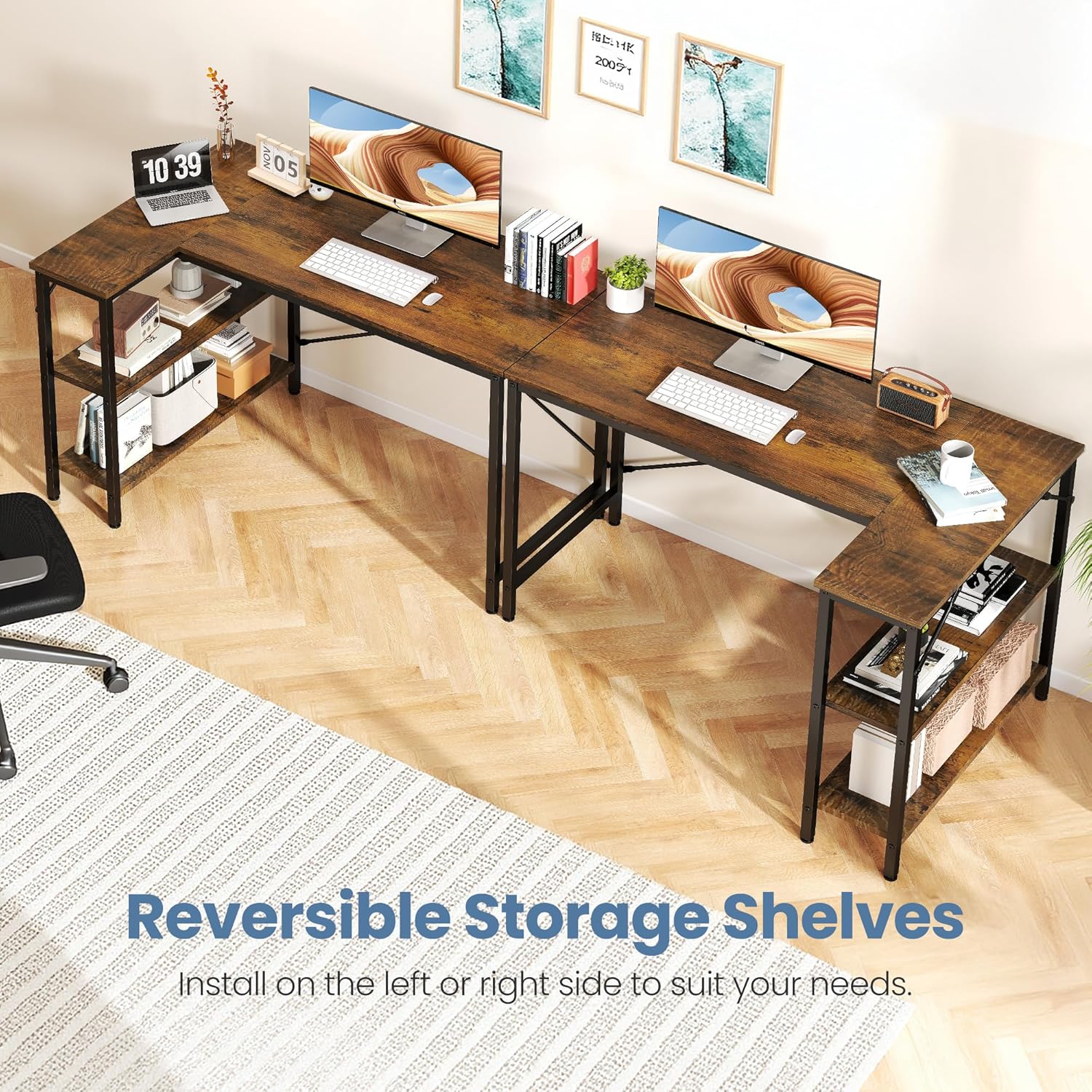
Image: Fully assembled DUMOS L-Shaped Desk, showcasing its design and amppracovní prostor.
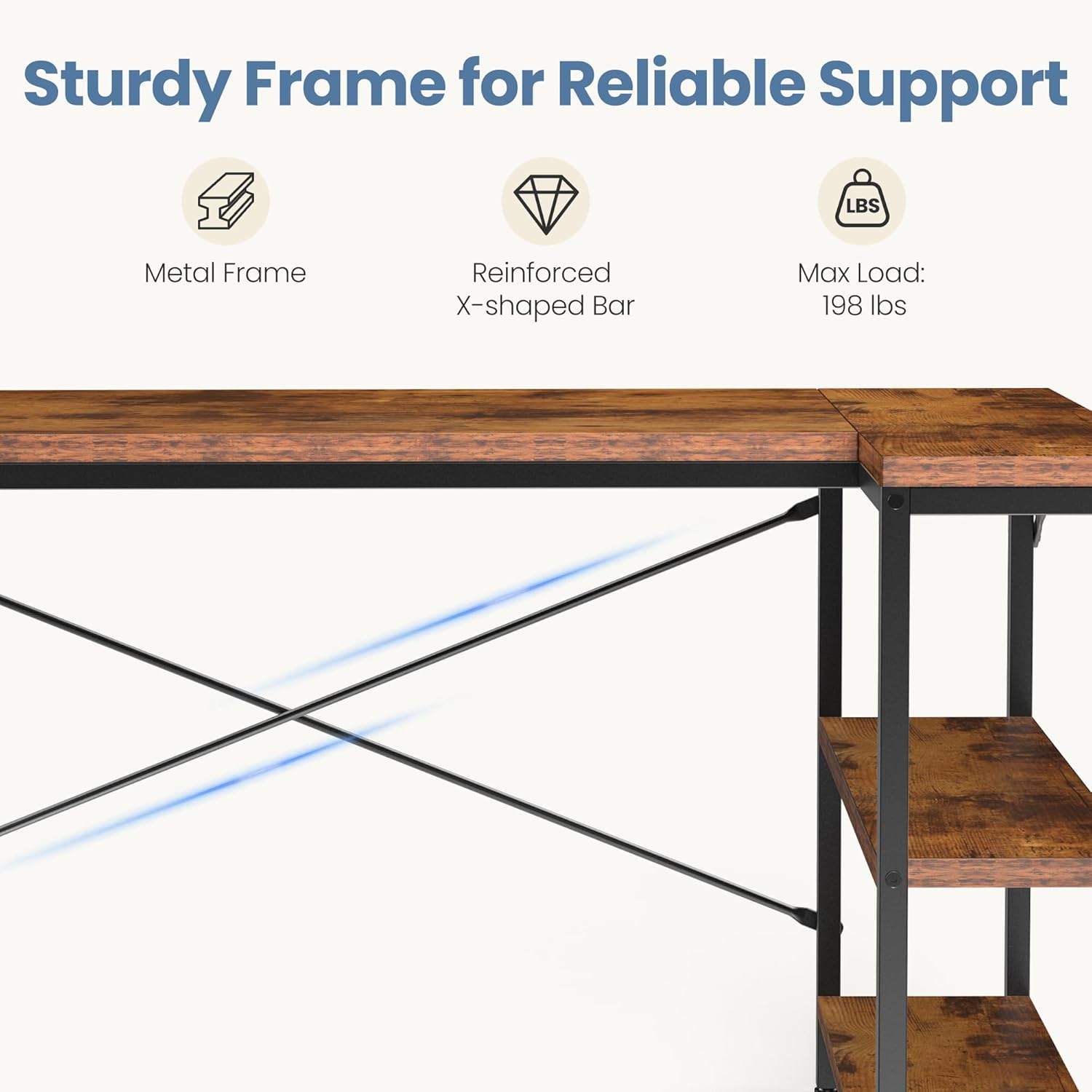
Image: Illustration of the reversible storage shelves, demonstrating how they can be installed on either the left or right side of the desk.

Image: Detail of the reinforced X-shaped crossbar, highlighting the sturdy frame design for reliable support.
5. Návod k obsluze
- Utilizing Reversible Shelves: The 2-tier storage shelves can be configured on either the left or right side during assembly to best suit your room layout and workflow.
- Adjusting for Uneven Floors: The desk is equipped with adjustable leveling feet. Rotate these feet clockwise or counter-clockwise to compensate for uneven floor surfaces, ensuring the desk remains stable and wobble-free.
- Organizace pracovního prostoru: Use the spacious L-shaped desktop for multiple monitors, laptops, and other work essentials. The integrated shelves provide convenient storage for books, documents, and office supplies, helping to keep your workspace organized.

Obrázek: Detail view of the adjustable leveling feet, designed to ensure stability on uneven floors.

Image: The DUMOS L-Shaped Desk in a gaming setup, demonstrating ample space for multiple monitors and organized storage on the shelves.
6. Údržba
- Čištění: Otřete pracovní plochu a rám měkkým hadříkemamp cloth. Avoid harsh chemicals or abrasive cleaners that may damage the finish. The desktop is waterproof and scratch-resistant for easy cleaning.
- Pravidelné kontroly: Pravidelně kontrolujte všechny šrouby a spoje, zda jsou pevně utažené. V případě potřeby je dotáhněte.
- Vyhněte se přímému slunečnímu záření: Prolonged exposure to direct sunlight may cause fading or damage to the desk's finish.
- Rozložení hmotnosti: Rovnoměrně rozložte hmotnost na pracovní desku a police, abyste zabránili namáhání rámu.

Image: Close-up of the durable desktop surface, showing its waterproof and easy-to-clean properties.
7. Řešení problémů
- Stůl je vratký:
- Zkontrolujte, zda jsou všechny šrouby zcela utaženy.
- Adjust the leveling feet on each leg to ensure the desk is stable on uneven floors.
- Verify that the X-brace supports are correctly installed and tightened.
- Díly se nesrovnávají:
- Loosen all screws slightly, realign the parts, and then re-tighten.
- Ensure you are following the assembly steps in the correct order.
- Confirm that you are using the correct parts for each step, as some components may look similar.
- Chybějící hardware:
- Dvakrát zkontrolujte všechny obalové materiály.
- Contact DUMOS customer support for replacement parts.
8. Specifikace
| Funkce | Detail |
|---|---|
| Značka | DUMOS |
| Číslo modelu | DU-2JL-RT |
| Design stolu | Počítačový stůl ve tvaru L |
| Rozměry produktu (D x Š x V) | 31.5" x 47.2" x 29.5" (80 cm x 120 cm x 75 cm) |
| Hmotnost položky | 35 libry |
| Maximální nosnost | 198 lb / 90 kg |
| Barva | Rustikální hnědá |
| Typ horního materiálu | Dřevo |
| Základní materiál | Kov |
| Počet polic | 2 (oboustranné) |
| Speciální funkce | Reversible, Adjustable Feet, X-Brace Support, Durable Desktop |
| Montáž Vyžadována | Ano (všechny nástroje jsou součástí balení) |

Image: Detailed product size diagram with measurements in inches and centimeters.
9. Záruka a podpora
DUMOS provides a limited warranty for this product. For specific warranty details, please refer to the documentation included with your purchase or contact DUMOS customer support. If you have any questions, require assistance with assembly, or need replacement parts, please reach out to our customer service team.
Contact information can typically be found on the product packaging or the official DUMOS webmísto.


