1. Úvod
This manual provides detailed instructions for the setup, operation, and maintenance of your SANSUI 15.6 Inch Portable Monitor. Please read this manual thoroughly before using the product to ensure proper functionality and to prevent damage.
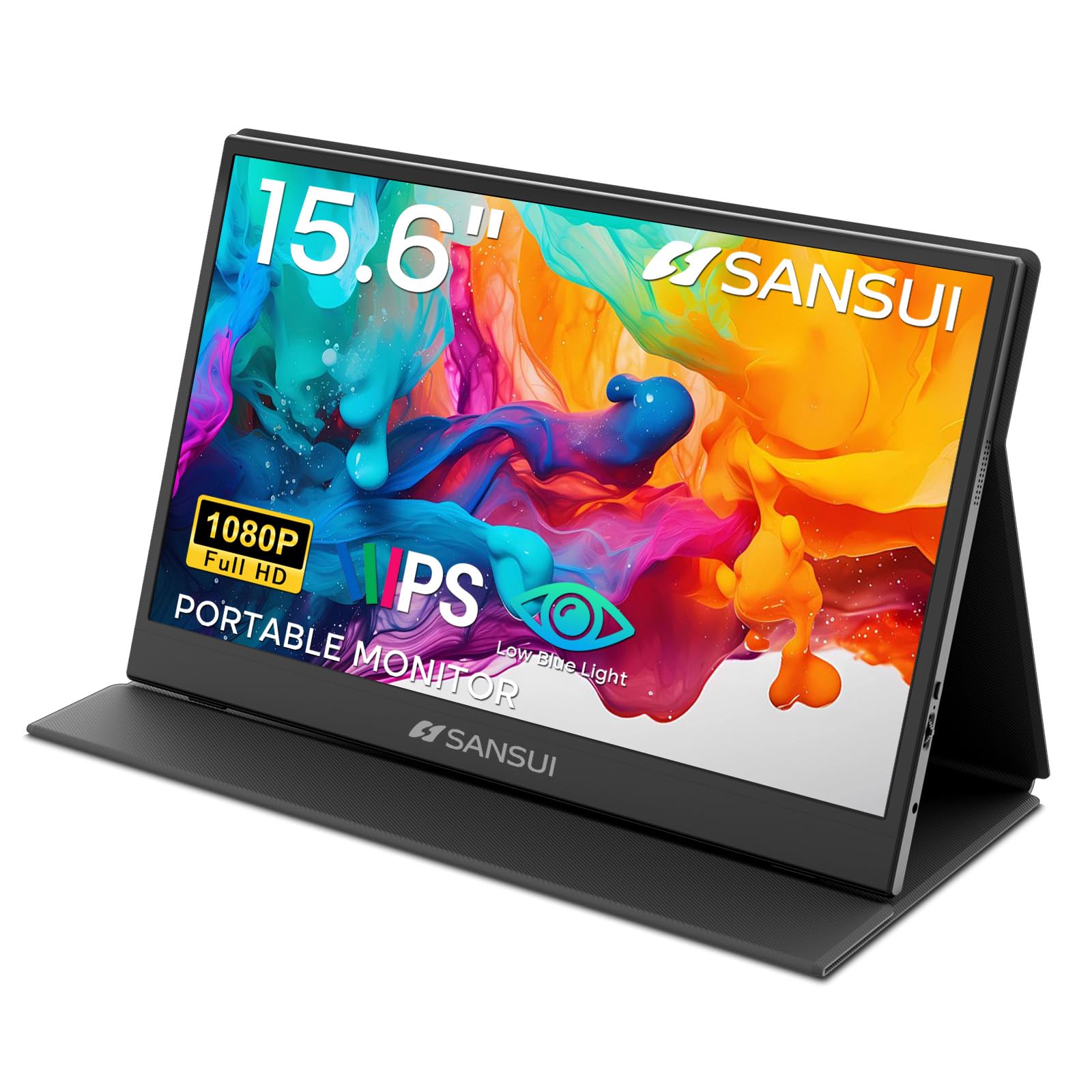
Image: The SANSUI 15.6 Inch Portable Monitor, showcasinjeho elegantní design a zářivý displej.
2. Obsah balení
Verify that all items listed below are included in your product package. If any items are missing or damaged, please contact SANSUI customer support.
- SANSUI 15.6 Inch Portable Monitor with PU Leather Cover
- HDMI to Mini HDMI Cable (1.2m)
- Type-C to Type-C Cable (30V5A, 1m)
- Quick Start Guide (QSG Card)
- Uživatelská příručka (tento dokument)
- Záruční list

Image: All included accessories laid out next to the portable monitor.
Rozbalení videa
Video: An unboxing demonstration of the SANSUI 15.6 Inch Portable Monitor, showing how to unpack the device and its accessories.
3. Vlastnosti produktu
- Zobrazit: 15.6-inch IPS panel with FHD 1920x1080 resolution.
- Visual Quality: 1200:1 high contrast ratio and 250 nits brightness for clear images.
- Viewúhel: 178 ° široký viewúhel.
- Komfort očí: Features low blue light and flicker-free technology to reduce eye strain.
- Design: Ultra-thin (0.43 inches) and lightweight (2.1 lbs without cover) for portability.
- Ochranný kryt: Includes a PU leather stand cover that offers 24°/37° tilt angles.
- Zvuk: Built-in dual speakers and a 3.5mm audio jack.
- Konektivita: Two USB Type-C ports and one Mini HDMI port.

Image: Visual representation of the monitor's display specifications and features.

Image: Illustration of the monitor's eye-care features, including low blue light and flicker-free technology.
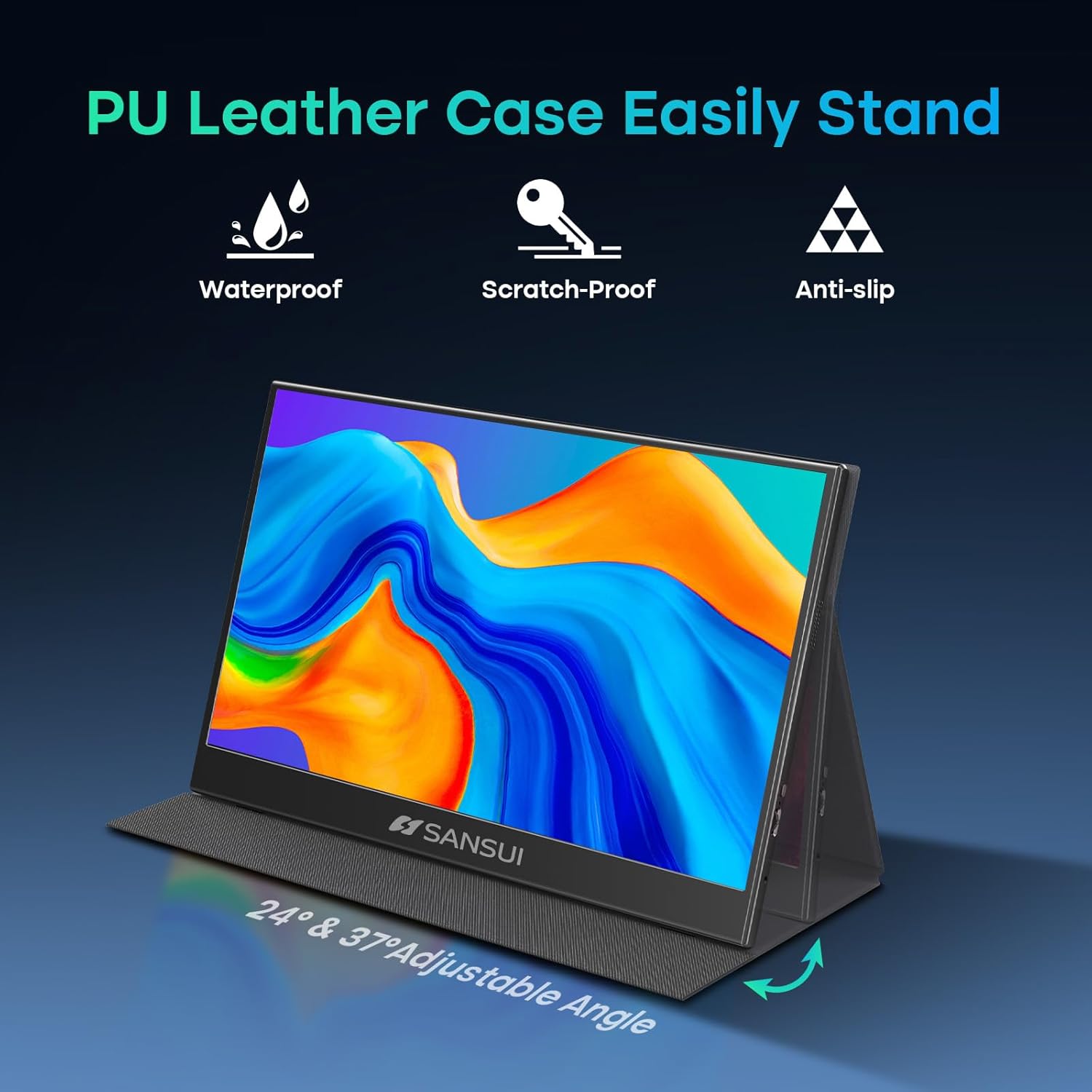
Image: The monitor's PU leather cover functioning as a stand, illustrating its adjustable angles and protective qualities.
4. Fyzický overview
Familiarize yourself with the ports and controls on your SANSUI portable monitor.
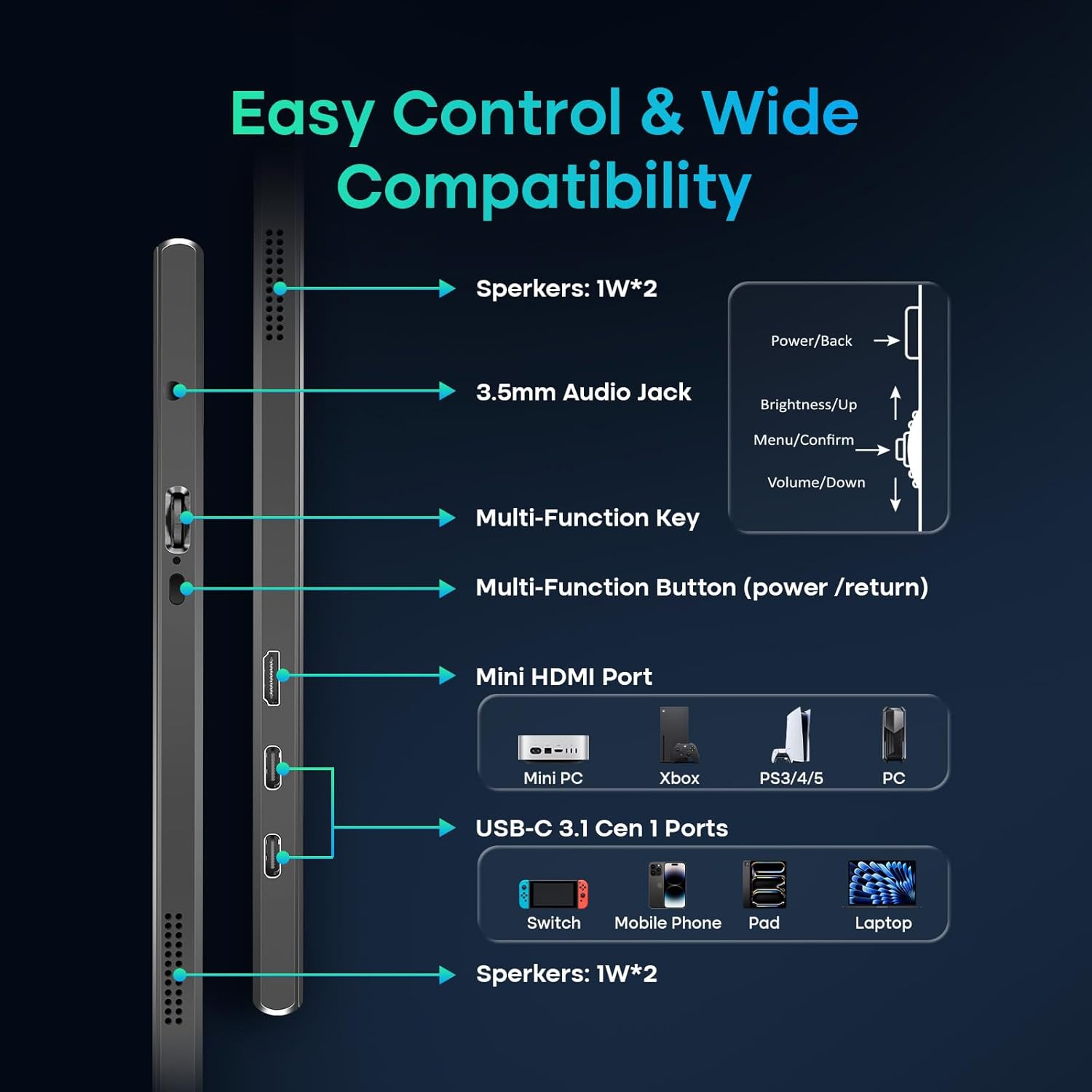
Image: A detailed diagram showing the location and function of all ports and control buttons on the monitor.
Porty a tlačítka:
- Porty USB typu C (x2): For power, video, and data transmission (requires full-function USB-C port on host device).
- Mini HDMI port (x1): For video input from devices like laptops, PCs, gaming consoles.
- 3.5mm audio jack: Pro připojení externích sluchátek nebo reproduktorů.
- Multi-Function Key: Controls power, menu navigation, brightness, and volume.
- Vestavěné reproduktory: Dual 1W speakers for audio output.
5. Nastavení a připojení
The SANSUI portable monitor offers flexible connection options for various devices.
Požadavky na napájení:
- The monitor can be powered directly by a compatible full-function USB-C port on your device (e.g., laptop, phone).
- For independent power supply or when using the Mini HDMI connection, a dedicated PD adapter (45W or higher, not included) and a USB-C cable supporting 45W+ power transmission are required.
Způsoby připojení:
- USB Type-C Connection (Single Cable Solution):
- Connect one end of the provided Type-C to Type-C cable to a full-function USB-C port on your device (which supports DisplayPort Alt Mode).
- Connect the other end to one of the USB Type-C ports on the monitor.
- This connection provides power, video, and data through a single cable. Ensure your device's USB-C port supports video output.
- Připojení HDMI (pouze video):
- Connect one end of the provided HDMI to Mini HDMI cable to your device's HDMI port.
- Connect the Mini HDMI end to the Mini HDMI port on the monitor.
- When using HDMI, external power is required for the monitor via a USB Type-C port and a PD adapter (not included).
6. Obsluha monitoru
Nabídka na obrazovce (OSD):
Use the Multi-Function Key to access and navigate the OSD menu for display settings, audio adjustments, and other configurations.
- Press the Multi-Function Key to open the OSD menu.
- Move the key up/down to navigate through menu options.
- Press the key to confirm a selection.
- Press the Multi-Function Button (power/return) to go back or exit the menu.
Režimy zobrazení:
The monitor supports various display modes depending on your connected device and operating system settings.
- Zrcadlový režim: Duplicates your primary screen's content.
- Rozšířený režim: Extends your desktop, allowing for multitasking across multiple screens.
- Režim druhé obrazovky: Používá přenosný monitor jako jediný displej.

Obrázek: Přamples of the monitor used in Mirror, Extended, and Second Screen modes with various devices.
7. Údržba
- Čištění obrazovky: Použijte měkký hadřík, který nepouští vlákna dampOpláchněte vodou nebo čističem obrazovek. Vyhněte se agresivním chemikáliím.
- Čištění těla: Otřete měkkým suchým hadříkem.
- Skladování: When not in use, store the monitor in its protective PU leather cover to prevent scratches and damage.
- Vyhněte se extrémním podmínkám: Nevystavujte monitor extrémním teplotám, vlhkosti ani přímému slunečnímu záření.
8. Řešení problémů
Pokud se s monitorem setkáte s problémy, podívejte se na následující běžné problémy a jejich řešení:
- Žádný signál / Černá obrazovka:
- Ujistěte se, že všechny kabely (USB-C, HDMI, napájecí) jsou bezpečně připojeny.
- Verify that your device's USB-C port supports video output (DisplayPort Alt Mode).
- If using HDMI, ensure the monitor is receiving adequate power from a separate USB-C power source.
- Try connecting to a different port on your device or a different device to isolate the issue.
- Zkontrolujte nastavení displeje zařízení a ujistěte se, že je externí monitor detekován a povolen.
- Bez napájení:
- Ensure the USB-C power cable is connected to a power source (either your device's full-function USB-C port or a 45W+ PD adapter).
- Zkuste jiný kabel USB-C nebo napájecí adaptér.
- Blikání obrazu / Nestabilní zobrazení:
- Ensure the cables are not damaged and are properly connected.
- Snižte rozlišení displeje nebo obnovovací frekvenci na připojeném zařízení.
- Ujistěte se, že monitor má stabilní napájení.
- Žádný zvuk z reproduktorů:
- Check the volume settings on both the monitor (via OSD menu) and your connected device.
- Ensure the correct audio output device is selected on your computer/device.
- Pokud používáte HDMI, ujistěte se, že vaše zařízení odesílá zvuk přes HDMI.
9. Specifikace
| Číslo modelu | ES-P156T1F |
| Velikost obrazovky | 15.6 palce |
| Typ panelu | IPS |
| Rezoluce | Full HD 1920x1080 |
| Poměr stran | 16:9 |
| Jas | 250 nits (candela per square meter) |
| Kontrastní poměr | 1200:1 |
| Viewúhel | 178° |
| Povrch obrazovky | Matný |
| Konektivita | 2x USB Type-C, 1x Mini HDMI, 1x 3.5mm Audio Jack |
| Reproduktory | Dual 1W Built-in Speakers |
| Product Dimensions (with cover) | 14.33 x 9.21 x 0.59 palce |
| Product Dimensions (without cover) | 14.2 x 9.1 x 0.43 palce |
| Item Weight (with cover) | 2.99 libry |
| Item Weight (without cover) | 2.1 liber (cca) |
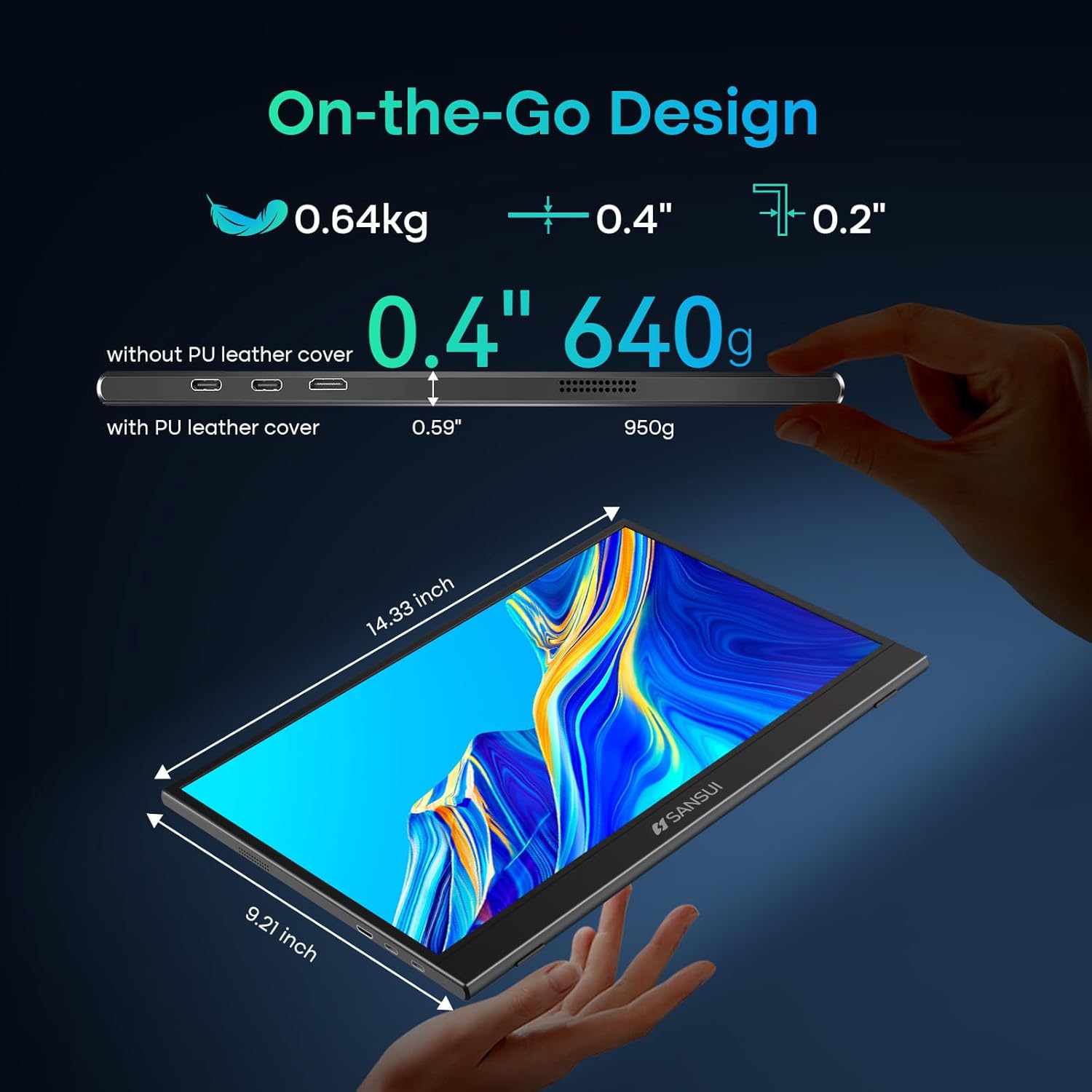
Image: Detailed dimensions and weight specifications of the portable monitor.
10. Záruka a podpora
Your SANSUI portable monitor comes with a manufacturer's warranty. Please refer to the included Warranty Card for specific terms and conditions, including warranty period and coverage details.
For technical support, troubleshooting assistance, or warranty claims, please contact SANSUI customer service. Contact information can typically be found on the Warranty Card, Quick Start Guide, or the official SANSUI webmísto.


