1. Úvod
Thank you for choosing the OSCAL PV800Pro 4K Smart Projector. This manual provides essential information for the safe and efficient use of your new device. Please read it thoroughly before operating the projector and retain it for future reference.
2. Bezpečnostní informace
Pro zajištění bezpečného provozu a prevenci poškození dodržujte prosím následující bezpečnostní opatření:
- Neblokujte větrací otvory. Zajistěte dostatečné proudění vzduchu kolem projektoru, abyste zabránili přehřátí.
- Nevystavujte projektor dešti, vlhkosti ani extrémním teplotám.
- Nedívejte se přímo do objektivu projektoru, když je lamp je zapnutý, protože může způsobit poškození očí.
- Používejte pouze napájecí adaptér dodaný s projektorem.
- Nepokoušejte se projektor rozebírat ani opravovat sami. Veškerý servis svěřte kvalifikovanému personálu.
- Keep the projector away from sources of heat, such as radiators or stoves.
3. Obsah balení
Ověřte, zda jsou v balení přítomny všechny položky:
- OSCAL PV800Pro Projector
- Dálkové ovládání
- Napájecí adaptér
- Uživatelská příručka
4. Konec produktuview
Familiarize yourself with the components and interfaces of your OSCAL PV800Pro projector.

Nahoru view of the OSCAL PV800Pro projector with its remote control.
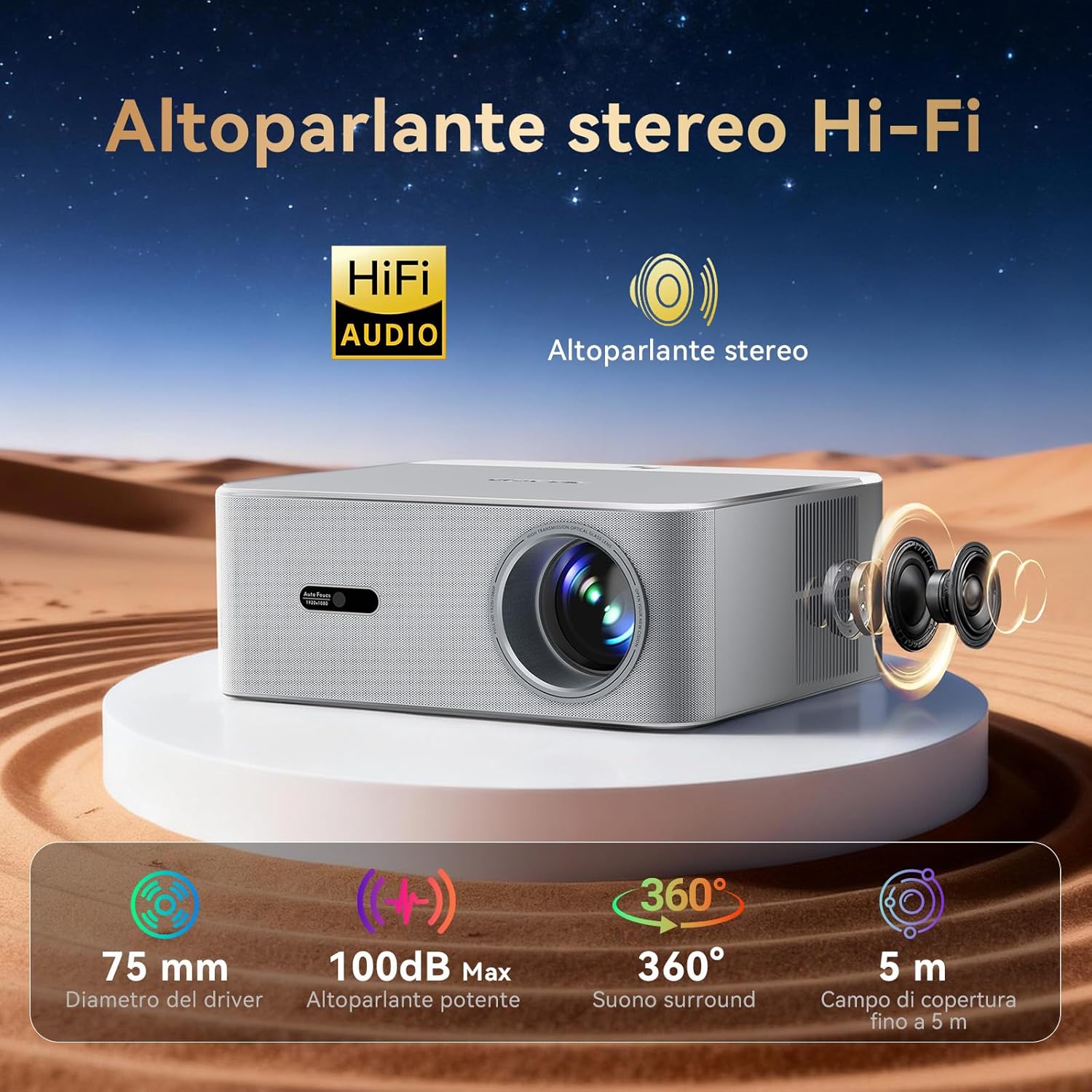
Přední view of the projector, highlighting the lens and auto-focus sensor.

Zadní view showing the HDMI, USB, and power input ports.
Klíčové vlastnosti:
- Official Google TV: Access a vast library of streaming content and apps.
- 3 200 ANSI lumenů: Delivers bright and clear images.
- 4K Input Support (Native 1080P Output): Provides sharp, high-definition visuals.
- Autofocus & Automatic Keystone Correction: Ensures a clear and perfectly shaped image automatically.
- Automatic Obstacle Avoidance & Screen Adaptation: Adjusts projection to fit the screen and avoid obstructions.
- Připojení přes WiFi 6 a Bluetooth: For fast wireless streaming and audio connections.
- Hi-Fi Stereo Speaker: Integrated audio for an immersive experience.
- Hlasové ovládání: Integrovaný Google Assistant pro ovládání bez použití rukou.
5. Nastavení
Follow these steps to set up your projector for the first time:
- Umístění: Place the projector on a stable, flat surface. For optimal results, ensure the inclination angle is within 0-15 degrees. The projector can be placed on a desk, tripod, or mounted on the ceiling.
- Připojení napájení: Připojte napájecí adaptér ke vstupnímu portu projektoru a poté jej zapojte do elektrické zásuvky.
- Zapnutí: Stisknutím tlačítka napájení na projektoru nebo na dálkovém ovladači zapněte zařízení.
- Počáteční zaměření: A slightly blurry image at startup is normal. The projector will automatically focus to sharpness within a few seconds.
Video demonstrating the physical appearance of the OSCAL PV800Pro projector and its automatic focus feature.
6. Návod k obsluze
6.1. Switching System Modes
Your projector supports multiple operating modes: HOME (Local Mode), HDMI, and GTV (Google TV). To switch between these modes:
- Press the "Switch" button on the top right of your remote control to open the selection menu.
- Select one of the following options: HOME (Local Mode), HDMI, or GTV.
- Press "OK" to confirm your selection.
Video demonstrating how to switch between HOME, HDMI, and GTV (Google TV) system modes on the OSCAL PV800Pro projector.
6.2. Funkce Google TV
The OSCAL PV800Pro comes with official Google TV, providing a comprehensive entertainment hub.

The Google TV interface, showing various streaming applications like Netflix, Prime Video, and YouTube.
- Přístup ke streamování: Enjoy immediate access to a vast library of content from certified platforms and an integrated app store with over 10,000 apps.
- Personalizovaný zážitek: Google TV's AI suggests content based on your viewing habits. Create personalized profiles for separate histories and recommendations.
- Hlasové ovládání: Use the integrated Google Assistant by pressing the microphone button on your remote. Give commands like "Open Netflix" or search for specific movies.
- Ochrana dětí: Features include age filters, time limits, and programmable screen lock for safe viewIng.

Illustration of AI voice control using the remote's microphone button to interact with Google Assistant.
6.3. Úprava obrazu
The PV800Pro offers automatic image adjustments for a perfect display.

Diagram illustrating the automatic features: autofocus, keystone correction, screen adaptation, and obstacle avoidance.
- Automatické zaostření: The projector automatically adjusts the focus to ensure a sharp image without manual intervention.
- Automatická korekce lichoběžníkového zkreslení: Corrects image distortions to maintain a rectangular projection, even if the projector is not perfectly aligned.
- Automatické vyhýbání se překážkám: Detekuje a upravuje projekci tak, aby se v projekční dráze vyhnul objektům.
- Automatic Screen Adaptation: Adjusts the image size and position to fit your screen perfectly.
- Digitální zoom: Smooth digital zoom from 50% to 100% is available for fine-tuning the image size.
6.4. Konektivita
Projektor podporuje různé možnosti připojení:
- Wi-Fi 6: For high-speed wireless network connection and streaming.
- Bluetooth: Connect external audio devices like headphones or speakers wirelessly.
- HDMI: Připojte externí zařízení, jako jsou notebooky, herní konzole nebo přehrávače Blu-ray, pomocí kabelu HDMI.
- USB: Pro přehrávání médií z paměťových zařízení USB.
- Casting: Supports iOS Cast and Miracast for screen mirroring from compatible smartphones and tablets.
6.5. Audio
The PV800Pro features a built-in Hi-Fi stereo speaker for clear and immersive sound.

Illustration highlighting the Hi-Fi stereo speaker with 75mm driver, 100dB max output, 360-degree surround sound, and 5m coverage.
For enhanced audio, you can connect external speakers or headphones via Bluetooth or the audio output port.
7. Údržba
Správná údržba zajistí dlouhou životnost a optimální výkon vašeho projektoru.
- Čištění objektivu: Gently clean the projector lens with a soft, lint-free cloth specifically designed for optical surfaces. Do not use abrasive cleaners or solvents.
- Odstranění prachu: Regularly clean the projector's exterior and ventilation openings with a soft, dry cloth or a small brush to prevent dust buildup.
- Skladování: When not in use for extended periods, store the projector in a cool, dry place, away from direct sunlight and extreme temperatures. Use the lens cap to protect the lens.
8. Řešení problémů
Pokud se s projektorem setkáte s problémy, podívejte se na následující běžná řešení:
| Problém | Možné řešení |
|---|---|
| Image is blurry after startup. | This is normal. The projector features autofocus and will automatically adjust the image sharpness within a few seconds. |
| Žádný obraz nebo zkreslený obraz. | Check power connection. Ensure the correct input source (HDMI, GTV, Home) is selected. Verify the projector is placed on a stable surface and allow automatic keystone correction to function. |
| Nelze se připojit k Wi-Fi. | Ensure Wi-Fi is enabled on the projector and your router is working. Re-enter the Wi-Fi password. Try restarting both the projector and your router. |
| Dálkové ovládání nereaguje. | Zkontrolujte baterie v dálkovém ovladači. Ujistěte se, že mezi dálkovým ovladačem a infračerveným přijímačem projektoru nejsou žádné překážky. |
| Žádný zvuk. | Check volume settings on the projector and any connected external audio devices. Ensure external audio devices are correctly connected via Bluetooth or cable. |
If the problem persists, please contact OSCAL customer support for assistance.
9. Specifikace
Detailed technical specifications for the OSCAL PV800Pro projector:
| Funkce | Specifikace |
|---|---|
| Značka | OSCAL |
| Model | OSCAL PV800 Pro |
| Rozměry produktu | 28 x 24.1 x 10.9 cm |
| Hmotnost položky | 2 kg |
| Hardwarové rozhraní | Bluetooth, HDMI |
| Kompatibilní zařízení | Android, iOS smartphones, tablets |
| Další funkce | Official Google TV, Autofocus, Keystone Correction, Automatic Obstacle Avoidance, Voice Control |
| Zahrnuté komponenty | OSCAL PV800Pro |
| Technologie obrazovky | LCD |
| Jas obrázku | 1400 ANSI Lumens |
| Kontrastní poměr obrazu | 4000:1 |
| Poměr stran | 16:9 |
| Nativní rozlišení | 1920 x 1080 pixelů (Full HD) |
| Úroveň hluku | 25 decibelů |
| svtage | 240 voltů |
| Wattage | 50 wattů |
| Obnovovací frekvence | 60 Hz |
| Technologie připojení | Wi-Fi 6 |
| Form Factor | Stolní deska |
| Typ montáže | Montáž na podlahu |
| Doporučená použití | Domácí kino |
10. Záruka a podpora
OSCAL is committed to providing excellent customer service and support for your PV800Pro projector.
- Záruka: The OSCAL PV800Pro comes with a 3-year full device repair warranty.
- Technická podpora: Lifetime professional technical support is provided.
- Služby zákazníkům: 24/7 customer service is available to assist with any questions or issues.
- Vrácení: A 14-day refund/replacement policy is available through the seller.
For assistance, please contact OSCAL customer support directly.


