1. Úvod
The ANTMINER BT606 is a compact and versatile mini WiFi security camera designed for discreet surveillance. It offers 1080P high-definition video recording, infrared night vision, and remote monitoring capabilities via a smartphone application. Its small size and various mounting options make it suitable for a wide range of indoor and outdoor applications, including home security, pet monitoring, child supervision, and evidence recording.
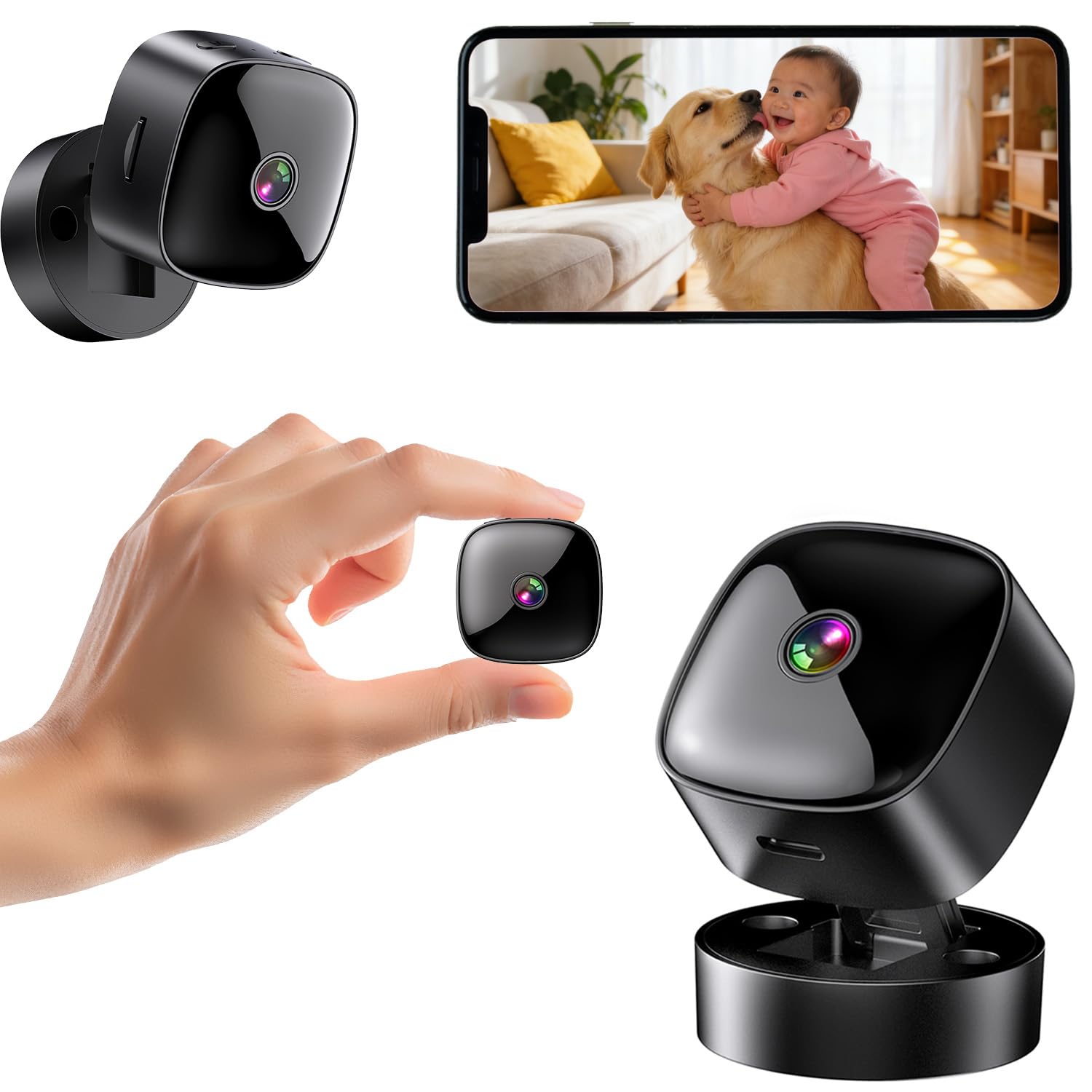
Figure 1: ANTMINER BT606 Mini WiFi Security Camera overview.
2. Obsah balení
Zkontrolujte prosím balení, zda neobsahuje následující položky:
- ANTMINER BT606 Mini Camera
- Magnetický základ
- Kabel USB typu C
- Montážní šrouby (2)
- Uživatelská příručka (anglicky)

Figure 2: Included components: camera, base, Type-C cable, screws, and manual.
3. Vlastnosti produktu
- Ultra kompaktní design: Small size allows for discreet placement in various indoor and outdoor environments, such as furniture gaps, behind decorations, or in vehicles.
- 1080P High-Definition Video: Zachycuje jasné a detailní snímky jídlatage, ensuring important details are visible.
- Infračervené noční vidění: Equipped with infrared lights for clear recording in low-light conditions or complete darkness, providing 24/7 surveillance.
- WiFi Connectivity & Remote Monitoring: Connects to your home or office 2.4GHz WiFi network, enabling real-time viewing and control via a dedicated smartphone app (iOS/Android).
- Loop Recording & Long Recording: Automaticky přepíše nejstarší soubor footage when the memory card is full, ensuring continuous recording without manual deletion. Supports extended recording sessions, especially when powered via USB.
- Širokoúhlý objektiv: Features a 120-degree wide-angle lens to cover a broader area, minimizing blind spots.
- Snadná obsluha: Simple one-button control for starting and stopping recording.
- Všestranná montáž: Includes a magnetic base for easy attachment to metal surfaces, a desktop stand, and options for wall or ceiling mounting using screws.
4. Průvodce nastavením
4.1 Nabíjení fotoaparátu
Before first use, fully charge the camera using the provided Type-C USB cable and a standard USB power adapter (not included). The camera can also record while charging, enabling 24-hour continuous surveillance.
4.2 Vložení karty MicroSD
Insert a MicroSD card (up to 128GB, Class 10 or higher recommended) into the card slot. Ensure the card is inserted correctly. The camera supports loop recording, which will automatically overwrite old footage, když je karta plná.
4.3 Stažení a instalace aplikace
Download the dedicated smartphone application for iOS or Android devices. Hledat the app name (usually indicated in the included manual or on the product packaging) in your device's app store. Install the app and create an account if prompted.
4.4 Připojení k WiFi
- Zapněte fotoaparát.
- Otevřete nainstalovanou aplikaci ve svém smartphonu.
- Follow the in-app instructions to add a new device. This typically involves scanning a QR code displayed on the camera or connecting to the camera's temporary WiFi hotspot.
- Select your 2.4GHz WiFi network (5GHz networks are not supported) and enter the password.
- Once connected, the camera's status indicator will change, and you will see the live feed in the app.

Figure 3: WiFi connection process and multi-user sharing via QR code. Note: Only 2.4GHz WiFi is supported.
4.5 Montáž fotoaparátu
Kamera nabízí flexibilní možnosti montáže:
- Umístění na počítači: Place the camera on its magnetic base on any flat surface.
- Magnetický nástavec: The camera's back has a magnet, allowing direct attachment to suitable metal surfaces.
- Montáž na stěnu/strop: Use the provided screws to attach the magnetic base to a wall or ceiling, then attach the camera to the base. Adjust the camera angle as needed.

Obrázek 4: Přamples of desktop, wall, and ceiling installation methods.
5. Návod k obsluze
5.1 Zapnutí/vypnutí
Press and hold the power button to turn the camera on or off. Refer to the indicator light for status.
5.2 Nahrávání videa
Once powered on and a MicroSD card is inserted, the camera will typically begin recording automatically. You can also manually start/stop recording via the dedicated button on the camera or through the smartphone app.
5.3 V reálném čase Viewa přehrávání
Open the smartphone app to view živý přenos z vaší kamery. Můžete také přistupovat k nahraným jídlůmtage stored on the MicroSD card through the app for playback.
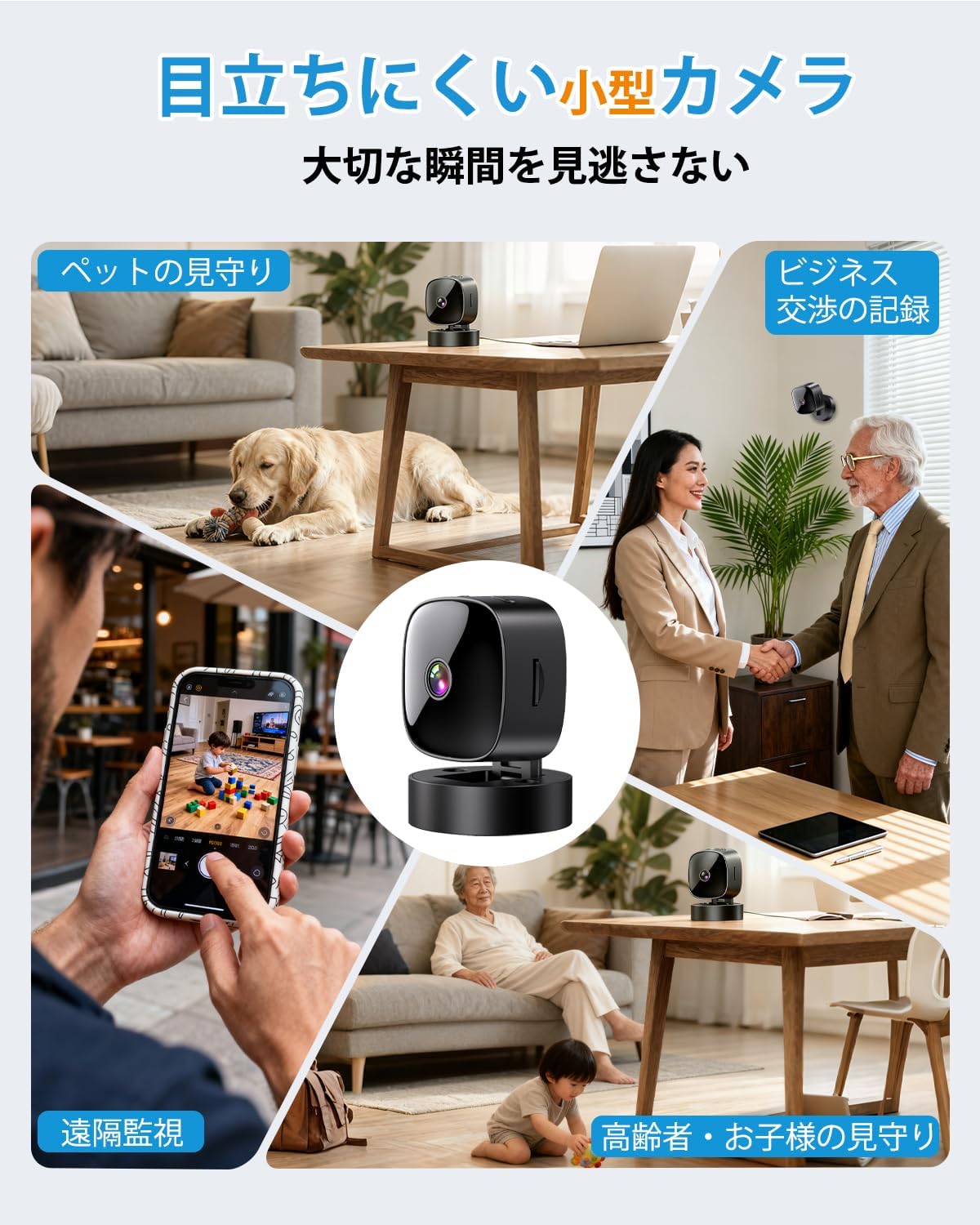
Figure 5: Various applications such as pet monitoring, business recording, remote surveillance, and care for children or the elderly.
5.4 Noční vidění
The camera automatically switches to infrared night vision mode in low-light conditions. This ensures clear black-and-white video recording even in complete darkness.
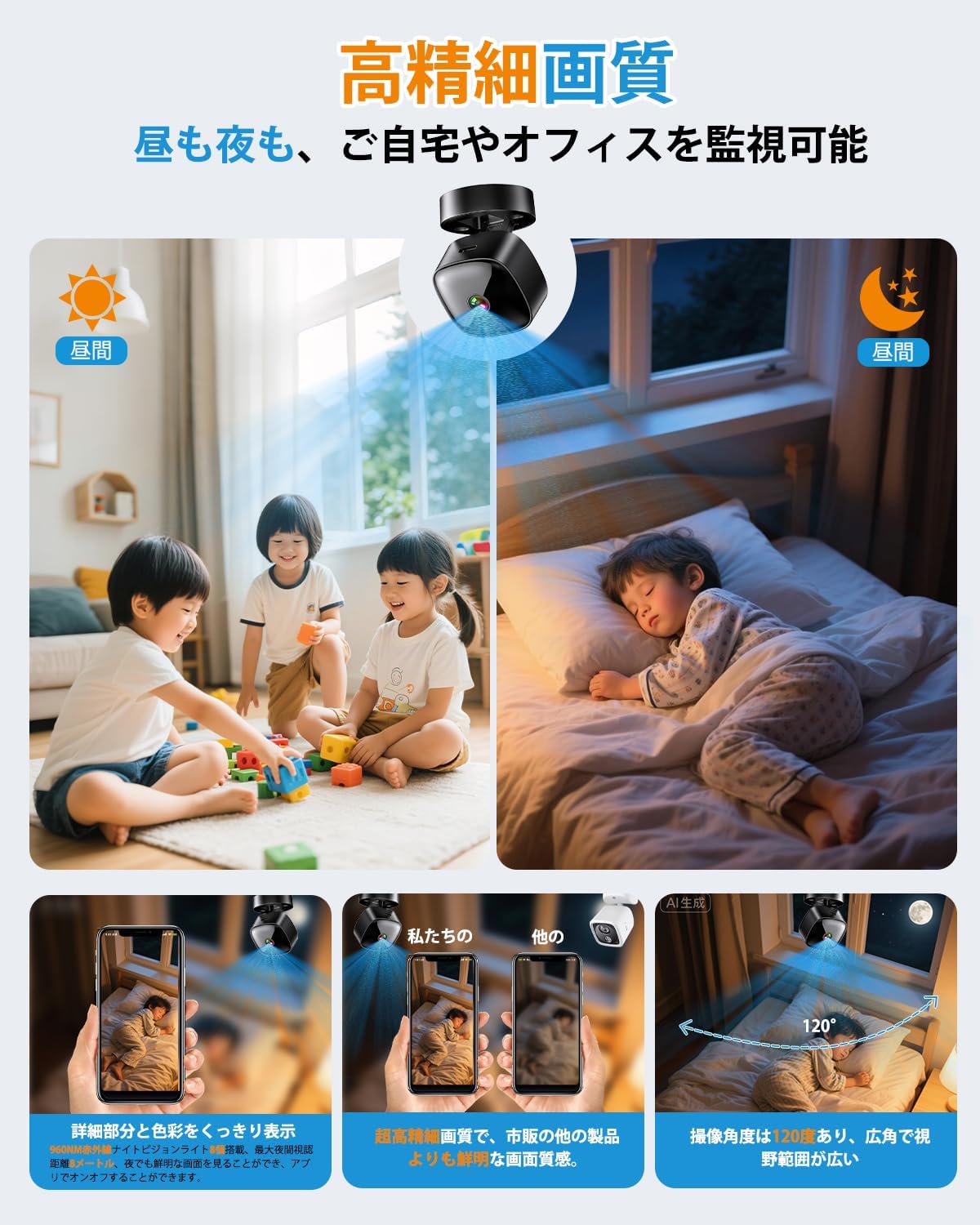
Figure 6: High-definition day and night vision, showcasing clear images in both bright and dark environments with a 120-degree wide-angle.
5.5 Nahrávání ve smyčce
The loop recording feature ensures that the camera continues to record even when the MicroSD card is full. It automatically deletes the oldest files, aby bylo místo pro nové nahrávky.
6. Údržba
- Čištění: K čištění objektivu a těla fotoaparátu používejte měkký, suchý hadřík. Nepoužívejte agresivní chemikálie ani abrazivní materiály.
- Péče o baterie: For optimal battery life, avoid fully discharging the camera frequently. Charge the camera regularly, especially if it's used for continuous surveillance.
- Správa SD karet: Periodically format the MicroSD card through the app or on a computer to maintain performance and prevent data corruption. Back up important footage před formátováním.
- Aktualizace firmwaru: Check the app periodically for any available firmware updates for the camera. Keeping the firmware updated ensures optimal performance and security.
7. Řešení problémů
| Problém | Možná příčina / řešení |
|---|---|
| Kamera se nezapíná | Battery may be depleted. Charge the camera for at least 2 hours. Ensure the power button is pressed and held correctly. |
| Nelze se připojit k WiFi |
|
| No recording or footage chybí |
|
| Špatná kvalita videa |
|
8. Specifikace
| Funkce | Detail |
|---|---|
| Název modelu | BT606 |
| Značka | ANTMINER |
| Rozlišení videa | 1080p |
| Konektivita | Wi-Fi (pouze 2.4 GHz) |
| Noční vidění | Infračervený |
| Skladování | MicroSD karta (až 128 GB) |
| Nahrávání ve smyčce | Podporováno |
| Zdroj napájení | USB rechargeable (can record while charging) |
| Rozměry produktu | 30 x 30 x 30 mm (přibližně 1.2 x 1.2 x 1.2 palce) |
| Hmotnost produktu | 70 g (přibližně 2.5 oz) |
| Barva | Tmavě černá |
| Typ montáže | Magnetic, Desktop Stand, Wall/Ceiling Mount |
| Podpora aplikací | iOS, Android |
9. Záruka a podpora
This product comes with a standard manufacturer's warranty. For specific warranty details, please refer to the product packaging or contact the retailer where you purchased the device. For technical support or further assistance, please refer to the contact information provided with your purchase or visit the official ANTMINER webmísto.


