1. Úvod
Thank you for choosing the HUANUO Gas Spring Monitor Arm, model HNSS31B. This monitor arm is designed to enhance your workspace by providing flexible and ergonomic positioning for your monitor. Please read this manual carefully before installation and use to ensure proper setup and safe operation. Keep this manual for future reference.
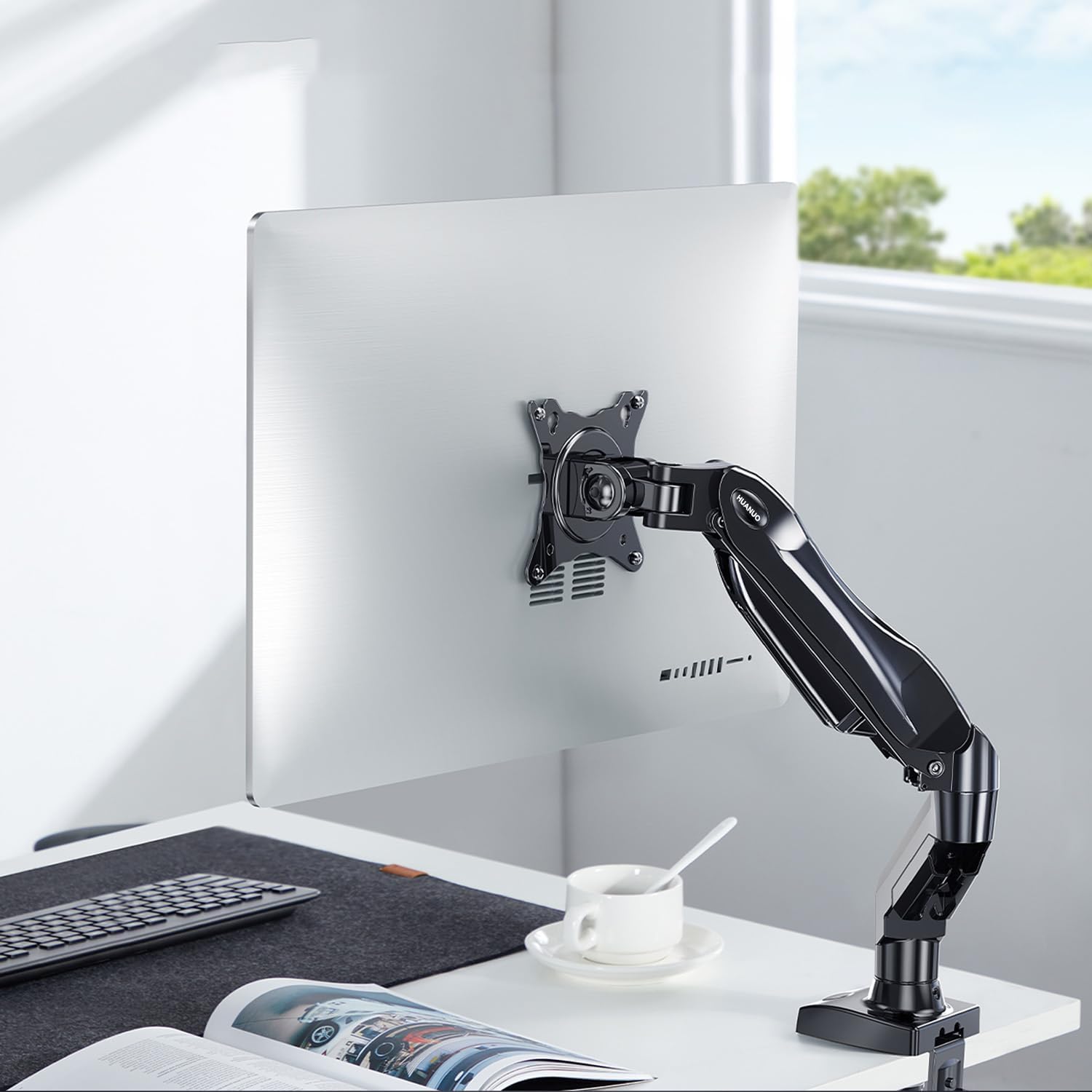
Image 1.1: HUANUO Gas Spring Monitor Arm supporting a monitor on a desk.
2. Bezpečnostní informace
VAROVÁNÍ: Failure to read and follow these instructions may result in serious personal injury, property damage, or voiding of your warranty. If you do not understand these instructions or have doubts about the safety of the installation, please contact customer support.
- Nepřekračujte maximální nosnost 9 kg (19.8 lb).
- Tento výrobek je určen pouze pro vnitřní použití.
- Ensure the mounting surface (desk) can safely support the combined weight of the monitor arm and your monitor.
- Do not overtighten screws. Overtightening can cause damage to the product or your desk.
- Udržujte malé části mimo dosah dětí.
- Always use an assistant for heavy lifting or during installation steps that require extra support.
3. Obsah balení
Please verify that all parts are present and undamaged before installation. Refer to the packaging for a detailed list of components and hardware included with your monitor arm.
4. Specifikace
| Funkce | Specifikace |
|---|---|
| Číslo modelu | HNSS31B |
| Kompatibilní velikost monitoru | 13 - 32 palce |
| Hmotnostní kapacita | 2 - 9 kg (4.4 - 19.8 liber) |
| Kompatibilita VESA | 75x75mm, 100x100mm |
| Maximální nastavení výšky | 410 mm (16.1 palce) |
| Maximální prodloužení | 530 mm (20.9 palce) |
| Rozsah náklonu | +85° / -30° |
| Otočný rozsah | ±90° |
| Otáčení | 360° (z portrétu na krajinu) |
| Možnosti montáže | C-Clamp, Základna průchodky |
| Compatible Desk Thickness (C-Clamp) | 10 - 90 mm (0.4 - 3.5 inches) |
| Hmotnost produktu | 2.4 kg (5.3 lb) |
| Barva | Černý |

Image 4.1: Monitor size and weight compatibility.
5. Pokyny k nastavení
5.1. Vyberte si způsob montáže
The monitor arm supports two installation methods: C-Clamp a základnu s průchodkou. Vyberte způsob vhodný pro váš stůl.

Image 5.1: C-Clamp a možnosti montáže průchodek.
5.2. Install the Desk Mount
C-Clamp Instalace:
- Připojte C-clamp k základně ramene monitoru.
- Umístěte C-clamp on the edge of your desk. Ensure the desk thickness is between 10-90 mm.
- Utáhněte třamp screw until the base is securely fastened to the desk. Do not overtighten.
Instalace základny průchodky:
- Pokud má váš stůl otvor pro průchodku, vložte základnu průchodky otvorem.
- Zajistěte základnu zespodu stolu pomocí dodané desky a matice.
- Tighten the nut until the base is stable.
5.3. Připevněte monitor k držáku VESA
This monitor arm supports VESA patterns of 75x75mm a 100x100mm.

Image 5.2: VESA compatibility for monitor mounting.
- Carefully attach the VESA plate from the monitor arm to the back of your monitor using the appropriate screws. Ensure the screws are tightened securely.
- If your monitor does not have VESA holes, a VESA adapter (sold separately) may be used.

Image 5.3: Using a VESA adapter for non-VESA monitors.
5.4. Připevněte monitor k rameni
- With the VESA plate attached to your monitor, slide the monitor onto the arm's mounting head.
- Secure the monitor by tightening any quick-release screws or clips on the mounting head.
5.5. Upravte napnutí plynové pružiny
The gas spring tension needs to be adjusted to match the weight of your monitor. This ensures the arm holds the monitor securely at any height.
- If the monitor drops after being mounted, turn the adjustment screw (usually located on the arm joint) ve směru hodinových ručiček ke zvýšení napětí.
- If the monitor floats up or is difficult to push down, turn the adjustment screw proti směru hodinových ručiček to decrease tension.
- Adjust until the monitor stays in place when moved to different heights.
6. Návod k obsluze
The HUANUO Gas Spring Monitor Arm offers a wide range of adjustments to achieve an ergonomic viewzkušenosti.

Image 6.1: Full range of motion and adjustment capabilities.
- Nastavení výšky: Gently push or pull the monitor up or down to your desired height. The gas spring mechanism will hold it in place once released. The maximum height is 410 mm.
- Nastavení sklonu: Tilt the monitor screen up or down to reduce glare and find your optimal viewing angle. The tilt range is +85° až -30°.
- Nastavení otáčení: Swivel the monitor left or right to share your screen with colleagues or adjust your viewing position. The swivel range is ±90°.
- Otáčení: Otočte monitor 360° to switch between landscape and portrait orientations.
- Prodloužení/zatažení: Extend or retract the arm to adjust the distance of the monitor from your eyes. The maximum extension is 530 mm.
6.1. Ergonomické výhody
Proper monitor positioning can significantly reduce neck and eye strain, promoting a more comfortable and productive work environment. Adjust your monitor so that the top of the screen is at or slightly below eye level, and your eyes are approximately 50-100 cm (20-40 inches) from the screen. Maintain a slight downward gaze (15-20 degrees) for optimal comfort.

Image 6.2: Achieving an ergonomic viewúhel.
7. Údržba
- Čištění: Otřete rameno monitoru měkkým hadříkemamp hadříkem. Nepoužívejte abrazivní čisticí prostředky nebo rozpouštědla, která by mohla poškodit povrchovou úpravu.
- Pravidelné kontroly: Pravidelně kontrolujte všechny šrouby a spoje, zda jsou pevně utažené. V případě potřeby je dotáhněte.
- Nastavení plynové pružiny: If the monitor arm's movement becomes too loose or too stiff over time, re-adjust the gas spring tension as described in Section 5.5.
8. Řešení problémů
| Problém | Možná příčina | Řešení |
|---|---|---|
| Monitor arm sags or won't stay up. | Napětí plynové pružiny je vzhledem k hmotnosti monitoru příliš nízké. | Increase gas spring tension by turning the adjustment screw clockwise (refer to Section 5.5). |
| Monitor arm floats up or is difficult to push down. | Napětí plynové pružiny je vzhledem k hmotnosti monitoru příliš vysoké. | Decrease gas spring tension by turning the adjustment screw counter-clockwise (refer to Section 5.5). |
| Monitor se chvěje nebo je nestabilní. | Mounting screws are loose or desk clamp/grommet is not secure. | Check and tighten all screws, including those attaching the monitor to the VESA plate and the arm to the desk. |
| Arm joints are too stiff or too loose. | Joint screws need adjustment. | Use the provided Allen key to adjust the tightness of the joint screws as needed. |
9. Záruka a podpora
The HUANUO Gas Spring Monitor Arm HNSS31B comes with a 5-letá záruka, demonstrating our commitment to quality and durability. This product has undergone rigorous testing, clearing 20,000 operation cycles to ensure long-lasting performance.

Image 9.1: Durability testing of the monitor arm.
For warranty claims, technical assistance, or any questions regarding your product, please contact HUANUO customer support through the retailer where you purchased the product or visit the official HUANUO webstránky pro kontaktní informace.


