1. Úvod
Vítejte v uživatelské příručce k vašemu Blackview Link 2 tablet. This guide provides essential information to help you set up, operate, maintain, and troubleshoot your new device. The Blackview Link 2 is an 8.68-inch Android 15 tablet designed for portability and performance, featuring a powerful Octa-core processor, 12GB RAM, 128GB internal storage (expandable), a 5000mAh battery, and advanced AI capabilities like Gemini AI 2.0.

Obrázek: Černáview Link 2 tablet showcasing its key features including the 8.68-inch HD screen, 5000mAh battery, lightweight design, AI capabilities, and Android 15 operating system.
2. Obsah balení
Zaškrtněte prosím políčko u následujících položek:
- Černýview Tablet Link 2
- Kabel USB typu C
- Napájecí adaptér
- Nástroj pro vysunutí SIM karty
- Uživatelská příručka
- Ochranné pouzdro (může se lišit v závislosti na regionu)
- Ochranná fólie na displej (přednalepená nebo součástí balení)
3. Zařízení skončiloview
Seznamte se s fyzickými součástmi vašeho Blackview Link 2 tablet.

Obrázek: Přední strana view Černéhoview Link 2 tablet.
Obrázek: Zpět view Černéhoview Link 2 tablet.
Klíčové komponenty:
- Vypínač: Stisknutím a podržením zapnete/vypnete zařízení nebo restartujete. Krátkým stisknutím zapnete/vypnete obrazovku.
- Tlačítka hlasitosti: Upravte hlasitost médií, hlasitost vyzvánění a hlasitost oznámení.
- Port USB Type-C: Pro nabíjení tabletu a připojení k počítači.
- Slot pro SIM/SD kartu: Insert your Nano-SIM card(s) and/or a microSD card for expanded storage.
- Přední kamera: Pro videohovory a selfie (5MP).
- Zadní kamera: Pro pořizování fotografií a videí (8MP).
- Řečníci: Dva boxové reproduktory pro zvukový výstup.
- Mikrofon: For voice input during calls or recordings.
4. Počáteční nastavení
4.1 Nabíjení baterie
Before first use, fully charge your tablet. Connect the USB Type-C cable to the tablet's charging port and the other end to the power adapter. Plug the adapter into a wall outlet. The charging indicator will appear on the screen.

Obrázek: Interní view highlighting the 5000mAh battery and its estimated usage duration for various activities.
4.2 Vložení SIM karty a SD karty
Use the provided SIM ejector tool to open the SIM/SD card tray. Carefully place your Nano-SIM card(s) and/or microSD card into the designated slots, ensuring correct orientation. Gently push the tray back into the tablet.
4.3 Zapnutí/vypnutí
- Zapnutí: Stiskněte a podržte tlačítko napájení, dokud se nerozsvítí černáview zobrazí se logo.
- Vypnutí: Stiskněte a podržte tlačítko Napájení, dokud se nezobrazí nabídka možností napájení, poté vyberte „Vypnout“.
- Restartovat: Stiskněte a podržte tlačítko Napájení, dokud se nezobrazí nabídka možností napájení, a poté vyberte „Restartovat“.
4.4 Průvodce počátečním nastavením
Po prvním zapnutí vás tablet provede procesem počátečního nastavení. Postupujte podle pokynů na obrazovce:
- Vyberte svůj jazyk.
- Připojte se k síti Wi-Fi.
- Přihlaste se pomocí svého účtu Google nebo si vytvořte nový.
- Nastavte zámek obrazovky (PIN, vzorec, heslo nebo Face ID).
5. Ovládání tabletu
5.1 Základní navigace
Černýview Link 2 runs on Android 15, offering an intuitive touch interface.
- Klepněte na: Vyberte položku nebo otevřete aplikaci.
- Výpad: Procházení obrazovek, seznamů nebo obsahu.
- Přiblížení/zvětšení prsty: Přiblížení nebo oddálení obrázků a web stránky.
- Dlouhé stisknutí: Přístup k kontextovým nabídkám nebo přesun ikon aplikací.
- Domovská obrazovka: Vaše centrální centrum pro aplikace a widgety.
- Panel oznámení: Přejetím prstem dolů od horního okraje obrazovky získáte přístup k oznámením a rychlému nastavení.
5.2 Konektivita
Your tablet supports various connectivity options.
- Wi-Fi: Přejít na Nastavení > Síť a internet > Wi-Fi to connect to available networks. The tablet supports 2.4GHz/5GHz Wi-Fi.
- Bluetooth: Přejít na Nastavení > Připojená zařízení > Bluetooth spárovat s Bluetooth sluchátky, reproduktory nebo jinými zařízeními.
- 4G mobilní sítě: If a SIM card is inserted, enable mobile data in Nastavení > Síť a internet > Mobilní síť. The tablet supports GSM/WCDMA/LTE networks.
- GPS: The tablet supports GPS, Beidou, Galileo, and Glonass for accurate location services.
5.3 Použití kamery
Zachyťte okamžiky s 8MP zadním fotoaparátem a 5MP předním fotoaparátem.
- Otevřete aplikaci Fotoaparát z domovské obrazovky nebo ze zásuvky aplikací.
- Klepnutím na tlačítko spouště pořídíte fotografii.
- Přepínejte mezi předním a zadním fotoaparátem pomocí ikony přepínače fotoaparátu.
- Select video mode to record 720P HD videos.
- Využít Smart Google Lens for object recognition and information retrieval directly from your camera view.

Image: Camera features including 8MP rear and 5MP front cameras, Smart Google Lens, and 720P HD video recording.
5.4 Správa úložiště
Your tablet comes with 128GB of internal storage, expandable up to 1TB via a microSD card.
- Na view využití úložiště, přejděte na Nastavení > Úložiště.
- Pohyb files to the SD card to free up internal space.
- Pravidelně mazejte mezipaměť a odinstalujte nepoužívané aplikace, abyste zachovali výkon.

Image: Details on RAM, ROM, and processor specifications, including storage expansion capabilities.
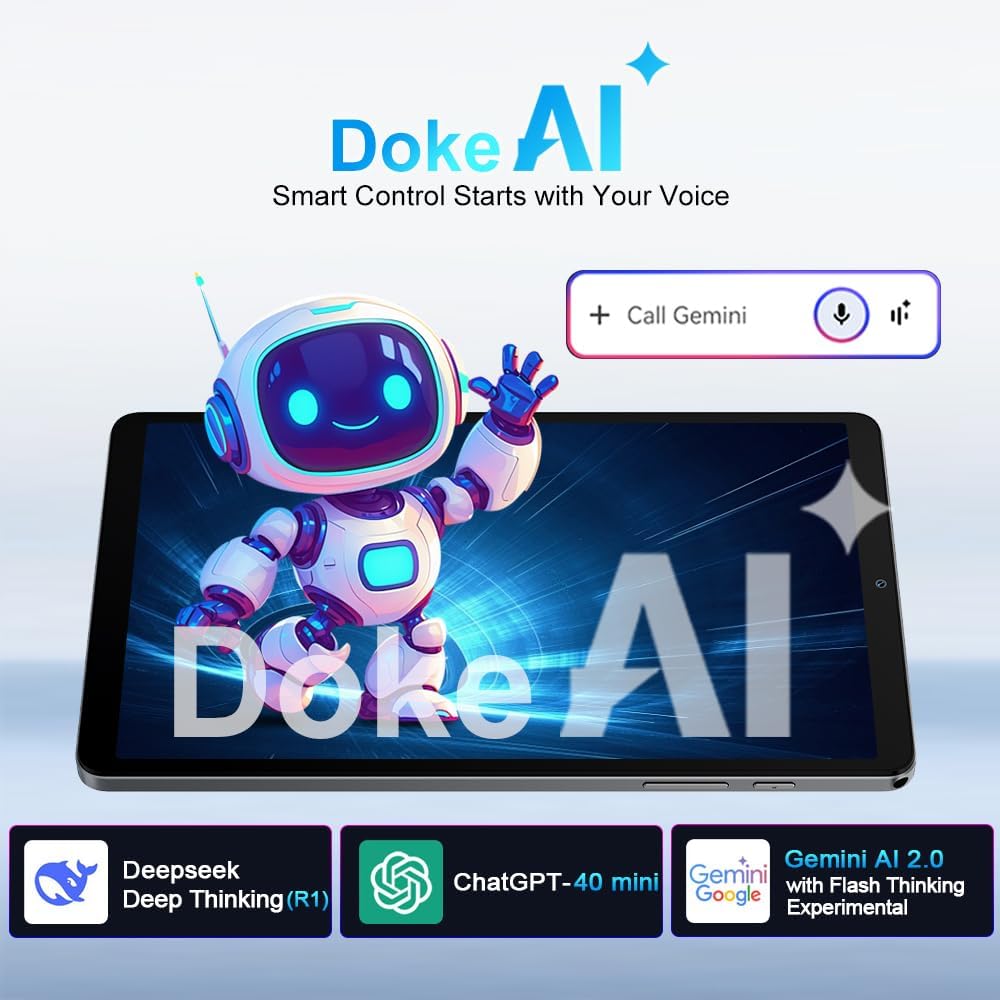
5.5 AI Features: Gemini AI 2.0 & Doke AI
Černýview Link 2 integrates advanced AI for enhanced user experience.
- Umělá inteligence Gemini 2.0: Offers real-time smart assistance for tasks like translation, summarization, scheduling, and learning. Activate by voice command or through designated apps.
- Doke AI: Černýview's self-developed AI apps provide smart control and adaptive features. Explore these apps for a more personalized experience.

Image: Visual representation of Doke AI and Gemini AI 2.0 functionalities.
5.6 Zvukový zážitek
Enjoy immersive audio with the tablet's dual box speakers.
- The dual speakers provide wider, more detailed, and realistic sound.
- Adjust volume using the physical volume buttons or through the system settings.

Image: The tablet's dual box speakers providing an immersive audio experience.
6. Údržba
6.1 Čištění tabletu
- K čištění obrazovky a těla používejte měkký hadřík, který nepouští vlákna.
- Vyhněte se používání agresivních chemikálií, abrazivních čisticích prostředků nebo aerosolových sprejů.
- Na odolné šmouhy lehce otřeteamphadřík vodou nebo čisticím roztokem určeným pro obrazovky.
6.2 Aktualizace softwaru
Pravidelně kontrolujte a instalujte aktualizace softwaru, abyste zajistili optimální výkon, zabezpečení a přístup k novým funkcím. Přejděte na Nastavení > Systém > Aktualizace systému.
6.3 Péče o baterii
- Vyhněte se extrémním teplotám, protože mohou snížit životnost baterie.
- Nenechávejte baterii často úplně vybít.
- Pro dlouhodobé skladování nabijte tablet přibližně na 50 % a vypněte jej.
6.4 Optimalizace úložiště
- Pravidelně znovuview a smažte nepotřebné files, fotografie a videa.
- Odinstalujte aplikace, které již nepoužíváte.
- Clear app cache data from Nastavení > Aplikace > [Název aplikace] > Úložiště a mezipaměť.
7. Řešení problémů
Zde jsou řešení běžných problémů, se kterými se můžete setkat:
| Problém | Řešení |
|---|---|
| Tablet se nezapne. | Ujistěte se, že je baterie nabitá. Připojte ji k nabíječce alespoň na 30 minut. Pokud stále nereaguje, proveďte vynucený restart podržením tlačítka napájení po dobu 10–15 sekund. |
| Obrazovka nereaguje. | Restart the tablet. If the issue persists, try a factory reset (data will be lost). |
| Problémy s připojením Wi-Fi/Bluetooth. | Toggle Wi-Fi/Bluetooth off and on. Restart your router or the paired device. Forget the network/device and reconnect. |
| Tablet běží pomalu. | Close unused apps. Clear app cache. Free up storage space. Restart the tablet. Consider a factory reset if performance does not improve. |
| Baterie se rychle vybíjí. | Reduce screen brightness. Close background apps. Disable unnecessary features like GPS, Bluetooth, or Wi-Fi when not in use. Check battery usage in settings to identify power-hungry apps. |
| Nelze se připojit k síti 4G. | Ensure SIM card is correctly inserted and activated. Check mobile data settings. Verify network coverage in your area. Note: Not compatible with AT&T, Cricket Wireless, Sprint, Straight Talk, Boost Mobile, or other CDMA-based carriers. |
8. Specifikace
Podrobné technické specifikace pro Blackview Link 2 tablet:
| Funkce | Detail |
|---|---|
| Název modelu | Černýview ODKAZ 2 |
| Operační systém | Android 15 |
| Velikost displeje | 8.68 palce |
| Rozlišení displeje | 1340x800 pixelů |
| Procesor | Octa-core (Unisoc T310), 1.8GHz max |
| GPU | IMG8300 |
| BERAN | 12GB (4GB physical + 8GB virtual RAM) |
| Interní úložiště | 128 GB |
| Rozšiřitelné úložiště | Až 1 TB přes microSD kartu |
| Kapacita baterie | 5000mAh (up to 9 hours average usage) |
| Zadní kamera | 8 MP |
| Přední kamera | 5 MP |
| Bezdrátové Standardní | 802.11ac, 802.11ax (5G Wi-Fi) |
| Bluetooth | Bluetooth 5.0 |
| Mobilní síť | 4G LTE (GSM/WCDMA/LTE), compatible with T-Mobile and MetroPCS. Not compatible with AT&T, Cricket Wireless, Sprint, Straight Talk, Boost Mobile, or CDMA-based carriers. |
| Navigace | GPS, Beidou, Galileo, Glonass |
| Rozměry (D x Š x V) | 21.3 x 12.6 x 0.85 cm |
| Hmotnost | 329 g |
| Barva | Černý |
9. Záruka a podpora
9.1 Informace o záruce
Černýview Link 2 tablet comes with an industry-leading Záruka 24 měsíců from the date of purchase. This warranty covers manufacturing defects and malfunctions under normal use. Please retain your proof of purchase for warranty claims. The warranty does not cover damage caused by misuse, accidents, unauthorized repairs, or normal wear and tear.
9.2 Zákaznická podpora
For technical assistance, warranty claims, or further inquiries, please contact Blackview zákaznickou podporu prostřednictvím jejich oficiálních website or the retailer where you purchased the device. Have your model number and purchase details ready when contacting support.
You can often find additional resources, FAQs, and software updates on the official Blackview stránka podpory.


