Zavedení
Thank you for choosing the Altec Lansing Comfort Pro Over Ear Bluetooth Headphones. These headphones are designed to provide a high-quality audio experience with advanced features such as Active Noise Cancellation (ANC), Environmental Noise Cancellation (ENC), Spatial Audio, and a long-lasting battery. This manual will guide you through the setup, operation, and maintenance of your new headphones.
Co je v krabici
- Altec Lansing Comfort Pro Wireless Headphones
- Nabíjecí kabel USB-C (není výslovně uveden, ale je určen k nabíjení)
- Audio Cable (not explicitly listed but common for wired use)
- Carrying Case (implied by images)
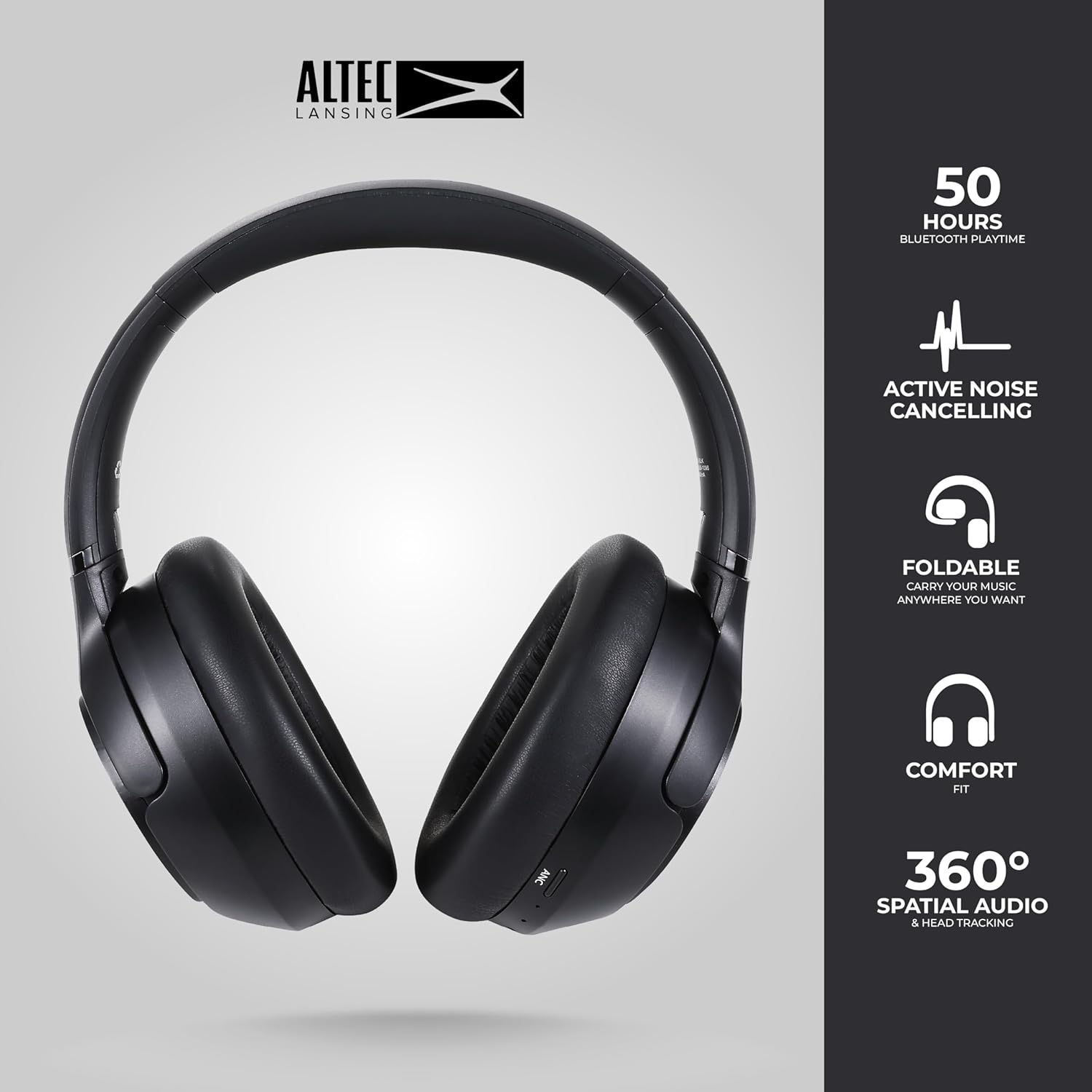
Image: The Altec Lansing Comfort Pro headphones, showcasing their sleek design and key features like 50 hours Bluetooth playtime, Active Noise Cancelling, foldable design, comfort fit, and 360° Spatial Audio & Head Tracking.
Nastavení
1. Nabíjení sluchátek
Before first use, fully charge your headphones. Connect the provided USB-C charging cable to the charging port on the headphones and the other end to a USB power source. The LED indicator will show charging status and turn off or change color when fully charged. A full charge typically takes approximately two hours.
2. Zapnutí/vypnutí
- Zapnutí: Stiskněte a podržte tlačítko napájení přibližně 3 sekundy, dokud se nerozsvítí LED indikátor.
- Vypnutí: Stiskněte a podržte tlačítko napájení přibližně 3 sekund, dokud nezhasne LED indikátor.
3. Párování Bluetooth
The headphones support Bluetooth 5.4 for stable connectivity and multipoint pairing for connecting to two devices simultaneously.
- Ujistěte se, že jsou sluchátka vypnutá.
- Press and hold the Power button for approximately 5-7 seconds until the LED indicator flashes rapidly (usually blue and red), indicating pairing mode.
- Na svém zařízení (chytrý telefon, notebook, tablet) přejděte do nastavení Bluetooth a povolte Bluetooth.
- Hledat available devices and select "Altec Lansing Comfort Pro" from the list.
- Po připojení přestane kontrolka LED blikat a zůstane svítit modře.
- For multipoint pairing, connect to the first device, then put the headphones back into pairing mode and connect to the second device. The headphones will intelligently switch between the two connected devices.

Obrázek: Podrobný view of the Altec Lansing Comfort Pro headphones highlighting the adjustable headband and the soft, lightweight ear cushions designed for comfort during extended use.
Provozní
Ovládání sluchátek
The headphones feature intuitive controls located on the earcups. Refer to the image below for button identification.

Obrázek: Detailní záběr view of the right earcup of the Altec Lansing Comfort Pro headphones, showing the power button, volume controls, and other function buttons.
- Vypínač: Press and hold to power on/off. Short press for play/pause, answer/end calls.
- Zvýšení hlasitosti (+): Krátkým stisknutím zvýšíte hlasitost. Dlouhým stisknutím přejdete na další skladbu.
- Snížit hlasitost (-): Krátkým stisknutím snížíte hlasitost. Dlouhým stisknutím přejdete na předchozí skladbu.
- Tlačítko ANC: Press to cycle through Active Noise Cancellation modes (ANC On, Ambient Mode, ANC Off).
- Multifunkční tlačítko (MFB): Double press to activate Voice Assistant (Siri/Google Voice). Triple press to activate Low Latency Mode.
Aktivní potlačení hluku (ANC) a potlačení hluku okolního prostředí (ENC)
The Comfort Pro headphones feature powerful ANC to block out external noise and ENC for clear calls. Press the dedicated ANC button to toggle between ANC On, Ambient Mode (allowing some environmental sounds for awareness), and ANC Off. ENC is automatically active during calls to ensure your voice is clear.
Prostorový zvuk
Experience immersive sound with Spatial Audio. This feature creates a 3D soundstage, making audio feel more lifelike. Spatial Audio is automatically enabled when supported by your device and content.
Režim nízké latence
For gaming or video playback where audio-visual synchronization is critical, activate Low Latency Mode by triple-pressing the MFB. This reduces audio delay for a more synchronized experience.
Hlasový asistent
Access your device's voice assistant (Siri or Google Voice) by double-pressing the MFB. You can then issue commands through the headphone's microphone.
Správa hovorů
- Přijmout/ukončit hovor: Krátce stiskněte tlačítko Napájení.
- Odmítnout hovor: Stiskněte a podržte tlačítko Napájení po dobu 2 sekund.
Údržba
Čištění
Pro zachování výkonu a vzhledu vašich sluchátek:
- Otřete náušníky a hlavový most měkkým, suchým hadříkem, který nepouští vlákna.
- Na odolné nečistoty lehce damphadřík opláchněte vodou. Nepoužívejte agresivní chemikálie, rozpouštědla ani abrazivní čisticí prostředky.
- Nedovolte, aby se do žádných otvorů dostala vlhkost.
Skladování
When not in use, store your headphones in the provided carrying case to protect them from dust, scratches, and impacts. The foldable design allows for compact storage.

Image: The Altec Lansing Comfort Pro headphones neatly folded and stored inside their protective carrying case, emphasizing portability and protection.
Péče o baterie
- Vyhněte se častému úplnému vybíjení baterie.
- Pokud sluchátka delší dobu nepoužíváte, skladujte je částečně nabitá.
- Vyhněte se extrémním teplotám, které mohou snížit životnost baterie.
Odstraňování problémů
If you encounter any issues with your Altec Lansing Comfort Pro headphones, refer to the following common solutions:
- Sluchátka se nezapnou: Ujistěte se, že jsou sluchátka plně nabitá. Připojte je ke zdroji napájení a zkuste to znovu po několika minutách.
- Nelze spárovat se zařízením:
- Ujistěte se, že sluchátka jsou v režimu párování (LED dioda rychle bliká).
- Vypněte a zapněte Bluetooth na vašem zařízení.
- Delete "Altec Lansing Comfort Pro" from your device's Bluetooth list and attempt to pair again.
- Zkuste spárovat s jiným zařízením, abyste vyloučili problémy specifické pro dané zařízení.
- Žádný zvuk nebo nízká hlasitost:
- Zkontrolujte úroveň hlasitosti na sluchátkách i na připojeném zařízení.
- Ujistěte se, že jsou sluchátka správně připojena přes Bluetooth.
- If using a wired connection, ensure the audio cable is fully inserted into both the headphones and the audio source.
- ANC nefunguje efektivně:
- Ujistěte se, že je ANC aktivováno stisknutím tlačítka ANC.
- Upravte si velikost sluchátek tak, aby dobře přilnuly k uším.
- ANC is most effective against low-frequency, constant noise. It may not completely block out voices or sudden, high-frequency sounds.
- Hlasový asistent nereaguje: Ensure your device's voice assistant is enabled and that the headphones are properly connected. Double-press the MFB firmly.
Specifikace
| Název modelu | MX3050 (MZX3050-BLK-STK-6) |
| Technologie připojení | Bezdrátové (Bluetooth) |
| Verze Bluetooth | 5.4 |
| Životnost baterie | Up to 60 Hours (40 Hours with ANC activated) |
| Funkce pro potlačení hluku | Aktivní potlačení hluku (ANC), potlačení hluku prostředí (ENC) |
| Tvar sluchátka | Over-Ear |
| Kontrolní metoda | App, Voice, On-headphone buttons |
| Kompatibilní zařízení | Smartphones, Laptops, Tablets |
| Materiál | Fabric/Silicone and Plastic/Metal (Combination) |
| Hmotnost položky | 1 libra |
| Úroveň odolnosti proti vodě | Vodotěsný |
Záruka a podpora
For warranty information and customer support, please refer to the documentation included with your purchase or visit the official Altec Lansing website. You can typically find detailed warranty terms, FAQs, and contact information for technical assistance there.
Online zdroje: www.alteclansing.com


