Zavedení
This manual provides detailed instructions for the Fire-Boltt Shott Smartwatch, Model 222BSWAAY#6. It covers setup, operation, maintenance, and troubleshooting to ensure optimal use of your device. The Fire-Boltt Shott features an elegant 1.5-inch round HD display, a built-in front camera, and a Nano SIM slot for standalone functionality.
Konec produktuview
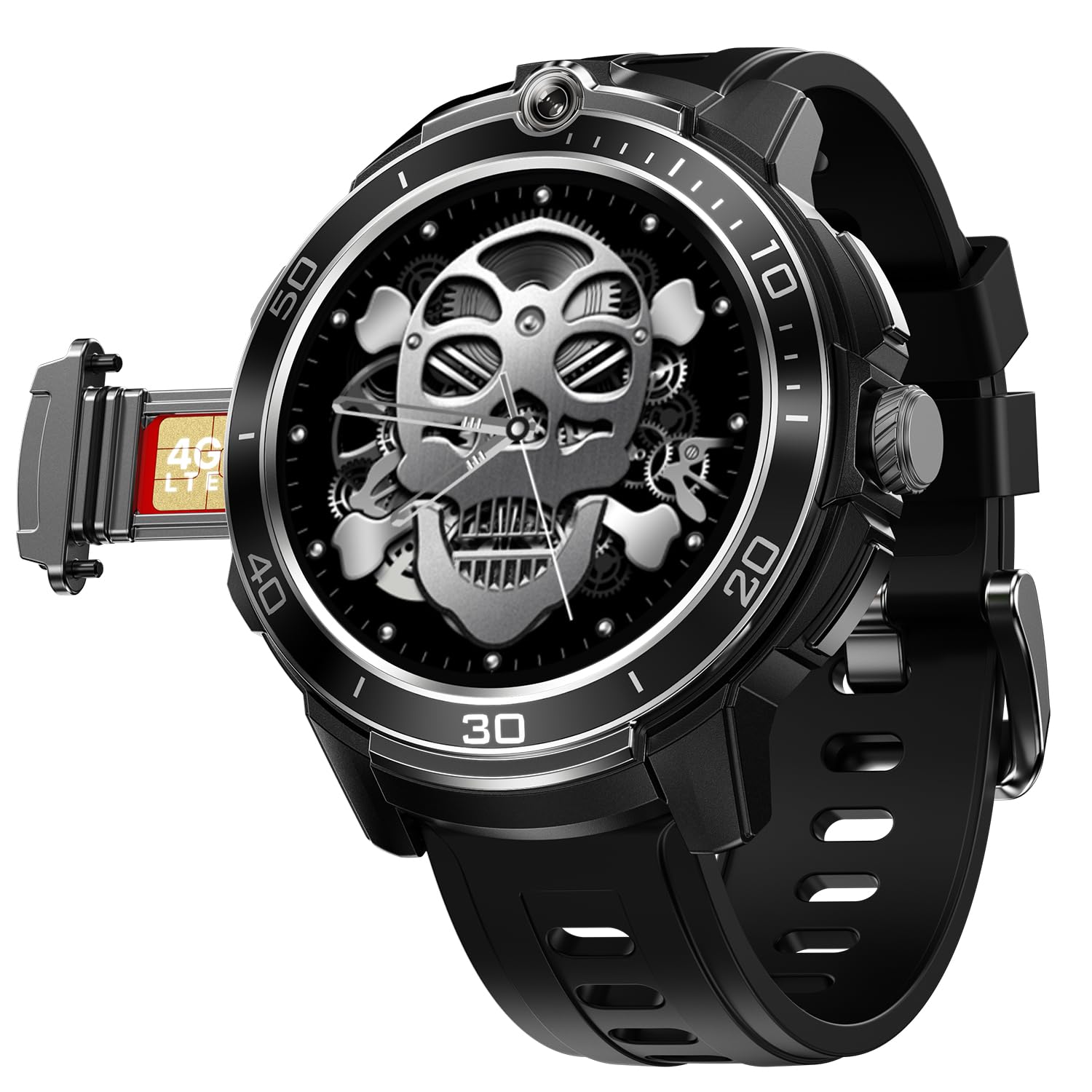
Image: Fire-Boltt Shott Smartwatch in Jet Eclipse color, showcasing its round display and sleek design.
The Fire-Boltt Shott Smartwatch is designed to offer advanced connectivity and health tracking features. Key functionalities include:
- Elegant Round 1.5" HD Display: Experience premium clarity and style with a circular HD screen that offers rich color depth, smooth touch response, and an always-on display mode for quick time checks.
- Built-in Front Camera + Nano-SIM Support: Capture selfies and make video calls directly from your wrist with the integrated 2 MP camera. Insert a nano-SIM to use it as a standalone watch phone.
- Seamless Bluetooth Calling: Stay connected without touching your phone. Make and receive calls directly from your wrist with an in-built mic and speaker for clear, stable sound quality.
- Multiple Sports & Activity Modes: From running and cycling to yoga and strength training, track your daily workouts with precision and view your progress in the companion app.
- Smart Notifications & Controls: Get alerts for calls, SMS, WhatsApp, and social apps. Control music, camera, and more right from your wrist for effortless multitasking.
Průvodce nastavením
1. Nabíjení chytrých hodinek
Before first use, fully charge your Fire-Boltt Shott Smartwatch. Use the provided charging cable. Connect the magnetic end of the cable to the charging pins on the back of the watch and the USB end to a power adapter (not included) or a computer's USB port.
- Plné nabití obvykle trvá přibližně 2 hodiny.
- The watch includes a Lithium Ion battery.
2. Nano SIM Card Installation
The Fire-Boltt Shott supports a Nano SIM card for standalone cellular connectivity (4G/LTE). This allows you to make and receive calls directly from the watch without a paired smartphone.
- Vyhledejte slot pro SIM kartu na boku chytrých hodinek.
- Carefully open the SIM tray using the provided SIM ejector tool (if applicable) or a small pin.
- Insert the Nano SIM card into the tray with the gold contacts facing down, ensuring it is correctly oriented.
- Gently push the SIM tray back into the slot until it clicks into place.
Note: Ensure the watch is powered off before inserting or removing the SIM card. Some users have reported network issues with specific carriers (e.g., BSNL 4G).
3. Instalace a párování aplikace
To unlock the full potential of your smartwatch, download the companion application on your smartphone.
- Hledat "FireBoltt Fit" or "FireBoltt Fit Pro" in your smartphone's app store (Google Play Store for Android, Apple App Store for iOS). Based on user feedback, "FireBoltt Fit" may offer better connectivity.
- Nainstalujte aplikaci.
- Enable Bluetooth on your smartphone and ensure the smartwatch is powered on.
- Open the FireBoltt app, create an account or log in, and follow the on-screen instructions to pair your smartwatch. This usually involves scanning a QR code displayed on the watch or selecting the watch from a list of nearby devices.
Ensure the app is updated to the latest version for optimal performance and connectivity.
Návod k obsluze
Displej a navigace
- The smartwatch features a 1.5-inch AMOLED touchscreen display.
- Přejetím prstem doleva/doprava, nahoru/dolů můžete procházet menu a funkce.
- Tap to select items.
- Use the physical crown/button for power on/off, screen wake, and returning to the home screen.
Volání pomocí Bluetooth
Once paired with your smartphone via Bluetooth, you can make and receive calls directly from your wrist.
- Uskutečnění hovoru: Otevřete seznam číselníku nebo kontaktů na hodinkách.
- To receive a call: An incoming call notification will appear on the watch. Tap to answer or decline.
Ensure your watch is within Bluetooth range of your phone for this feature to work, or has an active SIM card for standalone calls.
Použití přední kamery
The integrated 2 MP front camera allows for quick photos and video calls.
- Access the camera application from the watch menu.
- Klepnutím na obrazovku pořídíte fotografii.
- For video calls, use compatible applications installed on the watch (e.g., WhatsApp, if supported).
Inteligentní oznámení
Receive notifications for calls, SMS, and various social media applications directly on your smartwatch.
- Ensure notification permissions are granted to the FireBoltt app on your smartphone.
- Customize which app notifications appear on your watch through the companion app settings.
Sledování sportu a aktivity
The smartwatch supports multiple sports and activity modes to track your fitness data.
- Select your desired activity from the sports modes menu.
- The watch will record data such as steps, distance, calories burned, and heart rate.
- Sync the watch with the FireBoltt app to view detailed statistics and progress.
Údržba
Čištění chytrých hodinek
- Wipe the screen and body of the watch with a soft, lint-free cloth.
- Pro odolnou špínu lehceamphadřík vodou. Nepoužívejte agresivní chemikálie ani abrazivní materiály.
- Regularly clean the charging pins and sensors on the back of the watch to ensure proper contact and accurate readings.
Péče o baterie
- Nevystavujte hodinky extrémním teplotám, které by mohly snížit životnost baterie.
- Hodinky pravidelně nabíjejte, ale nenechávejte je delší dobu zcela vybité.
- Battery life can vary significantly based on usage, especially with 4G mode and frequent app use.
Odstraňování problémů
| Problém | Možná příčina / řešení |
|---|---|
| Watch not connecting to phone app |
|
| Poor battery life / Fast discharge |
|
| Watch heating up during use |
|
| Crown/button not responding |
|
| SIM card network issues |
|
Specifikace
| Funkce | Detail |
|---|---|
| Značka | Fire-Bott |
| Číslo modelu | 222BSWAAY#6 |
| Velikost displeje | 1.5 palce |
| Typ zobrazení | AMOLED |
| Tvar | Kolo |
| Fotoaparát | Front Camera (2 MP, based on features) |
| Podpora SIM | Slot Nano SIM |
| Buněčná technologie | 4G/LTE |
| Konektivita | Bluetooth |
| Kompatibilní zařízení | Smartphone |
| Složení článků baterie | Lithium Ion |
| Montážní hardware | Nabíjecí kabel |
| Hmotnost položky | 46 g |
| Země původu | Čína |
Záruka a podpora
For warranty information and technical support, please refer to the official Fire-Boltt webnebo se obraťte přímo na jejich zákaznický servis. Uschovejte si účtenku jako doklad o koupi pro případné reklamace.
If you encounter issues not covered in this manual, or if troubleshooting steps do not resolve your problem, please reach out to Fire-Boltt customer support for further assistance.


