1. Úvod
Welcome to the Fire-Boltt Fire-Lens Dune Smart Glasses user manual. These smart glasses combine stylish eyewear with advanced audio technology, offering Bluetooth calling, open-ear audio, and voice assistant integration. This manual provides essential information for proper setup, operation, and maintenance of your device.
2. Co je v krabici
- Fire-Boltt Fire-Lens Dune Smart Glasses
- Nabíjecí kabel
3. Konec produktuview
The Fire-Boltt Fire-Lens Dune Smart Glasses are designed for seamless integration into your daily life, providing audio and communication features without obstructing your hearing of the surroundings.
Klíčové vlastnosti:
- Bluetooth Calling & Open-Ear Audio: Answer calls and listen to audio through built-in speakers and microphone, maintaining awareness of your environment.
- HD Voice Clarity & Noise Reduction: Experience clear sound for calls and music, supported by 360° acoustic drivers and a noise-reducing microphone.
- Chytré dotykové ovládání: Manage music playback and calls with intuitive taps on the temple.
- Kompatibilita hlasového asistenta: Activate Siri, Alexa, or Google Assistant with a simple tap for hands-free control.
- Lehký a stylový design: Engineered for comfort during extended wear, suitable for various activities.
- Rychlé nabíjení a dlouhá výdrž baterie: Quick-charge technology provides hours of use from a short charge, with up to 6 hours playtime and 72 hours standby.
- Optical Lens Support: Compatible with prescription lenses for personalized vision correction.

Obrázek 3.1: Přední strana view of the Fire-Boltt Fire-Lens Dune Smart Glasses.
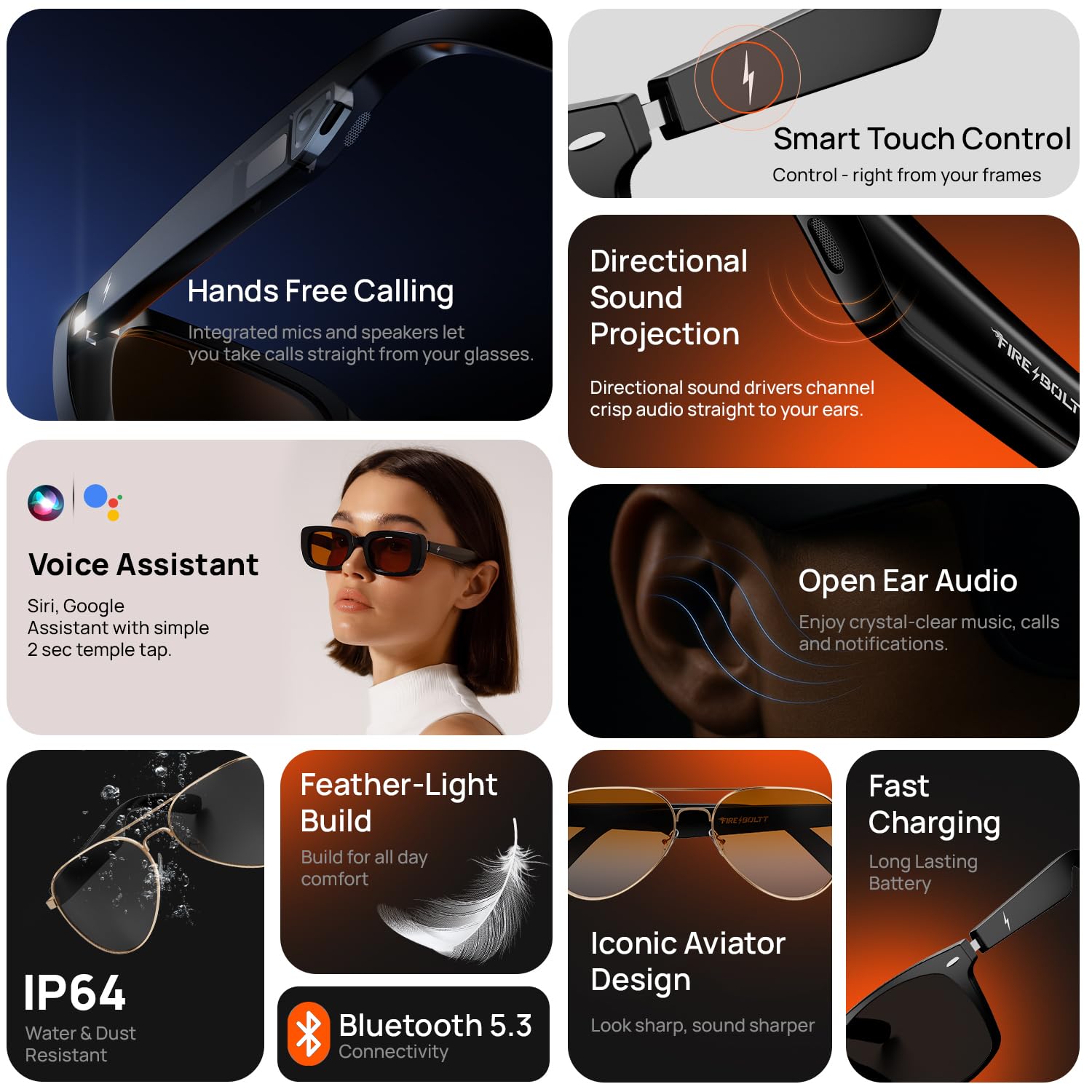
Obrázek 3.2: Přesview of key features such as hands-free calling, directional sound projection, voice assistant, and open-ear audio.
Video 3.1: Oficiální produkt skončilview showcasing the features and design of the Fire-Boltt Fire-Lens Dune Smart Glasses.
4. Nastavení
4.1 Zapnutí
To power on your Fire-Lens Dune Smart Glasses, touch and hold both arms of the glasses for 5 seconds until you hear a confirmation sound or see an indicator light.
4.2 Připojení Bluetooth
- Ensure your glasses are powered on.
- Povolte Bluetooth na svém smartphonu nebo jiném kompatibilním zařízení.
- Hledat available devices and select "Firelenses" from the list.
- Upon successful pairing, you will hear a voice prompt: "Connection Succeeded".
If the connection is lost, you will hear: "Connection Disconnected".
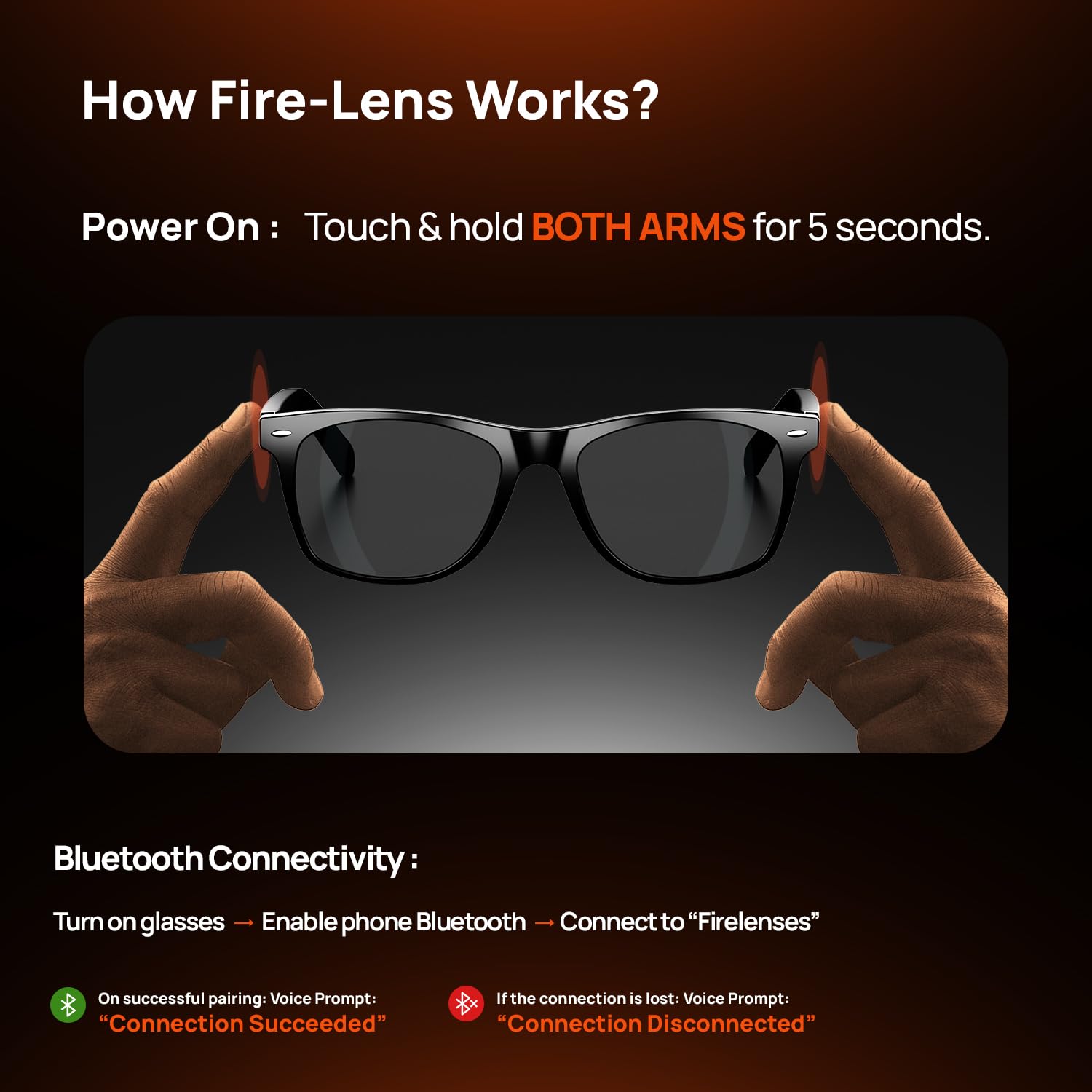
Figure 4.1: Instructions for powering on and connecting the smart glasses via Bluetooth.
5. Návod k obsluze
The Fire-Lens Dune Smart Glasses feature intuitive touch controls located on the temple arms.
5.1 Inteligentní dotykové ovládání
| Akce | Funkce |
|---|---|
| Double-tap on either arm | Play/Pause music or Receive/Hang up call |
| Long Press (2 seconds) either arm | Hlasový asistent probuzení |
| Triple-tap on the left arm | Předchozí skladba |
| Triple-tap on the right arm | Další píseň |
| Press & hold (3 seconds) either arm | Odmítnout hovor |

Figure 5.1: Detailed smart touch control gestures for various functions.
5.2 Hlasový asistent
Activate your preferred voice assistant (Siri, Alexa, Google) with a 2-second long press on either temple arm. This allows for hands-free commands such as making calls, sending messages, setting reminders, getting directions, or playing music.
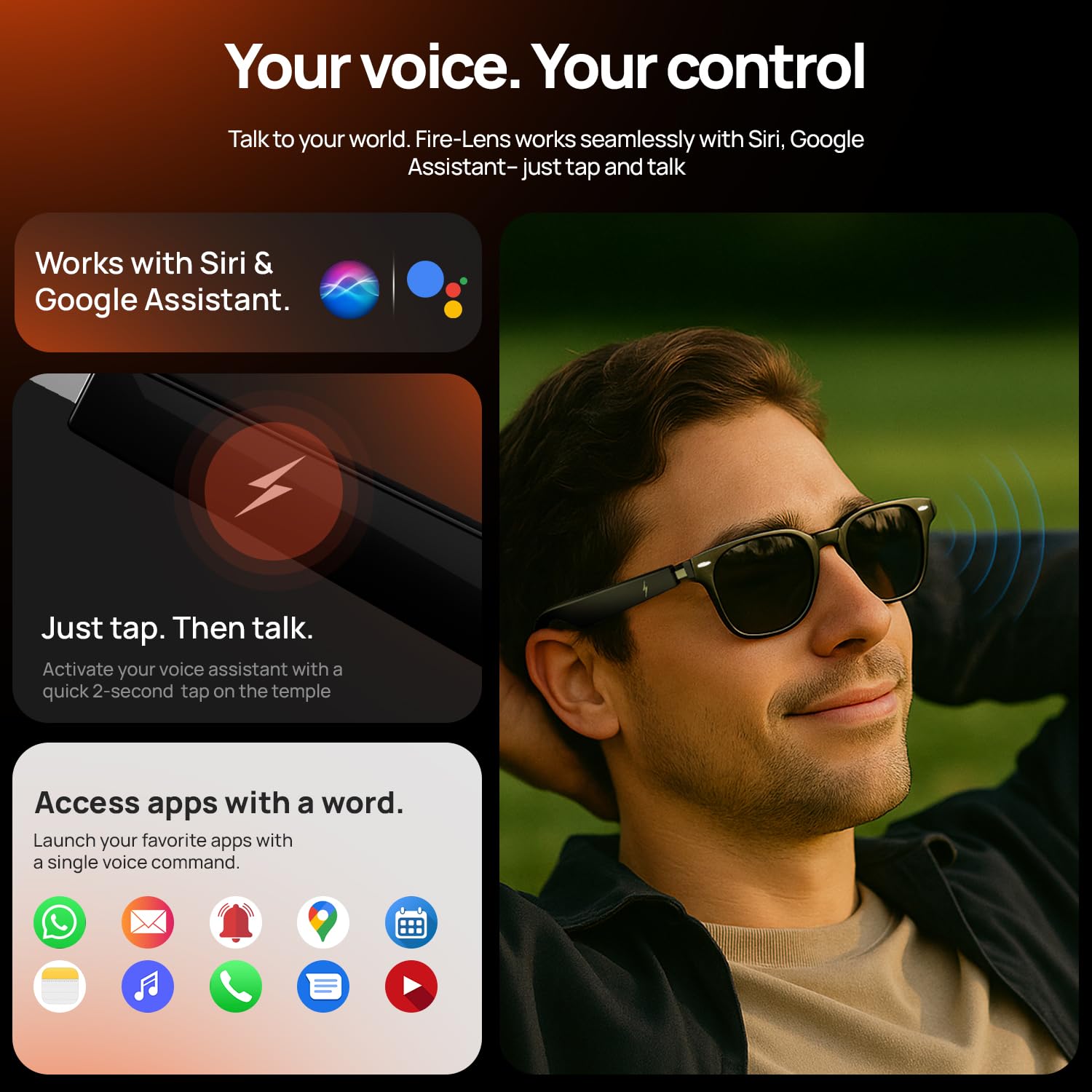
Figure 5.2: Using voice commands to control your smart glasses for various tasks.
6. Baterie a nabíjení
The Fire-Lens Dune Smart Glasses are equipped with dual 60mAh batteries, offering efficient power management.
- Prázdno: Až 6 hodiny.
- Pohotovostní doba: Až 72 hodiny.
- Rychlé nabíjení: Approximately 15 minutes of charge provides 4 hours of use.
Use the provided charging cable to connect your glasses to a power source. Ensure the magnetic charging interface is properly aligned.
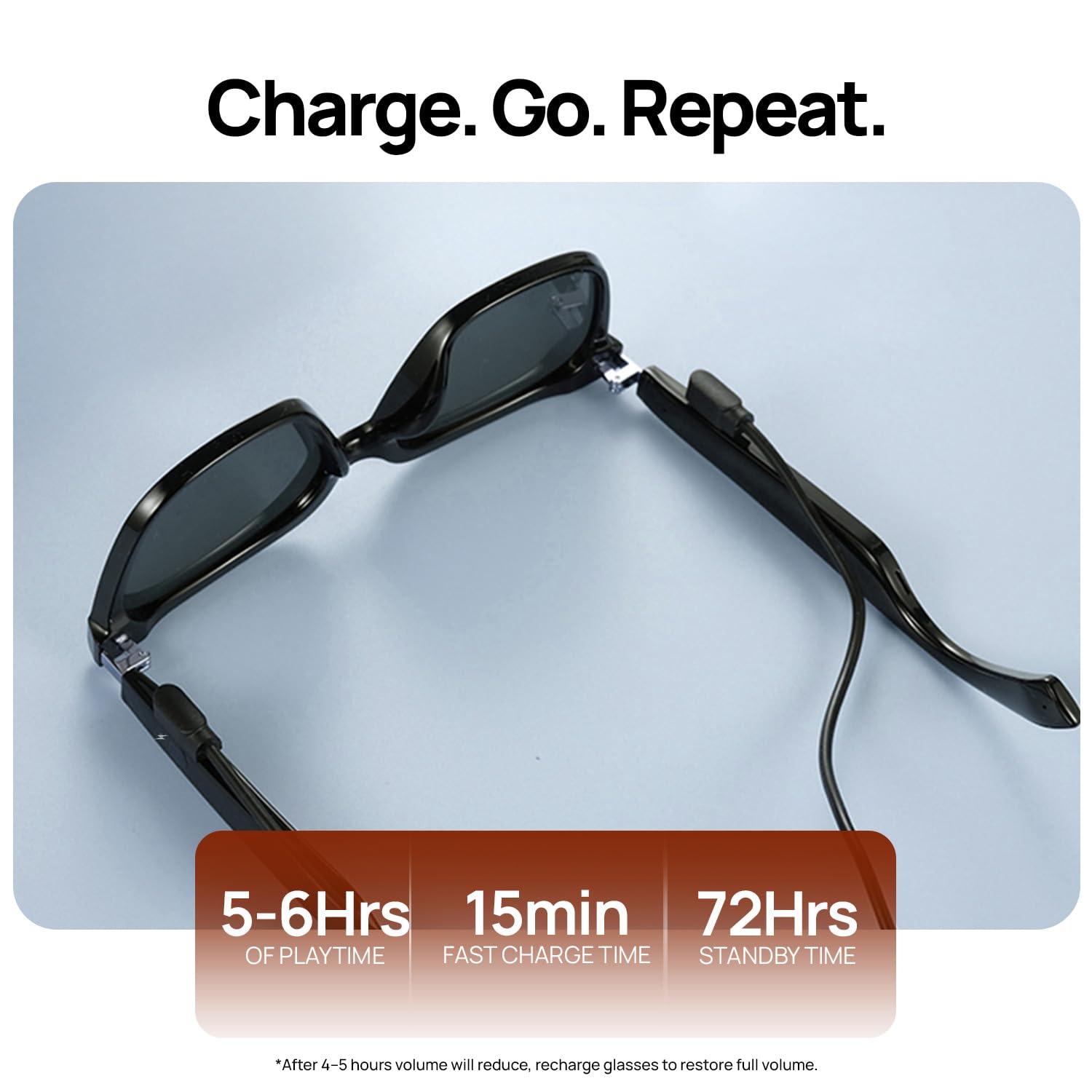
Figure 6.1: Battery life and fast charging capabilities of the smart glasses.
7. Údržba
To ensure the longevity and optimal performance of your Fire-Boltt Fire-Lens Dune Smart Glasses, follow these maintenance guidelines:
- Čištění: Use a soft, lint-free cloth to clean the lenses and frame. Avoid abrasive materials or harsh chemicals. For stubborn smudges, a lens cleaning solution designed for eyewear can be used.
- Skladování: Pokud brýle nepoužíváte, uložte je do ochranného pouzdra, abyste zabránili poškrábání a poškození.
- Voděodolnost: The glasses have an IP64 rating, meaning they are resistant to dust and splashes of water. Avoid submerging them in water or exposing them to heavy rain.
- Teplota: Nevystavujte brýle extrémním teplotám (horkým nebo nízkým), protože to může ovlivnit životnost baterie a elektronické součástky.
8. Řešení problémů
If you encounter issues with your Fire-Boltt Fire-Lens Dune Smart Glasses, refer to the following common solutions:
- Bez napájení: Ensure the glasses are fully charged. Connect them to the charging cable and allow sufficient time for charging.
- Problémy s připojením Bluetooth:
- Make sure Bluetooth is enabled on your device and the glasses are in pairing mode.
- Forget the device ("Firelenses") from your phone's Bluetooth settings and attempt to re-pair.
- Ensure the glasses are within the effective Bluetooth range (typically 10 meters).
- Žádný zvuk nebo nízká hlasitost:
- Check the volume levels on both your glasses and your connected device.
- Ujistěte se, že reproduktory nejsou zakryty.
- Re-establish the Bluetooth connection.
- Dotykové ovládání nereaguje:
- Ensure the temple arms are clean and dry.
- Restart the glasses by powering them off and on again.
- Hlasový asistent nereaguje:
- Confirm the glasses are connected to your device.
- Ensure the voice assistant is enabled on your smartphone and the microphone on the glasses is not obstructed.
Pokud problém přetrvává, požádejte o další pomoc zákaznickou podporu.
9. Specifikace
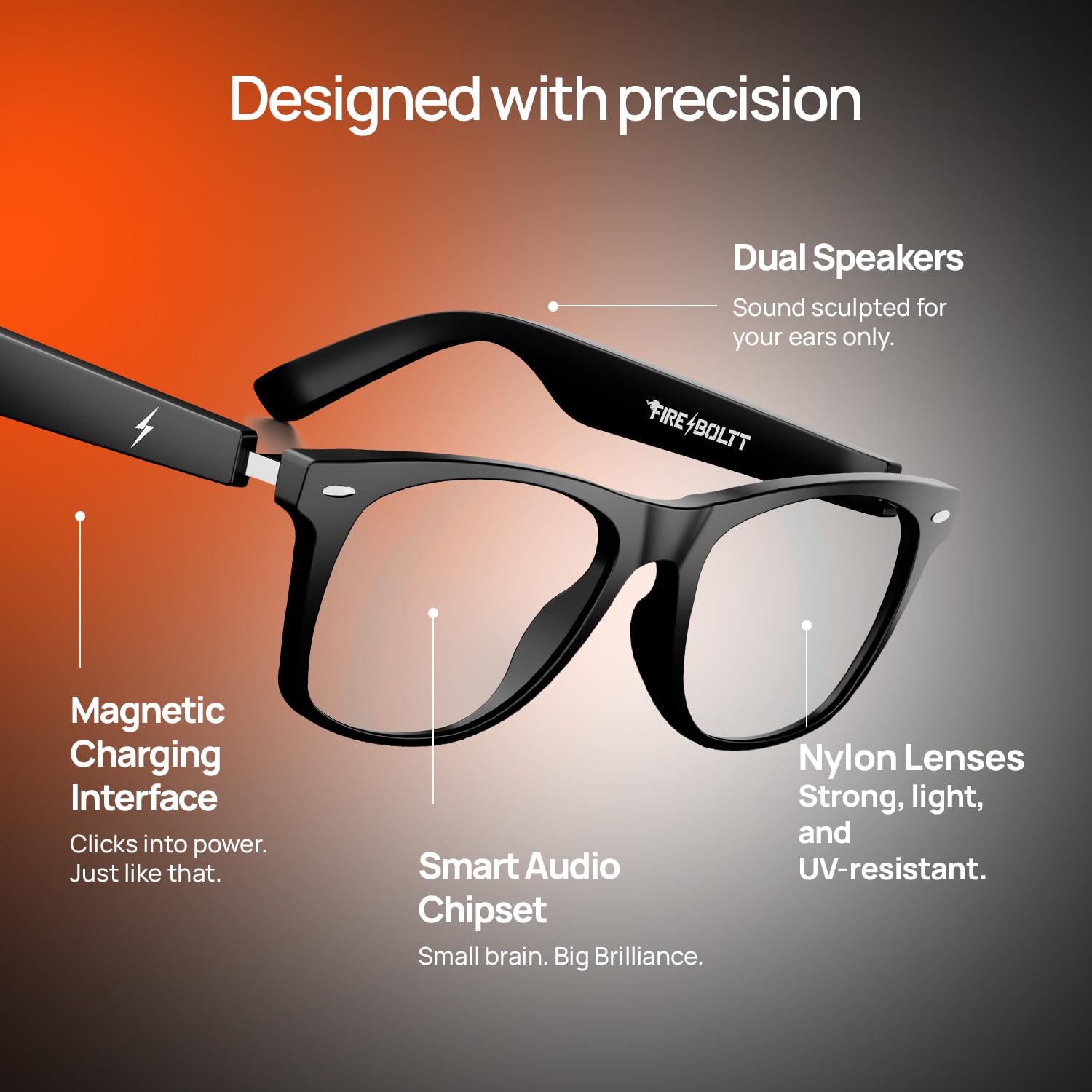
Figure 9.1: Internal design and key components of the smart glasses.
| Funkce | Detail |
|---|---|
| Značka | Fire-Bott |
| Model | BGSG001 |
| Hmotnost položky | 46 g |
| Kapacita baterie | 120 miliamp Hours (dual 60mAh) |
| Složení článků baterie | Lithium Ion |
| Průměrná životnost baterie | 6 hodin (hrací doba) |
| Bezdrátový typ | Bluetooth |
| Technologie připojení | Bluetooth |
| Kompatibilní zařízení | Smartphone |
| Speciální funkce | Bluetooth Calling, Open-Ear Audio, Smart Touch Controls, Voice Assistant Compatibility, Fast Charging |
| Typ zobrazení | Žádný displej |
| Země původu | Čína |
10. Záruka a podpora
Your Fire-Boltt Fire-Lens Dune Smart Glasses come with a standard brand warranty. For specific warranty terms, duration, and claim procedures, please refer to the warranty card included with your product or visit the official Fire-Boltt webmísto.
For further assistance, technical support, or service inquiries, please contact Fire-Boltt customer support through their official channels. You may also find additional information and FAQs on the product detail page where you purchased the item.


