Zavedení
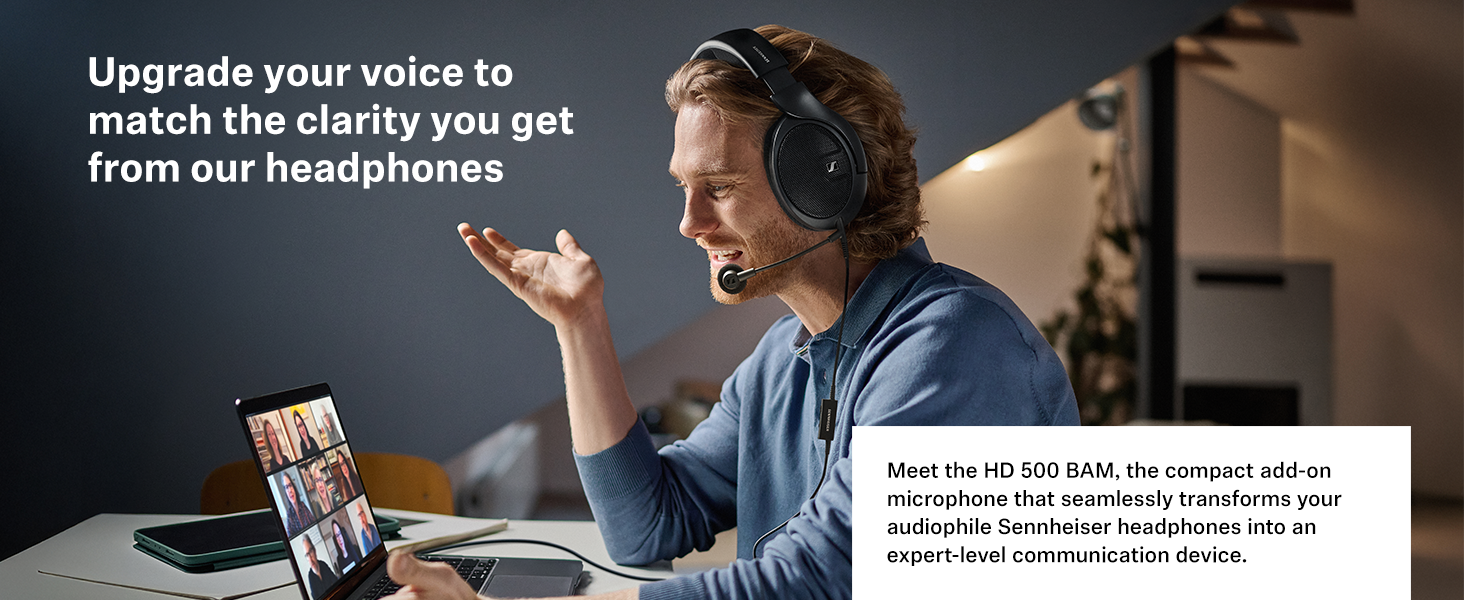
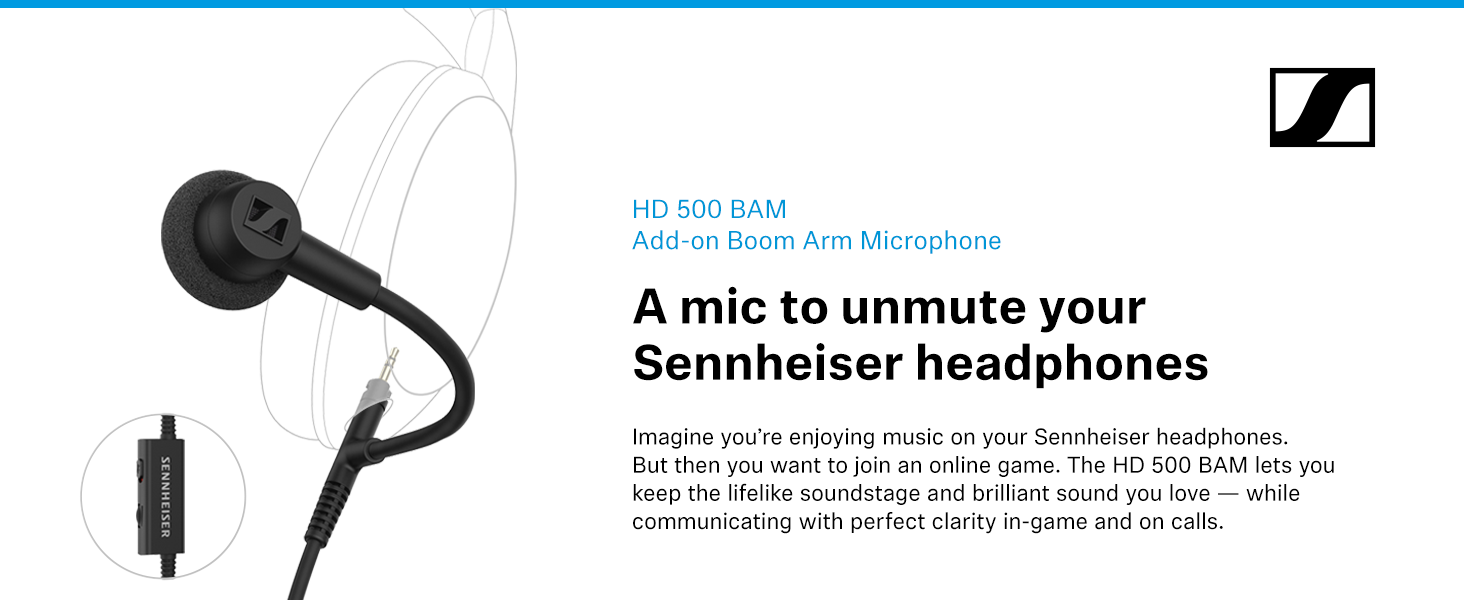
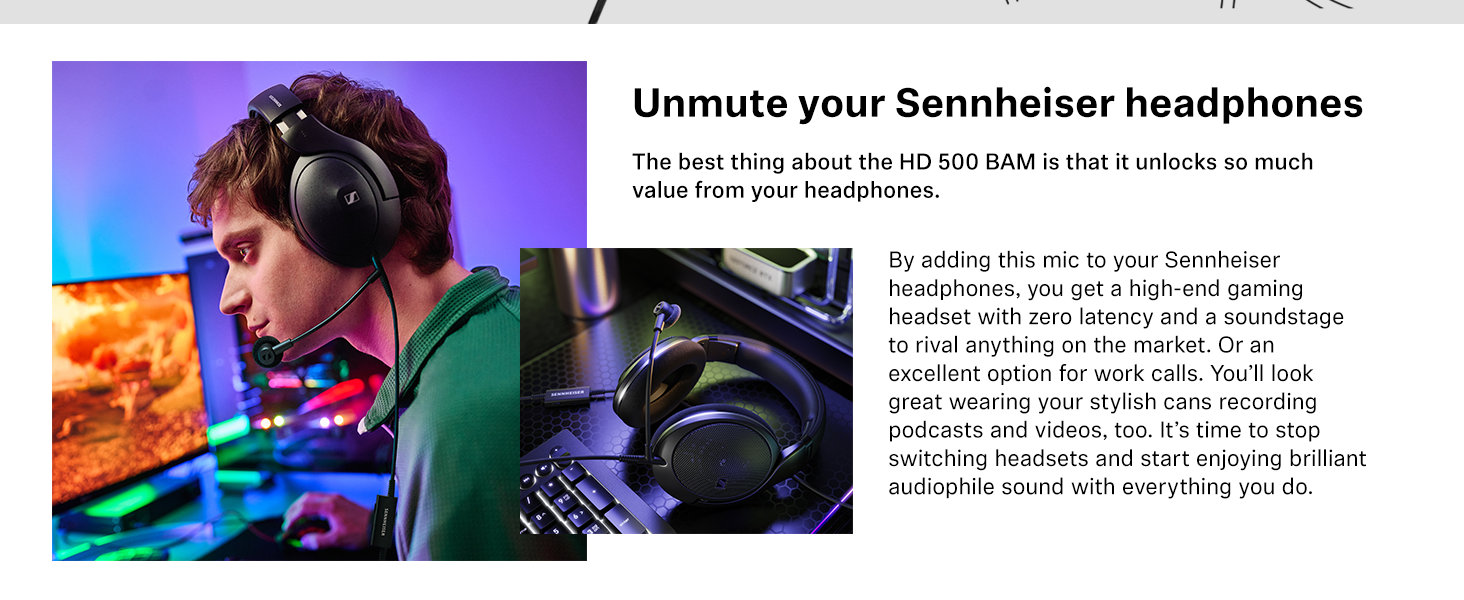
The Sennheiser HD 500 BAM is a plug-in boom arm microphone designed to enhance your compatible Sennheiser headphones for gaming, streaming, podcasting, and communication. This manual provides essential information for the proper setup, operation, and maintenance of your HD 500 BAM microphone.
Obsah dodávky
Before proceeding with installation, please ensure all components are present in the package:
- Boom arm microphone with 1.50 m cable (3.5 mm jack plug)
- In-line ovládání hlasitosti a ztlumení
- Y-adapter for computer use
- 3 replaceable foam popscreens
- User information (Quick Guide, Safety Guide)
Nastavení
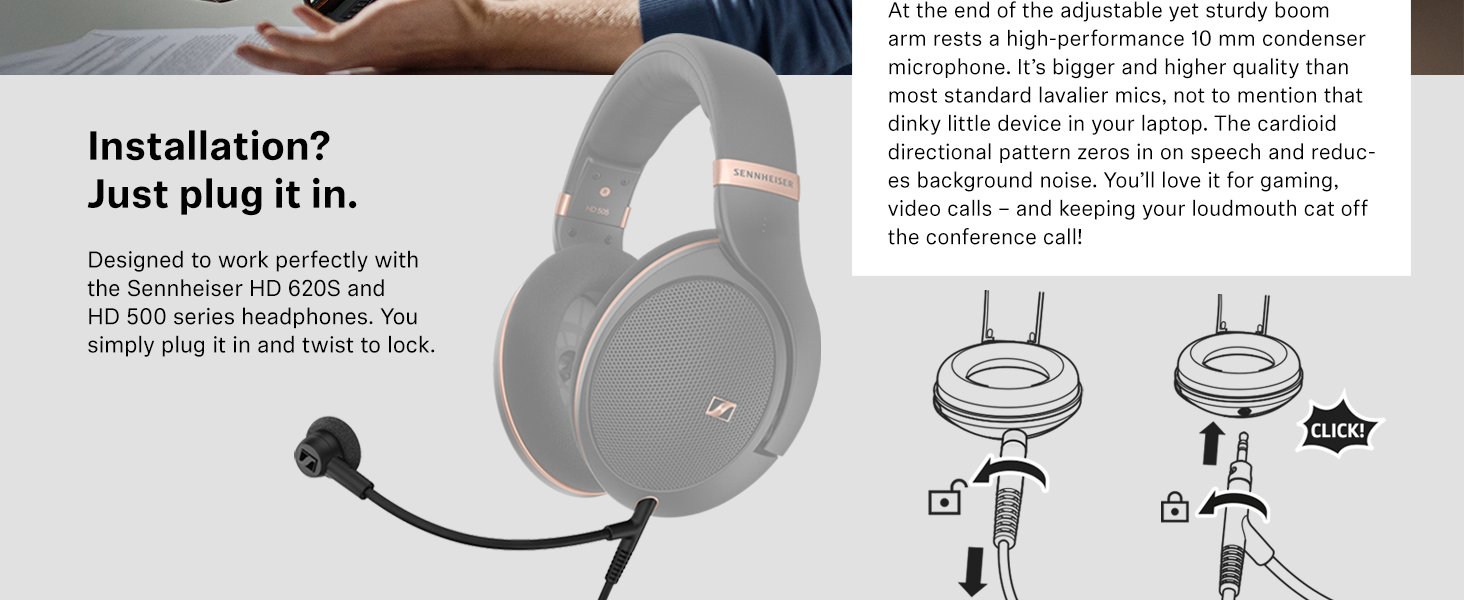
The HD 500 BAM is designed for easy installation with compatible Sennheiser headphones. Follow these steps to connect your microphone:
- Identify Compatible Headphones: Ensure your headphones are from the Sennheiser HD 500 series or HD 620S. Compatible models include:
- HD 505 Copper
- HD 518
- HD 550
- HD 558
- HD 559
- HD 560S
- HD 569
- HD 579
- HD 598 / HD 598 Cs / HD 598 SE
- HD 599 / HD 599 SE
- HD 620S
Note: This microphone is not compatible with other headphone brands.
- Remove Existing Cable: Disconnect the existing audio cable from your compatible Sennheiser headphones. Most Sennheiser HD 500 series and HD 620S headphones feature a twist-to-lock mechanism for cable removal. Twist the cable connector counter-clockwise and pull to detach.
- Attach HD 500 BAM: Insert the 3.5 mm jack of the HD 500 BAM boom arm microphone into the headphone's audio input port. Twist the connector clockwise to securely lock it into place. No tools, magnets, or adhesive patches are required.
- Připojit k zařízení: Connect the other end of the HD 500 BAM cable to your desired playback device. If connecting to a computer with separate microphone and headphone jacks, use the included Y-adapter. For devices with a single 3.5 mm jack (e.g., consoles, tablets, smartphones), connect directly. An additional adapter may be required for some smartphones or tablets (e.g., USB-C to 3.5 mm adapter for Apple iOS or Samsung devices).
Ovládání mikrofonu
Vestavěné ovládací prvky
The HD 500 BAM features an in-line control unit on the cable for convenient access to volume and mute functions.
- Ovládání hlasitosti: Use the integrated dial to adjust the audio output volume to your headphones. Rotate the dial upwards to increase volume and downwards to decrease volume.
- Přepínač ztlumení: Slide the switch to mute or unmute the microphone. When the microphone is muted, the red indicator will be visible.


Umístění mikrofonu
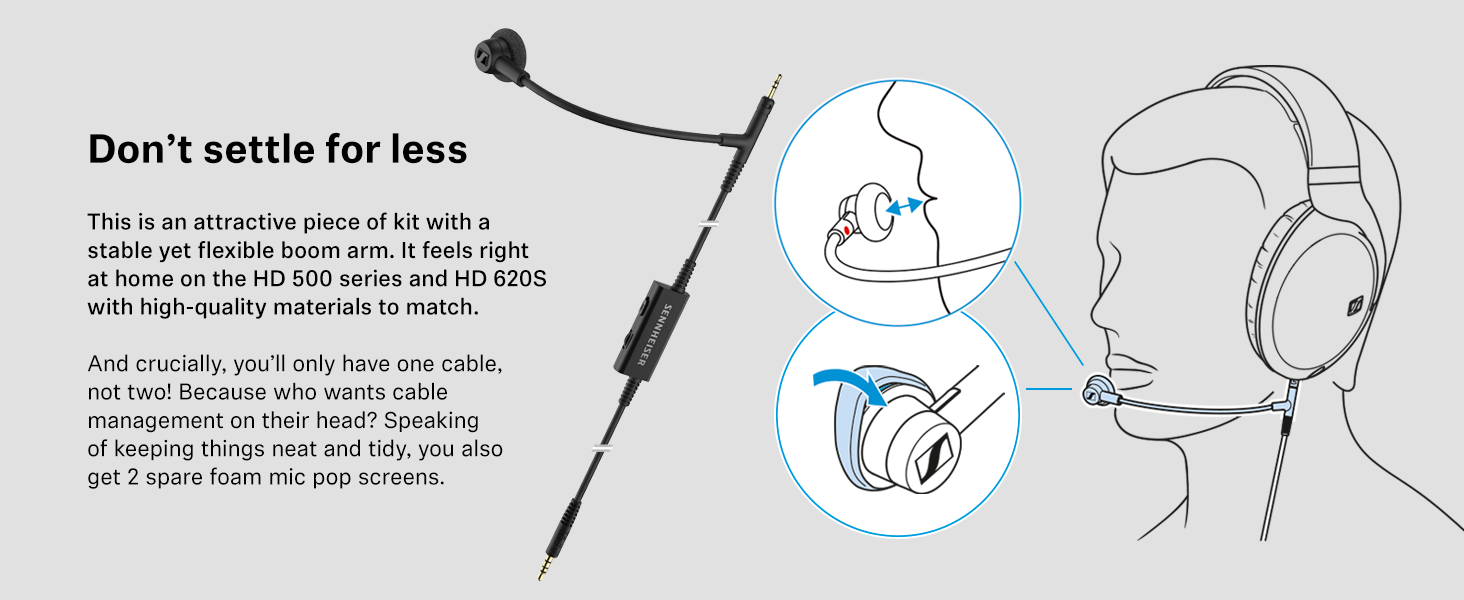
For optimal voice clarity and to minimize background noise, position the boom arm microphone approximately 1-2 inches from your mouth. The flexible boom arm allows for precise adjustment.
Kompatibilita zařízení
The HD 500 BAM is compatible with a wide range of devices via its 3.5 mm plug. An adapter may be required for certain devices.
| Typ zařízení | Podrobnosti o kompatibilitě |
|---|---|
| Windows PC | Direct connection or via Y-adapter for separate mic/headphone ports. |
| Apple (iOS) | Requires USB-C to 3.5 mm Headphone Jack Adapter. |
| Samsung | Requires USB-C Headphone Jack Adapter (e.g., EE-UC10J). |
| Microsoft Xbox Controllers | Xbox Elite Wireless Controller Series 2, Xbox One Elite Wireless Controller Series 1, Xbox One Wireless Controller (1697), Xbox One Wireless Controller (1708), Xbox Series X Wireless Controller, Xbox Wireless Controller. |
| Nintendo Switch | Switch, Switch Lite, Switch OLED (all models). |
| Sony PlayStation Controllers | DualSense® Controller V1-V5, DualSense Edge™, DualShock 4. |
Údržba
To ensure the longevity and optimal performance of your HD 500 BAM microphone, follow these maintenance guidelines:
- Foam Pop Screens: The included foam pop screens protect the microphone from dust, moisture, and other contaminants. They also help reduce plosive sounds and breathing noises, improving sound quality. Replace pop screens as needed using the two spare ones provided.
- Čištění: Mikrofon a kabel jemně otřete měkkým, suchým hadříkem. Nepoužívejte agresivní chemikálie ani abrazivní materiály.
- Skladování: When not in use, store the microphone in a clean, dry place away from extreme temperatures.

Odstraňování problémů
If you encounter issues with your HD 500 BAM microphone, refer to the following common solutions:
- Žádný zvuk z mikrofonu:
- Ensure the microphone is securely twisted and locked into the headphone jack.
- Check that the mute switch on the in-line control is in the 'unmuted' position.
- Verify that the cable is correctly connected to your device, using the Y-adapter if necessary for PC.
- Check your device's audio settings to ensure the correct microphone input is selected and volume levels are adequate.
- Low Microphone Volume or Poor Clarity:
- Adjust the microphone's position closer to your mouth (1-2 inches).
- Ensure the foam pop screen is clean and properly installed.
- Check your device's input gain or microphone volume settings.
- Confirm that the microphone is connected to a compatible device and port.
- Audio Only in One Ear (Headphones):
- Ensure the HD 500 BAM cable is fully inserted and locked into the headphone jack.
- If using the Y-adapter, ensure both green (headphone) and pink (microphone) plugs are fully inserted into the correct ports on your PC.
- Test the microphone with another compatible headphone or device to rule out a specific headphone issue.
If these steps do not resolve the issue, please refer to the Sennheiser support webwebu nebo kontaktujte zákaznický servis pro další pomoc.
Specifikace
Below are the technical specifications for the Sennheiser HD 500 BAM Plug-in Boom Arm Microphone:
| Funkce | Detail |
|---|---|
| Název modelu | HD 500 KM |
| Číslo modelu položky | 700456 |
| UPC | 810091273593 |
| Technologie připojení | Pomocný (3.5mm jack) |
| Typ mikrofonu | 10 mm Condenser Microphone |
| Polární vzor | Cardioid (Directional) |
| Funkce pro potlačení hluku | Noise Suppression, Directional Microphone, Noise Reduction |
| Délka kabelu | 1.50 m |
| Ovládací prvky | In-line Volume and Mute Controls (Push Button) |
| Materiál | Plast |
| Hmotnost položky | 36 gramů (1.27 unce) |
| Rozměry produktu | 4.96 x 2.52 x 0.55 palce |
| Kompatibilní modely sluchátek | HD 505, HD 550, HD 560S, HD 569, HD 599, HD 599 SE, HD 620S |
| Specifická použití | Gaming, Communication |
Záruka a podpora
Sennheiser products are manufactured to the highest quality standards and come with a limited warranty. For detailed warranty information, product registration, and technical support, please visit the official Sennheiser webnebo se obraťte na jejich zákaznický servis. Uschovejte si doklad o koupi pro případ reklamace.
For frequently asked questions and additional resources, refer to the 'Product guides and documents' section on the product's Amazon page or the Sennheiser support portal.


