Zavedení
This manual provides detailed instructions for the setup, operation, maintenance, and troubleshooting of your GMKtec Mini PC M2Pro S. This compact desktop computer is equipped with an 11th generation Intel Core i7-1185G7 processor, 32GB DDR4 RAM, and a 512GB NVMe SSD, designed for efficient performance in various applications. Please read this manual thoroughly before using the device to ensure proper functionality and longevity.
Obsah balení
Ověřte, zda jsou v balení přítomny všechny níže uvedené položky:
- 1 x GMKtec Nucbox Mini PC Computer
- 1 x napájecí adaptér
- 1 x držák VESA se šrouby
- 1 x HDMI kabel
- 1 x Uživatelská příručka (tento dokument)

Image: Contents of the GMKtec Mini PC M2Pro S retail box.
Konec produktuview
The GMKtec Mini PC M2Pro S is a high-performance, compact desktop solution. Key features include:
- Procesor: 11th Gen Intel Core i7-1185G7 (up to 4.8 GHz, 4 Cores, 8 Threads, 12MB Cache)
- Paměť: 32GB DDR4 SODIMM (dual-channel, expandable up to 64GB)
- Skladování: 512GB M.2 2280 NVMe SSD (PCIe3.0, expandable up to 2TB), additional M.2 2242 SATA slot (expandable up to 2TB)
- Grafika: Intel Iris Xe Graphics G7 96EU
- Výstup displeje: Supports triple 4K displays via 2 x HDMI (4K@60Hz) and 1 x USB Type-C (4K@60Hz)
- Síť: 2.5Gbps LAN (RJ45), WiFi 6 (802.11ax), Bluetooth 5.2
- Porty: USB 3.2, USB Type-C (40Gbps), Audio (3.5mm CTIA)
- Chlazení: Upgraded quiet cooling fan with copper vapor chamber and multiple exhaust vents
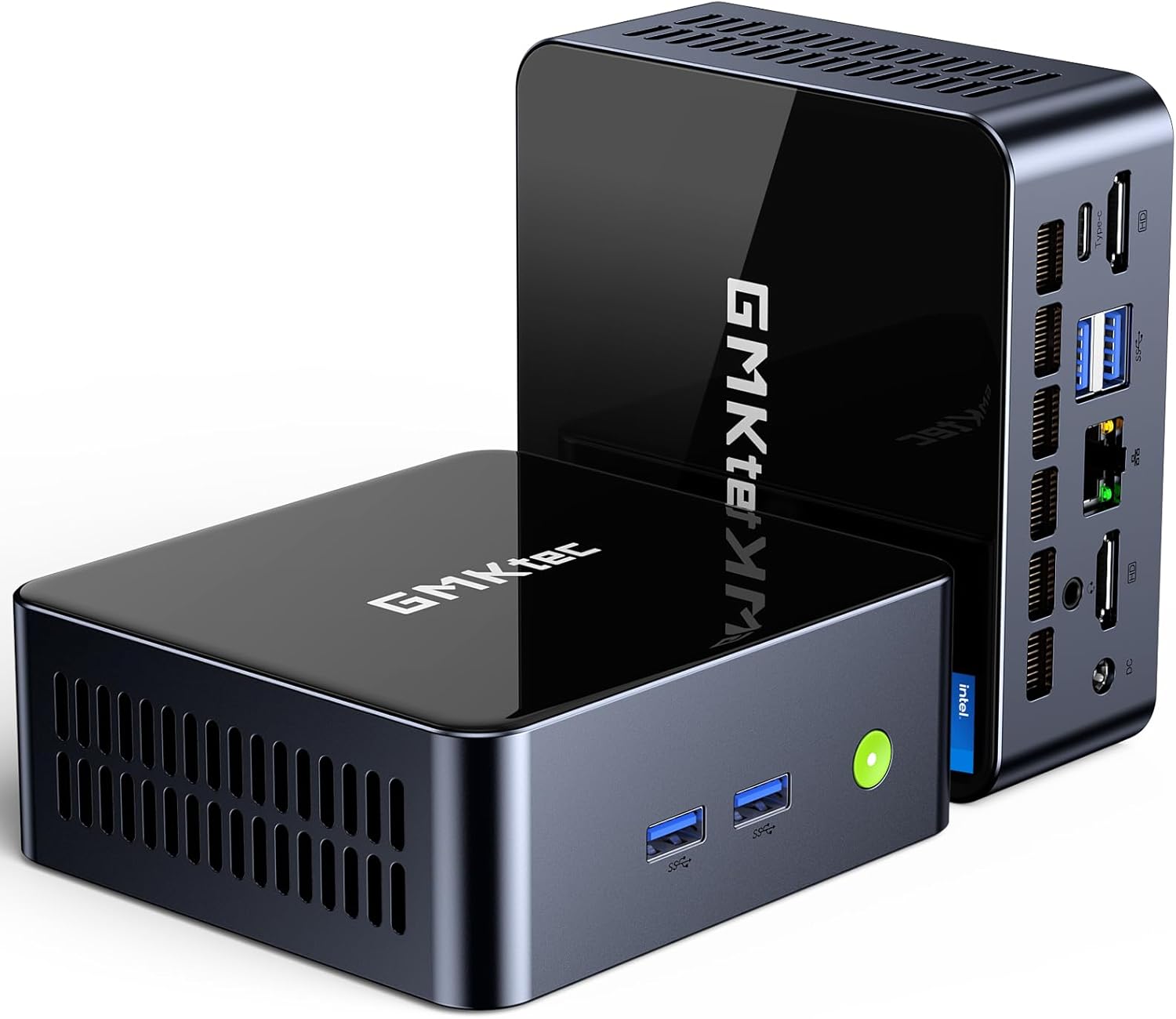
Obrázek: Přední strana view of the GMKtec Mini PC M2Pro S.
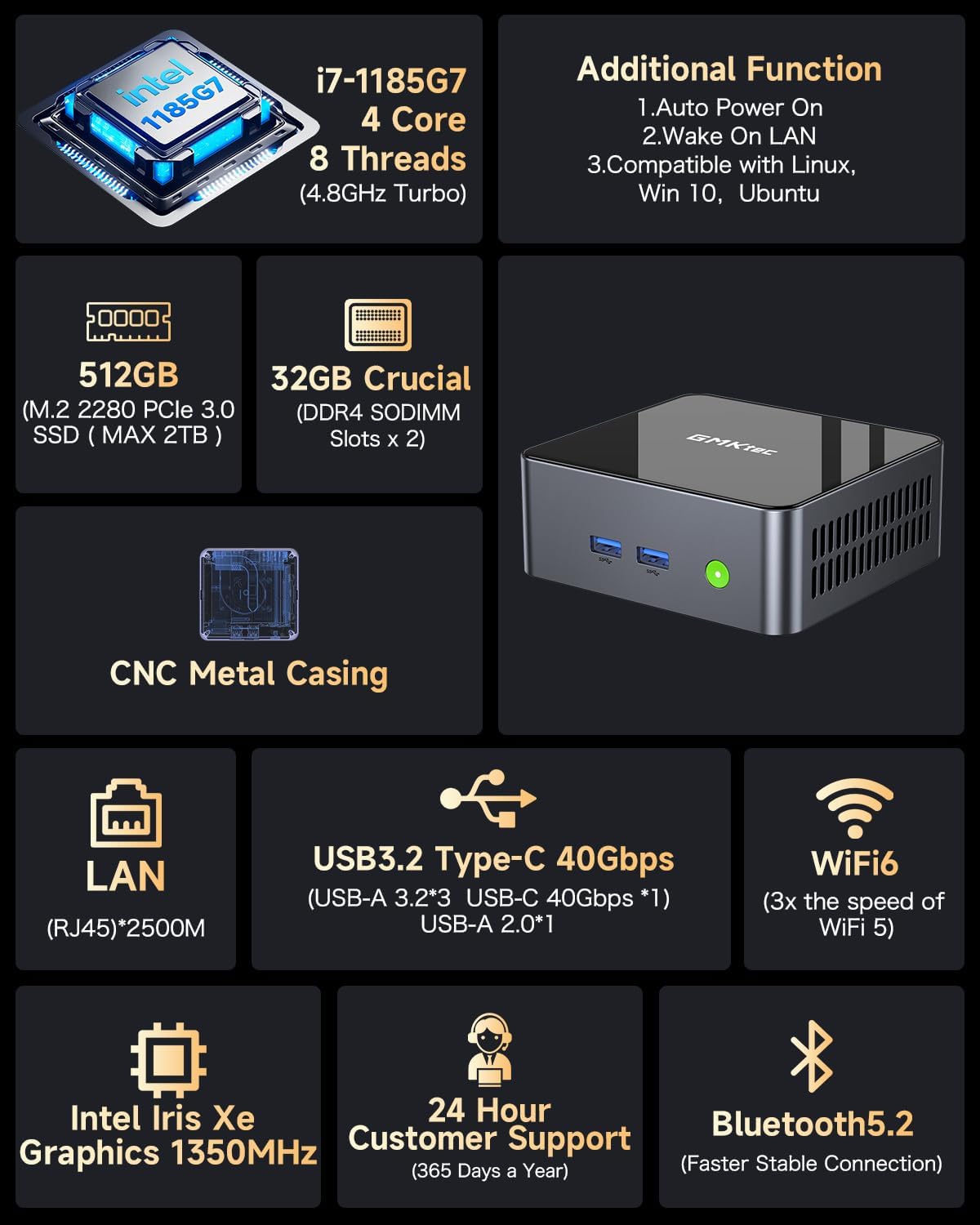
Obrázek: Overview of the GMKtec Mini PC M2Pro S features and specifications.
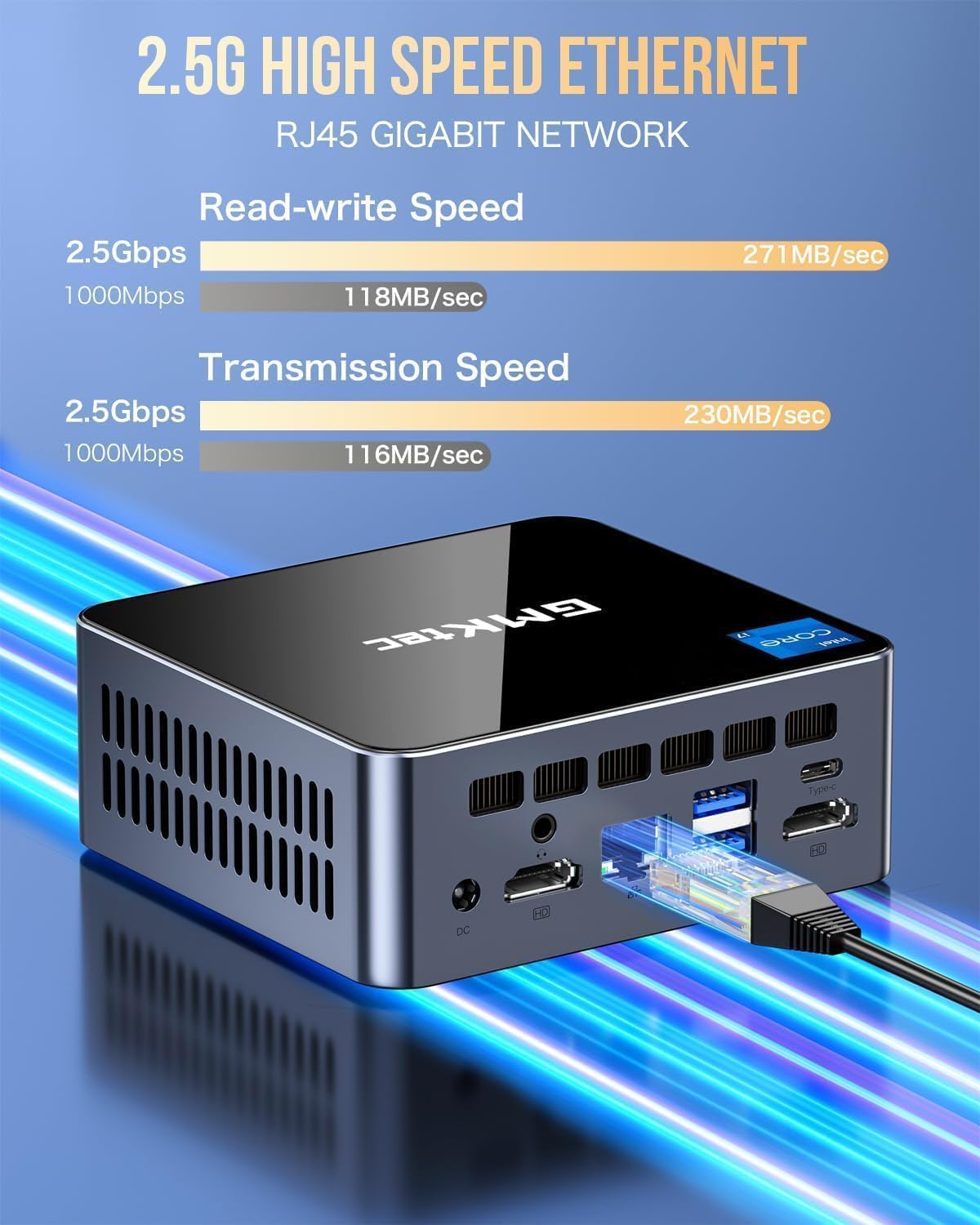
Obrázek: Podrobný view of the multi-purpose ports on the GMKtec Mini PC M2Pro S.
Průvodce nastavením
- Připojení periferií: Connect your monitor(s) using the HDMI or USB Type-C ports. Connect your keyboard and mouse to the available USB ports.
- Internetové připojení: For a wired connection, plug an Ethernet cable into the 2.5Gbps LAN port. For wireless, the device supports WiFi 6 and Bluetooth 5.2, which can be configured after initial boot.
- Připojení napájení: Connect the provided power adapter to the DC IN port on the mini PC and then to a power outlet.
- Zapnutí: Press the power button located on the front of the mini PC. The system will boot up.
- Počáteční nastavení Windows: Follow the on-screen instructions to complete the Windows 11 Pro setup, including language, region, network, and user account creation.
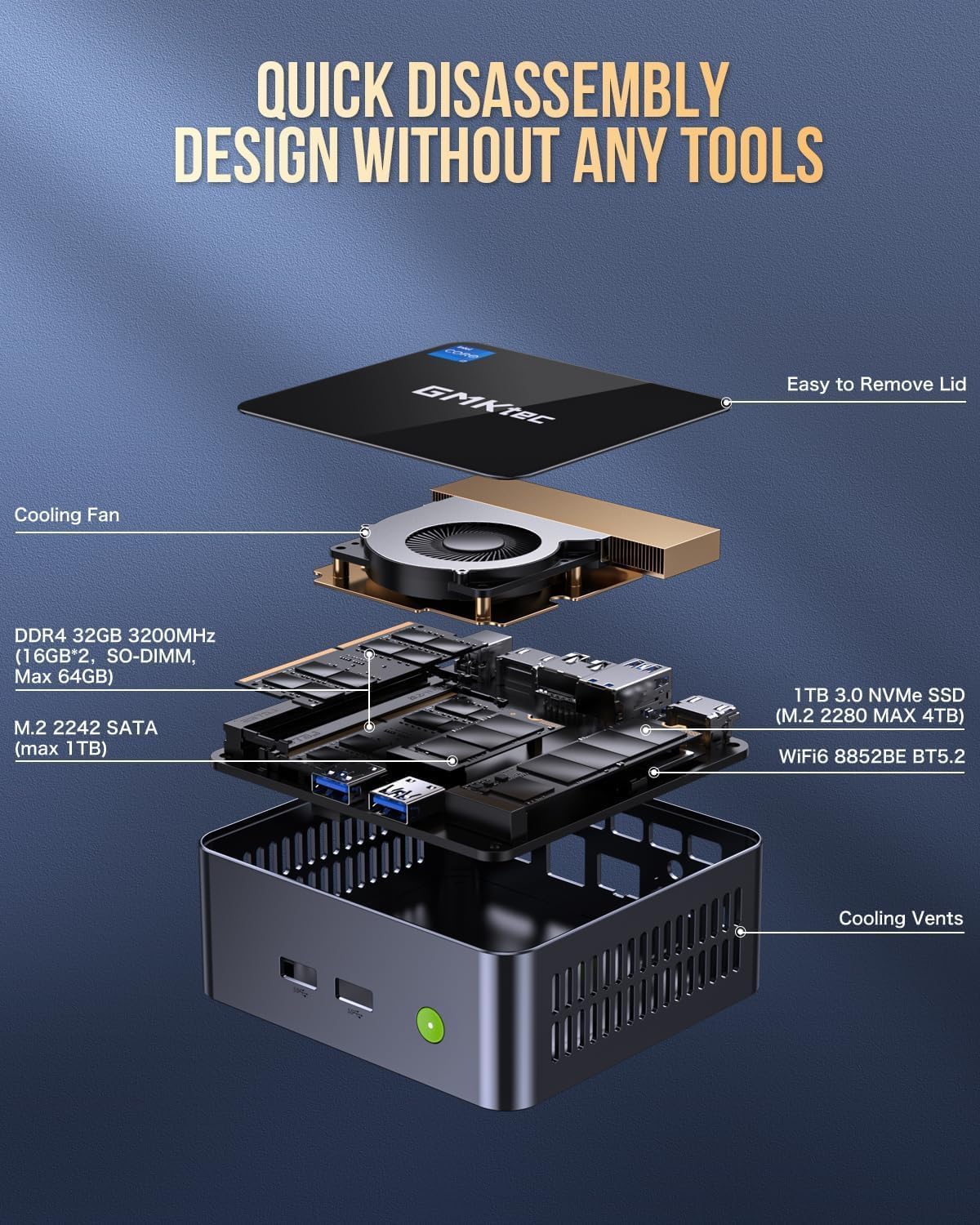
Image: Desktop placement and VESA mount installation options for the Mini PC.
Návod k obsluze
Zapnutí/vypnutí
- Zapnutí: Stiskněte tlačítko napájení na přední straně zařízení.
- Vypnout: V systému Windows klikněte na tlačítko Start a poté vyberte Napájení > Vypnout.
- Restartovat: V systému Windows klikněte na tlačítko Start a poté vyberte Napájení > Restartovat.
Nastavení trojitého zobrazení
The GMKtec Mini PC M2Pro S supports up to three 4K displays simultaneously. Connect your monitors to the available HDMI ports and the USB Type-C port. Once connected, Windows will automatically detect the displays. You can configure display settings (e.g., extend, duplicate) via Nastavení > Systém > Displej.

Obrázek: Přample of a triple 4K display setup with the Mini PC.
Připojení k síti
- Kabelové (LAN): Connect an Ethernet cable to the RJ45 port for a stable 2.5Gbps connection.
- Bezdrátové připojení (Wi-Fi): Access network settings in Windows to connect to a WiFi 6 network.
- Bluetooth: Pair Bluetooth devices (e.g., headphones, keyboard, mouse) via Windows Bluetooth settings.
Údržba a upgrady
Rozšíření úložiště
The GMKtec Mini PC M2Pro S supports storage expansion:
- The existing M.2 2280 NVMe (PCIe3.0) SSD can be upgraded to a maximum of 2TB.
- An additional M.2 2242 SATA slot is available for expansion up to 2TB.
Rozšíření RAM
The device comes with 32GB DDR4 SODIMM RAM in a dual-channel configuration. It can be expanded up to a maximum of 64GB by replacing the existing modules with higher capacity ones.
Přístup k interním komponentám
The mini PC features a quick disassembly design for easy access to internal components for upgrades or maintenance. Carefully remove the lid to access the RAM and SSD slots. Refer to the diagram below for guidance.

Image: Quick disassembly design for internal component access.

Image: Illustration of the upgraded quiet cooling fan system.
Odstraňování problémů
If you encounter issues with your GMKtec Mini PC M2Pro S, refer to the following common solutions:
- Bez napájení: Ensure the power adapter is securely connected to both the mini PC and a working power outlet. Check the power button for any damage.
- Bez displeje: Verify that the monitor is powered on and correctly connected to the mini PC via HDMI or USB Type-C. Try a different cable or monitor if possible. Ensure the correct input source is selected on your monitor.
- Bez síťového připojení (kabelové): Check if the Ethernet cable is properly connected to both the mini PC and your router/modem. Verify router status.
- No Network Connection (Wireless): Ensure WiFi is enabled in Windows settings. Check if the correct WiFi network is selected and the password is entered correctly.
- Pomalý výkon: Close unnecessary applications. Check for background processes. Ensure sufficient free storage space. Consider upgrading RAM or SSD if performance issues persist after basic troubleshooting.
- Windows Activation Issues: If you experience problems activating Windows 11 Pro, ensure your internet connection is active. If the issue persists, contact GMKtec customer support for assistance.
For further assistance, please contact GMKtec customer support.
Technické specifikace
| Funkce | Specifikace |
|---|---|
| Značka | GMKtec |
| Číslo modelu | M2 Pro S |
| Procesor | Intel Core i7-1185G7 (4.8 GHz Turbo, 4 Cores, 8 Threads) |
| BERAN | 32GB DDR4 SDRAM (3200 MHz, Dual-channel, expandable to 64GB) |
| Skladování | 512GB M.2 2280 NVMe SSD (PCIe 3.0, expandable to 2TB), M.2 2242 SATA slot (expandable to 2TB) |
| Grafický koprocesor | Intel Iris Xe Graphics G7 96EU |
| Maximální rozlišení obrazovky | 5120 x 2880 pixelů |
| Operační systém | Windows 11 Pro |
| Bezdrátový typ | Wi-Fi 6 (802.11ax), Bluetooth 5.2 |
| LAN | 2.5Gbps RJ45 Ethernet |
| USB porty | 3 x USB 3.2, 1 x USB Type-C (40Gbps) |
| Video výstup | 2 x HDMI (4K@60Hz), 1 x USB Type-C (4K@60Hz) |
| Audio port | 3.5 mm CTIA |
| Hmotnost položky | 3.3 libry |
| Rozměry balení | 6.38 x 6.26 x 4.69 palce |
Záruka a podpora
Your GMKtec Mini PC M2Pro S comes with a standard manufacturer's warranty. Please refer to the warranty card included in your package for specific terms and conditions. For technical support, troubleshooting assistance, or warranty claims, please contact GMKtec customer service directly. Contact information can typically be found on the GMKtec official webwebu nebo prostřednictvím prodejce, od kterého jste produkt zakoupili.
Prodejcem tohoto produktu je GMKtec一Store. Please reach out to them for product-specific inquiries.


