1. Úvod
This manual provides essential information for the safe and effective operation, setup, and maintenance of your ARCCAPTAIN iControl MIG205 Pro Welder and accompanying Large Viewing Screen Welding Helmet. Please read this manual thoroughly before using the equipment to ensure proper function and safety.
1.1 Bezpečnostní informace
Welding can be dangerous. Always follow safety precautions to prevent injury or damage. Wear appropriate personal protective equipment (PPE), including the welding helmet, gloves, and protective clothing. Ensure adequate ventilation in the work area. Disconnect power before performing any maintenance or adjustments. Refer to local safety regulations and standards for welding operations.
2. Obsah balení
Ověřte, zda jsou v balení přítomny všechny níže uvedené položky:
- ARCCAPTAIN iControl MIG205 Pro Welder
- ARCCAPTAIN Velký Viewing Screen Welding Helmet
- Pochodeň MIG
- Pozemní Clamp
- Electrode Holder (for MMA Stick welding)
- Plynová hadice
- Kontaktní tipy
- Hnací válečky
- Uživatelská příručka
- Napájecí kabel
3. Konec produktuview
3.1 ARCCAPTAIN iControl MIG205 Pro Welder
The ARCCAPTAIN iControl MIG205 Pro is a versatile 6-in-1 welding machine designed for various welding applications. It supports Gas MIG, Gasless MIG (Flux Core), MMA Stick, Lift TIG, Spot Welding, and Spool Gun Aluminum Welding modes. The welder features a 205A output, 120V/240V dual voltage input, and an advanced 40W wire feeding mechanism.
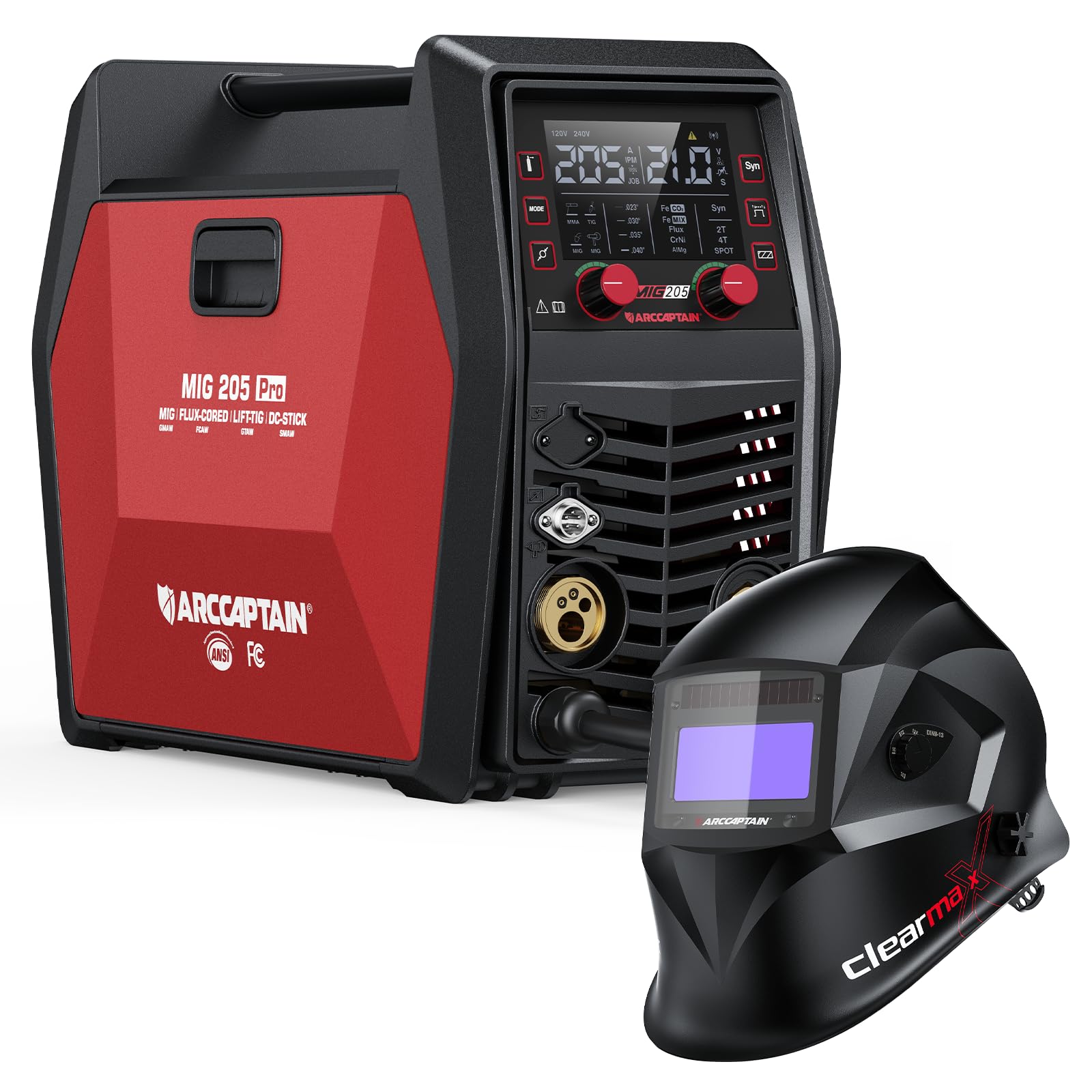
Obrázek 1: ARCCAPTAIN iControl MIG205 Pro Welder and included accessories.

Obrázek 2: Nadview of the six welding modes supported by the MIG205 Pro welder.
The welder incorporates an exclusive human-computer interaction LED screen for clear data display and easy parameter adjustments. It also features upgraded MCU technology, dual smart fans for efficient cooling, and a powerful 40W motor for wire feeding up to 640 inches per minute (IPM).

Obrázek 3: Internal technology upgrades including MCU, cooling fans, and wire feed motor.
Precision control features include adjustable inductance (-10 to +10), burn-back time (150-250ms), and spot time (0.5-5s) for optimal weld quality.

Obrázek 4: Precision settings for welding parameters.
3.2 ARCCAPTAIN Large Viewing Screen Welding Helmet
The included ARCCAPTAIN welding helmet features a large viewing screen with True Color technology, providing a clear and natural view of the weld puddle. It boasts an optical class of 1/1/1/1, ensuring high clarity and minimal distortion. The helmet is constructed from durable PA material and offers a fast darkening speed of 1/25000s with four premium sensors.

Obrázek 5: ARCCAPTAIN Velký ViewSvářečská kukla s filtrem.

Obrázek 6: True Color technology comparison for welding helmet screens.

Obrázek 7: Key features of the ARCCAPTAIN welding helmet.
4. Nastavení
4.1 Welder Setup
- Připojení napájení: Connect the welder to a suitable 120V or 240V power outlet. Ensure the power source matches the welder's requirements.
- Pozemní Clamp: Připojte zem třamp securely to the workpiece or a clean, bare metal surface connected to the workpiece.
- MIG pochodeň: Connect the MIG torch to the appropriate connector on the front panel of the welder.
- Načítání drátu:
- Otevřete přihrádku podavače drátu.
- Install the correct drive roller for your wire type and size.
- Load the welding wire onto the spool holder, ensuring it unwinds smoothly.
- Protáhněte drát vodicí trubicí do mechanismu hnacího válce.
- Zavřete napínací rameno hnacího válce a podle potřeby upravte napětí.
- With the torch pointed away from yourself and others, press the trigger to feed the wire through the torch liner until it exits the contact tip.
- Gas Connection (for Gas MIG):
- Connect the gas hose from your gas cylinder regulator to the gas inlet on the rear of the welder.
- Ujistěte se, že všechny spoje jsou těsné, aby nedošlo k úniku.
- Open the gas cylinder valve and adjust the flow rate on the regulator to the recommended setting (typically 15-25 CFH for MIG).
4.2 Nastavení svářečské kukly
- Headgear Adjustment: Adjust the headgear straps for a comfortable and secure fit. Ensure the helmet sits evenly on your head and the viewing area is aligned with your eyes.
- Shade and Sensitivity Adjustment: Use the external knobs to set the desired shade level (DIN4/9-13) and sensitivity for the auto-darkening filter. Test the auto-darkening function before welding by briefly exposing the sensors to a bright light source.
5. Návod k obsluze
5.1 Výběr svařovacího režimu
Turn on the welder. Use the mode selection button on the control panel to cycle through the available welding processes: Gas MIG, Gasless MIG, MMA Stick, Lift TIG, Spot Welding. The selected mode will be displayed on the LED screen.
5.2 Nastavení parametrů
Jakmile je režim vybrán, použijte ovládací knoflíky k nastavení parametrů svařování, jako je objemtage, wire feed speed, amperage (for Stick/TIG), inductance, burn-back time, and spot time. Refer to the welding chart provided with your wire for recommended settings based on material type and thickness.

Obrázek 8: Welder control via smartphone application.
The ARCCAPTAIN iControl MIG205 Pro also supports app control for customizable settings and quick access to saved preferences. Download the official ARCCAPTAIN app to utilize this feature.
5.3 Techniky svařování
- Svařování MIG: Maintain a consistent stick-out and travel speed. Use a push or pull technique depending on the desired bead profile and penetration.
- MMA Stick Welding: Select the appropriate electrode for your material. Maintain a short arc length and consistent travel speed.
- Svařování TIG s výtahem: Requires a separate Lift TIG torch (not included). Initiate the arc by touching the tungsten to the workpiece and then lifting slightly. Maintain a consistent arc length and feed filler rod manually.
- Bodové svařování: Position the torch over the desired spot. The welder will automatically control the weld time based on settings.
6. Údržba
6.1 Welder Maintenance
- Pravidelný úklid: Keep the welder clean and free from dust and metal particles. Use compressed air to blow out internal components periodically.
- Podavač drátu: Inspect the drive rollers for wear and cleanliness. Ensure the wire liner is free of kinks and blockages.
- MIG pochodeň: Regularly clean or replace the contact tip, nozzle, and diffuser. Check for spatter buildup.
- Kabely: Inspect all cables for damage, cuts, or frayed insulation. Replace damaged cables immediately.
6.2 Welding Helmet Maintenance
- Čištění objektivu: Clean the outer and inner protective lenses with a soft cloth and mild soap solution. Do not use abrasive cleaners.
- Kontrola senzoru: Keep the auto-darkening sensors clean and unobstructed.
- Kontrola baterie: If your helmet uses replaceable batteries, check and replace them as needed.
- Skladování: Store the helmet in a dry, clean place away from direct sunlight and extreme temperatures.
7. Řešení problémů
| Problém | Možná příčina | Řešení |
|---|---|---|
| No arc/Poor arc starting |
|
|
| Wire feeding issues (stuttering, no feed) |
|
|
| Svářečská kukla neztmavuje |
|
|
For issues not listed here, please contact ARCCAPTAIN customer support.
8. Specifikace
8.1 ARCCAPTAIN iControl MIG205 Pro Welder
- Model: MIG205 Pro
- Režimy svařování: Gas MIG, Gasless MIG, MMA Stick, Lift TIG, Spot Welding, Spool Gun Aluminum Welding
- Výstupní proud: 205A (maximum)
- Vstupní objemtage: 120V/240V Dual Voltage
- Rychlost podávání drátu: Up to 640 IPM (inches per minute)
- Wire Feeder Motor: 40W
- Chladicí systém: Dual Smart Fans
- Ovládací rozhraní: Large LED Display, App Control
- Nastavení přesnosti: Inductance (-10 to +10), Burn-back time (150-250ms), Spot time (0.5-5s)
8.2 ARCCAPTAIN Large Viewing Screen Welding Helmet
- Optická třída: 1/1/1/1
- ViewObrazovka: Large, True Color HD LCD Dimming Screen
- Rozsah odstínů: DIN4/9-13
- Darkening Speed: 1/25000
- Senzory: 4 Premium Sensors
- Materiál: PA Durable Material
9. Záruka a podpora
ARCCAPTAIN products are designed for quality and reliability. For warranty information, product support, or to purchase replacement parts, please refer to the warranty card included with your product or visit the official ARCCAPTAIN website. You may also contact ARCCAPTAIN customer service directly for assistance.
ARCCAPTAIN Customer Service: Visit ARCCAPTAIN Store on Amazon


