Zavedení
This manual provides detailed instructions for the installation, operation, and maintenance of your NIVIAN WiFi Smart Garage Door Controller. This device integrates your garage door into your smart home system, allowing remote control via smartphone, voice commands, and automated scheduling. Please read this manual thoroughly before installation and use to ensure proper functionality and safety.
Bezpečnostní informace
- Před instalací a použitím si pečlivě přečtěte všechny pokyny.
- Ensure power to the garage door motor is disconnected before performing any wiring.
- This device operates with electrical components; improper installation can lead to electrical shock or fire hazards. If you are unsure about wiring, consult a qualified electrician.
- Uchovávejte zařízení a jeho součásti mimo dosah dětí.
- Nevystavujte zařízení vlhkosti nebo extrémním teplotám.
Obsah balení
Ověřte, zda jsou v balení přítomny všechny položky:
- NIVIAN WiFi Smart Garage Door Controller unit (NVS-GARAGEMINISWITCH-W)
- Door sensor (magnetic sensor and magnet)
- Signální kabel
- Mounting accessories (screws, adhesive pads)
- Uživatelská příručka
Konec produktuview
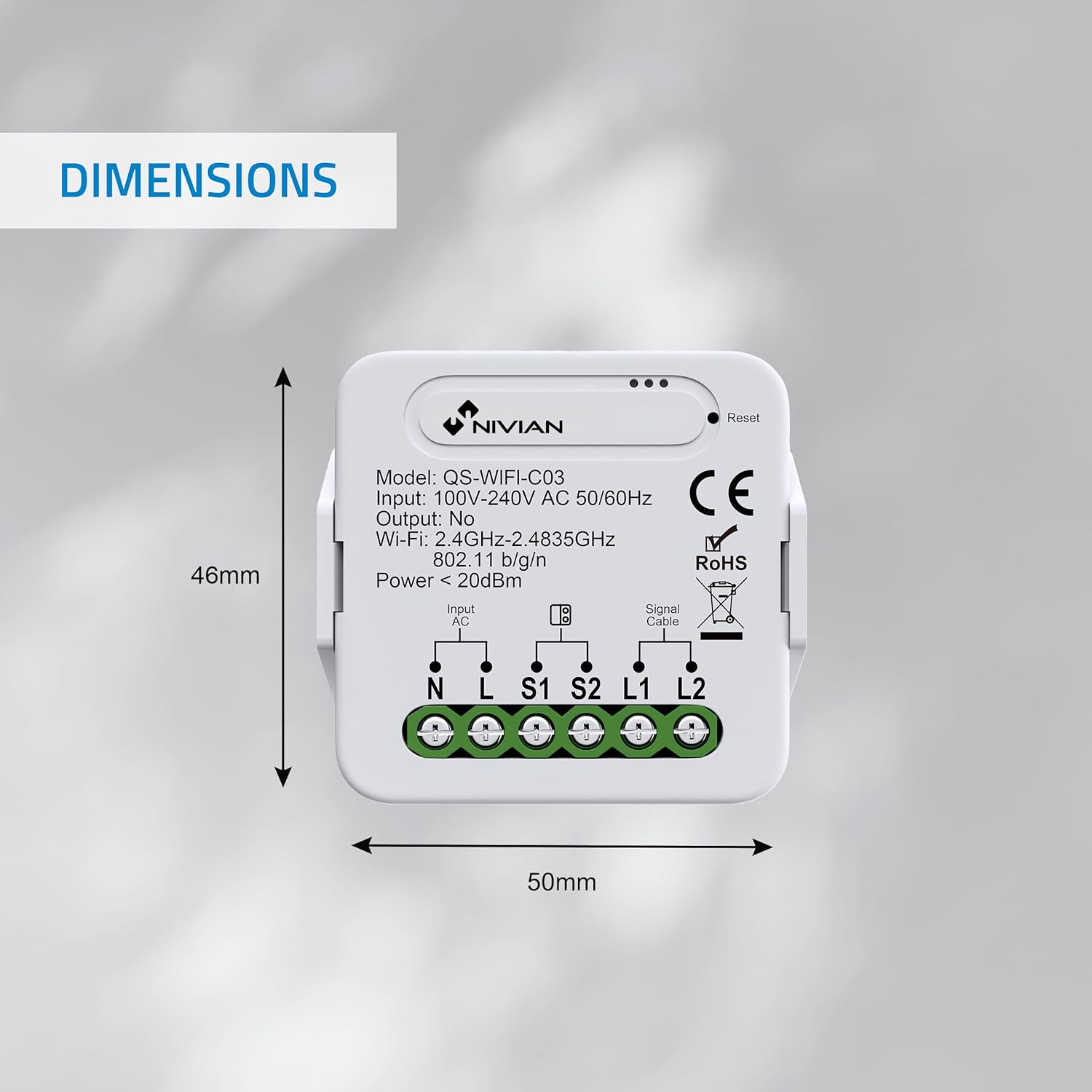
The NIVIAN Smart Garage Door Controller is a compact device designed to connect your existing garage door motor to your WiFi network. It features input terminals for AC power, a door sensor, and a signal cable to connect to your garage door motor's control input.

Nastavení a instalace
Follow these steps to install your NIVIAN Smart Garage Door Controller:
- Odpojit napájení: Before starting, ensure the power supply to your garage door opener is completely disconnected.
- Montáž ovladače: Choose a suitable location near your garage door motor. Mount the controller securely using the provided screws or adhesive pads.
- Připojte AC napájení: Connect the AC input wires (marked N and L on the controller) to your power supply (100V-240V AC).
- Instalace senzoru dveří: Attach the magnetic door sensor to your garage door. The two parts of the sensor should be aligned and close to each other when the door is closed, and separate when the door is open. Connect the sensor wires to the S1 and S2 terminals on the controller.
- Connect to Garage Motor: Connect the signal cable from the controller's L1 and S2 terminals to the control input of your garage door motor. This typically involves connecting to the same terminals where your existing wall push button is connected. Consult your garage door motor's manual for specific control input terminals.
- Obnovit napájení: Once all wiring is complete and secure, restore power to your garage door opener. The controller will power on and enter pairing mode.

Návod k obsluze
1. App Control (Tuya Smart / SmartLife)
- Stáhnout aplikaci: Download the "Tuya Smart" or "SmartLife" app from your smartphone's app store (iOS or Android).
- Registrace/Přihlášení: Vytvořte si účet nebo se přihlaste ke svému stávajícímu účtu.
- Přidat zařízení: In the app, tap the "+" icon to add a new device. Select "Garage Door Opener" or search for the device type.
- Párování: Follow the in-app instructions to connect the controller to your 2.4GHz WiFi network. The device's indicator light will typically flash during pairing.
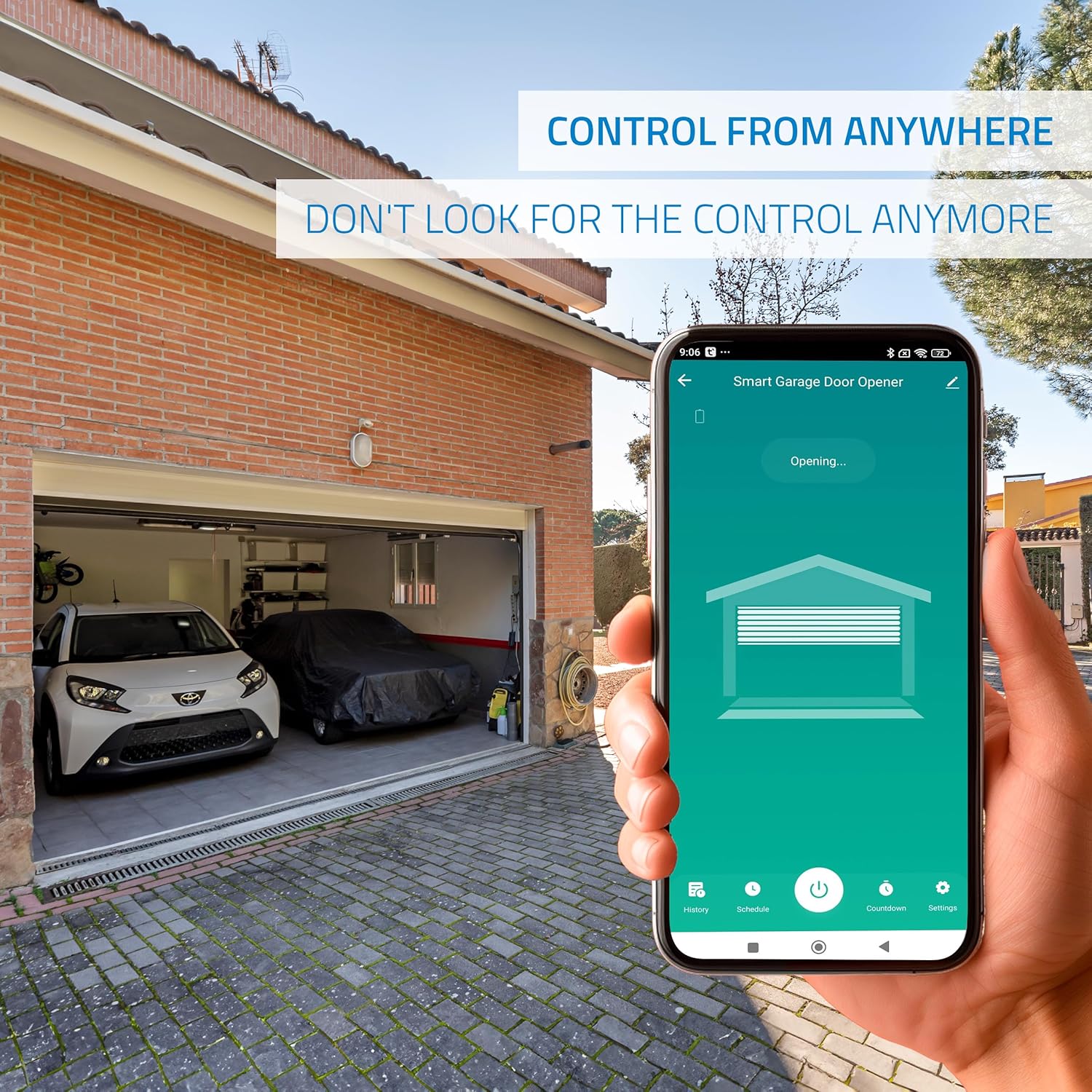
- Dálkové ovládání: Once paired, you can open and close your garage door remotely from the app interface. The app will display the current status of the garage door (open or closed).
2. Hlasové ovládání (Alexa / Google Home)
The NIVIAN Smart Garage Door Controller is compatible with Amazon Alexa and Google Assistant for voice-activated control.
- Propojit účty: In your Alexa or Google Home app, enable the "Tuya Smart" or "SmartLife" skill/service and link your account.
- Objevte zařízení: Ask your voice assistant to discover new devices.
- Hlasové příkazy: Použijte příkazy jako například:
- „Alexo, otevři garážová vrata.“
- "Hey Google, close the garage door."
- „Alexo, jsou garážová vrata otevřená?“

Pokročilé funkce
1. Scheduling and Timer
Within the Tuya Smart or SmartLife app, you can configure automated schedules and timers for your garage door:
- jízdní řády: Set specific times for your garage door to open or close automatically on chosen days of the week.
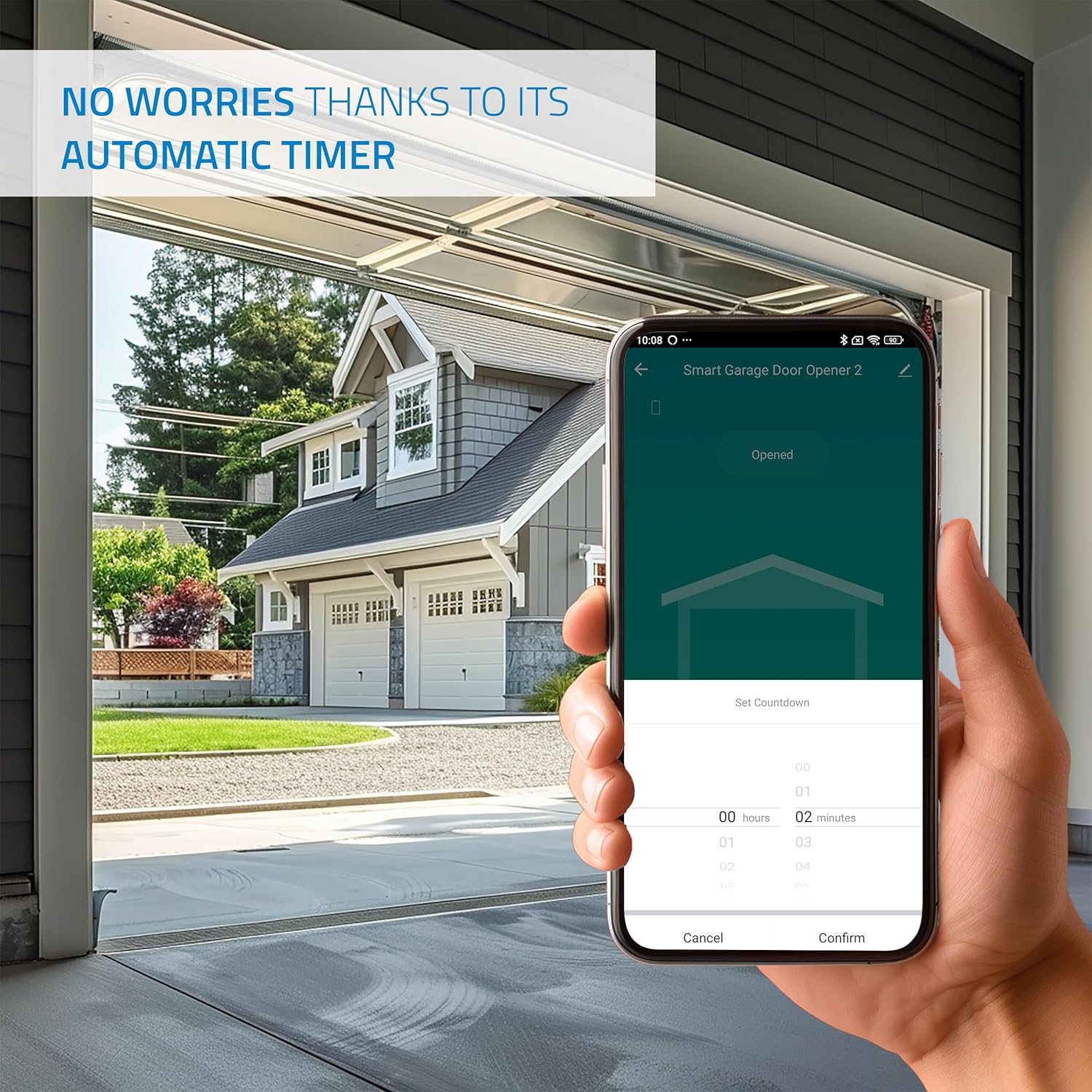
- Časovač: Use the timer function to set a temporary countdown for the garage door to open or close after a specified duration.
2. Inteligentní scény a automatizace
Create custom smart scenes within the app to automate actions based on various conditions:
- Podmínky: Trigger actions based on time of day, weather, or the status of other smart home devices.
- Examples: Set the garage door to close automatically when you leave home (requires location services) or open when you arrive.
3. Door Status Reminders and Alerts
Receive real-time notifications on your smartphone regarding the open or closed status of your garage door, ensuring you are always informed.

4. User Sharing
Share access to your garage door control with family members or trusted individuals through the app, allowing multiple users to operate the garage door.
Údržba
The NIVIAN Smart Garage Door Controller requires minimal maintenance:
- Udržujte zařízení čisté a bez prachu. K čištění používejte suchý, měkký hadřík.
- Pravidelně kontrolujte všechna kabelová připojení, abyste se ujistili, že jsou bezpečná.
- Ensure your WiFi network is stable and has good signal strength at the installation location for optimal performance.
- Regularly check the door sensor for proper alignment and functionality.
Odstraňování problémů
If you encounter issues with your NIVIAN Smart Garage Door Controller, refer to the following troubleshooting guide:
- Zařízení se nepřipojuje k Wi-Fi:
- Ujistěte se, že vaše WiFi síť je 2.4 GHz. Zařízení nepodporuje sítě 5 GHz.
- Check WiFi signal strength at the installation location. Move the router closer or use a WiFi extender if necessary.
- Restart the device by disconnecting and reconnecting power, then attempt pairing again.
- Ensure your WiFi password is entered correctly in the app.
- Garážová vrata nereagují na povely:
- Verify all wiring connections to the garage door motor and power supply are secure.
- Check if the existing wall push button still operates the door. If not, the issue may be with the garage door motor itself.
- Ensure the controller has power and its indicator light is on.
- Confirm the app shows the device as online.
- Door status incorrect in app:
- Check the installation and wiring of the door sensor.
- Ensure the magnetic sensor parts are properly aligned and close enough when the door is closed.
- Clean any debris that might interfere with the sensor's operation.
- Hlasové příkazy nefungují:
- Confirm your Tuya Smart/SmartLife account is correctly linked to your Alexa or Google Home account.
- Check your internet connection and ensure your voice assistant device is online.
- Zkuste znovu objevit zařízení v aplikaci Alexa nebo Google Home.
Specifikace
| Model | NVS-GARAGEMINISWITCH-W |
| Vstupní objemtage | 100V-240V AC, 50/60Hz |
| Výstup | Dry Contact (No power output) |
| Wi-Fi standard | 2.4GHz-2.4835GHz, 802.11 b/g/n |
| Bezdrátové napájení | < 20 dBm |
| Rozměry | 5 x 5 x 3 cm |
| Hmotnost | 220 g |
Záruka a podpora
NIVIAN products are designed for reliability and performance. For technical support, warranty inquiries, or further assistance, please refer to your purchase documentation for specific warranty terms and contact information. You can also visit the official NIVIAN webmísto pro zdroje podpory.


