1. Úvod
Thank you for choosing the Garvee 61-Key Weighted Electronic Keyboard Piano. This manual provides essential information for setting up, operating, and maintaining your new instrument. Please read it thoroughly to ensure optimal performance and longevity of your keyboard.

Figure 1: Garvee 61-Key Weighted Electronic Keyboard Piano
2. Co je zahrnuto
Ověřte, zda jsou v balení přítomny všechny níže uvedené položky:
- 1x Garvee 61-Key Weighted Electronic Keyboard Piano
- 1x Music Rest/Holder
- 1x X-Stand
- 1x Stool
- Mikrofon 1x
- 1x Sluchátka
- 1x Note Stickers
- 1x napájecí adaptér/nabíječka
- 1x Sustain Pedal

Obrázek 2: Dodávané příslušenství
3. Pokyny k nastavení
- Assemble the X-Stand: Unfold the X-stand and adjust it to your desired height. Ensure it is stable on a flat surface.
- Place the Keyboard: Carefully place the Garvee keyboard onto the assembled X-stand, ensuring it sits securely on the rubberized supports.
- Připevnění notového stojanu: Insert the music rest into the designated slots on the top panel of the keyboard.
- Připojte napájení: Plug the power adapter into the DC 12V input port on the rear of the keyboard, then plug the adapter into a wall outlet. Alternatively, for portable use, install 6x AA batteries (not included) into the battery compartment on the underside of the keyboard.
- Připojení sustain pedálu: Plug the sustain pedal into the 'PEDAL' jack on the rear of the keyboard.
- Připojení sluchátek: For private practice, plug the headphones into the 'PHONES' jack on the rear of the keyboard.
- Připojení mikrofonu: Plug the microphone into the 'MIC IN' jack on the rear of the keyboard.
- Apply Note Stickers: If desired, apply the provided note stickers to the keys to aid in learning.
Video 1: Garvee Keyboard Setup and Comparison. This video demonstrates the unfolding and setup of the Garvee keyboard, highlighting its sturdy design and key features.
4. Návod k obsluze
4.1. Zapnutí/vypnutí a hlasitost
- Moc: Stiskněte tlačítko MOC button to turn the keyboard ON or OFF.
- Objem: Použijte OBJEM knob or buttons to adjust the master volume.
4.2. Selecting Tones, Rhythms, and Demos
- tóny: The keyboard features 128 tones. Use the TÓN buttons and number pad to select different instrument sounds. The LCD display will show the selected tone.
- Rytmy: Choose from 128 rhythms using the RYTMUS buttons and number pad. Adjust tempo with the TEMPO tlačítka.
- Demo skladby: Play pre-recorded demo songs using the DEMO tlačítka.
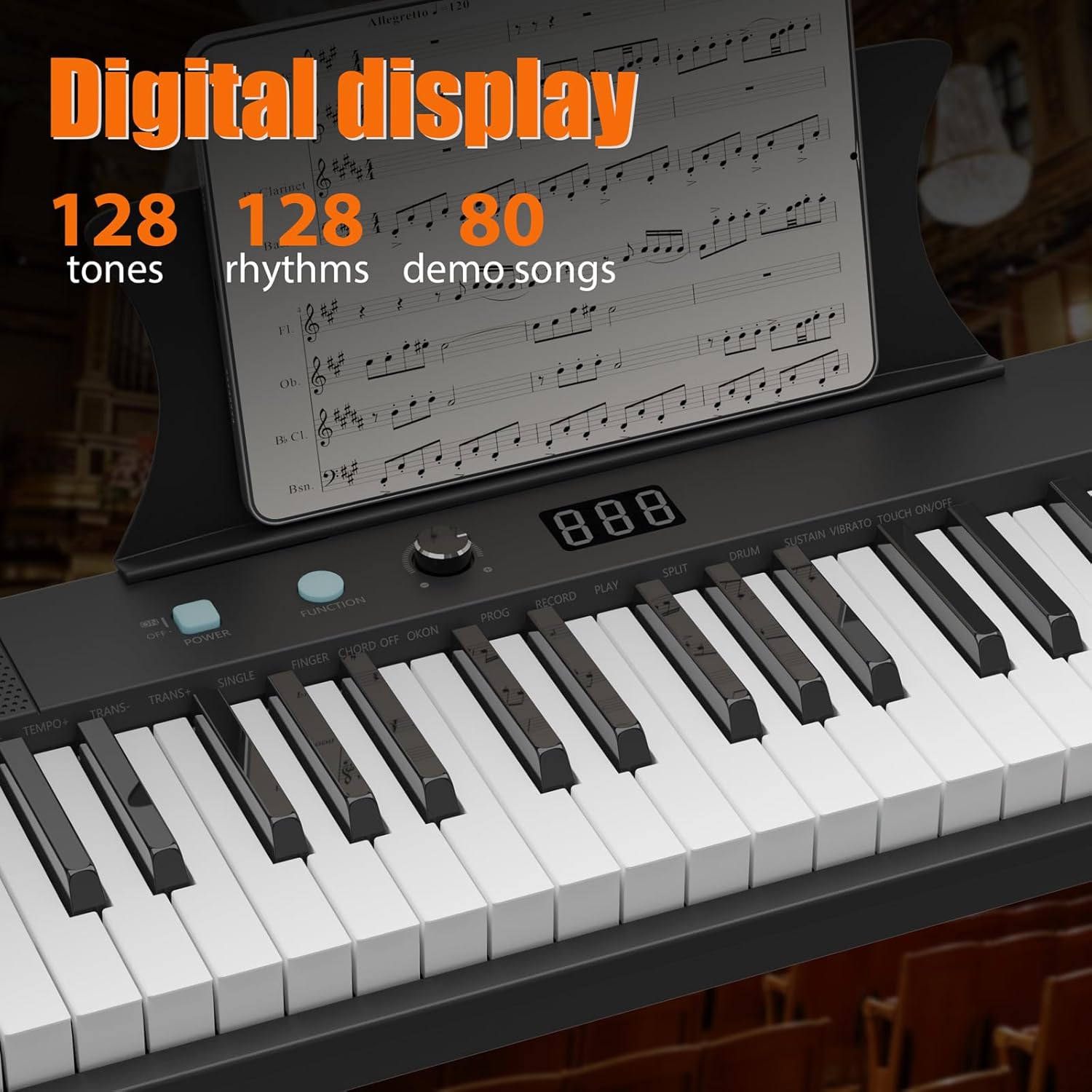
Obrázek 3: Digitální displej a ovládací prvky
4.3. Teaching Modes
The keyboard includes teaching modes to assist beginners:
- Režim sledování: Klávesnice čeká na zahrání správné noty, než bude pokračovat.
- One Key Mode: Play any key to advance through the melody of a demo song.
4.4. Nahrávání a přehrávání
Použijte ZÁZNAM button to record your performance and the HRÁT button for playback.
4.5. Externí připojení
The keyboard supports various external connections:
- USB: Connect to a computer for MIDI functionality.
- AUX IN: Connect external audio devices to play along with your favorite music.
- AUX OUT: Připojení k externím reproduktorům nebo ampzáchranáři.

Obrázek 4: Porty připojení
Video 2: 61-Key Portable Keyboard Features. This video showcases the various functions and controls of a 61-key portable keyboard, including tone selection, rhythm, and demo modes.
5. Klíčové vlastnosti
- 61 Weighted Keys: Provides a realistic piano playing experience with keys that respond to touch velocity.
- Přenosný design: Lightweight and compact, making it easy to transport and store.
- LCD displej: Clear display for easy navigation and selection of tones, rhythms, and settings.
- Duální napájení: Operates via AC adapter or batteries for versatile use at home or on the go.
- Vestavěné reproduktory: Delivers clear and rich audio for practice and performance.
- Komplexní startovací sada: Includes essential accessories like a stand, stool, headphones, microphone, and sustain pedal.

Obrázek 5: Rozměry produktu
6. Údržba
- Čištění: Use a soft, dry cloth to clean the keyboard surface. Avoid using abrasive cleaners or solvents.
- Skladování: Klávesnici skladujte na chladném a suchém místě mimo dosah přímého slunečního záření a extrémních teplot. Pokud ji skladujete delší dobu, vyjměte baterie, abyste zabránili vytečení.
- Výměna baterie: When using batteries, replace all batteries simultaneously with new ones of the same type (AA). Do not mix old and new batteries or different types of batteries.
7. Řešení problémů
| Problém | Možná příčina | Řešení |
|---|---|---|
| Žádný zvuk | Volume too low; Headphones connected; Power issue | Increase volume; Disconnect headphones; Check power adapter/batteries |
| Klávesy nereagují | Keyboard not powered on; Function mode active | Ensure power is on; Check active function modes (e.g., teaching mode) |
| Zkreslený zvuk | Volume too high; External device issue | Lower volume; Check connections to external devices |
8. Specifikace
| Funkce | Detail |
|---|---|
| Počet klíčů | 61 |
| Typ klíče | Weighted, Velocity-sensitive |
| Rozměry (D x Š x V) | 40.35 cm x 11.22 cm x 4.72 cm |
| Hmotnost položky | 8.82 libry |
| Tóny | 128 |
| Rytmy | 128 |
| Demo písně | 60 |
| Konektivita | 3.5mm Jack (Headphones, AUX IN, MIC IN), USB |
| Napájení | DC 12V Adapter or 6x AA Batteries |
| Materiál těla | Plast |
| Číslo modelu | 0QQTRWT6 |
| UPC | 199641941961 |
9. Záruka a podpora
For warranty information and customer support, please refer to the documentation included with your product or visit the official Garvee webUschovejte si účtenku jako doklad o koupi pro případné reklamace.
Online podpora: Další zdroje a časté dotazy naleznete na Garvee Store on Amazon.


