1. Úvod
Děkuji za nákupasing the ZOLAMENTE 5K Digital Camera. This compact and versatile camera is designed to capture high-quality photos and videos, offering a range of features for both beginners and enthusiasts. Please read this manual carefully to ensure proper use and to maximize your camera's potential.

Image: ZOLAMENTE 5K Digital Camera highlighting its key features.
2. Obsah balení
Ujistěte se, že máte v balení všechny položky:
- 1 × ZOLAMENTE 5K Digital Camera
- 1 × 64GB MicroSD Card
- Kabel 1 × USB
- 1 × Rechargeable Battery (1200mAh)
- 1 × Camera Bag
- 1× popruh
- 1 × Japanese Instruction Manual (English version provided here)

Image: All included accessories for the ZOLAMENTE 5K Digital Camera.
Rozbalení videa
Video: A short unboxing demonstration of a similar digital camera, showing the contents.
3. Konec produktuview
The ZOLAMENTE 5K Digital Camera features a compact design with intuitive controls and dual screens for versatile shooting.
Fyzikální rysy
- Přední obrazovka: 1.5-inch high-vision display for selfies.
- Zadní obrazovka: 2.8-inch IPS LCD monitor for clear viewIng.
- Čočka: F/3.2, focal length 7.36mm.
- Senzor: 13 Megapixel CMOS sensor.
- tlačítka: Shutter, Power, Menu, OK, Navigation (Up/Down/Left/Right), Zoom (W/T), DISP.
- Porty: USB charging port, MicroSD card slot, tripod mount.
- Indikátory: LED light, flash.
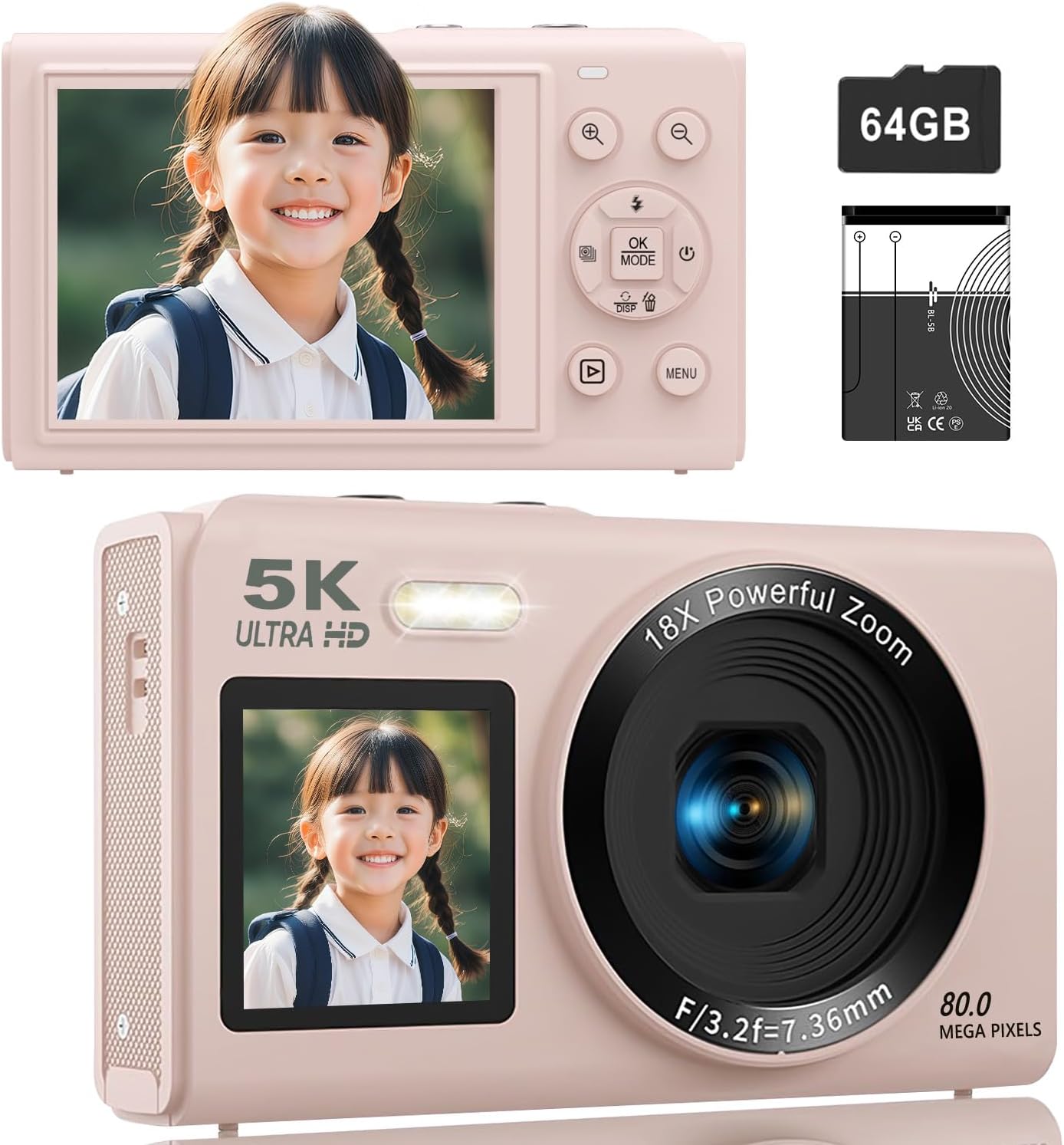
Obrázek: Přední a zadní views of the ZOLAMENTE 5K Digital Camera, showing its compact design and dual screens.
Rotace produktu View
Video: 360stupňový záběr view of the S95PRO digital camera, showcasinjeho design a porty.
4. Nastavení
4.1. Instalace baterie
- Otevřete kryt přihrádky na baterie, který se nachází ve spodní části fotoaparátu.
- Insert the provided 1200mAh rechargeable battery, ensuring correct polarity.
- Bezpečně zavřete kryt bateriového prostoru.
4.2. Instalace karty MicroSD
The camera supports MicroSD cards up to 256GB. A 64GB MicroSD card is included.
- Vyhledejte slot pro kartu MicroSD na boku fotoaparátu.
- Vložte kartu MicroSD zlatými kontakty směrem dolů, dokud nezacvakne.
- Chcete-li kartu vyjmout, jemně ji zatlačte dovnitř, dokud nevyskočí.
4.3. Initial Settings (Language, Date/Time)
Upon first use or after a factory reset, you may need to set the language and date/time.
- Power on the camera by pressing the Power button.
- Stiskněte tlačítko MENU button to access the settings.
- Navigate using the Up/Down buttons to find 'Language' or 'Date/Time' settings.
- Stiskněte OK to select, then use the navigation buttons to adjust the settings.
- Stiskněte MENU znovu uložte a ukončete.
Ukázkové video s nastavením
Video: A demonstration of inserting the MicroSD card, powering on, and navigating basic settings like language and date/time.
5. Návod k obsluze
5.1. Zapnutí/vypnutí
Stiskněte tlačítko Moc tlačítko pro zapnutí nebo vypnutí fotoaparátu.
5.2. Switching Between Photo and Video Modes
Stiskněte tlačítko MENU button to access the mode selection screen. Use the navigation buttons to select between photo mode, video mode, or time-lapse mode, then press OK.
5.3. Režim fotografie
The camera supports up to 80 Megapixel (MP) photo resolution. You can adjust the pixel settings in the menu.
- Ujistěte se, že je fotoaparát v režimu fotografie.
- Komponujte snímek pomocí obrazovky.
- Stiskněte tlačítko Závěrka button halfway to focus, then fully press to take a photo.
Pixel Settings
You can select various pixel settings for your photos, up to 80MP, to suit your needs.
Nastavení Flash
Stiskněte tlačítko Up button to cycle through flash modes (Auto, On, Off).
Special Photo Features
- Krása Filtr: Enhance facial features.
- Detekce obličeje: Automaticky detekuje a zaostřuje na tváře.
- Samospoušť: Set a delay (e.g., 3s, 5s, 10s, 20s) before taking a photo.
- Souvislé fotografování: Pořiďte více fotografií v rychlém sledu.

Image: Visual representation of various photo modes including beauty filter, face detection, self-timer, and continuous shooting.


Images: Detailed views of face detection, continuous shooting, and self-timer features.
5.4. Režim videa
Record stunning videos in 5K resolution. You can adjust video resolution settings in the menu.
- Ensure the camera is in video mode.
- Stiskněte tlačítko Závěrka tlačítko pro zahájení nahrávání.
- Stiskněte tlačítko Závěrka dalším tlačítkem nahrávání zastavíte.
Nastavení rozlišení videa
The camera supports various video resolutions, including 5K. Select your preferred resolution from the menu.

Image: Demonstrating 5K video recording and various photo resolutions (80MP, 56MP, 30MP, 20MP).
Special Video Features
- Zpomalený pohyb: Capture dynamic scenes in slow motion.
- Časová prodleva: Zhuštěte dlouhé události do krátkých a poutavých videí.
- Nahrávání během nabíjení: Allows for extended recording sessions.

Image: Illustrating autofocus, slow-motion, video loop, and time-lapse recording capabilities.
5.5. Digitální zoom
The camera features an 18x digital zoom. Use the W (Široký) a T (Telephoto) buttons to zoom in and out, allowing you to capture distant subjects clearly without moving the lens.

Image: Demonstrating the 18x digital zoom capability and the front and rear screens.
5.6. Režimy ostření
Choose from three focus modes to ensure sharp images:
- Automatické ostření (AF): Automatically adjusts focus for clear images.
- Manuální ostření (MF): Allows you to manually adjust focus by half-pressing the shutter button.
- Pevné zaostření: Maintains a fixed focus distance.

Image: Illustrating autofocus, image stabilization, pause function, and recording while charging.
5.7. Dual Screens
The camera features a 1.5-inch front screen and a 2.8-inch rear IPS screen. Long-press the Dolů button to switch between the front and rear screens, which is convenient for selfies and vlogging.
5.8. Barevné filtry
The camera offers 19 types of color filters to add creative effects to your photos and videos.

Image: The ZOLAMENTE 5K Digital Camera displaying different filter options.
5.9. WiFi Transfer Function
Easily transfer captured images and videos to your smartphone via WiFi. This eliminates the need for card readers or computers for quick sharing on social media.
- Enable WiFi on your camera through the settings menu.
- Download the dedicated app (e.g., 'HelloCam') on your smartphone (available on App Store and Google Play).
- Connect your smartphone to the camera's WiFi network (SSID and password displayed on the camera screen).
- Otevřete aplikaci pro view a přenést files.

Image: Demonstrating WiFi transfer of images from the camera to a laptop and the camera being used as a webvačka.
WiFi Connection Video
Video: Instructions on how to connect the camera to a smartphone via WiFi using the dedicated app.
5.10. WebFunkce vačky
Kameru lze použít jako a webcam for high-quality video calls and live streaming.
- Připojte fotoaparát k počítači pomocí dodaného kabelu USB.
- Vyberte 'Webcam Mode' on the camera if prompted.
- Váš počítač by měl fotoaparát rozpoznat jako webvačka.

Image: The camera connected to a laptop and functioning as a webvačka.
6. Údržba
- Udržujte fotoaparát čistý otíráním měkkým, suchým hadříkem.
- Nevystavujte fotoaparát extrémním teplotám, prachu nebo vlhkosti.
- Store the camera in its protective bag when not in use.
- Regularly back up your photos and videos to prevent data loss.
7. Řešení problémů
Běžné problémy a řešení
| Problém | Možná příčina | Řešení |
|---|---|---|
| Fotoaparát se nezapne | Low battery; Battery incorrectly inserted | Charge the battery; Reinsert battery correctly |
| Nelze pořizovat fotografie/videa | MicroSD card full; MicroSD card not inserted; Incorrect mode selected | Vymazat files or replace card; Insert MicroSD card; Switch to photo/video mode |
| Rozmazané obrázky | Incorrect focus mode; Camera shake | Adjust focus mode; Use image stabilization or a tripod |
| Wi-Fi připojení se nezdaří | Incorrect password; App not installed | Verify WiFi password; Install the correct app |
8. Specifikace
| Funkce | Detail |
|---|---|
| Značka | ZOLAMENTE |
| Model | 5K digitální fotoaparát |
| Barva | Pink (with 64GB SD Card) |
| Rozlišení videa | Až 5K |
| Rozlišení fotografie | Až 80 megapixelů |
| Digitální zoom | 18X |
| Přední obrazovka | 1.5 palců |
| Zadní obrazovka | 2.8 palce IPS |
| Senzor | 13 Million CMOS Sensor |
| Clona objektivu | F/3.2 |
| Ohnisková vzdálenost | 7.36 mm |
| Skladování | Supports MicroSD up to 256GB (64GB included) |
| Baterie | 1200mAh dobíjecí baterie |
| Hmotnost | Cca. 114 g (včetně baterie) |
| Rozměry | 11.4 x 8.5 x 7.7 cm |
| ASIN | B0FQMLD2BV |
9. Záruka a podpora
This product, when purchased as a domestic genuine product (new), comes with a 5-year manufacturer's warranty. Please note that parallel imported or overseas retail products do not come with a manufacturer's warranty. For support, please contact your seller.


