1. Úvod
Děkuji za nákupasing the GOBOULT Bassbox X20 Bluetooth Speaker. This manual provides essential information for setting up, operating, and maintaining your device. Please read it carefully before use to ensure optimal performance and longevity.

Obrázek 1.1: Přední strana view of the GOBOULT Bassbox X20 Bluetooth Speaker.
2. Obsah balení
Ensure all items are present in the package. If any item is missing or damaged, please contact customer support.
- GOBOULT Bassbox X20 Soundbar
- Uživatelská příručka (tento dokument)
- Záruční list
- Nabíjecí kabel (typ C)
Note: The product features integrated bass drivers, referred to as 'Subwoofer' in some listings, which are part of the main soundbar unit.
3. Konec produktuview
3.1 Klíčové vlastnosti
- 20W Bass Boosted Sound: Delivers clear and dynamic audio with enhanced bass.
- Duální dynamické měniče: Provides balanced sound across all frequencies.
- Až 6 hodin přehrávání: Prodloužená výdrž baterie pro nepřetržité přehrávání zvuku.
- Technologie Bluetooth 5.4: Ensures stable and fast wireless connectivity.
- Multi-Connectivity Options: Podporuje Bluetooth, AUX, TF kartu a USB vstup.
- Přenosný design: Kompaktní a lehký pro snadnou přepravu.
- Funkce True Wireless Stereo (TWS): Connect two Bassbox X20 speakers for a stereo experience.
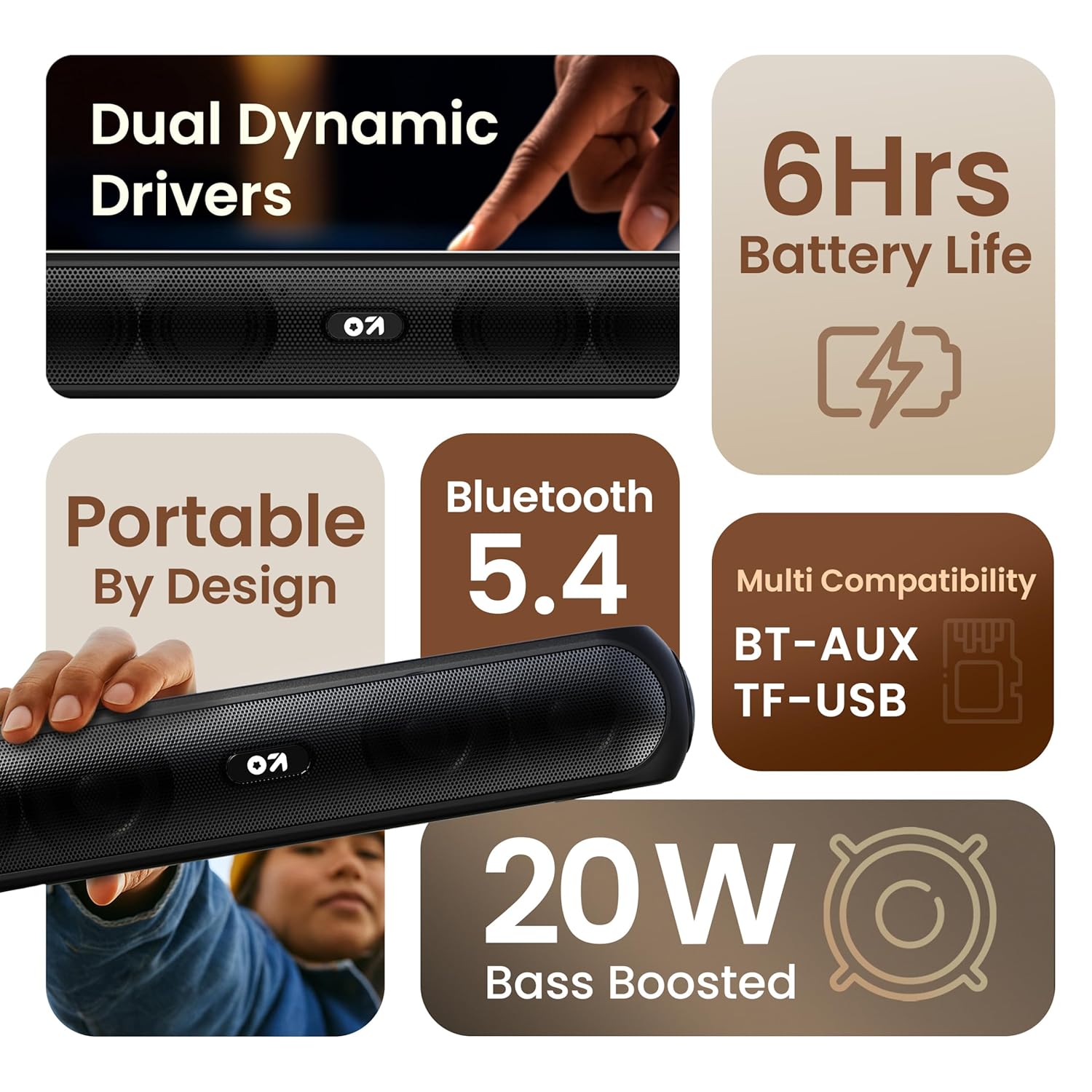
Obrázek 3.1: Konecview of the speaker's main features.
3.2 Ovládací prvky a porty
Familiarize yourself with the control buttons and input ports on your speaker.
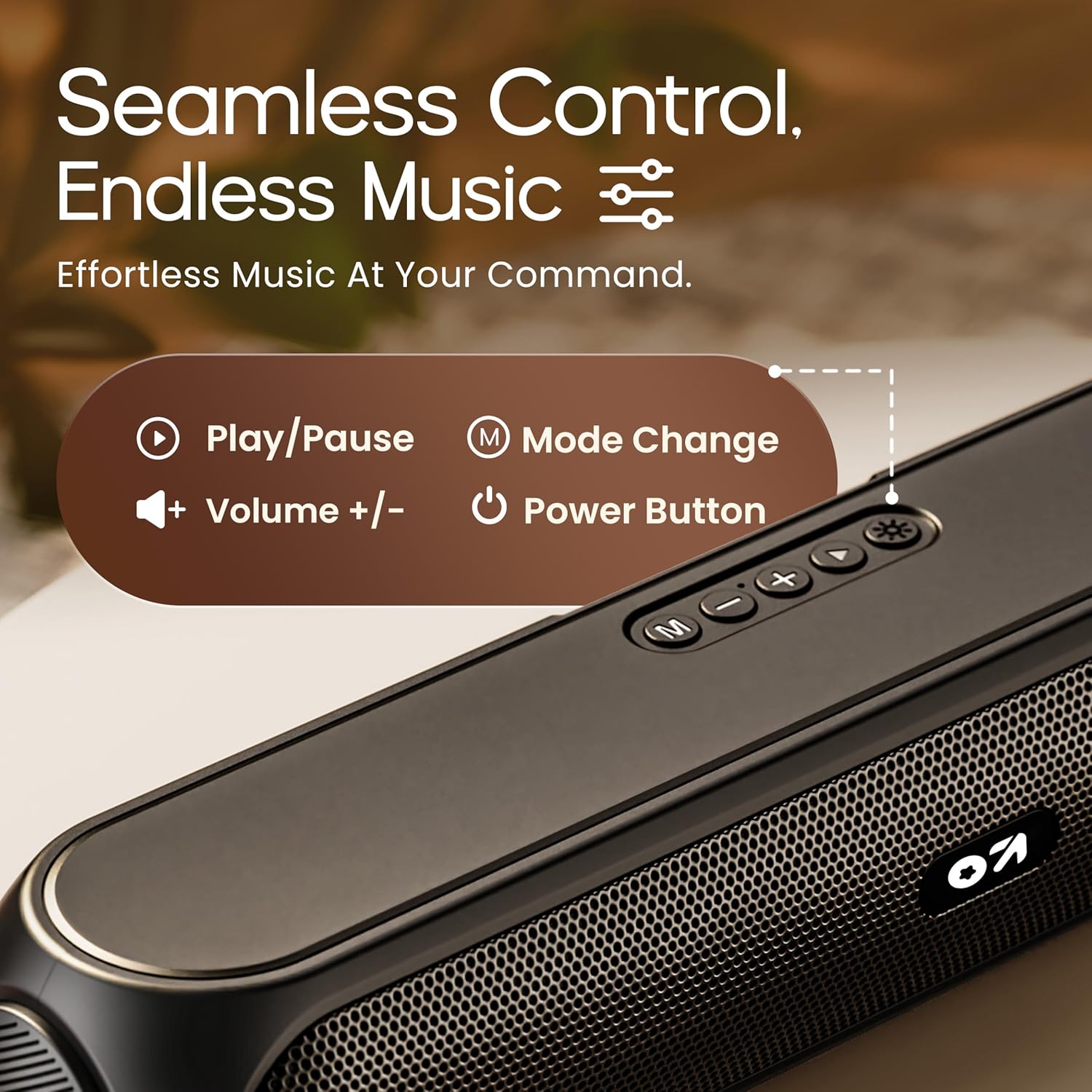
Image 3.2: Top control panel with Play/Pause, Volume, Mode, and Power buttons.
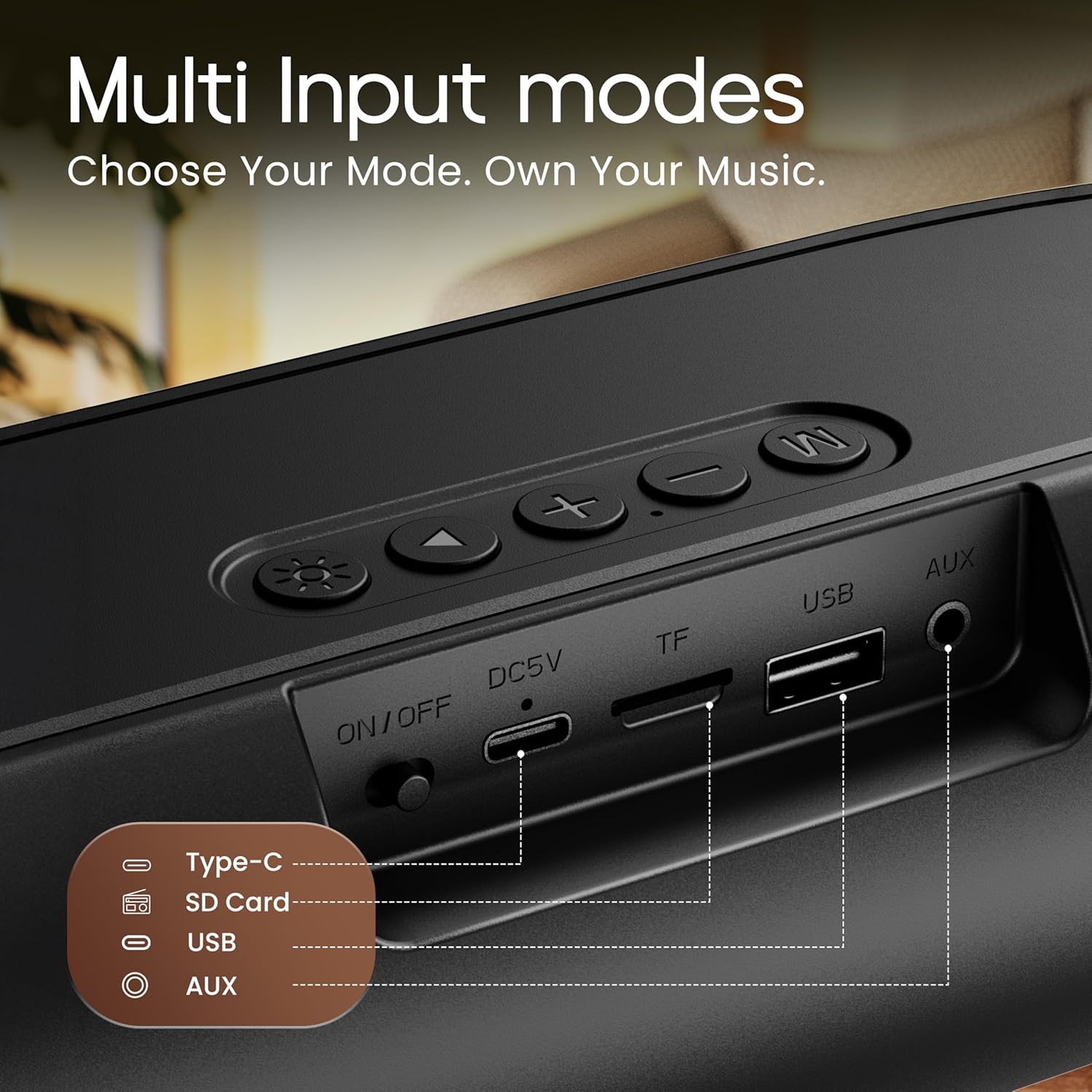
Image 3.3: Rear input panel showing Type-C, TF Card, USB, and AUX ports, along with the ON/OFF switch.
- Vypínač: Press and hold to power on/off. Short press to change LED light modes (if applicable).
- Tlačítko režimu (M): Krátkým stisknutím přepínáte mezi režimy Bluetooth, AUX, TF karta a USB.
- Tlačítko Přehrát/Pozastavit: Krátkým stisknutím přehrajete nebo pozastavíte zvuk.
- Zvýšení hlasitosti (+): Krátkým stisknutím zvýšíte hlasitost. Dlouhým stisknutím přejdete na další skladbu.
- Snížit hlasitost (-): Krátkým stisknutím snížíte hlasitost. Dlouhým stisknutím přejdete na předchozí skladbu.
- Port typu C: Pro nabíjení reproduktoru.
- Slot na kartu TF: Insert a TF (MicroSD) card for direct audio playback.
- USB port: Insert a USB drive for direct audio playback.
- AUX port: Připojte externí zvuková zařízení pomocí 3.5mm audio kabelu.
- Přepínač ON/OFF: Hlavní vypínač zařízení.
4. Nastavení
4.1 Nabíjení reproduktoru
Before first use, fully charge the speaker. Use the provided Type-C charging cable.
- Connect the Type-C end of the charging cable to the speaker's Type-C port.
- Connect the USB-A end of the charging cable to a 5V USB power adapter (not included) or a computer's USB port.
- Rozsvítí se kontrolka nabíjení. Po úplném nabití zhasne nebo změní barvu.
A full charge typically takes approximately 2-3 hours and provides up to 6 hours of playtime.
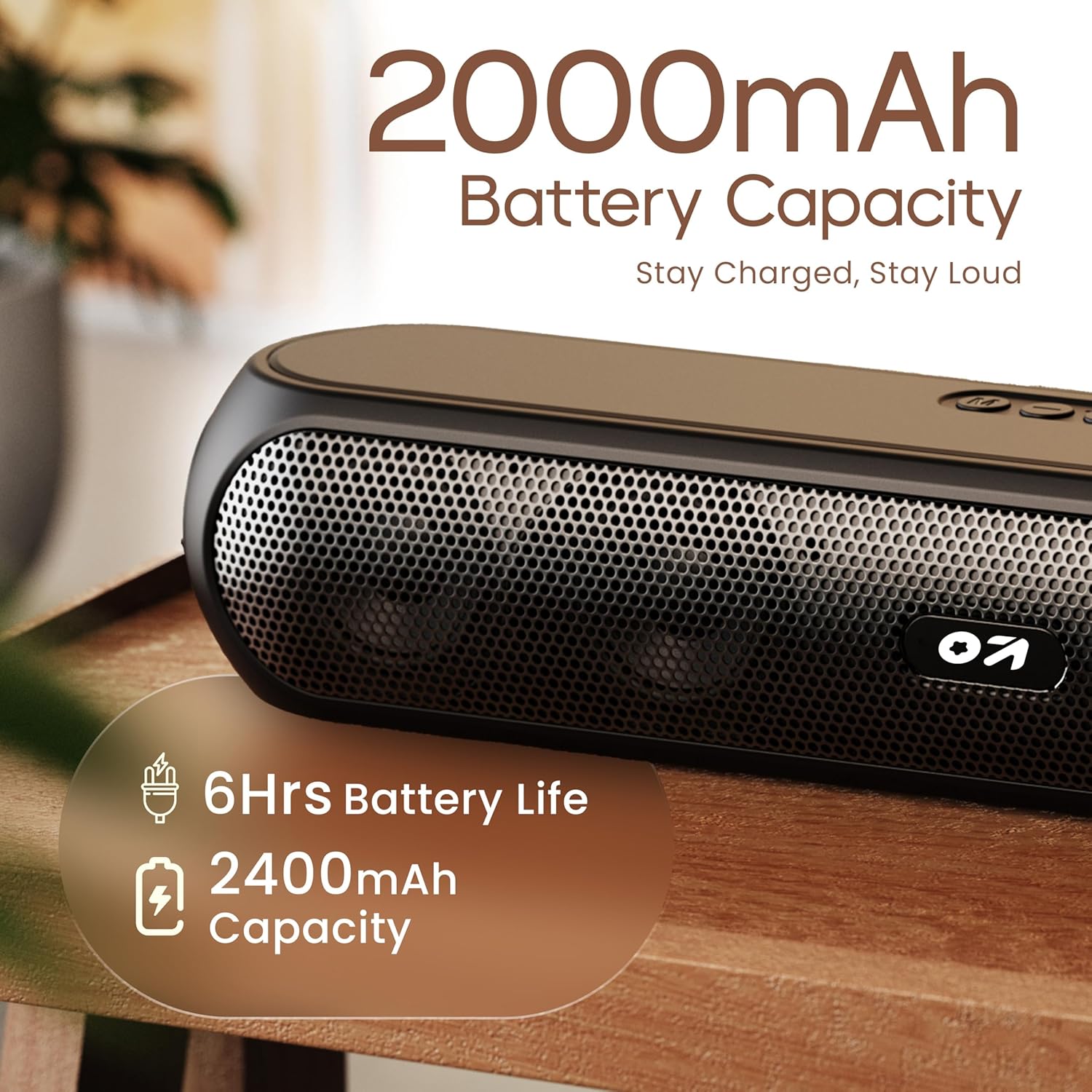
Image 4.1: Battery capacity and estimated playtime.
4.2 Zapnutí/vypnutí
- To power on, slide the ON/OFF switch to the 'ON' position, then press and hold the Power button on the top panel until the indicator light turns on.
- Chcete-li zařízení vypnout, stiskněte a podržte tlačítko napájení, dokud kontrolka nezhasne.
4.3 Párování Bluetooth
After powering on, the speaker will automatically enter Bluetooth pairing mode if no other device is connected. The Bluetooth indicator will flash.
- Ensure the speaker is powered on and in Bluetooth mode (indicator flashing).
- Na svém zařízení (chytrý telefon, tablet, notebook) povolte Bluetooth a vyhledejte dostupná zařízení.
- Select "GOBOULT Bassbox X20" from the list of devices.
- Once connected, the speaker will emit a confirmation sound, and the Bluetooth indicator will stop flashing and remain solid.
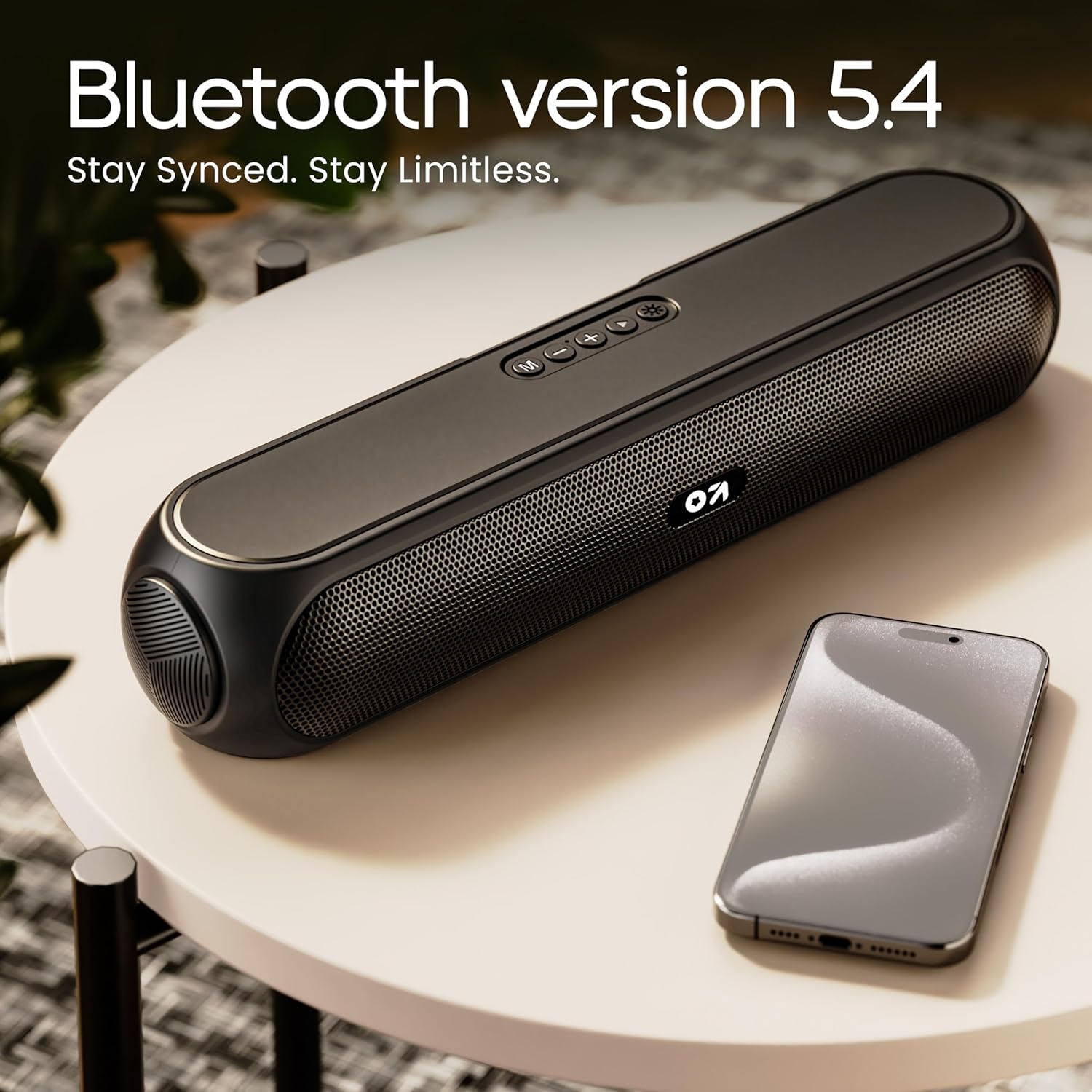
Image 4.2: Bluetooth 5.4 connectivity for seamless pairing.
4.4 Párování s pravým bezdrátovým stereo (TWS) systémem
The TWS function allows you to connect two GOBOULT Bassbox X20 speakers for a stereo sound experience.
- Ensure both Bassbox X20 speakers are powered on and not connected to any Bluetooth device.
- On one speaker (this will be the primary speaker), double-press the Mode (M) button. It will emit a sound indicating it's searching for another TWS speaker.
- The second speaker will automatically connect to the primary speaker. Once connected, both speakers will emit a confirmation sound.
- Nyní připojte zařízení k primárnímu reproduktoru přes Bluetooth, jak je popsáno v části 4.3. Zvuk bude přehráván stereofonně z obou reproduktorů.
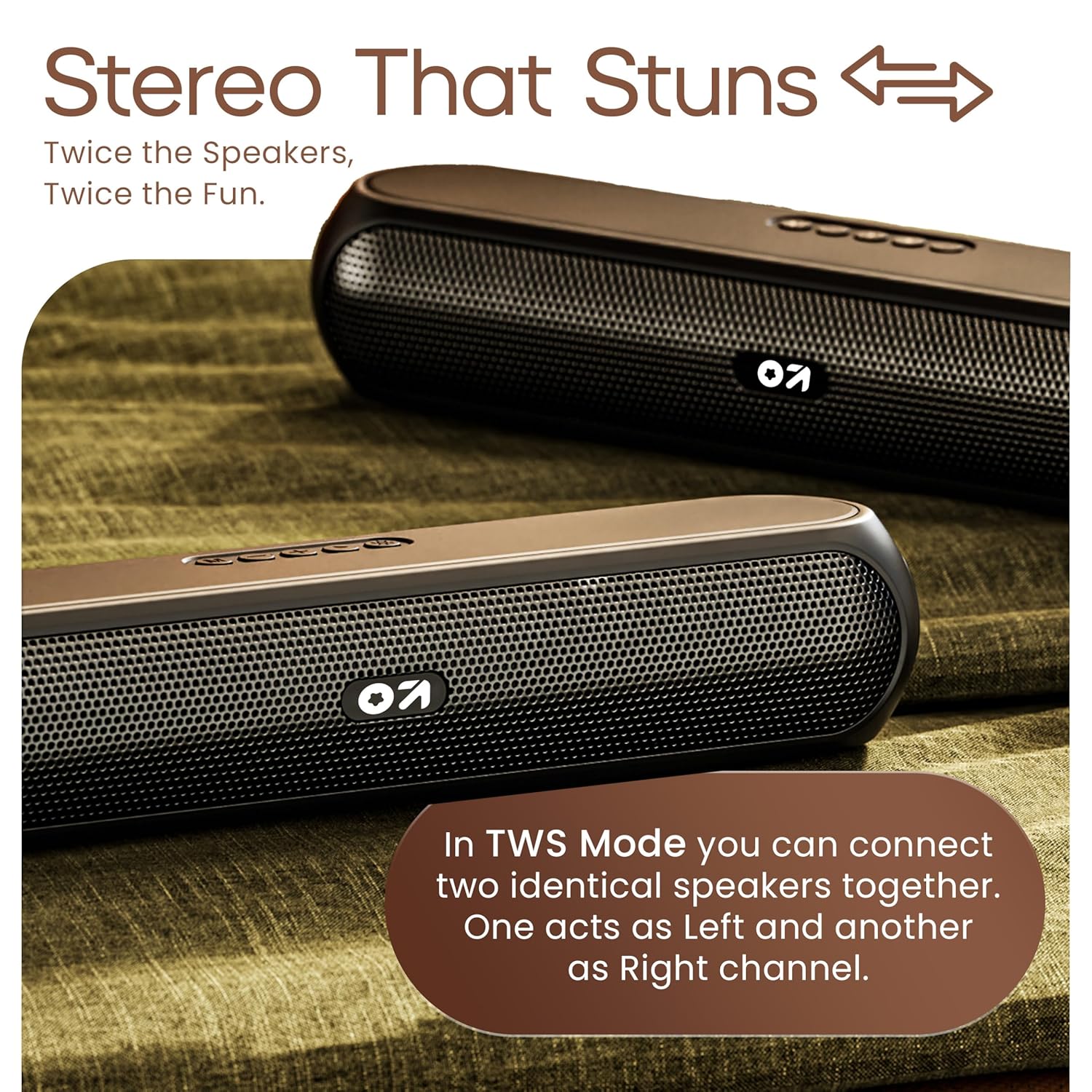
Image 4.3: TWS mode for connecting two speakers.
5. Provoz
5.1 Přepínání režimů
Stiskněte tlačítko režim (M) button to cycle through available input modes: Bluetooth, AUX, TF Card, and USB.
5.2 Režim Bluetooth
After successful pairing (Section 4.3), you can stream audio wirelessly from your connected device. Use the speaker's volume controls or your device's volume controls to adjust the sound level.
5.3 Režim AUX
- Připojte jeden konec 3.5mm audio kabelu (není součástí balení) k AUX portu reproduktoru.
- Druhý konec připojte k výstupnímu audio konektoru vašeho externího zařízení (např. MP3 přehrávače, počítače).
- Stiskněte tlačítko režim (M) tlačítko, dokud reproduktor nepřejde do režimu AUX.
- Control playback and volume from your external device or the speaker's controls.
5.4 TF Card / USB Mode
- Insert a TF (MicroSD) card or a USB drive containing audio filedo příslušného portu na reproduktoru.
- The speaker will automatically switch to TF Card or USB mode and begin playing audio. If not, press the režim (M) tlačítko pro výběr správného režimu.
- Use the speaker's controls to play/pause, skip tracks, and adjust volume.
6. Údržba
- Keep the speaker away from water, moisture, and extreme temperatures. While water-resistant, it is not waterproof.
- Reproduktor čistěte měkkým, suchým hadříkem. Nepoužívejte abrazivní čisticí prostředky ani rozpouštědla.
- Vyvarujte se pádu reproduktoru nebo jej nevystavujte silným nárazům.
- Pokud reproduktor delší dobu nepoužíváte, skladujte jej na chladném a suchém místě a pravidelně jej nabíjejte, aby se zachovala jeho životnost.
7. Řešení problémů
| Problém | Možná příčina | Řešení |
|---|---|---|
| Reproduktor se nezapne. | Low battery. Main power switch off. | Nabijte reproduktor. Ujistěte se, že je vypínač v poloze „ON“ (zapnuto). |
| Nelze spárovat přes Bluetooth. | Reproduktor není v režimu párování. Bluetooth zařízení je vypnutý. Příliš daleko od reproduktoru. | Ensure speaker is in Bluetooth pairing mode (flashing indicator). Enable Bluetooth on your device. Move device closer to speaker (within 10 meters). |
| Žádný zvuk. | Volume too low. Incorrect mode selected. Cable not connected properly (AUX). | Increase volume on speaker and device. Press 'M' button to select correct input mode. Reconnect AUX cable securely. |
| Párování TWS selhalo. | Reproduktory jsou již připojeny k jiným zařízením. | Disconnect both speakers from any Bluetooth devices before attempting TWS pairing. Ensure both speakers are Bassbox X20 models. |
8. Specifikace
| Funkce | Detail |
|---|---|
| Název modelu | Bassbox X20 |
| Typ reproduktoru | Přenosný Bluetooth reproduktor |
| Výstupní výkon | 20 wattů |
| Verze Bluetooth | 5.4 |
| Dosah Bluetooth | Až 10 metrů (33 stop) |
| Možnosti připojení | Bluetooth, Auxiliary (3.5mm), USB, TF Card |
| Typ baterie | Lithium Polymer |
| Životnost baterie | Až 6 hodin (při 70% hlasitosti) |
| Nabíjecí port | Type-C (DC5V) |
| Rozměry produktu | 89H x 38Š x 68V milimetrů |
| Hmotnost položky | 655 gramů |
| Úroveň odolnosti proti vodě | Voděodolný (není vodotěsný) |
| Zahrnuté komponenty | X20 Soundbar, User Manual, Warranty Card, Charging Cable |
9. Záruka a podpora
The GOBOULT Bassbox X20 Bluetooth Speaker comes with a 1letá záruka výrobce od data nákupu. Tato záruka se vztahuje na výrobní vady a vady zpracování při běžném používání.
For warranty claims, technical support, or any inquiries, please refer to the contact information provided on your warranty card or visit the official GOBOULT webmísto.
Uschovejte si prosím účtenku jako doklad o koupi pro účely záruky.


