1. Úvod
This manual provides essential information for the safe and effective operation, maintenance, and troubleshooting of your TOPUTURE TP5 Walking Pad Treadmill. Please read this manual thoroughly before initial use and retain it for future reference.
The TOPUTURE TP5 is a versatile 4-in-1 folding treadmill designed for home and office use, featuring an adjustable 12% incline, a handle bar, app control, and a Bluetooth speaker. It supports speeds from 0.6 to 10 MPH.
2. Bezpečnostní informace
Důležitá bezpečnostní opatření:
- Před zahájením jakéhokoli cvičebního programu se vždy poraďte s lékařem.
- Umístěte běžecký pás na rovný a stabilní povrch s dostatečným volným prostorem kolem něj.
- Během provozu udržujte děti a domácí zvířata mimo běžecký pás.
- Noste vhodnou sportovní obuv a oblečení.
- Nepoužívejte běžecký pás, pokud je poškozený nebo nefunkční.
- Během používání se ujistěte, že je bezpečnostní klíč správně připevněn k vašemu oblečení. Běžecký pás se zastaví, pokud je bezpečnostní klíč uvolněný.
- Nepřekračujte maximální nosnost 136 kg (300 liber).
- Odpojte běžecký pás ze zásuvky, pokud jej nepoužíváte, nebo před čištěním/údržbou.
3. Obsah balení
Ověřte, zda jsou v balení přítomny všechny komponenty:
- TOPUTURE TP5 Walking Pad Treadmill (main unit)
- Handle Bar (pre-installed or easily attachable)
- Napájecí kabel
- Dálkové ovládání
- Bezpečnostní klíč
- Uživatelská příručka (tento dokument)
- Lubricant (if included for maintenance)
4. Nastavení
4.1 Vybalení a umístění
- Opatrně vyjměte běžecký pás z obalu.
- Place the treadmill on a level, hard surface. Ensure there is at least 2 feet of clear space behind the treadmill and 1 foot on each side.
4.2 Handle Bar Assembly (Tool-Free)
The handle bar features a snap-on design for tool-free assembly. Lift the handle bar into the upright position until it locks securely into place. Ensure both sides are firmly engaged before use.

Obrázek 4.2.1: Tool-Free Handle Bar Assembly. The handle bar can be easily raised and locked into position for running mode.
4.3 Nastavení sklonu
The TOPUTURE TP5 offers three manual incline levels: 1%, 6%, and 12%. To adjust the incline:
- Ujistěte se, že je běžecký pás vypnutý a odpojený od sítě.
- Carefully lift the front of the treadmill.
- Adjust the support legs at the front to the desired incline level (1%, 6%, or 12%) and secure them with the provided pins or locking mechanism.
- Ensure the treadmill is stable before use.
Obrázek 4.3.1: Manual Incline Adjustment. The treadmill offers 1%, 6%, and 12% incline settings.
5. Návod k obsluze
5.1 Zapnutí/vypnutí
- Connect the power cord to the treadmill and a grounded electrical outlet.
- Flip the main power switch located near the power cord inlet to the 'ON' position.
- Připevněte bezpečnostní klíč do určeného slotu na konzoli a druhý konec si připněte k oblečení.
- Chcete-li přístroj vypnout, vyjměte bezpečnostní klíč a poté přepněte hlavní vypínač do polohy „VYPNUTO“.
5.2 Modes of Operation (4-in-1 Functionality)
The TP5 treadmill supports various exercise modes:
- Working Mode (0.6-1.5 MPH): Handle bar folded down, ideal for use under a standing desk.
- Walking Mode (1.5-5 MPH): Handle bar folded down, suitable for brisk walking.
- Climbing Mode (0.6-3 MPH): Handle bar upright, with incline engaged for a climbing simulation.
- Running Mode (3-10 MPH): Handle bar upright, for jogging and running.

Obrázek 5.2.1: 4-in-1 Treadmill Modes. The treadmill adapts to various exercise needs.
5.3 Nastavení rychlosti
Speed can be adjusted using the touch screen controls on the console, the remote control, or via the connected sports app.
- Dotyková obrazovka: Use the '+' and '-' buttons on the LED display to increase or decrease speed.
- Dálkové ovládání: The included remote control allows for convenient speed adjustments and pause/start functions.
- Sports App: Connect to the recommended sports app for advanced control and program selection.
5.4 Multifunction LED Display
The integrated LED display provides real-time feedback on your workout metrics:
- Čas: Délka vašeho tréninku.
- Rychlost: Aktuální rychlost v mph.
- Kalorie: Odhad spálených kalorií.
- Vzdálenost: Ujetá vzdálenost v mílích.
- Srdeční frekvence: Your heart rate when gripping the sensors on the handle bar.

Obrázek 5.4.1: Multifunction LED Display. Track your workout progress with clear metrics.
5.5 Bluetooth Speaker and App Control
Bluetooth reproduktor:
- Povolte na svém mobilním zařízení Bluetooth.
- Hledat the treadmill's Bluetooth name (e.g., "TOPUTURE TP5") and pair.
- Once connected, you can play audio through the treadmill's built-in speaker.
App Control (FITSHOW App):
- Download the 'FITSHOW' app from your device's app store.
- Open the app and follow the instructions to connect to your TOPUTURE TP5 treadmill via Bluetooth.
- The app allows you to control speed, select pre-set programs, track workout data, and engage with scenic videos.

Obrázek 5.5.1: App Control Interface. Enhance your workout with the FITSHOW app.

Obrázek 5.5.2: Dual Intelligent Control. Control your treadmill via remote or smartphone app.
6. Údržba
Pravidelná údržba zajistí dlouhou životnost a optimální výkon vašeho běžeckého pásu.
6.1 Čištění
- Před čištěním vždy odpojte běžecký pás ze zásuvky.
- Otřete konzoli a vnější povrchy měkkým hadříkemamp hadříkem. Nepoužívejte abrazivní čisticí prostředky ani rozpouštědla.
- Pravidelně vysávejte spodní část běžeckého pásu, abyste zabránili hromadění prachu a nečistot.
6.2 Mazání běžícího pásu
The running belt requires periodic lubrication to reduce friction and extend its lifespan. Refer to the specific instructions provided with your lubricant or contact customer support for guidance on frequency and application.
6.3 Nastavení běžeckého pásu
If the running belt starts to slip or drift to one side, it may need adjustment. Consult the troubleshooting section or contact customer support for detailed instructions on how to tension and center the belt.
7. Řešení problémů
If you encounter issues with your treadmill, refer to the common problems and solutions below. If the problem persists, contact customer support.
| Problém | Možná příčina | Řešení |
|---|---|---|
| Běžecký pás se nezapne | Power cord not connected; Main switch off; Safety key not in place | Check power cord connection; Turn main switch ON; Ensure safety key is inserted |
| Běžecký pás prokluzuje nebo se zastavuje | Belt too loose; Overload; Motor issue | Adjust belt tension; Reduce user weight; Contact support |
| Neobvyklý hluk během provozu | Loose parts; Lack of lubrication; Motor issue | Check for loose bolts; Lubricate belt; Contact support |
| Displej nefunguje správně | Loose connection; Electronic fault | Check connections; Restart treadmill; Contact support |
8. Specifikace
| Funkce | Specifikace |
|---|---|
| Značka | TOPUTURE |
| Název modelu | TP5 |
| Rozměry produktu (DxŠxV) | 52.3 cm x 28.2 cm x 5.1 cm |
| Hmotnost položky | 78 libry |
| Materiál | Legovaná ocel |
| Maximální rychlost | 10 mil za hodinu |
| Maximální výkon | 2.5 koňské síly |
| Procento maximálního sklonutage | 12% (Manual Adjustment) |
| Doporučená maximální hmotnost | 300 libry |
| Rozměry běžeckého pásu | 41'' x 16.5'' (1040mm x 420mm) |
| Typ zobrazení | LED |
| Technologie připojení | Bluetooth |
| Speciální funkce | Built-In Speaker, Foldable, Heart Rate Monitor, Portable, Shock Absorbent |
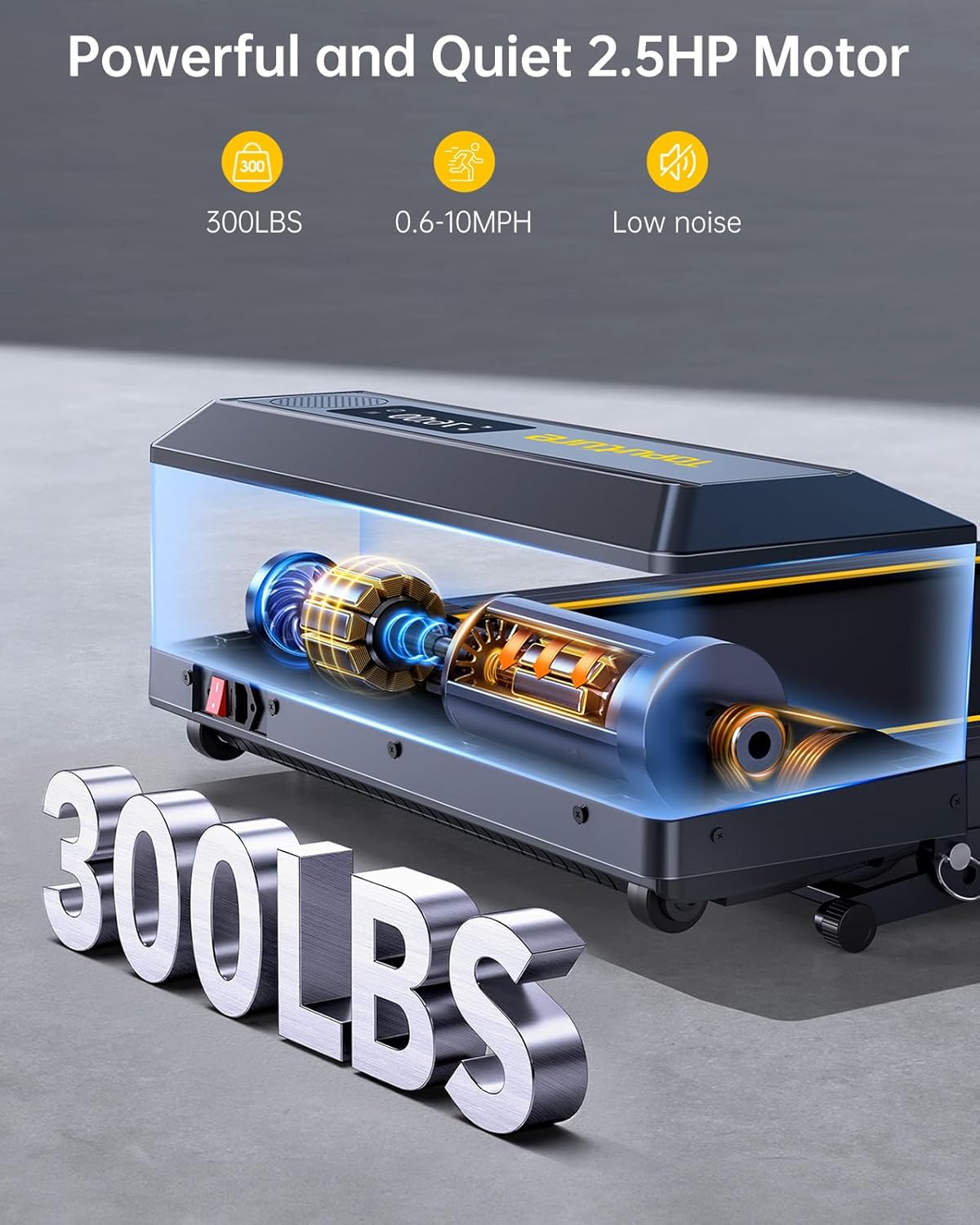
Obrázek 8.1: Powerful and Quiet 2.5HP Motor. Supports up to 300 lbs with low noise operation.

Obrázek 8.2: Extra Wide Comfortable Running Area. Dimensions of 1040mm x 420mm for comfortable use.

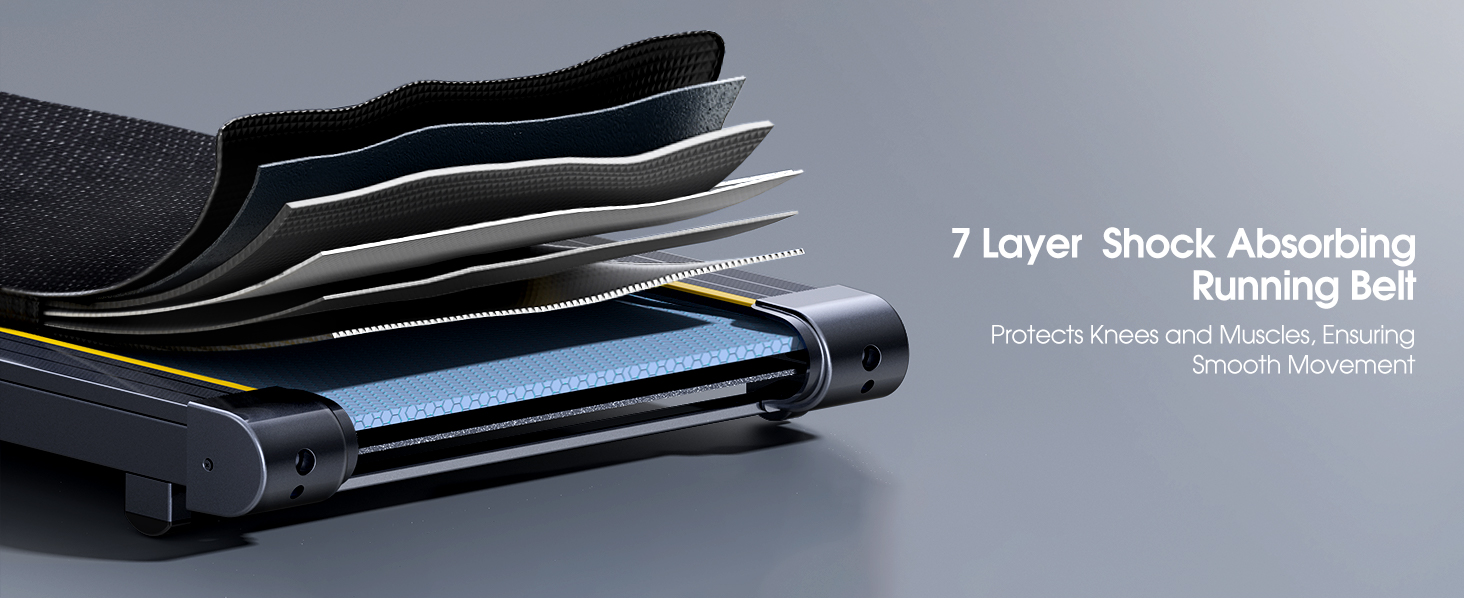
Obrázek 8.3: High-Tech Running Belt and Shock Absorption. Features a 7-layer belt and 8 shock absorbers for joint protection.

Obrázek 8.4: Convenient Folding Design and Storage. The treadmill folds for easy storage under furniture or against a wall.
9. Záruka a podpora
9.1 Informace o záruce
The TOPUTURE TP5 Walking Pad Treadmill comes with a jednoletá záruka from the date of purchase. This warranty covers manufacturing defects and ensures the product meets quality standards. Please retain your proof of purchase for warranty claims.
9.2 Zákaznická podpora
For any questions, technical assistance, or warranty claims, please contact TOPUTURE customer support. You can typically reach support by:
- Logging into your Amazon account.
- Navigating to 'Your Orders'.
- Finding the specific order ID for your treadmill.
- Clicking on 'Contact Seller'.
Our support team is committed to providing high-quality assistance.


