1. Úvod
This manual provides detailed instructions for the operation and maintenance of your ZAQE Clip MP3 Player X20. Please read this manual thoroughly before using the device to ensure proper function and to maximize your user experience. Keep this manual for future reference.
2. Co je v krabici
Upon opening your ZAQE Clip MP3 Player X20 package, please verify that all the following items are included:
- ZAQE Clip MP3 Player X20
- USB nabíjecí kabel
- Kabelová sluchátka
- Uživatelská příručka (tento dokument)
Pokud některé položky chybí nebo jsou poškozené, kontaktujte prosím zákaznickou podporu.

Image: Contents of the ZAQE Clip MP3 Player X20 package, including the player, charging cable, earphones, and user manual.
3. Konec produktuview
3.1 Rozložení zařízení
The ZAQE Clip MP3 Player X20 features a compact design with intuitive controls and a secure clip for portability.
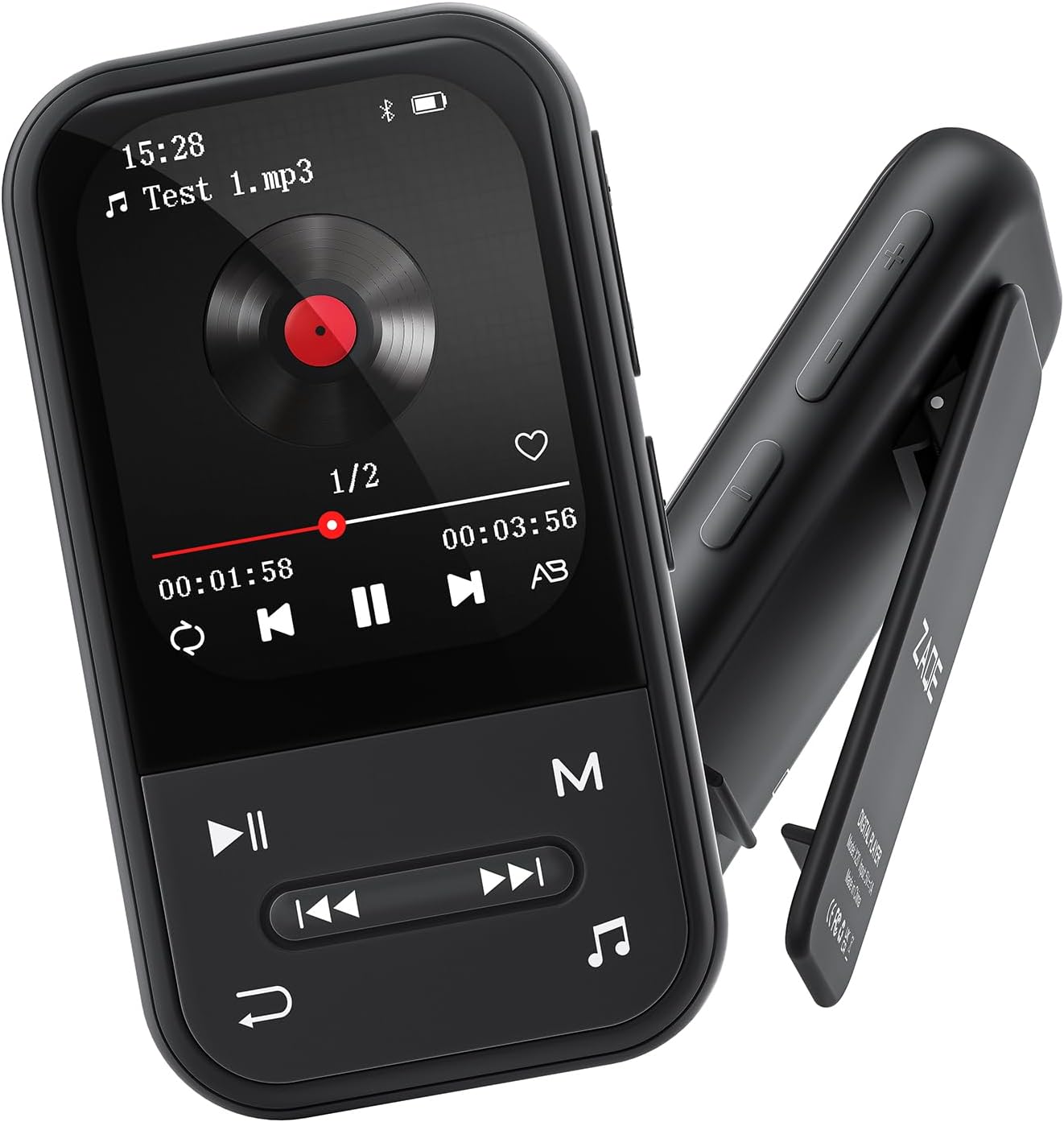
Obrázek: Přední a boční view of the ZAQE Clip MP3 Player X20, highlighting its compact design and rear clip.
3.2 Rozhraní displeje
The device features a 2.0-inch TFT color display with a user-friendly interface for easy navigation through its various functions.
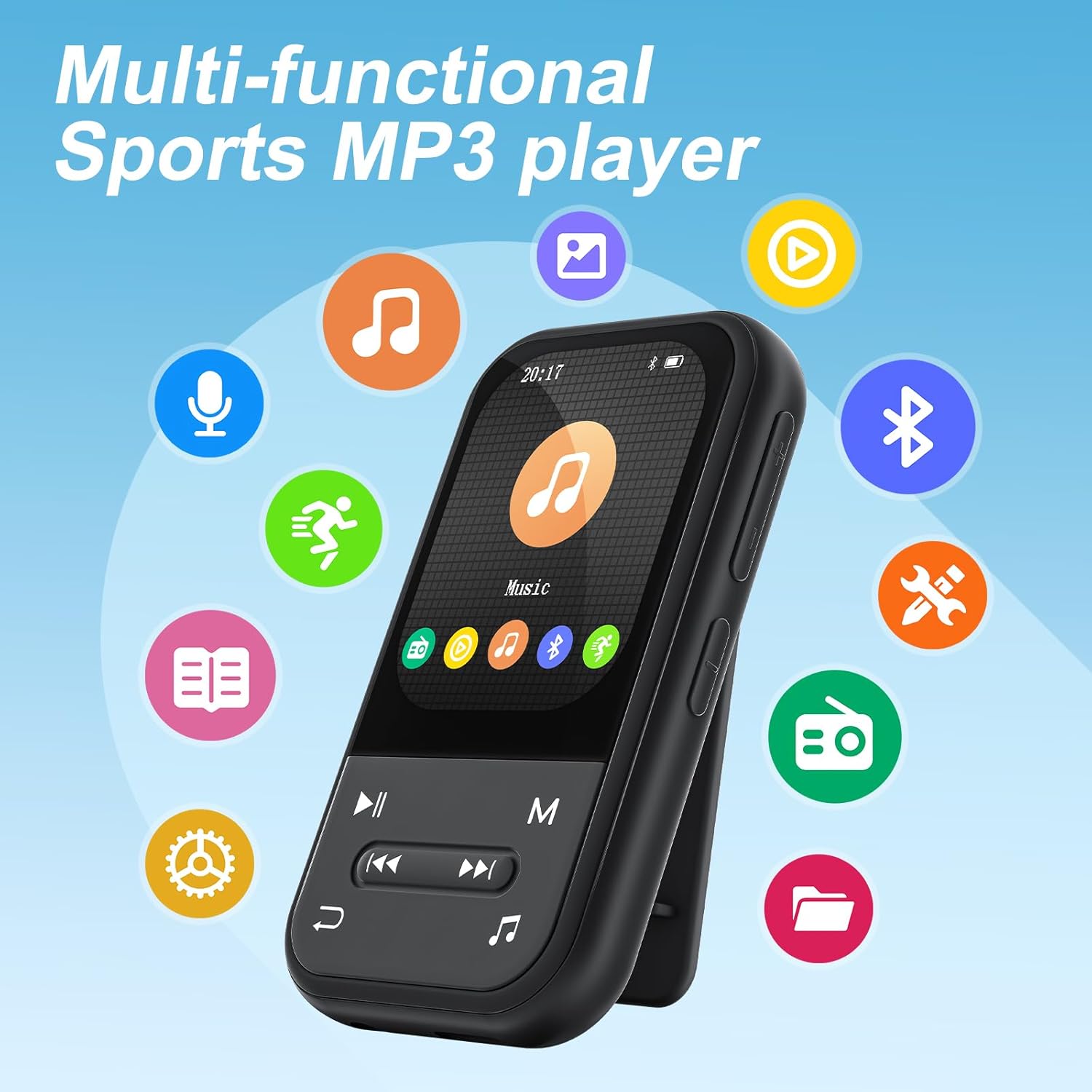
Image: The ZAQE Clip MP3 Player X20 displaying its main interface, surrounded by icons representing its various functions such as music, video, Bluetooth, FM radio, and pedometer.
4. Začínáme
4.1 Nabíjení zařízení
Before first use, fully charge the MP3 player. Connect the provided USB charging cable to the device's charging port and to a USB power adapter (not included) or a computer's USB port. The battery indicator on the screen will show charging status.
4.2 Zapnutí/vypnutí
- Zapnutí: Stiskněte a podržte tlačítko napájení, dokud se obrazovka nerozsvítí.
- Vypnutí: Stiskněte a podržte tlačítko napájení, dokud se nezobrazí výzva k vypnutí, a poté potvrďte.
4.3 File Převod
Přenos hudby, videí nebo jiných filedo vašeho MP3 přehrávače:
- Připojte MP3 přehrávač k počítači pomocí USB kabelu.
- Zařízení se v počítači zobrazí jako vyměnitelný disk.
- Přetáhněte a umístěte požadované files into the appropriate folders on the MP3 player (e.g., 'Music' for audio files).
- Před odpojením kabelu USB bezpečně vyjměte zařízení z počítače.

Image: The ZAQE Clip MP3 Player X20 supports 128GB internal storage and expandable memory.
4.4 Vložení karty MicroSD
The ZAQE Clip MP3 Player X20 supports expandable storage up to 128GB via a MicroSD card (not included). Locate the MicroSD card slot on the device and gently insert the card until it clicks into place. Ensure the card is inserted in the correct orientation.
5. Návod k obsluze
5.1 Základní navigace
Use the physical buttons on the device to navigate through menus and select options. The central button typically acts as 'Enter' or 'Confirm', while directional buttons allow movement. The 'Back' button returns to the previous screen.
5.2 Přehrávání hudby
From the main menu, select the 'Music' icon to access your audio library. You can browse by artist, album, genre, or all songs. During playback, controls for play/pause, skip track, and volume adjustment are available.
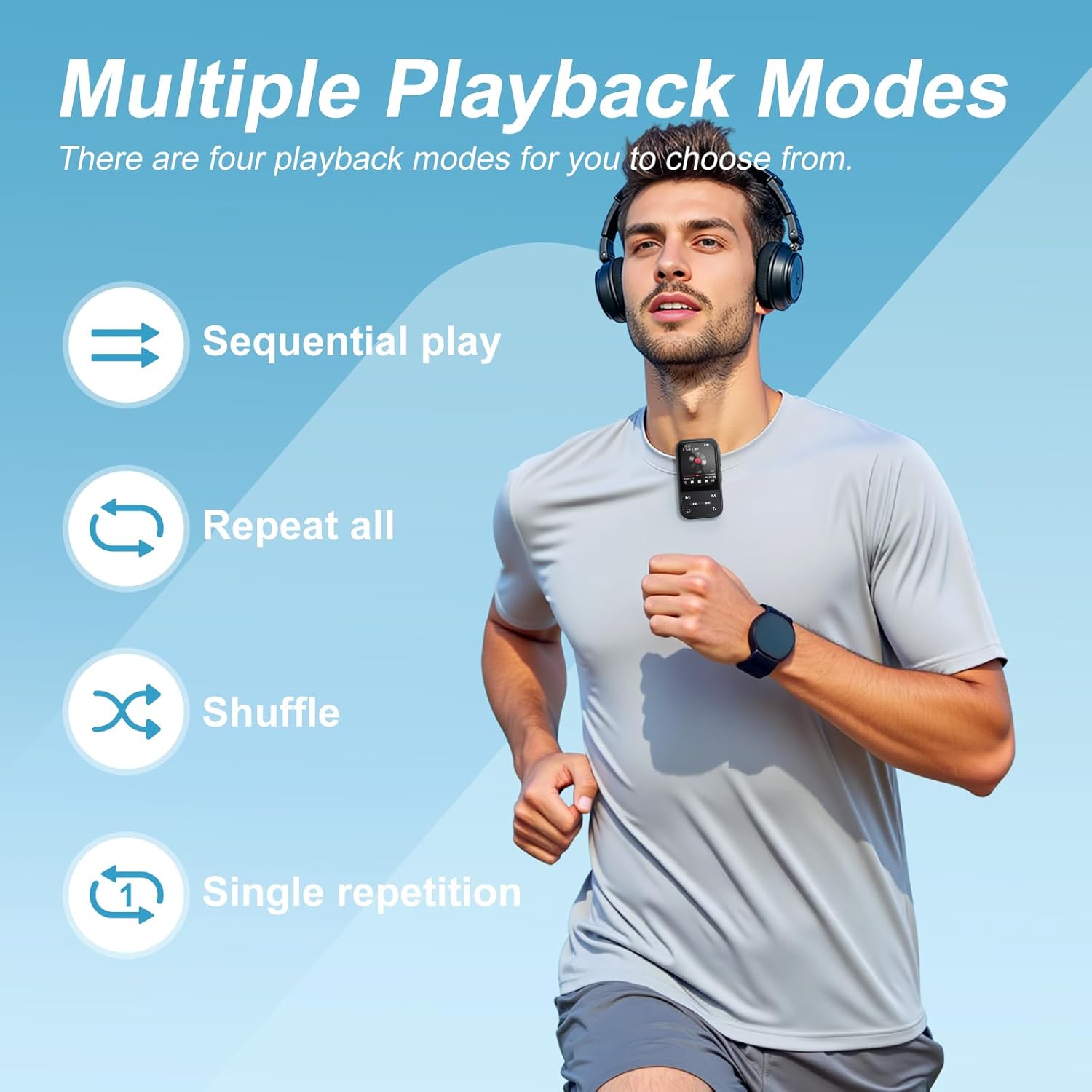
Image: The ZAQE Clip MP3 Player X20 offers multiple playback modes for music.

Image: Quick access to the music interface on the ZAQE Clip MP3 Player X20.
5.3 Připojení Bluetooth
The device features Bluetooth 5.3 for wireless audio streaming.
- Navigate to the 'Bluetooth' menu from the main screen.
- Zapněte Bluetooth a vyberte možnost „Hledat zařízení'.
- Ujistěte se, že vaše Bluetooth sluchátka nebo reproduktor jsou v režimu párování.
- Vyberte ze seznamu zařízení, které chcete spárovat.
Poznámka: This device cannot pair with smartphones or tablets.
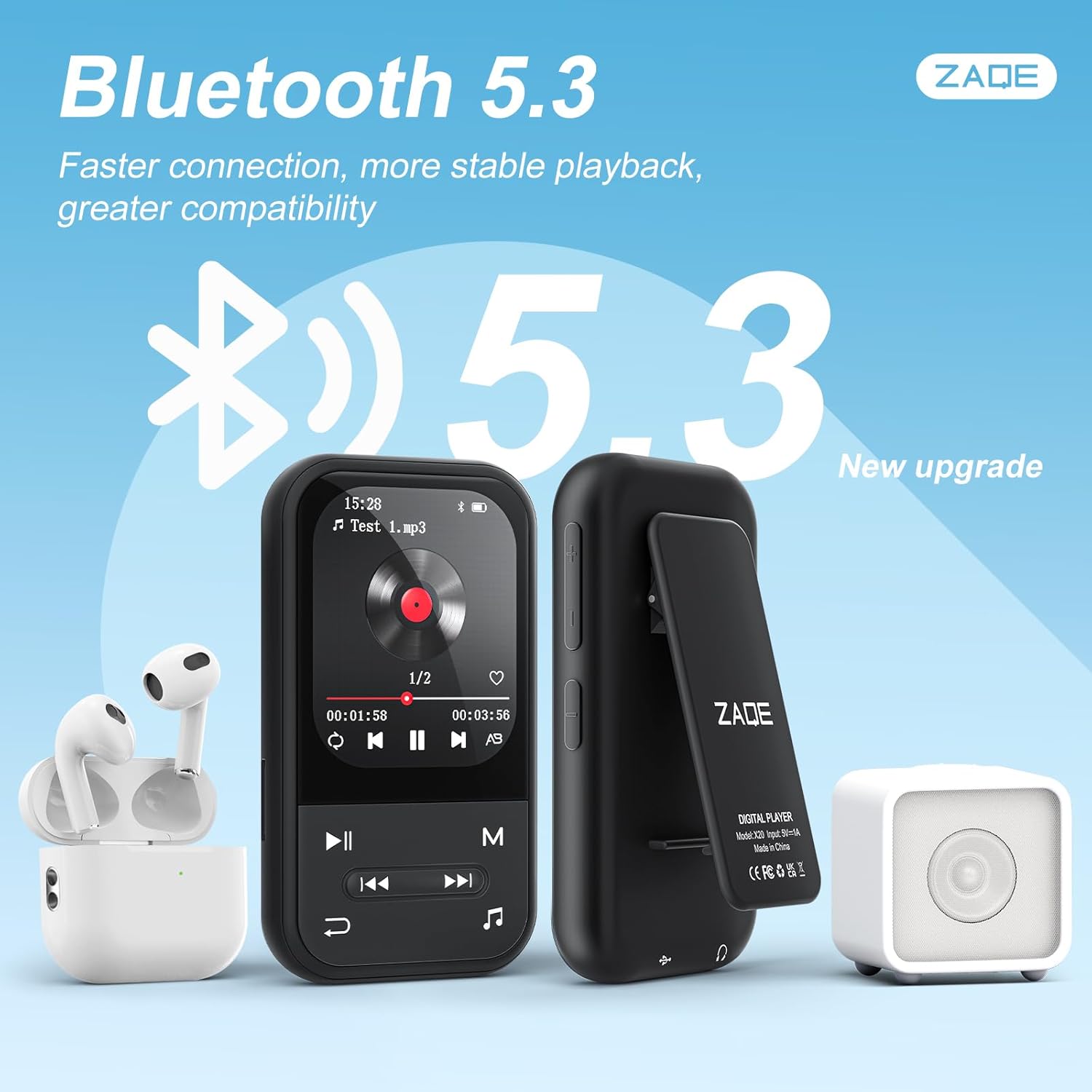
Image: ZAQE Clip MP3 Player X20 connected to Bluetooth headphones and speaker.
5.4 FM rádio
To use the FM Radio function, plug in the wired earphones (included) as they act as the antenna. Navigate to the 'FM Radio' icon, then scan for available stations.
5.5 Hlasový záznamník
Select the 'Voice Recorder' icon to access the recording function. You can start, pause, and save recordings. Recorded files are typically saved in WAV or MP3 format.
5.6 Funkce krokoměru
The built-in pedometer tracks your steps. Access this feature via the 'Pedometer' icon. Ensure the device is securely clipped to your clothing for accurate tracking.

Image: The ZAQE Clip MP3 Player X20 is ideal for sports and activities.
5.7 Čtečka elektronických knih
Zařízení podporuje čtení elektronických knih. Přenos kompatibilního textu files to the 'E-Book' folder on the player. Select the 'E-Book' icon to browse and read your files.
5.8 Další nástroje
The ZAQE Clip MP3 Player X20 includes several useful tools:
- Budík: Nastavte budíky pro připomenutí nebo buzení.
- Kalendář: View the current date and manage simple schedules.
- Stopky: Use for timing activities or workouts.
6. Údržba
- Udržujte zařízení suché. Vlhkost může poškodit elektronické součástky.
- Očistěte obrazovku a tělo měkkým, suchým hadříkem. Nepoužívejte abrazivní čisticí prostředky.
- Vyhněte se extrémním teplotám.
- Nenechte zařízení spadnout a nevystavujte jej silným nárazům.
- Důležité pravidelně zálohovat files, abyste zabránili ztrátě dat.
7. Řešení problémů
| Problém | Možná příčina | Řešení |
|---|---|---|
| Zařízení se nezapne. | Slabá baterie. | Nabíjejte zařízení alespoň 30 minut. |
| Nelze přenést files. | Nesprávné připojení USB nebo problém s ovladačem. | Ujistěte se, že je kabel USB bezpečně připojen. Zkuste jiný port USB nebo počítač. |
| Zařízení Bluetooth se nespáruje. | Zařízení není v režimu párování nebo je příliš daleko. | Ensure your Bluetooth device is in pairing mode and within range. Restart both devices. |
| No sound from FM Radio. | Earphones not connected or not functioning as antenna. | Ensure wired earphones are properly plugged in. They serve as the antenna. |
| Karta MicroSD nebyla rozpoznána. | Card improperly inserted or incompatible format. | Reinsert the card. Ensure it is formatted to FAT32 or exFAT. |
8. Specifikace
| Značka | ZAQE |
| Model | X20 (Clip Player) |
| Kapacita paměti | 128 GB (Internal) + Expandable via Micro SDHC |
| Velikost obrazovky | 2.0 palce |
| Technologie displeje | TFT |
| Verze Bluetooth | 5.3 |
| Podporované zvukové formáty | MP3, OGG, APE, FLAC, WAV, AAC, ACELP |
| Životnost baterie | Up to 40 Hours (audio playback) |
| Hmotnost položky | 1 gramů (0.035 unce) |
| Rozměry balení | 4.72 x 4.69 x 0.94 palce |
9. Záruka a podpora
ZAQE products are designed for reliability and performance. For warranty information, technical support, or customer service inquiries, please refer to the contact details provided on the product packaging or visit the official ZAQE webmísto.
Uschovejte si prosím doklad o koupi pro uplatnění záruky.


