1. Úvod
The Baseus Inspire XP1 Adaptive Noise Cancelling Earbuds are designed to provide a high-fidelity audio experience with advanced noise cancellation capabilities. Featuring Sound by Bose technology and Dolby Spatial Audio, these earbuds offer immersive sound and clear communication. This manual provides instructions for setup, operation, and maintenance to ensure optimal performance.
2. Obsah balení
Ověřte, zda jsou v balení přítomny všechny položky:
- Baseus Inspire XP1 Noise Cancelling Wireless Earbuds
- Nabíjecí pouzdro
- Ušní nástavce (velikosti S/M/L)
- Nabíjecí kabel USB-C
- Uživatelská příručka

Image: Package contents of the Baseus Inspire XP1 earbuds.
3. Konec produktuview
The Baseus Inspire XP1 earbuds feature a contoured in-ear fit with umbrella-shaped liquid silicone tips for comfort and noise isolation. They are equipped with a 6-mic sound sensor array for clear calls and touch-sensitive surfaces for control.

Image: Baseus Inspire XP1 Earbuds.
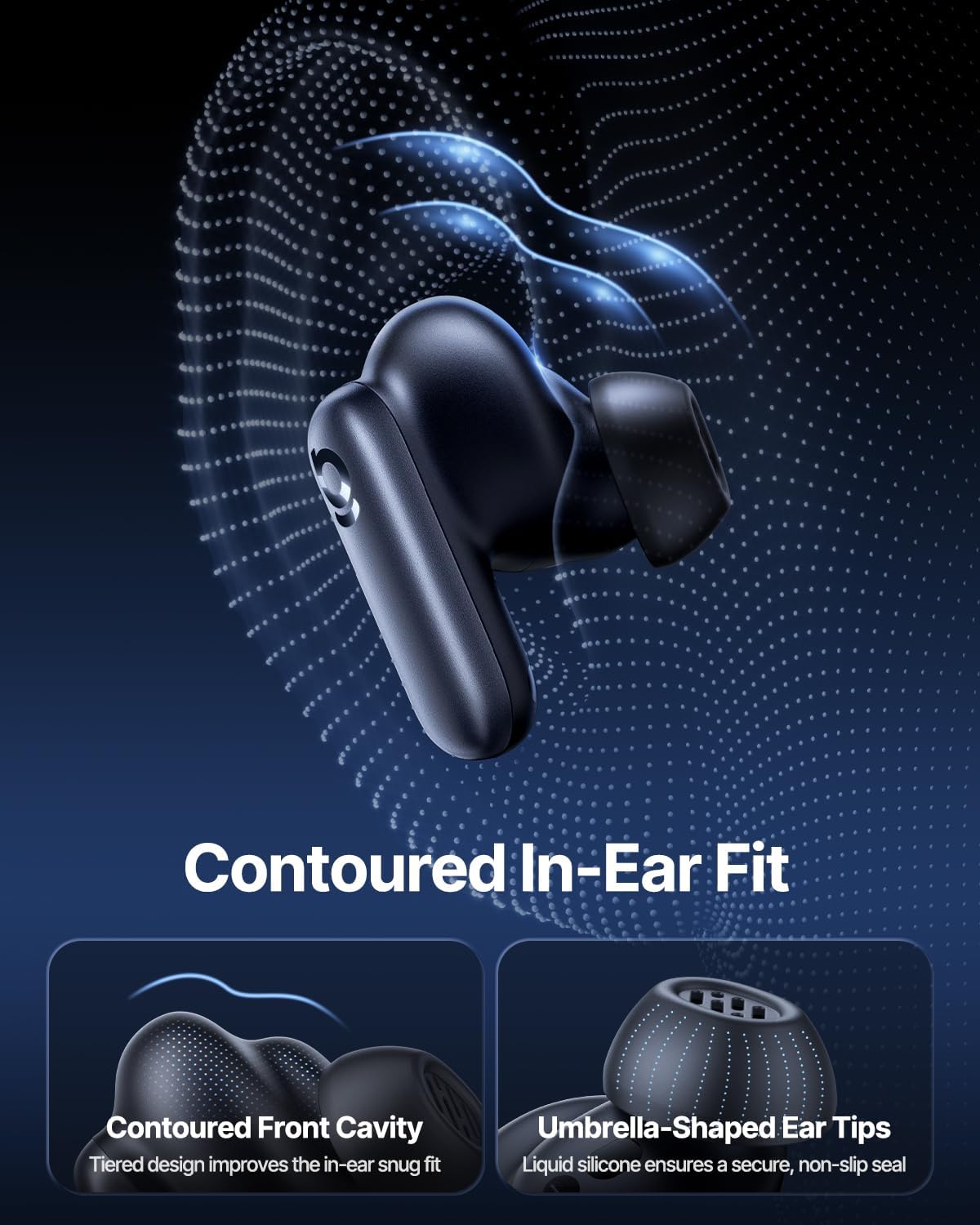
Image: Contoured In-Ear Fit and Umbrella-Shaped Ear Tips.
4. Nastavení
4.1 Počáteční párování
- Nabijte sluchátka: Place both earbuds into the charging case and close the lid. Connect the USB-C charging cable to the case and a power source. The indicator light on the case will show charging status.
- Aktivujte režim párování: Otevřete nabíjecí pouzdro. Sluchátka se automaticky přepnou do režimu párování, což bude signalizováno blikajícím světlem na sluchátkách nebo pouzdře.
- Připojení přes Bluetooth: Na svém zařízení (chytrý telefon, tablet, notebook) přejděte do nastavení Bluetooth a povolte Bluetooth. Hledat "Baseus Inspire XP1" in the list of available devices and select it to connect.
- Potvrzení: Once connected, a voice prompt will confirm successful pairing, and the indicator light will turn solid or off.
4.2 Instalace aplikace Baseus
For full functionality, including Dolby Audio, custom EQ settings, and adaptive tuning, download the official Baseus App from your device's app store (iOS App Store or Google Play Store). The app allows for personalized control of your listening experience.
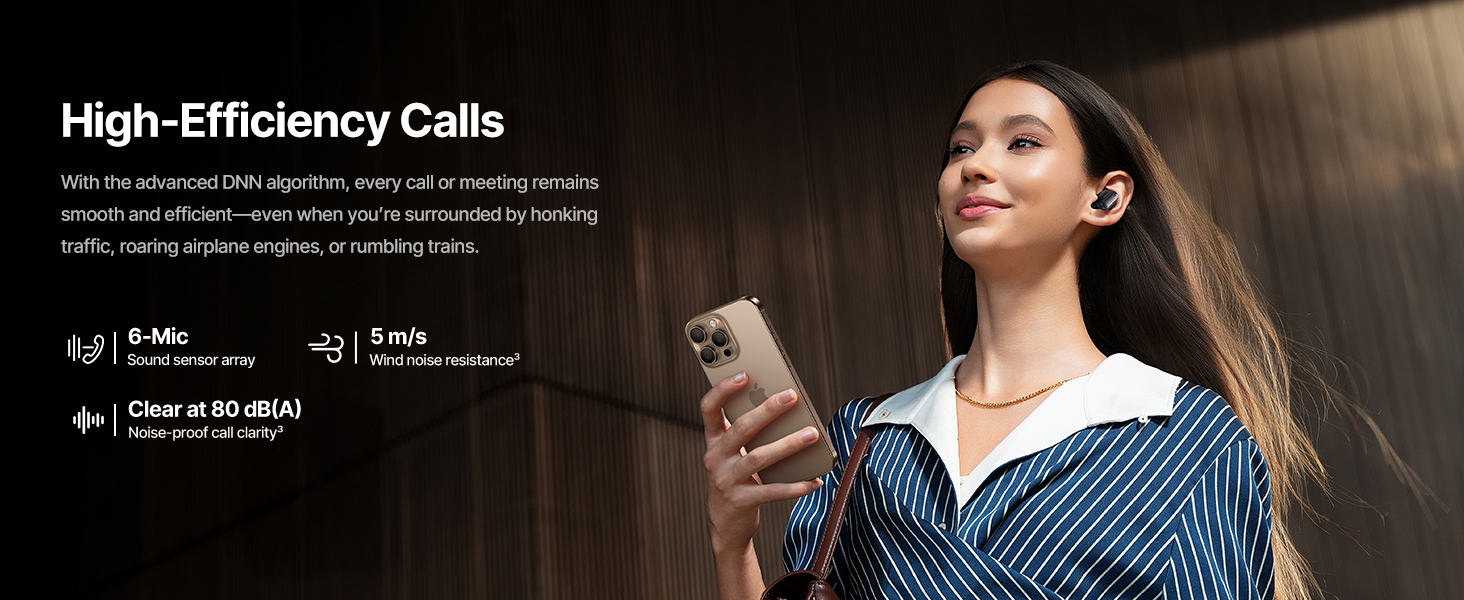
Image: Smart App Control interface.
5. Návod k obsluze
5.1 Zapnutí/vypnutí
- Zapnutí: Otevřete nabíjecí pouzdro a sluchátka se automaticky zapnou a pokusí se připojit k poslednímu spárovanému zařízení.
- Vypnout: Vložte sluchátka zpět do nabíjecího pouzdra a zavřete víko. Sluchátka se automaticky vypnou a začnou se nabíjet.
5.2 Dotykové ovládání
The earbuds feature touch-sensitive surfaces for various functions:
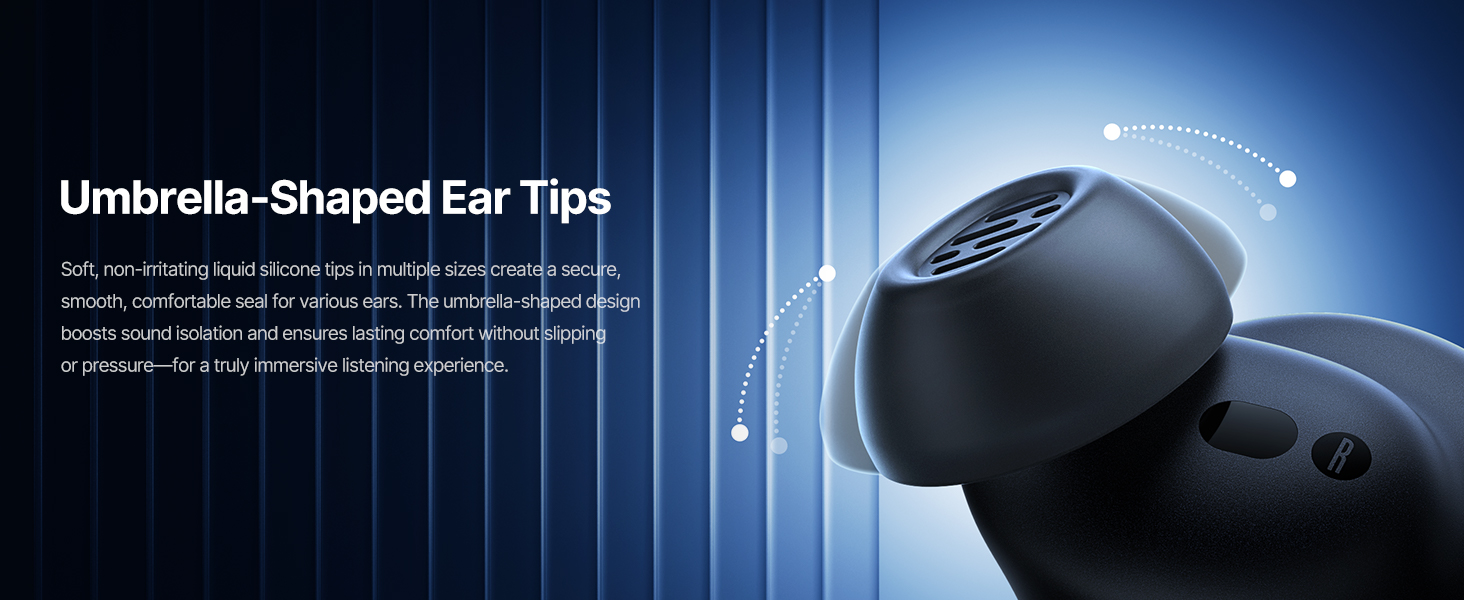
Image: Touch Control Guide.
- Přehrát/pozastavit hudbu: Dvakrát klepněte na kterékoli sluchátko.
- Přijmout/ukončit hovory: Dvakrát klepněte na kterékoli sluchátko.
- Odmítnout hovory: Klepněte a podržte jedno sluchátko po dobu 1.5 sekund.
- Přepnout režim ANC/průhlednosti: Klepněte a podržte jedno sluchátko po dobu 1.5 sekund.
- Aktivovat Voice Assistant: Třikrát klepněte na kterékoli sluchátko.
5.3 Adaptive Noise Cancellation (ANC) and Transparency Mode
The Inspire XP1 earbuds feature Premium Adaptive ANC, which dynamically adjusts noise reduction up to -50 dB based on your environment. Transparency Mode allows you to hear your surroundings without removing the earbuds.

Image: Premium Adaptive ANC in use.
Switch between ANC and Transparency Mode by tapping and holding the touch surface for 1.5 seconds, or manage settings via the Baseus App.
5.4 High-Efficiency Clear Calls
Equipped with a 6-mic sound sensor array and AI algorithms, the earbuds provide clear calls by reducing wind noise and environmental distractions up to 80 dB(A).
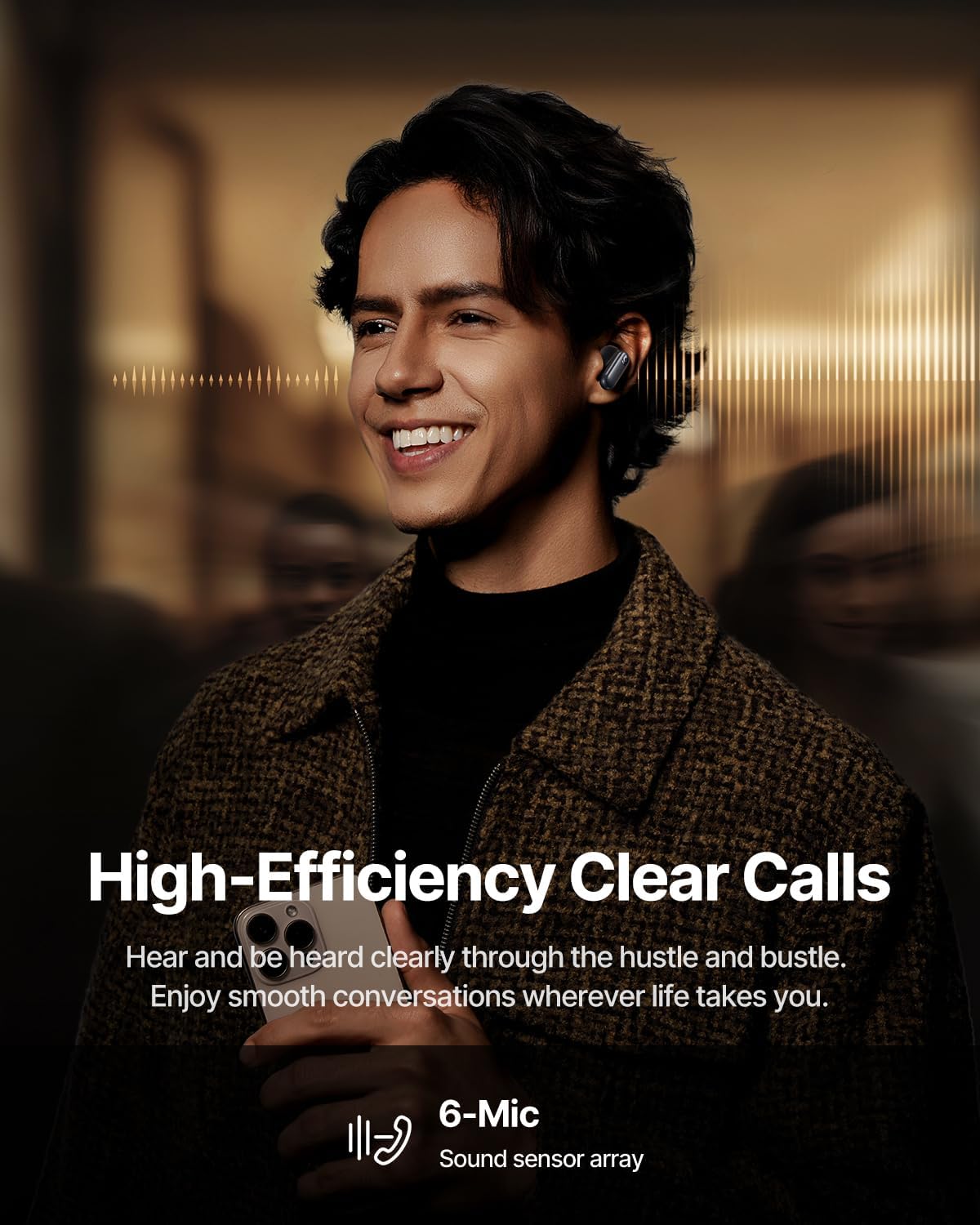
Image: High-Efficiency Clear Calls.
5.5 Nabíjení a výdrž baterie
The earbuds offer extended playtime with the charging case:
- ANC vypnuto: Up to 8 hours per charge, and up to 45 hours with the charging case.
- ANC zapnuto: Up to 6 hours per charge, and up to 35 hours with the charging case.
- Rychlé nabíjení: 10 minut nabíjení poskytne přibližně 2.5 hodin přehrávání.

Image: Day-and-Night Playtime.
5.6 Instant Multipoint Connection
Utilize Baseus Smart-Connect and Bluetooth 6.1 for seamless switching between two paired devices, such as a phone and a laptop, enabling uninterrupted calls and multitasking.
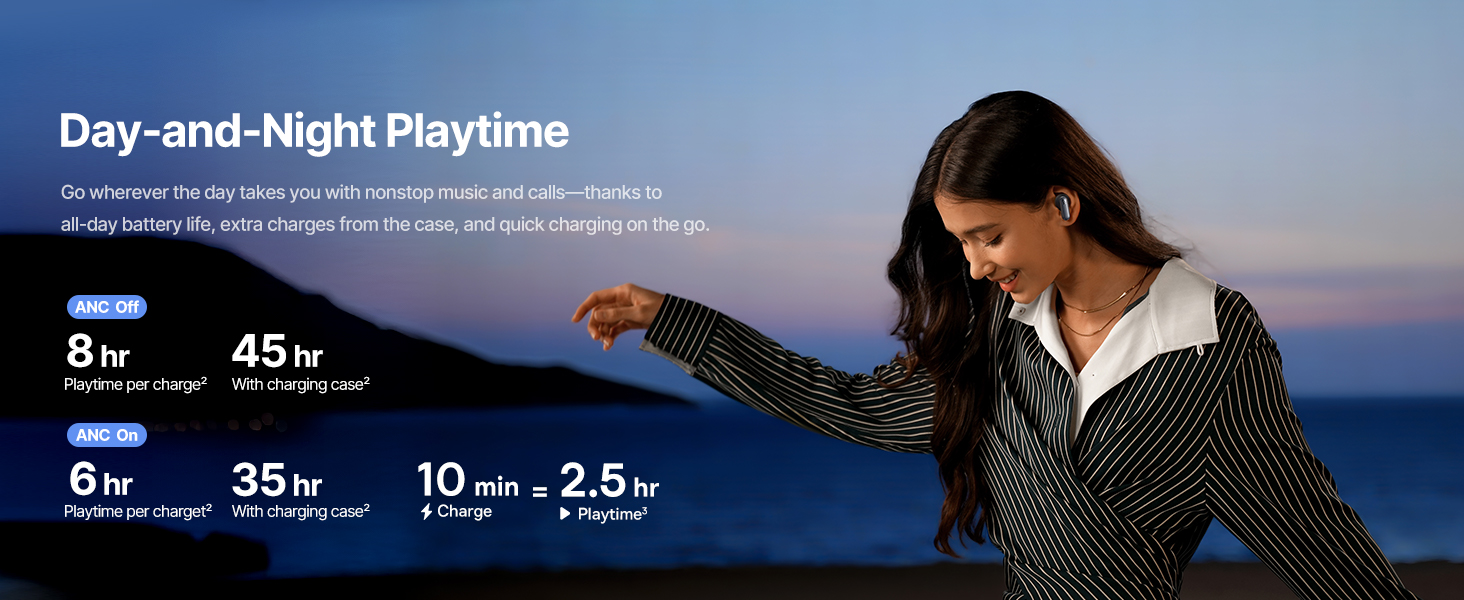
Image: Instant Multipoint Connection.
6. Údržba
- Čištění: Pravidelně čistěte sluchátka a nabíjecí pouzdro měkkým, suchým hadříkem, který nepouští vlákna. Nepoužívejte abrazivní materiály ani agresivní chemikálie.
- Špunty do uší: V případě potřeby vyjměte a očistěte silikonové náušníky jemným mýdlem a vodou. Před opětovným nasazením se ujistěte, že jsou zcela suché.
- Nabíjecí porty: Udržujte nabíjecí port USB-C bez prachu a nečistot.
- Skladování: When not in use, store the earbuds in their charging case to protect them and maintain battery life. Avoid extreme temperatures.
7. Řešení problémů
7.1 Sluchátka se nespárují
- Ujistěte se, že jsou sluchátka nabitá a víko nabíjecího pouzdra je otevřené.
- Vypněte a zapněte Bluetooth na vašem zařízení.
- Zapomeňte na zařízení v nastavení Bluetooth a zkuste jej znovu spárovat.
- Try resetting the earbuds (refer to the Baseus App or Baseus support for specific reset instructions).
7.2 Žádný zvuk nebo nízká hlasitost
- Zkontrolujte úroveň hlasitosti na zařízení i ve sluchátkách.
- Ujistěte se, že jsou sluchátka správně usazena v uších.
- Ověřte, zda jsou sluchátka připojena ke správnému zvukovému výstupu na vašem zařízení.
- Vyčistěte reproduktory sluchátek od nečistot.
7.3 Problémy s nabíjením
- Ujistěte se, že je nabíjecí kabel bezpečně připojen k pouzdru i ke zdroji napájení.
- Zkuste jiný kabel USB-C a napájecí adaptér.
- Vyčistěte nabíjecí kontakty na sluchátkách i uvnitř pouzdra.
8. Specifikace
Image: Product Specifications.
| Název modelu | Baseus Inspire XP1 |
| Technologie připojení | Bezdrátové připojení Bluetooth 6.1 |
| Technologie bezdrátové komunikace | Bluetooth 6.1 |
| Kontrola hluku | Adaptive Noise Cancellation, Environmental Noise Cancellation |
| Velikost zvukového ovladače | 10 milimetrů |
| Frekvenční rozsah | 20 Hz - 20,000 XNUMX Hz |
| Výdrž baterie (ANC vypnuto) | 8 hodin (sluchátka), 45 hodin (s nabíjecím pouzdrem) |
| Nabíjecí port | USB-C |
| Kontrolní metoda | Aplikace, dotyk |
| Materiál | Silikon |
| Hmotnost položky | 7.8 unce |
9. Záruka a podpora
Baseus products are covered by a limited warranty. For detailed warranty information, product support, or to contact customer service, please visit the official Baseus webwebu nebo se podívejte na záruční list, který je součástí balení.
Můžete také navštívit Obchod Baseus na Amazonu pro další zdroje a informace o produktech.


