Zavedení
Děkuji za nákupasing the ROCAM Digital Radio Alarm Clock. This manual provides detailed instructions for setting up, operating, and maintaining your device. Please read this manual thoroughly before use to ensure proper function and longevity of the product.
Bezpečnostní informace
- Ujistěte se, že je zařízení připojeno ke zdroji napájení se správným napětím.tage.
- Nevystavujte zařízení vodě ani nadměrné vlhkosti.
- Neumisťujte zařízení do blízkosti zdrojů tepla nebo na přímé sluneční světlo.
- Nepokoušejte se zařízení rozebírat ani opravovat sami. Kontaktujte kvalifikovaný servisní personál.
- Uchovávejte mimo dosah dětí.
Konec produktuview
The ROCAM Digital Radio Alarm Clock features a clear display, intuitive controls, and multiple functions including FM radio, Bluetooth speaker, night light, and charging ports.

Přední view of the ROCAM Digital Radio Alarm Clock, showing the large digital display and speaker grille.
Klíčové vlastnosti:
- FM Radio (87.5 MHz - 108.0 MHz) with 20 presets.
- Bluetooth 5.0 speaker with 10m wireless range.
- Adjustable night light.
- Nabíjecí porty USB a Type-C.
- Large, dimmable LED display (5 brightness levels).
- Dual alarm modes with classic beep or radio sound.
- 12/24 hour format and DST function.
- Battery backup for time and settings during power outages.
Nastavení
1. Připojení napájení:
Connect the provided power adapter to the DC input port on the back of the alarm clock and plug it into a wall outlet. The clock requires plug power to operate. The internal battery serves as a backup for settings during power interruptions.
2. Počáteční zapnutí:
Once connected, the display will light up. You may need to set the time manually if it's the first use or after a prolonged power disconnection without battery backup.
Návod k obsluze
Nastavení času a data:
- Stiskněte a podržte Nastavení času button (or similar button, usually indicated by a clock icon). The hour digits will start flashing.
- Otočte Time/Volume knob upravit hodinu.
- Stiskněte tlačítko Nastavení času znovu stiskněte tlačítko pro potvrzení hodiny a přechod na minuty.
- Otočte Time/Volume knob upravit minuty.
- Stiskněte tlačítko Nastavení času button once more to save the time.
- Chcete-li přepnout mezi 12hodinovým a 24hodinovým formátem času, stiskněte tlačítko 12/24 hod tlačítko.
Nastavení budíků:
Hodiny podporují dva nezávislé budíky.
- Stiskněte a podržte Poplach 1 or Poplach 2 tlačítko. Číslice hodin budíku budou blikat.
- Otočte Time/Volume knob pro nastavení požadované hodiny budíku.
- Stiskněte odpovídající Poplach znovu stiskněte tlačítko pro potvrzení hodiny a přechod na minuty.
- Otočte Time/Volume knob pro nastavení požadovaných minut budíku.
- Stiskněte tlačítko Poplach button again to select the alarm sound: classic beep or FM radio.
- Stiskněte tlačítko Poplach button one last time to save the alarm setting.
- To activate/deactivate an alarm, short press the corresponding Poplach tlačítko. Na displeji se zobrazí/zmizí ikona alarmu.
The alarm clock display showing the time and an active alarm icon, indicating the alarm function is set.
Funkce odložení:
Když zazní alarm, stiskněte tlačítko Odložit/rozsvítit button to temporarily silence the alarm for a few minutes (default snooze time). The alarm will sound again after the snooze period.
Provoz FM rádia:
- Stiskněte tlačítko Režim tlačítko pro přepnutí do režimu FM rádia.
- To perform an automatic scan for stations, press and hold the Skenovat button. The radio will search for and save up to 20 available stations (87.5 MHz to 108.0 MHz).
- To manually tune, short press the Předchozí/Další tlačítky pro nastavení frekvence.
- Otočte Time/Volume knob to adjust the radio volume (16 levels).

The alarm clock display showing an FM radio frequency, indicating it is in radio mode.
Bluetooth párování:
- Stiskněte tlačítko Režim button to switch to Bluetooth mode. The display will show a Bluetooth icon, usually flashing to indicate pairing mode.
- On your mobile device or computer, enable Bluetooth and search for "ROCAM Alarm Clock" (or similar device name).
- Select the device to pair. Once connected, the Bluetooth icon on the clock's display will stop flashing.
- You can now stream audio from your device to the alarm clock.
- Otočte Time/Volume knob to adjust the playback volume.

Vnitřní view of the ROCAM alarm clock highlighting its Bluetooth 5.0 capabilities and speaker components, demonstrating its audio features.
Funkce nočního světla:
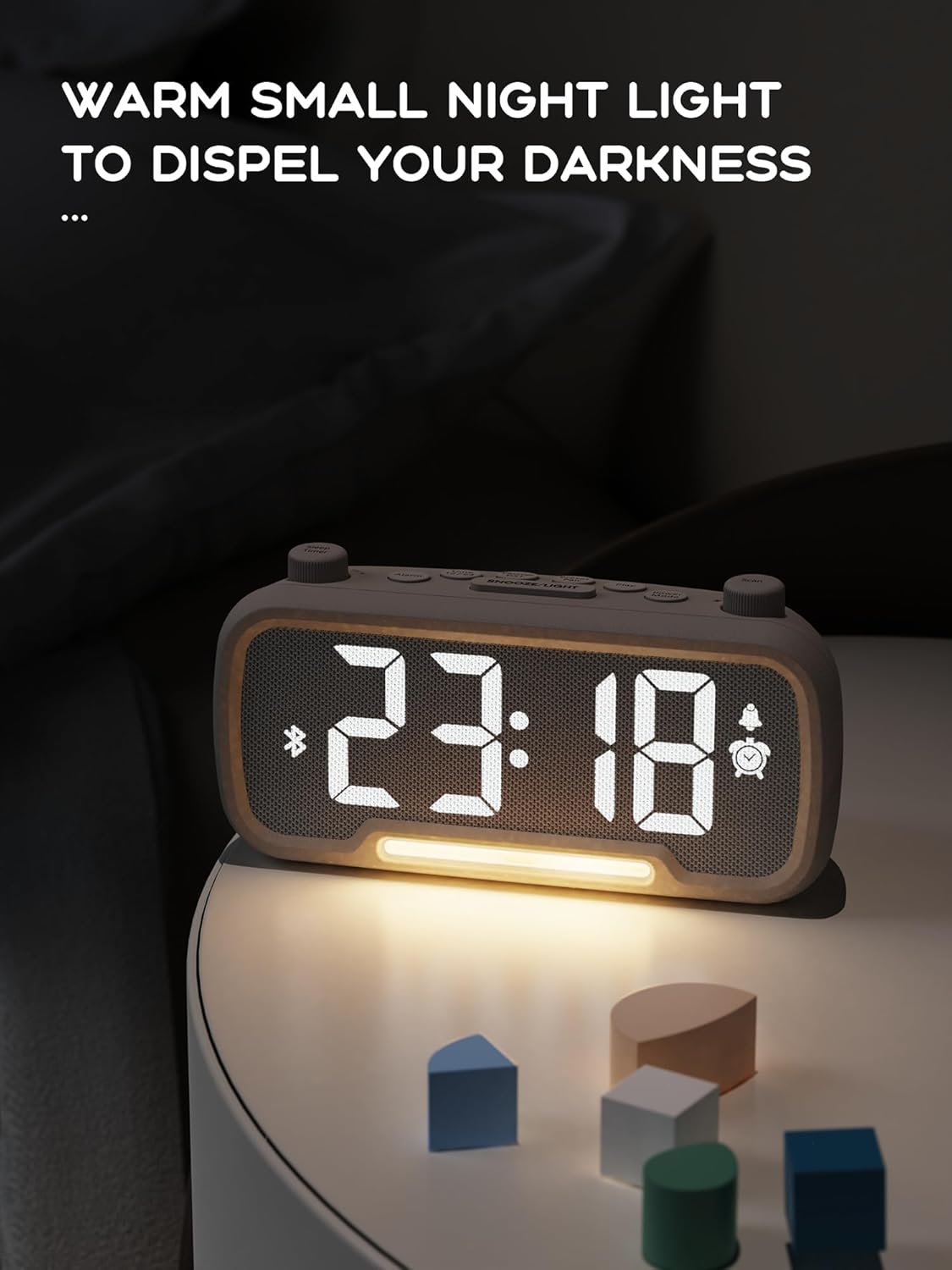
The alarm clock features an integrated night light.
- Krátce stiskněte Odložit/rozsvítit button to turn the night light on or off.
- The night light has adjustable brightness levels. Press and hold the Odložit/rozsvítit button to cycle through the brightness options.

The ROCAM alarm clock on a bedside table, with its warm night light illuminated, providing ambient lighting.
Nastavení jasu displeje:
The main display has 5 adjustable brightness levels.
- Stiskněte tlačítko Jas button (or similar, often combined with Snooze/Light) to cycle through the display brightness levels.
- Vyberte úroveň, která je pro vaše prostředí nejpohodlnější.
Daylight Saving Time (DST) Function:
Úprava na letní čas:
- Krátce stiskněte DST button (or similar, often indicated by a sun icon). The time will automatically adjust forward or backward by one hour.
- Press it again to revert the change.
Nabíjecí porty USB a typu C:
The alarm clock includes USB and Type-C ports for charging external devices.
- Connect your device's charging cable to the appropriate USB or Type-C port on the back of the alarm clock.
- Ensure the alarm clock is powered on for the charging ports to function.
Údržba
- Zařízení čistěte měkkým, suchým hadříkem. Nepoužívejte tekuté čisticí prostředky ani abrazivní materiály.
- Udržujte zařízení bez prachu a nečistot, abyste zajistili správné větrání.
- Pokud zařízení nebudete delší dobu používat, odpojte jej ze zásuvky.
Odstraňování problémů
| Problém | Možná příčina | Řešení |
|---|---|---|
| Zobrazení hodin je vypnuté. | Žádný proud, výpadek proudutage, or device is off. | Check power connection. Ensure the power adapter is securely plugged in. If there was a power outage, the battery backup should maintain settings, but the display requires main power. |
| Alarm se nespustí. | Alarm is not activated, volume is too low, or incorrect time set. | Ensure the alarm icon is visible on the display. Increase alarm volume. Verify alarm time is set correctly. |
| Příjem FM rádia je špatný. | Slabý signál, nevysunutá anténa nebo rušení. | Adjust the position of the device. Extend the FM antenna fully. Try auto-scanning for stations again. Avoid placing near other electronic devices. |
| Zařízení Bluetooth se nemůže spárovat. | Clock not in Bluetooth mode, device too far, or already paired with another device. | Ensure the clock is in Bluetooth mode (flashing icon). Move your device closer to the clock. Disconnect from other Bluetooth devices. |
| USB/Type-C charging not working. | Clock not powered, cable faulty, or device not compatible. | Ensure the alarm clock is plugged into a wall outlet. Try a different charging cable. Verify your device is compatible with standard USB charging. |
Specifikace
| Funkce | Detail |
|---|---|
| Značka | ROCAM |
| Model | B0FNWB172Z |
| Barva | Šedá |
| Rozměry | 16.8 x 3.81 x 8.4 cm (6.6 x 1.5 x 3.3 palce) |
| Hmotnost | 350 g (0.77 lb) |
| Zdroj napájení | Elektrický kabel |
| Baterie | 1 Lithium-metal battery (included, for backup) |
| Frekvenční rozsah FM | 87.5 MHz - 108.0 MHz |
| Verze Bluetooth | 5.0 |
| Jas displeje | Nastavitelných 5 úrovní |
| Úrovně hlasitosti | Nastavitelných 16 úrovní |
Záruka a podpora
Informace o záruce nebo technickou podporu získáte na kontaktních údajích uvedených při nákupu nebo na oficiálních webových stránkách ROCAM. webUschovejte si doklad o koupi pro případ reklamace.


