1. Úvod
This manual provides essential information for setting up, operating, and maintaining your NIMO N151 15.6" FHD Laptop. Please read this guide thoroughly before using your device to ensure optimal performance and longevity.
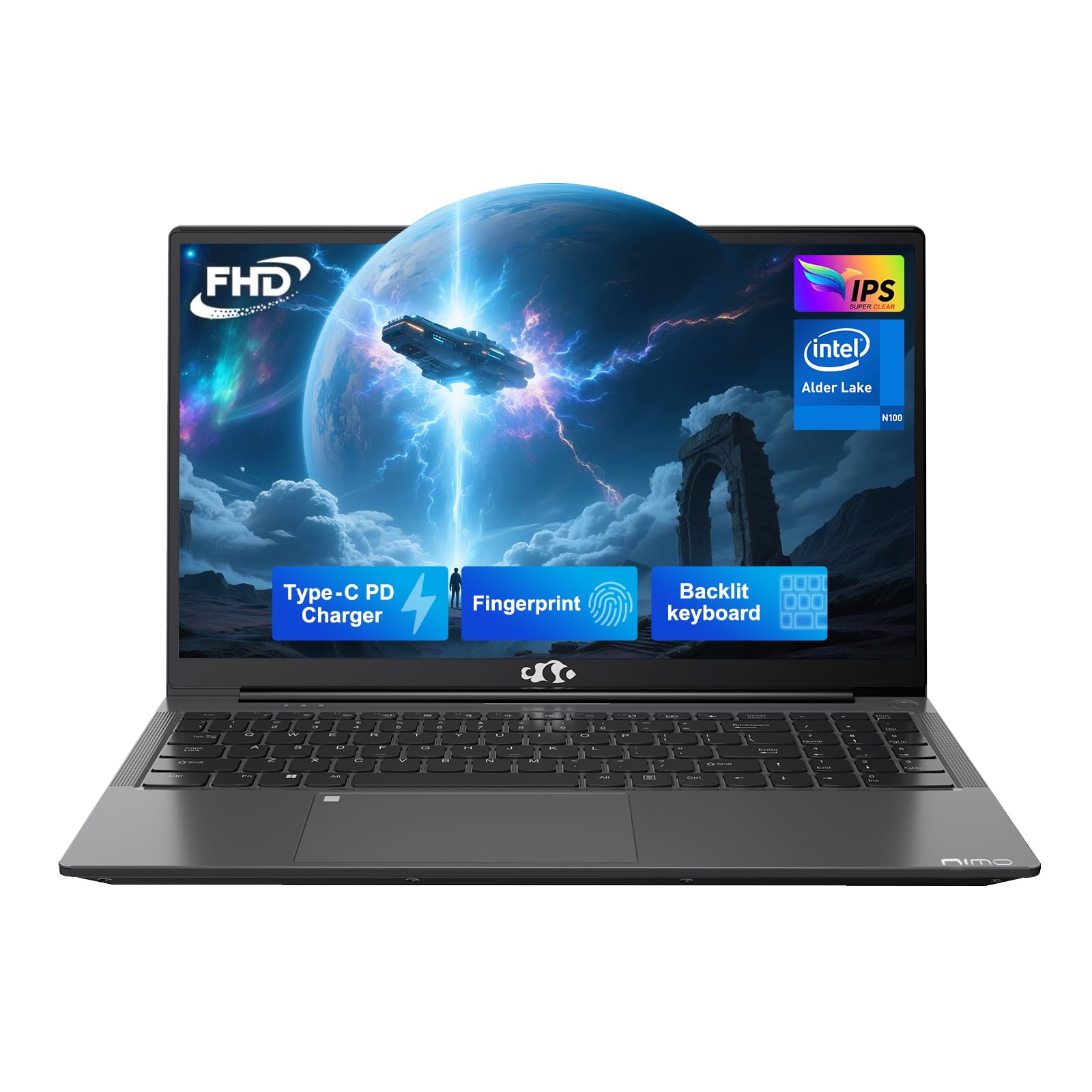
Figure 1: NIMO N151 Laptop, closed.
2. Obsah balení
Ověřte, zda jsou v balení přítomny všechny položky:
- 1 x NIMO N151 Laptop
- 1 x Type-C 65W PD Fast Charger
- 1 x Uživatelská příručka
- Windows 11 Home (předinstalovaný)
3. Průvodce nastavením
3.1 Počáteční zapnutí
- Unpack the laptop and charger from the box.
- Connect the Type-C 65W PD Fast Charger to the laptop's Type-C port and a power outlet.
- Open the laptop lid. The laptop may power on automatically or require you to press the power button. The power button is typically located on the top right of the keyboard or on the side.
- Follow the on-screen instructions to complete the Windows 11 Home setup. This includes selecting your region, language, and connecting to a Wi-Fi network.
3.2 Připojení k Wi-Fi
During the initial Windows setup, you will be prompted to connect to a Wi-Fi network. If you need to connect later:
- Klikněte na Síť ikona (obvykle symbol Wi-Fi) na hlavním panelu.
- Vyberte ze seznamu požadovanou síť Wi-Fi.
- Pokud se zobrazí výzva, zadejte heslo k síti a klikněte na Připojit.
4. Operating Your NIMO N151 Laptop
4.1 Displej
The NIMO N151 features a 15.6-inch Full HD (1920x1080) IPS anti-glare display. This display is designed to reduce eye strain and provide clear visuals.
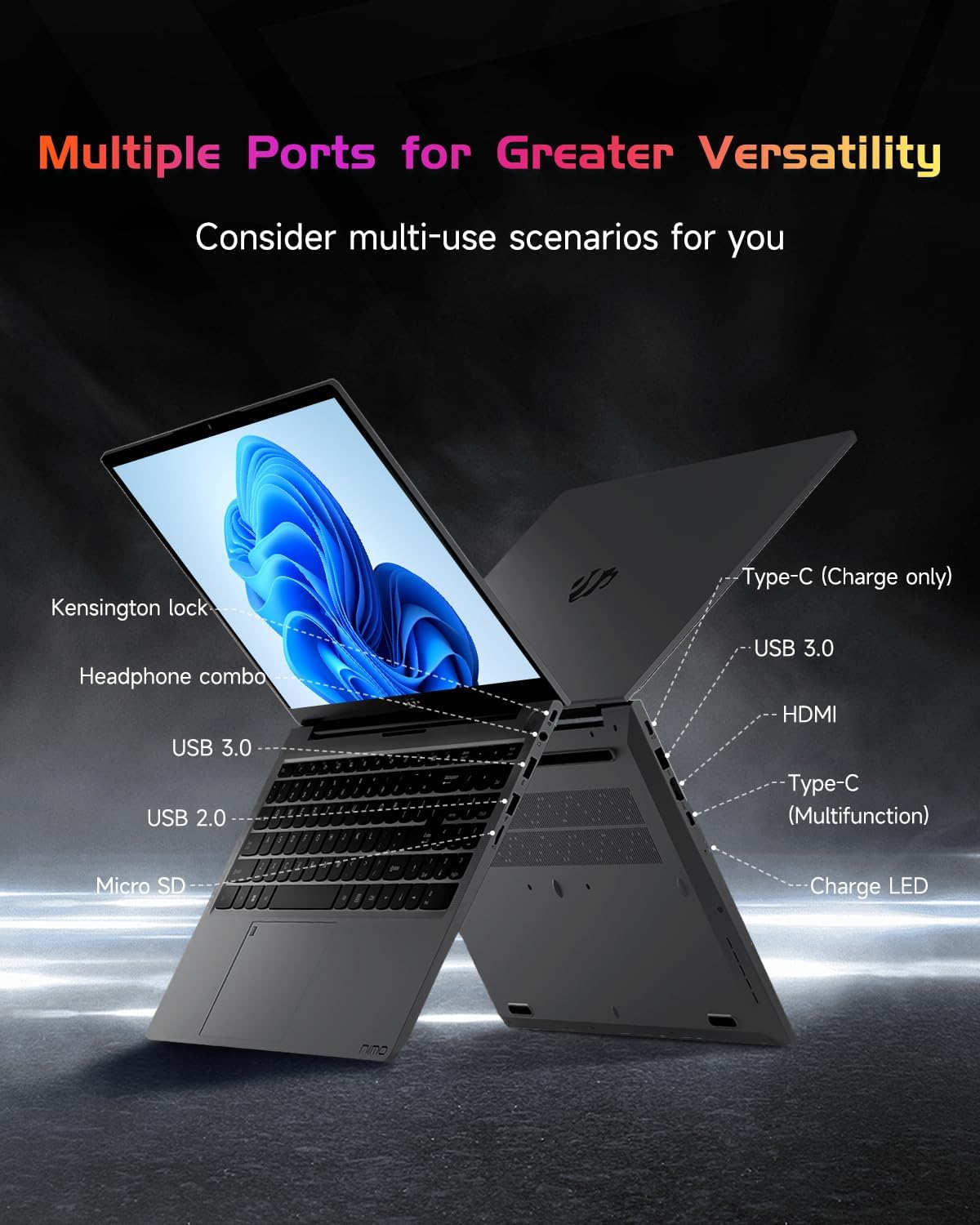
Figure 2: The 15.6" FHD IPS display provides clear visuals.
4.2 Keyboard and Fingerprint Reader
The laptop is equipped with a backlit keyboard for comfortable typing in various lighting conditions. The integrated fingerprint reader on the touchpad allows for secure and quick login.
- Podsvícená klávesnice: Use the dedicated function key (Fn + Fx, where Fx is the backlight key) to toggle the backlight on/off and adjust brightness levels.
- Čtečka otisků prstů: To set up, navigate to Windows Settings > Accounts > Sign-in options > Fingerprint recognition (Windows Hello Fingerprint). Follow the prompts to register your fingerprint.

Figure 3: Backlit keyboard and integrated fingerprint reader.
4.3 Webvačka
The laptop includes a 2MP webcam, suitable for video calls and online meetings. A physical privacy switch is available to disable the webcam when not in use, enhancing your privacy.

Obrázek 4: Webcam with privacy switch for enhanced security.
4.4 Porty a konektivita
The NIMO N151 offers various ports for connecting peripherals and external devices:
- USB porty: 3.0 Pro vysokorychlostní přenos dat.
- Port USB 2.0: Pro připojení standardních USB zařízení.
- Port HDMI: Pro připojení k externím displejům nebo projektorům.
- Porty typu C: One for charging (65W PD) and another for multi-function use (data transfer, display output).
- Čtečka karet micro SD: Pro rozšíření úložiště nebo přenos files z paměťových karet.
- Headphone Combo Jack: Pro připojení sluchátek nebo headsetu.
- Slot zámku Kensington: Pro zabezpečení notebooku kompatibilním zámkem.

Figure 5: Available ports on the NIMO N151 laptop.
Wireless connectivity includes Wi-Fi 6 for stable, high-speed internet and Bluetooth 5.2 for connecting wireless accessories.
4.5 zvuk
The laptop provides integrated audio for multimedia consumption and communication.
4.6 Baterie a nabíjení
The NIMO N151 is powered by a 53.58Wh rechargeable battery, offering up to 8 hours of usage. It comes with a 65W PD (Power Delivery) Type-C fast charger. A 15-minute charge can provide up to 2 hours of use.
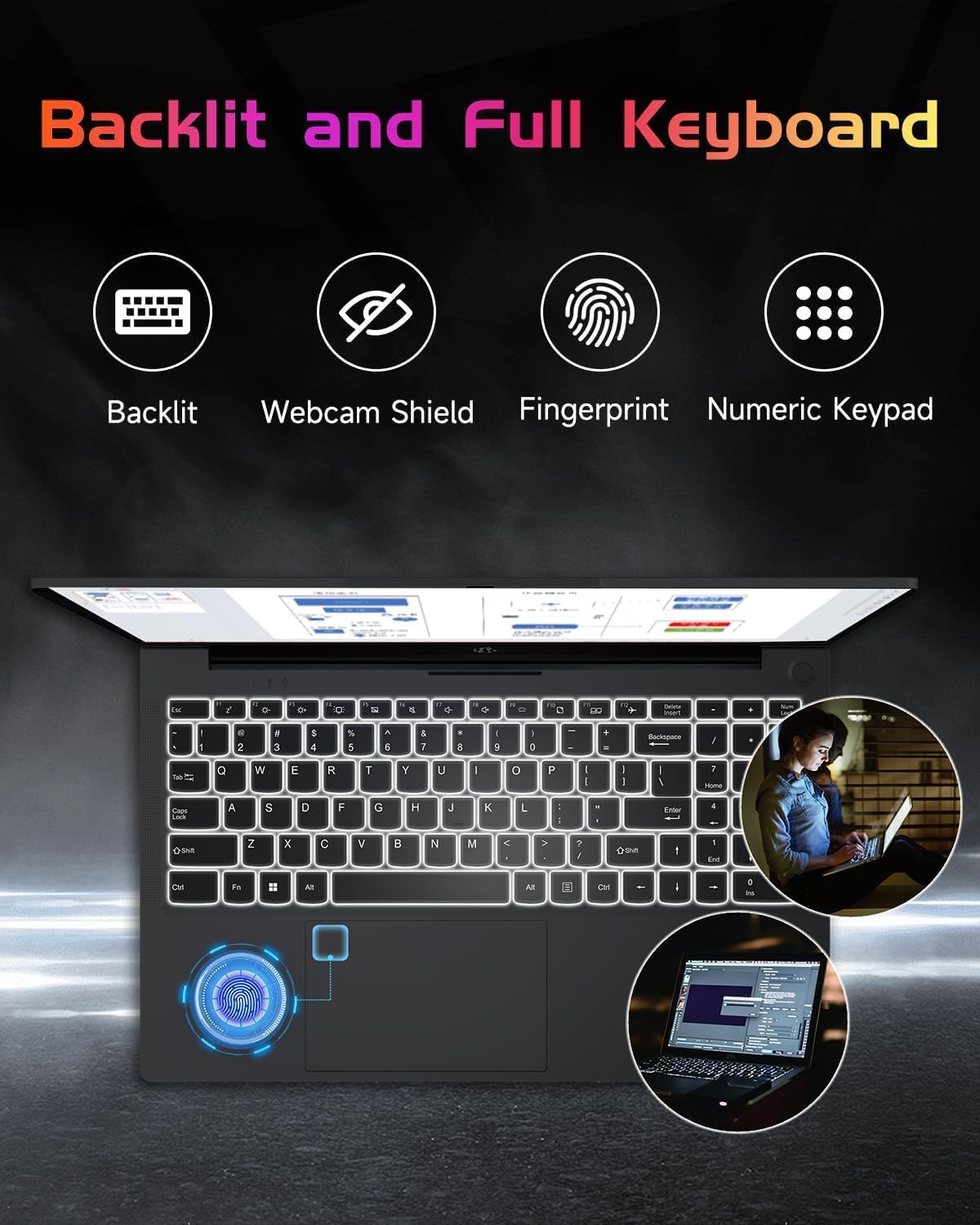
Figure 6: The included 65W Type-C PD Fast Charger.

Figure 7: Laptop usage demonstrating battery capacity.
4.7 Processor, RAM, and Storage
The laptop is equipped with a 12th Gen Intel Alder Lake-N100 processor (up to 3.4GHz boost), 4GB DDR4 RAM, and a 128GB PCIe SSD. Both the RAM and SSD are upgradable to meet future demands.

Figure 8: Intel Alder-Lake N100 processor overview.
5. Údržba
5.1 Obecná péče
- Keep the laptop clean by wiping surfaces with a soft, dry cloth. Avoid liquid cleaners directly on the screen.
- Protect the screen from scratches by closing the lid gently and avoiding placing objects on the keyboard.
- Zajistěte správné větrání tím, že nebudete blokovat větrací otvory.
- Vyhněte se extrémním teplotám a přímému slunečnímu záření.
5.2 Upgrading RAM and SSD
The NIMO N151 laptop allows for user upgrades of both RAM and SSD. Consult a qualified technician or refer to detailed online guides for safe upgrade procedures. Improper installation may void your warranty.
6. Řešení problémů
6.1 Běžné problémy a řešení
| Problém | Možné řešení |
|---|---|
| Notebook se nezapíná | Ensure the charger is properly connected and the power outlet is functional. Try a different outlet. |
| Pomalý výkon | Close unnecessary applications, check for background updates, or consider upgrading RAM/SSD. |
| Problémy s připojením Wi-Fi | Restart your router and laptop. Check Wi-Fi settings and ensure drivers are updated. |
| Baterie se nenabíjí | Verify charger connection. Try a different Type-C port or charger if available. |
For further assistance, refer to the support section or contact NIMO customer service.
7. Specifikace
Key technical specifications for the NIMO N151 laptop:
| Funkce | Detail |
|---|---|
| Velikost obrazovky | 15.6 palce |
| Rozlišení obrazovky | 1920 x 1080 pixelů (FHD) |
| Procesor | Intel Pentium Quad Core N100 (up to 3.4 GHz) |
| BERAN | 4 GB DDR4 (Upgradable) |
| Pevný disk | 128 GB PCIe SSD (Upgradable) |
| Operační systém | Windows 11 Home |
| Grafický koprocesor | Integrovaná grafika |
| Bezdrátový typ | Wi-Fi 6 (802.11a/b/g/n/ac) |
| Bluetooth | Bluetooth 5.2 |
| USB porty | 3 3.0 x USB, 1 x USB 2.0 |
| Jiné porty | HDMI, Type-C (charging), Type-C (multifunction), Micro SD, Headphone Combo, Kensington Lock |
| Životnost baterie | Up to 8 hours (53.58Wh) |
| Hmotnost položky | 3.75 libry |
| Rozměry produktu | 14.07 x 8.98 x 0.76 palce |
| Speciální funkce | Backlit Keyboard, Fingerprint Reader, HD Audio, Memory Card Slot, Numeric Keypad |
8. Záruka a podpora
Your NIMO N151 laptop comes with a comprehensive 2-year manufacturer's warranty and a 90-day hassle-free return policy. For any product-related questions, technical support, or warranty claims, please contact our dedicated support team.
- E-mailová podpora: service@nimopc.com
- Záruční doba: 2 roky
- Zásady vrácení: 90 dní

Figure 9: NIMO customer support and warranty details.
9. Produktová videa
Watch these official videos for a visual guide to your NIMO N151 laptop:
9.1 NIMO 15.6 Laptop Comprehensive Introduction
Video 1: Podrobný přehledview of the NIMO 15.6" laptop's features and design.
9.2 Efficiency Meets Convenience: Nimo Laptop
Video 2: Highlights the efficiency and convenience aspects of the NIMO laptop for daily use.


