1. Úvod
The JBL BAR-300-MK2 is a 5.0 All-in-One Dolby Atmos Soundbar designed to deliver an immersive audio experience for your home entertainment. Featuring MultiBeam 3.0 technology for room-filling sound, PureVoice 2.0 for crystal-clear dialogue, and powerful built-in bass, this soundbar enhances movies, music, and gaming without the need for a separate subwoofer. This manual provides detailed instructions to help you set up, operate, and maintain your soundbar for optimal performance.
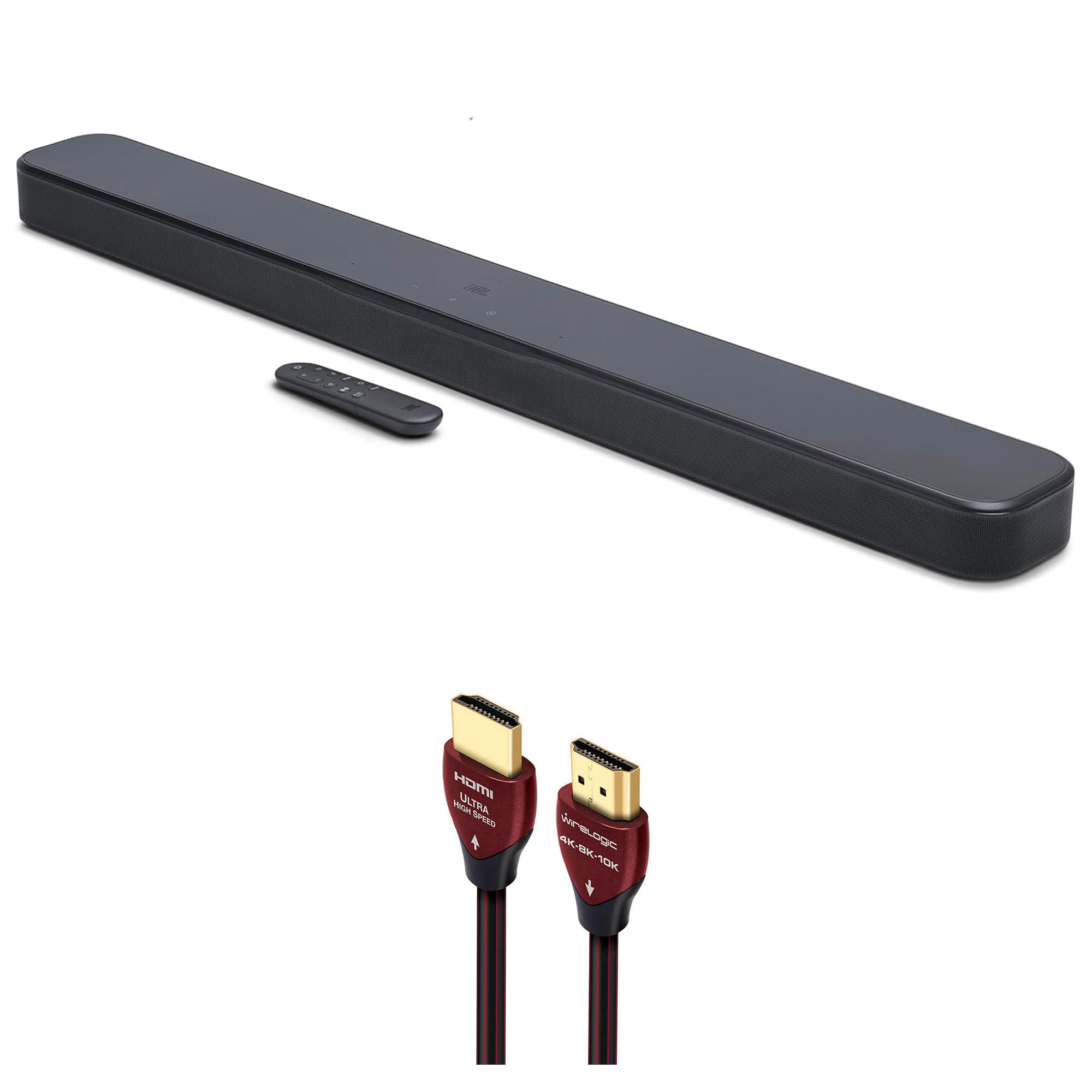
Figure 1: JBL BAR-300-MK2 5.0 All-in-One Dolby Atmos Soundbar with included remote control.
2. Co je v krabici
Zkontrolujte prosím, zda jsou v balení přítomny všechny komponenty:
- JBL BAR-300-MK2 5.0 All-in-One Dolby Atmos Soundbar
- WireLogic Ruby 8ft Ultra High Speed 4K-8K-10K HDMI Cable w/UHD, HDR, VRR & eARC
- Dálkové ovládání s bateriemi
- Napájecí kabel
- Wall-mount bracket kit
- Průvodce rychlým startem
- Bezpečnostní list

Figure 2: Contents of the JBL BAR-300-MK2 package, including the soundbar and WireLogic HDMI cable.
3. Konec produktuview
Ovládací prvky na horním panelu
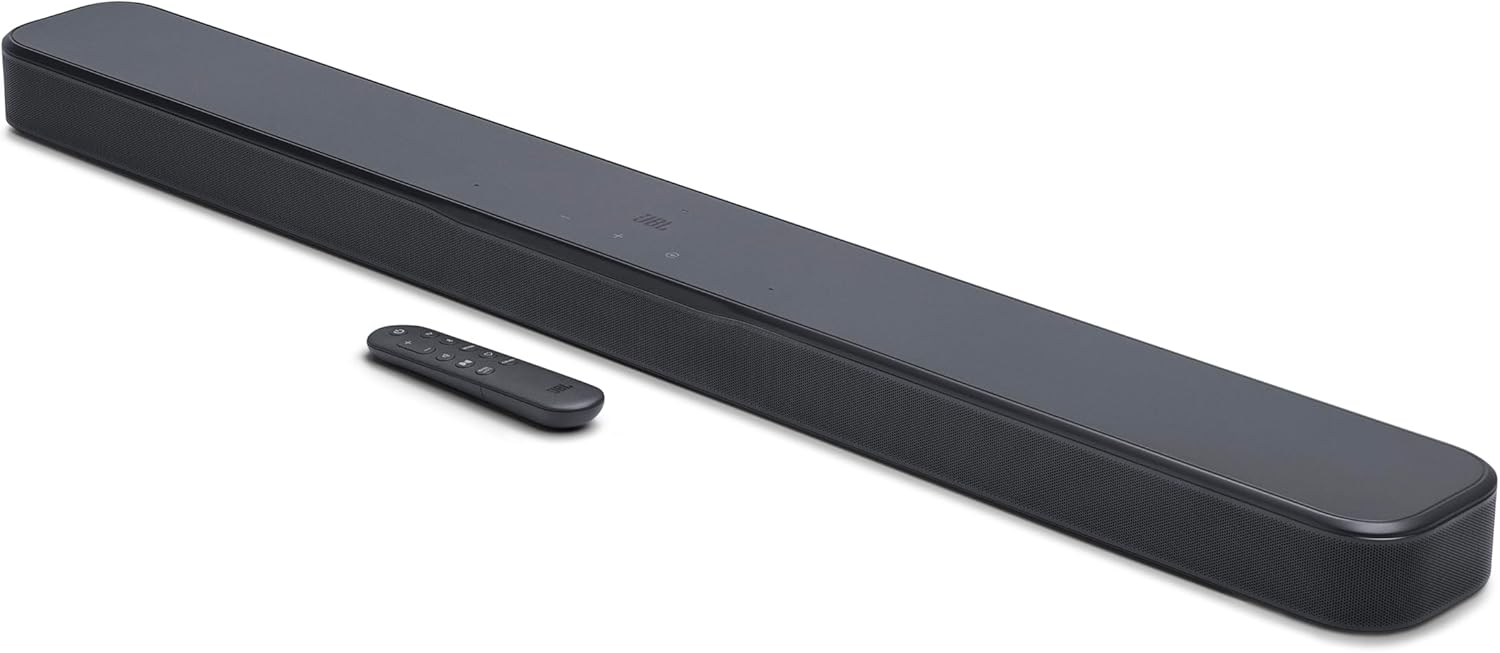
Figure 3: Top panel of the soundbar showing power, volume, and source selection buttons.
- Vypínač: Zapne nebo vypne soundbar.
- Tlačítka hlasitosti (+/-): Nastavuje úroveň hlasitosti.
- Tlačítko zdroje: Cycles through available audio input sources (TV, HDMI, Bluetooth).
Připojení zadního panelu

Obrázek 4: Připojení zadního panelu soundbaru.
- MOC: Připojuje se ke zdroji střídavého proudu.
- OPTICKÝ: Digital audio input for connecting to a TV or other device.
- USB (SERVICE ONLY): For service and software updates.
- HDMI vstup: HDMI input for connecting external devices like a Blu-ray player or game console.
- HDMI OUT (TV ARC/TV eARC): HDMI output for connecting to your TV's HDMI ARC/eARC port.
Dálkové ovládání

Figure 5: The included remote control for the soundbar.
The remote control provides full functionality for the soundbar, including power, volume, source selection, bass adjustment, and sound calibration.
4. Nastavení
Umístění
Place the soundbar on a stable, flat surface directly in front of your TV. Ensure there are no obstructions in front of the soundbar to allow for optimal sound dispersion. For wall mounting, use the included wall-mount bracket kit and follow the separate instructions provided with the kit.
Spojení
- Připojte napájení: Plug the power cable into the POWER port on the soundbar's rear panel, then plug the other end into an AC power outlet.
- Connect to TV (HDMI eARC Recommended): Use the provided WireLogic Ruby 8ft Ultra High Speed HDMI Cable to connect the HDMI OUT (TV ARC/TV eARC) port on the soundbar to the HDMI ARC/eARC port on your TV. This connection supports the highest quality audio formats, including Dolby Atmos.
- Connect to TV (Optical - Alternative): If your TV does not have an HDMI ARC/eARC port, connect an optical cable (not included) from the OPTICAL port on the soundbar to the optical output on your TV.
- Connect External Devices (HDMI IN): For devices like Blu-ray players or game consoles, connect an HDMI cable (not included) from the device's HDMI output to the HDMI IN port on the soundbar.

Figure 6: The WireLogic Ruby HDMI cable for high-quality audio and video transmission.
Bezdrátové nastavení
- Bluetooth párování: Press the Bluetooth button on the remote or soundbar. The soundbar will enter pairing mode. Select "JBL BAR-300-MK2" from your device's Bluetooth settings to connect.
- Wi-Fi Connection (JBL One App): Download the JBL One App from your app store. Follow the in-app instructions to connect your soundbar to your home Wi-Fi network. This enables features like AirPlay, Chromecast built-in, and multi-room audio.

Figure 7: The JBL One App provides comprehensive control over your soundbar.
5. Návod k obsluze
Zapnutí/vypnutí
Press the Power button on the soundbar's top panel or the remote control to turn the soundbar on or off. The soundbar will automatically turn on when your TV is powered on if connected via HDMI eARC.
Výběr zdroje
Press the Source button on the soundbar or the corresponding source button (TV, HDMI, Bluetooth) on the remote control to switch between audio input sources.
Ovládání hlasitosti
Adjust the volume using the Volume +/- buttons on the soundbar's top panel or the remote control.
Zvukové režimy a funkce
- Dolby Atmos: Zažijte trojrozměrný zvuk, který se pohybuje kolem vás a poskytuje pohlcující filmový zvuk.
- Vícepaprskový systém 3.0: JBL's exclusive technology projects sound to every corner of your room, creating a wide soundstage without additional speakers.
- Čistý hlas 2.0: Enhances dialogue clarity, ensuring you hear every word clearly, even during intense action scenes.
- Nastavení basů: Use the 'BASS' button on the remote to cycle through different bass levels (Low, Mid, High) to suit your preference.
Kalibrace zvuku
For the best audio performance tailored to your room, perform sound calibration. Press the 'CALIBR' button on the remote control and follow the on-screen or app instructions. The soundbar will analyze your room's acoustics and optimize its sound output.
6. Údržba
To keep your JBL BAR-300-MK2 soundbar in optimal condition:
- Povrch očistěte měkkým, suchým hadříkem.
- Nepoužívejte tekuté čisticí prostředky ani aerosolové spreje.
- Avoid exposing the soundbar to excessive moisture or direct sunlight.
7. Řešení problémů
If you encounter any issues with your soundbar, refer to the following common solutions:
- Bez napájení: Ensure the power cable is securely connected to both the soundbar and the power outlet.
- Žádný zvuk: Check that the correct input source is selected. Verify that the volume is not muted or set too low on both the soundbar and your TV. Ensure all audio cables are securely connected.
- Špatná kvalita zvuku: Perform sound calibration. Check the audio settings on your TV and connected devices. Ensure the soundbar is placed optimally without obstructions.
- Problémy s připojením Bluetooth: Ensure the soundbar is in Bluetooth pairing mode. Move your Bluetooth device closer to the soundbar. Try unpairing and re-pairing the device.
8. Specifikace
| Funkce | Specifikace |
|---|---|
| Název modelu | JBLBAR300M2BLKAM |
| Typ reproduktoru | Soundbar |
| Konfigurace kanálů prostorového zvuku | 5.0 kanál |
| Speciální funkce | MultiBeam 3.0, Dolby Atmos, PureVoice 2.0, SmartDetails, Easy Sound Calibration, JBL One App, HDMI eARC with 4K Dolby Vision passthrough |
| Napájení | 100-240V AC, 50/60Hz |
| Soundbar Transducer | 5x (42x80)mm racetrack drivers, 4x 0.75” tweeters |
| Vstup videa HDMI | 1 |
| HDMI video výstup | 1 (TV ARC/eARC) |
| Verze HDMI HDCP | 2.3 |
| HDR Pass Through | HDR10+, Dolby Vision |
| Frekvenční odezva | 50 Hz - 20 kHz (-6 dB) |
| Audio vstupy | Optical, Bluetooth, USB |
| Verze Bluetooth | v5.3 |
| Technologie bezdrátové komunikace | Bluetooth, WiFi |
| Rozměry produktu (Š x V x H) | 37 cm x 2 cm x 4.1 cm |
| Hmotnost položky | 6.5 libry |
| Kontrolní metoda | Vzdálený |
9. Oficiální video produktu
Video 1: Stručný přehledview of the JBL BAR-300-MK2 soundbar, highlighting its features and connectivity options.
10. Záruka a podpora
Your JBL BAR-300-MK2 soundbar comes with a limited warranty. For detailed warranty information, product support, or to download the full user manual, please visit the official JBL webnebo se obraťte na zákaznický servis. Uschovejte si doklad o koupi pro případ reklamace.


