1. Úvod
This manual provides essential information for the NIMO 15.6" Gaming Laptop (Model N159). It covers product features, setup procedures, operating instructions, maintenance guidelines, troubleshooting tips, and detailed specifications. Please read this manual thoroughly before using your new laptop to ensure optimal performance and longevity.

Image: The NIMO 15.6" Gaming Laptop, showcasing its display and key features like fingerprint unlock, Type-C PD charger, and backlit keyboard.
2. Co je v krabici
Ověřte, zda jsou v balení přítomny všechny položky:
- 1 x NIMO N159 Laptop
- 1 x Type-C 100W PD Fast Charger
- 1 x Uživatelská příručka (tento dokument)
- Windows 11 Home Operating System (pre-installed)
- Warranty Information (2 Years Warranty, 90 Days Return)
3. Konec produktuview
3.1 Klíčové vlastnosti
- Procesor: AMD Ryzen 7 7735HS (8 jader, 16 vláken, až 4.75 GHz)
- Grafika: Integrated AMD Radeon 680M GPU
- Zobrazit: 15.6" Full HD (1920x1080) IPS Anti-Glare Display
- Paměť: 16GB DDR5 RAM (upgradeable)
- Skladování: 1TB PCIe 4.0 SSD (upgradeable)
- Nabíjení: 100W Type-C PD Fast Charger
- Zabezpečení: Fingerprint Reader for secure unlock
- Klávesnice: Podsvícená klávesnice s numerickou klávesnicí
- Zvuk: Dual 2W stereo speakers, dual beamforming microphones
- Webvačka: 2MP with physical camera shutter
- Operační systém: Windows 11 Home

Image: An illustration detailing the AMD Ryzen 7 7735HS processor, highlighting its 8 cores, 16 threads, and integrated Radeon 680M graphics for balanced performance.
3.2 Porty a konektory
Familiarize yourself with the available ports on your NIMO laptop:

Image: A detailed diagram illustrating the location and type of ports on the NIMO laptop, including USB 2.0, USB 3.2 Gen1, Type-C Gen2 (multifunction), HDMI 2.0, Audio Jack, Micro SD Reader, and Kensington Lock.
- Port USB 2.0: Pro připojení starších USB zařízení.
- USB 3.2 Gen1 Ports (x4): Pro vysokorychlostní přenos dat s kompatibilními zařízeními USB.
- Type-C Gen2 Ports (x2, Multifunction): Supports data transfer, video output, and power delivery (100W PD fast charging).
- Port HDMI 2.0: Pro připojení k externím displejům nebo televizorům.
- Audio jack: Pro připojení sluchátek nebo externích reproduktorů.
- Micro SD Reader: Pro čtení paměťových karet Micro SD.
- Slot zámku Kensington: Pro zabezpečení notebooku kompatibilním zámkem.
4. Nastavení
4.1 Počáteční zapnutí
- Vybalte notebook a veškeré příslušenství z krabice.
- Connect the 100W Type-C PD Fast Charger to one of the Type-C ports on the laptop and then to a power outlet.
- Otevřete víko notebooku. Notebook se může zapnout automaticky nebo může být nutné stisknout tlačítko napájení.
- Postupujte podle pokynů na obrazovce a dokončete nastavení systému Windows 11 Home, včetně výběru jazyka, síťového připojení a vytvoření uživatelského účtu.
4.2 Nabíjení baterie
Before first use, it is recommended to fully charge the laptop battery. The 100W Type-C PD Fast Charger can provide approximately 5 hours of usage time with just 1 hour of charging.

Image: A visual representation of the 100W Type-C lightning-fast charger connected to the NIMO laptop, demonstrating its ability to charge quickly and efficiently.
5. Návod k obsluze
5.1 Zapnutí/vypnutí a režim spánku
- Zapnutí: Stiskněte tlačítko napájení umístěné na klávesnici.
- Vypnout: V systému Windows klikněte na tlačítko Start a poté vyberte Napájení > Vypnout.
- Režim spánku: Klikněte na tlačítko Start a poté vyberte Napájení > Režim spánku nebo zavřete víko notebooku.
5.2 Using the Fingerprint Unlock
The fingerprint reader is integrated into the touchpad for quick and secure access.
- During Windows setup or later in Windows Settings, configure your fingerprint for login.
- To unlock, simply place your registered finger on the fingerprint reader on the touchpad.
5.3 Adjusting the Backlit Keyboard
The keyboard backlight can be adjusted for comfortable typing in various lighting conditions.

Image: A visual guide demonstrating the fingerprint unlock feature on the touchpad and the functionality of the backlit keyboard, including how to cycle through brightness settings using the F9 key.
- Stiskněte tlačítko F9 key to cycle through backlight settings:
- 1 Tap: Light (Temporary)
- 2 Taps: Light (Temporary)
- 3 Taps: Light (Constant)
- 4 Taps: Off
5.4 Pomocí Webcam Shutter
For privacy, the laptop includes a physical camera shutter.
- Slide the shutter to the left to open the camera.
- Slide the shutter to the right to close and cover the camera lens.

Image: A visual guide demonstrating the physical camera shutter, showing both the 'Camera Open' and 'Camera Close' statuses for enhanced privacy.
6. Údržba
6.1 Čištění notebooku
- Always power off the laptop and disconnect the charger before cleaning.
- Použijte měkký hadřík, který nepouští vlákna dampvodou nebo čističem obrazovek.
- Na klávesnici a šasi používejte měkký, suchý hadřík. Nepoužívejte agresivní chemikálie ani abrazivní materiály.
- Pravidelně odstraňujte prach z větracích otvorů stlačeným vzduchem.
6.2 Péče o baterii
- Vyhněte se častému úplnému vybíjení baterie.
- Pokud notebook delší dobu nepoužíváte, skladujte jej na chladném a suchém místě.
- Nevystavujte notebook extrémním teplotám.
6.3 Aktualizace softwaru
Pravidelně kontrolujte a instalujte aktualizace operačního systému a ovladačů, abyste zajistili optimální výkon a zabezpečení.
7. Řešení problémů
| Problém | Možná příčina | Řešení |
|---|---|---|
| Notebook se nezapne. | Problém s nízkou baterií nebo napájecím adaptérem. | Connect the charger and wait a few minutes before attempting to power on. Ensure the charger is properly connected to both the laptop and the power outlet. |
| Obrazovka je prázdná nebo černá. | Notebook v režimu spánku, problém s nastavením displeje nebo problém s hardwarem. | Press any key or the power button to wake from sleep. Try connecting an external monitor to check if the display output works. Restart the laptop. |
| Podsvícení klávesnice nefunguje. | Backlight turned off or at lowest setting. | Stiskněte tlačítko F9 key repeatedly to cycle through brightness levels and turn on the backlight. |
| Fingerprint unlock not working. | Finger not properly placed, or sensor issue. | Ensure your finger is clean and dry and covers the sensor completely. Re-register your fingerprint in Windows Settings if the issue persists. |
| Pomalý výkon. | Too many applications running, insufficient storage, or outdated drivers. | Close unnecessary applications. Check available storage space. Update Windows and device drivers. |
If you encounter issues not listed here or require further assistance, please contact NIMO customer support.
8. Specifikace
| Značka | NIMO |
| Název modelu | NIMO N159B |
| Velikost obrazovky | 15.6 palce |
| Rozlišení obrazovky | 1920 x 1080 pixelů (FHD IPS) |
| Procesor | AMD Ryzen 7 7735HS (8 Cores, 4.75 GHz Max Turbo) |
| BERAN | 16 GB DDR5 (4800 MHz) |
| Pevný disk | 1024 GB SSD (PCIe 4.0) |
| Grafický koprocesor | AMD Radeon 680M (integrovaná) |
| Operační systém | Windows 11 Home |
| Bezdrátový typ | 802.11a/b/g/n/ac |
| Porty USB 2.0 | 1 |
| Porty USB 3.0 | 4 |
| Průměrná životnost baterie | 5 Hours (54Wh, 11.4V/4700mAh) |
| Hmotnost položky | 3.8 libry |
| Rozměry produktu | 14.07 x 8.98 x 0.76 palce |
| Barva | Modrý |
| Zadní WebRozlišení vačky | 2 MP |
| Speciální funkce | Podsvícená klávesnice, čtečka otisků prstů, HD zvuk, numerická klávesnice |
9. Záruka a podpora
9.1 Záruka výrobce
Your NIMO N159 laptop is covered by a comprehensive 2letá záruka výrobce from Nimo Direct Inc. This warranty covers defects in materials and workmanship under normal use. For warranty claims, please contact customer support.

Image: A technician working on a laptop's internal components, representing the 2-year support provided for Nimo products.
9.2 Zásady vrácení
Nimo Direct Inc. offers a 90denní bezproblémová politika vrácení zboží. You may return any Nimo product for any reason within 90 days of purchase. Please refer to your purchase documentation for specific return procedures.
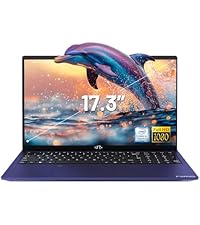
Image: A delivery person handing a package to a customer, illustrating the 90-day return policy for Nimo products.
9.3 Zákaznická podpora
For any product-related questions, technical assistance, or warranty claims, please contact our professional after-sales service team. Our dedicated support team is available to resolve issues or facilitate replacements.
- E-mail: service@nimopc.com
- online: Visit the official NIMO website or product page for contact options.

Image: Customer service representatives wearing headsets, indicating professional customer assistance available via phone and live chat.


