1. Úvod
Thank you for choosing the TOPUTURE TP2 2-in-1 Foldable Walking Pad Treadmill. This manual provides essential information for the safe and effective use, setup, operation, and maintenance of your new fitness equipment. Please read this manual thoroughly before initial use and retain it for future reference.
The TOPUTURE TP2 is designed for both walking and light running, featuring a foldable handle for versatile use as an under-desk walking pad or a traditional treadmill. It includes an incline feature, app connectivity, and a compact design for home or office environments.
2. Důležité bezpečnostní pokyny
To reduce the risk of serious injury, read all instructions before using this equipment. The manufacturer is not responsible for personal injury or property damage sustained by or through the use of this product.
- Běžecký pás vždy umístěte na rovný a stabilní povrch.
- Ensure adequate clearance around the treadmill (at least 2 feet on sides and rear).
- Během provozu udržujte děti a domácí zvířata mimo běžecký pás.
- Noste vhodnou sportovní obuv.
- Vždy používejte bezpečnostní klíč. Připevněte si klip na oblečení.
- Nepoužívejte běžecký pás, pokud je poškozený nebo nefunkční.
- Před zahájením jakéhokoli cvičebního programu se poraďte s lékařem.
- Maximální nosnost uživatele: 300 kg.
3. Nastavení
3.1 Rozbalení a umístění
The TOPUTURE TP2 treadmill comes pre-assembled. Carefully remove all packaging materials. Place the treadmill on a firm, level surface. Ensure the power cord is accessible and not obstructed.
3.2 Handle Bar Configuration
The treadmill can be used in two modes: with the handle bar up for running/walking, or folded down for under-desk walking.
- To raise the handle bar: Lift the handle bar until it locks securely into the upright position. Ensure both locking mechanisms are engaged.
- To lower the handle bar: Release the locking mechanisms (refer to the quick release handle image below) and gently lower the handle bar until it rests flat against the treadmill deck.

Image: The TOPUTURE TP2 treadmill shown with the handle bar raised for traditional use and lowered for under-desk operation.

Obrázek: Podrobný view of the device holder, magnetic remote control, safety key, quick release handle for folding, and built-in transport wheels.
3.3 Power Connection and Safety Key
Connect the power cord to a grounded electrical outlet. Insert the safety key into its designated slot on the console. The treadmill will not operate without the safety key properly inserted.
4. Návod k obsluze
4.1 Console and LED Display
The integrated LED display shows key workout metrics:
- Čas: Délka vašeho tréninku.
- Rychlost: Aktuální rychlost v mph.
- Vzdálenost: Celková ujetá vzdálenost.
- Kalorie: Odhad spálených kalorií.

Image: The LED display on the treadmill console, illustrating the various metrics displayed during operation.
4.2 Starting and Stopping the Treadmill
- Ujistěte se, že je bezpečnostní klíč na místě.
- Vstupte na boční zábradlí běžeckého pásu.
- Stiskněte tlačítko START button on the remote control or console. The treadmill will begin at a low speed.
- Pro zastavení stiskněte ZASTÁVKA button on the remote or console, or pull the safety key.
4.3 Nastavení rychlosti
Adjust the speed using the remote control or the console buttons.
- Dálkové ovládání: Pomocí tlačítek „+“ a „-“ můžete zvýšit nebo snížit rychlost.
- Tlačítka konzole: Use the speed adjustment buttons on the console.
The speed range is 0.6 to 7.5 MPH.

Image: The treadmill console with speed controls and the remote control, highlighting two ways to adjust speed.
4.4 Incline Feature
The TOPUTURE TP2 features a fixed 7% incline, designed to simulate uphill walking and increase calorie expenditure compared to flat treadmills.

Image: Visual comparison demonstrating the 7% incline of the TOPUTURE TP2 treadmill and its effect on calorie burn versus a flat treadmill.
4.5 2-in-1 Functionality (Walking Pad / Treadmill)
- Walking Pad Mode (Handle Bar Down): When the handle bar is folded down, the treadmill operates as a walking pad, ideal for use under a standing desk. The speed range in this mode is typically 0.6-4 MPH.
- Treadmill Mode (Handle Bar Up): With the handle bar raised and secured, the treadmill functions as a traditional treadmill, allowing for speeds up to 7.5 MPH.

Image: Two individuals illustrating the two operational modes: walking pad mode (handle bar down) and treadmill mode (handle bar up).

Image: A woman using the TOPUTURE TP2 treadmill in its under-desk walking pad configuration while working at a standing desk.
4.6 Smart App Integration
The treadmill can connect to a sports application via Bluetooth for enhanced tracking and control.
- Download the recommended Sport APP (e.g., FitShow, Zwift, Kinomap) from your device's app store.
- Povolte na svém mobilním zařízení Bluetooth.
- Open the Sport APP and follow the on-screen instructions to pair with your TOPUTURE TP2 treadmill.
- The app allows you to record exercise data, set goals, and access various workout programs.
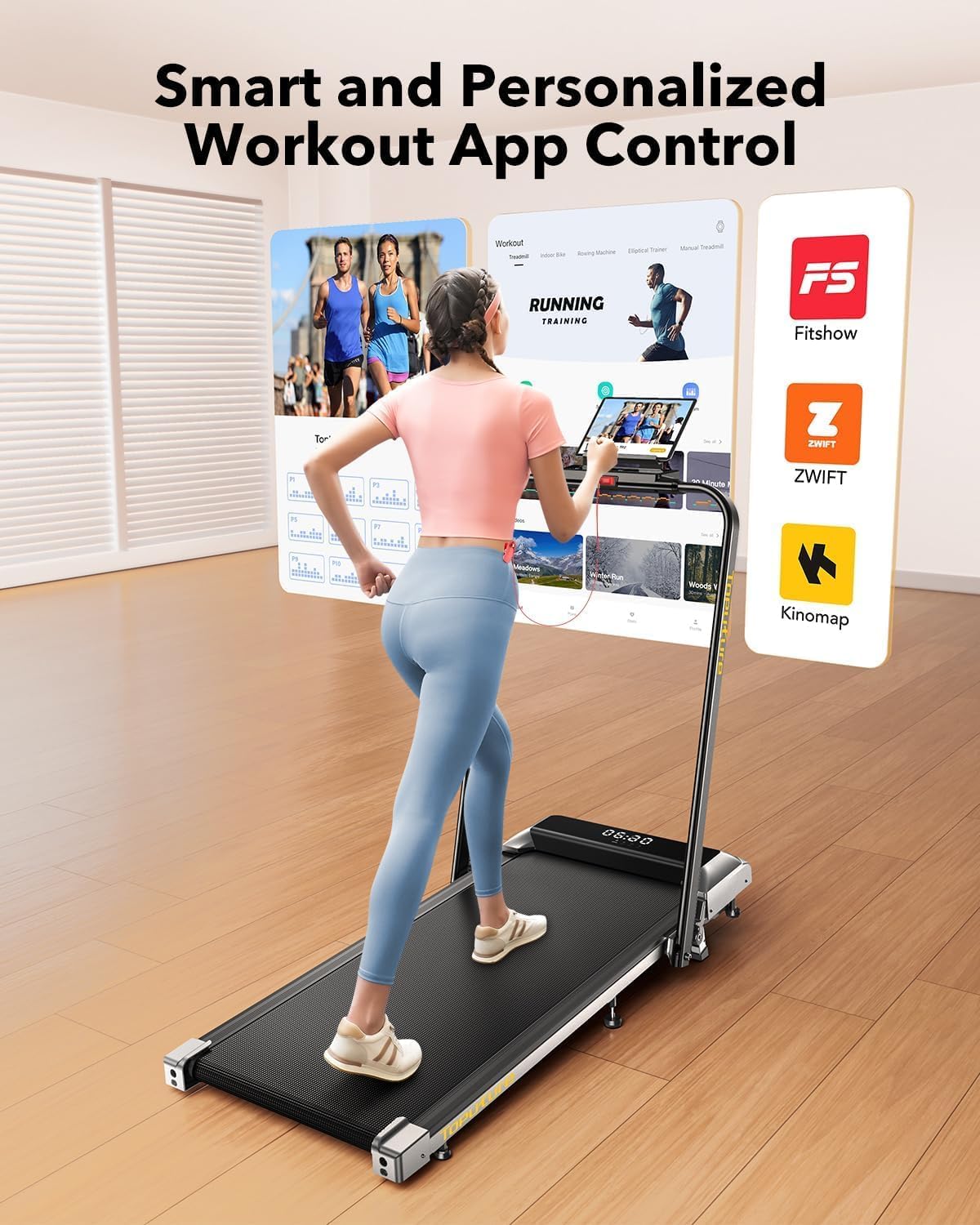
Image: A user interacting with a fitness application on a tablet, demonstrating the smart app integration feature of the treadmill.
4.7 Držák zařízení
The treadmill features a device holder on the console, allowing you to place your phone or tablet for entertainment or app viewběhem tréninku.
5. Údržba
5.1 Čištění
Pravidelné čištění pomáhá udržovat výkon a vzhled běžeckého pásu.
- Před čištěním vždy odpojte běžecký pás ze zásuvky.
- Otřete konzoli a vnější povrchy měkkým hadříkemamp tkanina. Vyhněte se abrazivním čisticím prostředkům.
- Pravidelně vysávejte prostor pod běžeckým pásem, abyste zabránili hromadění prachu.
5.2 Mazání běžícího pásu
The running belt may require lubrication after extended use to ensure smooth operation and prolong its lifespan. Refer to the included user manual for specific lubrication instructions and recommended lubricant type.
5.3 Nastavení běžeckého pásu
If the running belt becomes off-center or slips, it may need adjustment. Consult the detailed instructions in the full user manual for proper belt centering and tensioning procedures.
5.4 Skladování
The TOPUTURE TP2 is designed for easy storage due to its foldable design and transport wheels.
- Ujistěte se, že je běžecký pás vypnutý a odpojený od sítě.
- Lower the handle bar as described in Section 3.2.
- Utilize the built-in transport wheels to move the treadmill to a desired storage location. It can be stored flat under furniture or upright against a wall.

Image: A woman demonstrating the ease of moving and storing the folded TOPUTURE TP2 treadmill using its flexible wheels.
6. Řešení problémů
Pokud narazíte na problémy s běžeckým pásem, podívejte se na následující běžné problémy a jejich řešení:
| Problém | Možná příčina | Řešení |
|---|---|---|
| Běžecký pás se nezapne. | Napájecí kabel není připojen; bezpečnostní klíč není zasunutý. | Ujistěte se, že je napájecí kabel bezpečně zapojený; zcela zasuňte bezpečnostní klíč. |
| Běžecký pás prokluzuje nebo váhá. | Napnutí řemene je příliš volné; řemen vyžaduje mazání. | Upravte napnutí řemene (viz kompletní manuál); Promažte běžecký pás. |
| Neobvyklý hluk během provozu. | Loose components; Motor issue; Belt friction. | Check for loose screws; Lubricate belt; Contact customer support if noise persists. |
| Problémy s připojením k aplikaci. | Bluetooth off; App not updated; Incorrect pairing. | Ensure Bluetooth is on; Update app; Re-attempt pairing process. |
For issues not listed here, please contact TOPUTURE customer support.
7. Specifikace
The following table outlines the key specifications for the TOPUTURE TP2 Walking Pad Treadmill:
| Funkce | Detail |
|---|---|
| Značka | TOPUTURE |
| Název modelu | TP2 |
| Rozměry produktu (DxŠxV) | 51.1 cm x 22 cm x 5.1 cm |
| Složená velikost | 51.2 cm x 22 cm x 5.3 cm |
| Hmotnost položky | 50 libry |
| Materiál | Legovaná ocel |
| Maximální rychlost | 7.5 mil za hodinu |
| Procento maximálního sklonutage | 7 % (pevné) |
| Maximální výkon | 2.5 HP |
| Doporučená maximální hmotnost | 300 libry |
| Provozní plocha | 40" x 16" |
| Technologie připojení | Bluetooth |
| Zahrnuté komponenty | Power Cord, Remote Control, Safety Key, User Manual |

Image: Illustration detailing the 2.5 HP motor, low noise level (45db), speed range (0.6-7.5 MPH), and 300 lbs weight capacity.

Image: Cross-section diagram illustrating the five layers of the anti-slip, shock-absorbing running belt, including anti-slip, enhanced, absorbing, supporting, and fabric knitted layers.
8. Záruka a podpora
8.1 Informace o záruce
The TOPUTURE TP2 Walking Pad Treadmill comes with a one-year warranty from the date of purchase. This warranty covers manufacturing defects under normal use. It does not cover damage caused by misuse, accidents, unauthorized modifications, or improper maintenance.
8.2 Zákaznická podpora
For warranty claims, technical assistance, or any questions regarding your TOPUTURE TP2 treadmill, please contact TOPUTURE customer support. Refer to the contact information provided in the packaging or on the official TOPUTURE webmísto.