Zavedení
This manual provides detailed instructions for the proper use and maintenance of your Baseus BH1 NC Wireless Headphones. Please read this manual thoroughly before using the product to ensure optimal performance and longevity.
Obsah balení
Ověřte, zda jsou v balení přítomny všechny položky:
- Baseus BH1 NC Headphone Unit
- Nabíjecí kabel USB-C
- Návod k použití

Image: The Baseus BH1 NC headphones, a USB-C cable, and the quick start guide are included in the package.
Konec produktuview
Komponenty sluchátek
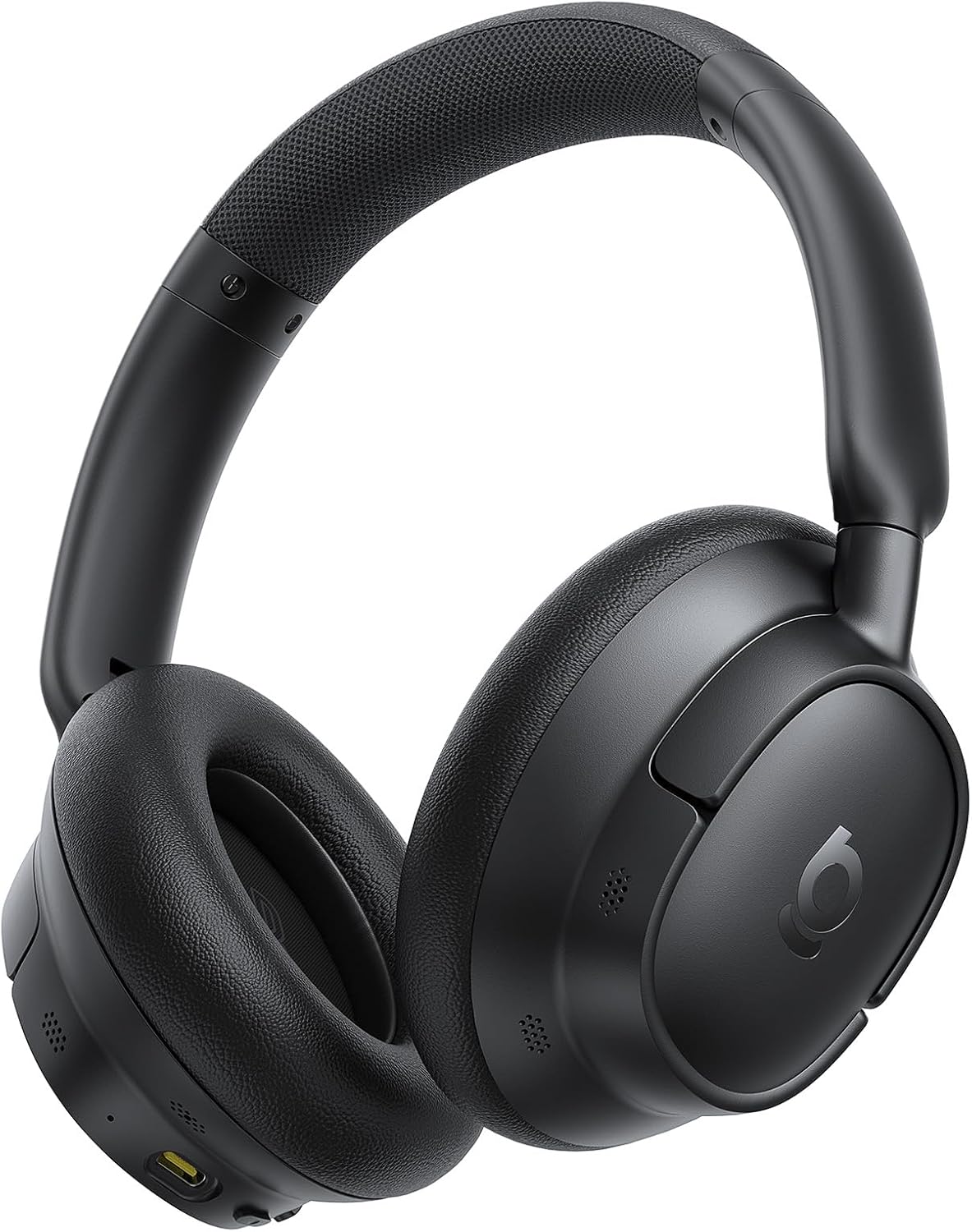
Obrázek: Přední strana view of the Baseus BH1 NC Wireless Headphones in black, showcasinnáušníky a hlavový most.
Ovládací prvky
The headphones feature intuitive physical buttons for easy operation:
- Tlačítka hlasitosti (+/-): Short press to adjust volume. Long press (2s) to skip tracks.
- Multifunkční tlačítko: Single press for Play/Pause, Answer/End Call. Long press (2s) to activate Voice Assistant or reject a call. Double press to switch between music/movie modes.
- Tlačítko ANC: Short press to cycle through ANC On, Ambient Sound Mode, and ANC Off.

Image: A diagram illustrating the easy and precise button operations on the headphones, including volume, power, and ANC controls.
Nastavení
Nabíjení sluchátek
Before first use, fully charge the headphones. Connect the supplied USB-C cable to the charging port on the headphones and the other end to a USB power source (e.g., wall adapter, computer USB port).
- Plné nabití trvá přibližně 1.5 hodin.
- A 10-minute quick charge provides up to 10 hours of playback.
Zapnutí/vypnutí
- Zapnutí: Press and hold the Power button for 2 seconds until the indicator light illuminates.
- Vypnout: Stiskněte a podržte tlačítko napájení po dobu 3 sekund, dokud kontrolka nezhasne.
Párování pomocí Bluetooth
- Ujistěte se, že jsou sluchátka vypnutá.
- Press and hold the Power button for 5 seconds until the indicator light flashes blue and red, indicating pairing mode.
- Na svém zařízení (chytrý telefon, tablet, počítač) povolte Bluetooth a vyhledejte dostupná zařízení.
- Select "Baseus BH1 NC" from the list of devices.
- Po připojení se kontrolka rozsvítí modře.
Instalace aplikace
For enhanced features and customization, download the dedicated Baseus app from your device's app store. The app allows for fine-tuning EQ, managing noise cancellation modes, and more.

Image: Screenshots of the dedicated Baseus app, showing options for noise reduction settings, sound control, and EQ customization.
Návod k obsluze
Přehrávání hudby
- Přehrát/pozastavit: Stiskněte jednou multifunkční tlačítko.
- Zvýšení/Snížení hlasitosti: Stiskněte tlačítka „+“ nebo „-“.
- Další skladba: Dlouze stiskněte tlačítko „+“ po dobu 2 sekund.
- Předchozí skladba: Dlouze stiskněte tlačítko '-' po dobu 2 sekund.
Správa hovorů
- Přijmout/ukončit hovor: Stiskněte jednou multifunkční tlačítko.
- Odmítnout hovor: Dlouze stiskněte multifunkční tlačítko po dobu 2 sekund.
Režimy potlačení hluku
The Baseus BH1 NC headphones feature Adaptive Hybrid ANC, which automatically adjusts to your environment, reducing ambient noise by up to 45dB. You can cycle through different modes using the ANC button:
- ANC zapnuto: Activates active noise cancellation to minimize external sounds.
- Ambient Sound Mode (Transparency): Allows you to hear your surroundings without removing the headphones. Useful for conversations or announcements.
- ANC vypnuto: Vypne potlačení hluku.
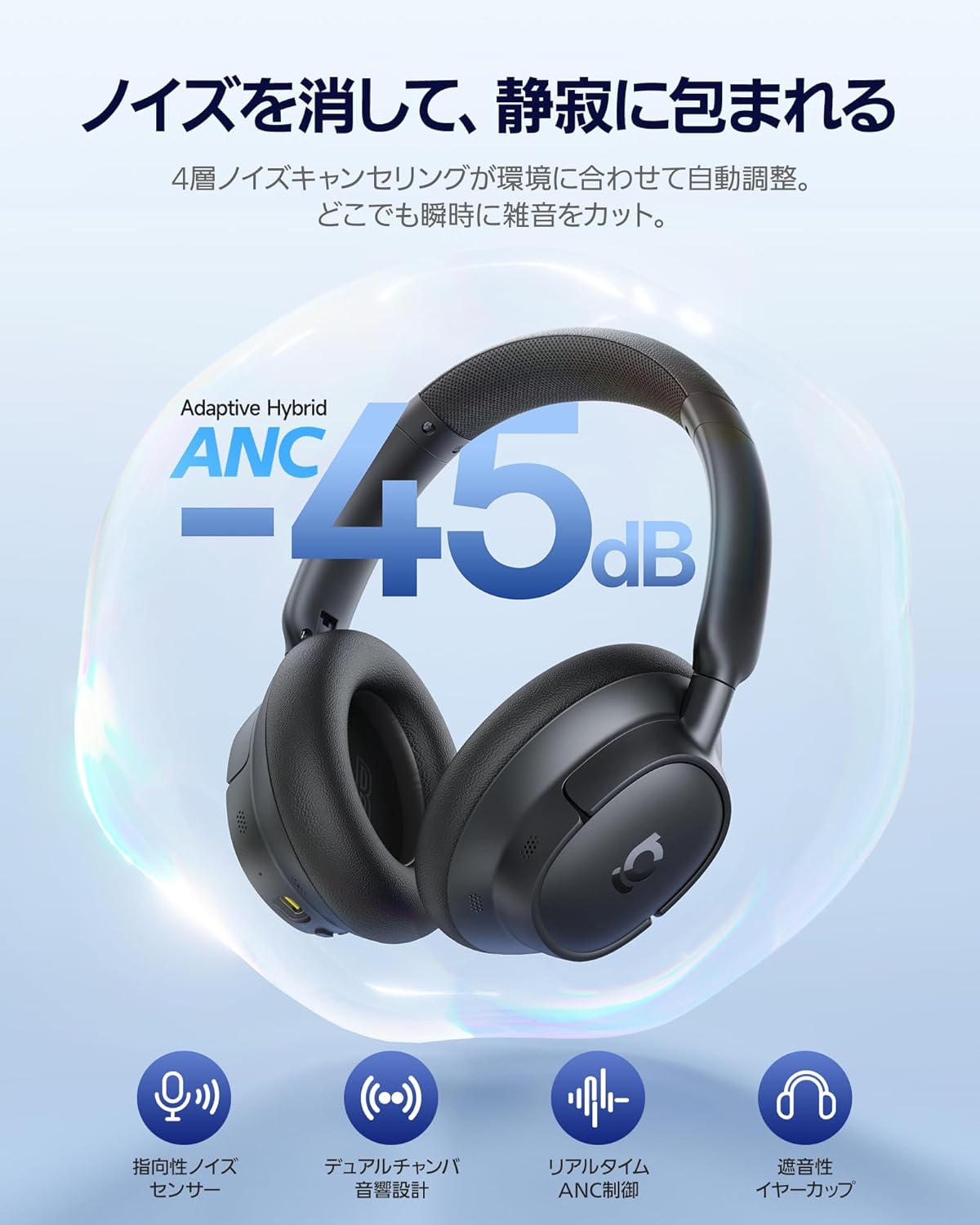
Image: The Baseus BH1 NC headphones with a visual representation of noise cancellation, indicating a reduction of up to 45dB.

Image: Illustrations of individuals using the headphones in different environments (airplane, outdoor, office, train), demonstrating the ability to choose silence according to the scene with up to 5 noise cancelling modes.
Vícebodové připojení
With Baseus Smart-Connect (BSC) technology, you can instantly switch between two connected devices. This provides a low-latency, stress-free, and seamless audio experience without interruptions.

Image: The Baseus BH1 NC headphones connected simultaneously to a laptop and a smartphone, illustrating the instant multipoint connection feature.
Údržba
- Sluchátka pravidelně čistěte měkkým, suchým hadříkem.
- Vyhněte se používání agresivních chemikálií nebo abrazivních materiálů.
- Když sluchátka nepoužíváte, uchovávejte je na chladném a suchém místě.
- Nevystavujte sluchátka extrémním teplotám ani vlhkosti.
- Udržujte nabíjecí port bez prachu a nečistot.
Odstraňování problémů
| Problém | Řešení |
|---|---|
| Sluchátka se nezapínají. | Ujistěte se, že jsou sluchátka nabitá. Připojte je ke zdroji napájení a zkuste to znovu. |
| Nelze spárovat se zařízením. | Ensure headphones are in pairing mode (flashing blue/red light). Turn off and on Bluetooth on your device. Move closer to the device. |
| Žádný zvuk nebo nízká hlasitost. | Zkontrolujte úroveň hlasitosti sluchátek a zařízení. Ujistěte se, že jsou sluchátka správně připojena. Zkuste restartovat obě zařízení. |
| Noise cancellation is not effective. | Ensure ANC is turned on. Adjust the fit of the earcups to ensure a good seal around your ears. |
| Kvalita hovoru je špatná. | Ensure the microphones are not obstructed. Move to an area with less background noise. |
Specifikace
| Funkce | Detail |
|---|---|
| Název modelu | BH1 NC |
| Číslo modelu výrobce | A02037 |
| Technologie připojení | Wireless Bluetooth (Bluetooth 6.0) |
| Styl sluchátek | Over-Ear |
| Potlačení hluku | Adaptive Hybrid ANC (up to -45dB) |
| Kvalita zvuku | Hi-Res Audio, Hi-Res Wireless, LDAC support, SuperBass 2.0 |
| Ovladače | 40mm Dynamic Drivers with Biocellulose Diaphragm |
| Mikrofony | 5-Mic AI Clear Call with ENC |
| Výdrž baterie (ANC vypnuto) | Až 80 hodin |
| Výdrž baterie (ANC zapnuto) | Až 55 hodin |
| Rychlé nabíjení | 10 minut nabíjení pro 10 hodin přehrávání |
| Kontrolní metoda | Aplikace, fyzická tlačítka |
| Hmotnost | 420 g (hmotnost balení) |
Image: A visual representation of the product specifications, including model, materials, Bluetooth version, audio codecs, communication distance, playback time, input, charging time, frequency characteristics, and operating temperature range.
Bezpečnostní informace
- Nepoužívejte sluchátka delší dobu při vysoké hlasitosti, abyste předešli poškození sluchu.
- Do not use the headphones while driving or in situations where you need to hear ambient sounds for safety.
- Chraňte výrobek před vodou a vlhkostí.
- Nepokoušejte se sluchátka rozebírat ani upravovat.
- Výrobek a jeho baterii zlikvidujte zodpovědně v souladu s místními předpisy.
Záruka a podpora
Baseus nabízí Záruka 24 měsíců for the BH1 NC Wireless Headphones. We also provide 24x7 customer support. For any inquiries regarding returns, exchanges, technical assistance, or product consultations, please contact our support team. We are committed to providing prompt and courteous assistance for all your needs.
For further assistance, please visit the official Baseus webnebo kontaktujte svého místního prodejce.


