1. Úvod
This manual provides essential information for the proper use and maintenance of your XIAOMI Redmi 15 5G smartphone. Please read this guide thoroughly before operating your device to ensure optimal performance and longevity. The Redmi 15 5G is designed for reliable daily use, featuring a large display, powerful battery, and advanced camera system.
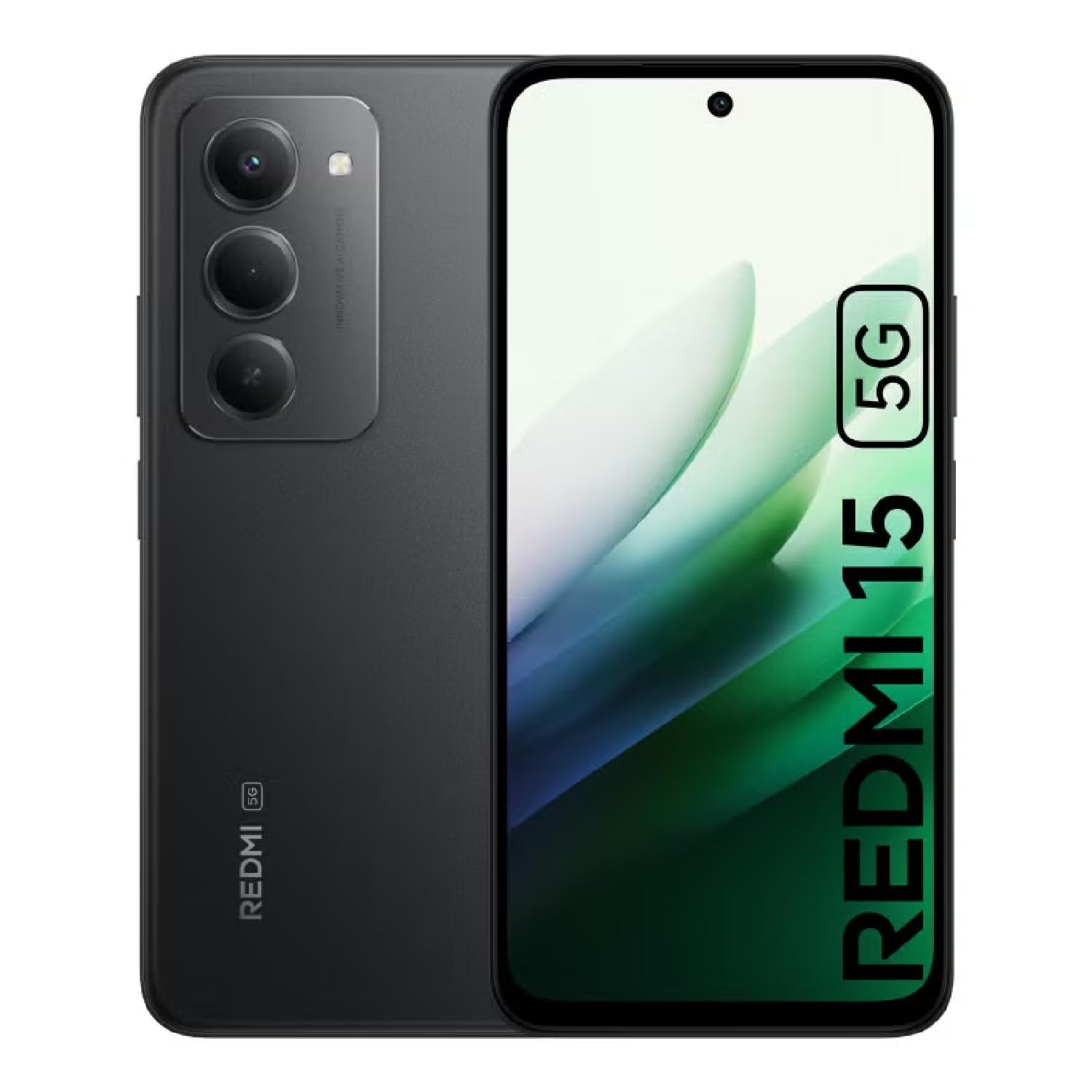
Image: The XIAOMI Redmi 15 5G smartphone, showcasing its design in multiple color options.
2. Co je v krabici
- Chytrý telefon XIAOMI Redmi 15 5G
- USB kabel
- Pouzdro na telefon
- SIM Ejector Tool (may be included with documentation)
- Stručná úvodní příručka a informace o záruce
3. Nastavení
3.1. Instalace SIM karty a karty MicroSD
- Vyhledejte držák SIM karty na boku zařízení.
- Vložte nástroj pro vysunutí SIM karty do malého otvoru vedle zásobníku a jemně zatlačte, dokud zásobník nevyskočí.
- Place your Nano-SIM card(s) and/or microSD card into the tray, ensuring they are correctly oriented. The Redmi 15 5G supports a hybrid SIM slot (SIM1 + SIM2 or SIM1 + microSD).
- Opatrně vložte zásobník zpět do telefonu.
3.2. Počáteční zapnutí a konfigurace
- Stiskněte a podržte tlačítko napájení, dokud se nezobrazí logo XIAOMI.
- Postupujte podle pokynů na obrazovce a vyberte jazyk, region a připojte se k síti Wi-Fi.
- Sign in with your Google account or create a new one to access apps and services.
- Set up your preferred security methods, such as a PIN, pattern, password, fingerprint, or AI face unlock.
4. Návod k obsluze
4.1. Funkce displeje
The Redmi 15 5G features an immersive 6.9-inch FHD+ DotDisplay with a resolution of 2340 × 1080 pixels (374 PPI). Enjoy smooth visuals with a refresh rate of up to 144Hz and a touch sampling rate of up to 288Hz. The display offers a typical brightness of 700 nits (850 nits HBM) and a contrast ratio of 1400:1. It includes an all-day eye-care display with DC dimming and TÜV Rheinland certifications for low blue light, circadian friendly, and flicker-free viewing. The Wet Touch Technology 2.0 ensures accurate touch response even with wet fingers.
4.2. Kamerový systém
Capture high-quality photos and videos with the 50MP AI dual camera system. The main camera features a 5P lens with an f/1.8 aperture. Video recording supports 1080p (1920x1080) HD at 30 fps and 720p (1280x720) HD at 30 fps. The 8MP front camera (f/2 aperture) is ideal for selfies and video calls, offering features like filmCamera, HDR mode, soft-light ring, portrait mode, and time-lapse. Front camera video recording also supports 1080p and 720p HD at 30 fps.

Obrázek: Podrobný view of the Redmi 15 5G's rear camera system.
4.3. Výkon a baterie
Powered by the Snapdragon® 6s Gen 3 5G Mobile Platform, built on an efficient 6nm process, the device offers smooth and reliable performance. The octa-core CPU (Kryo, up to 2.3GHz) and Adreno GPU ensure efficient multitasking and gaming. The phone comes with 8GB of RAM, expandable up to 16GB with Memory extension (utilizing ROM storage). A massive 7000mAh (typical) battery provides extended usage, offering up to 24 hours of talk time.
4.4. Připojení a zabezpečení
The Redmi 15 5G supports 5G connectivity (SA and NSA bands), 4G LTE, and 3G/2G networks. It includes NFC for contactless payments and data transfer, Wi-Fi for internet access, and comprehensive GPS support (GPS, Glonass, Galileo, Beidou). Security features include a side-mounted fingerprint sensor and AI face unlock for convenient and secure access.
5. Údržba
- Čištění: K čištění obrazovky a těla přístroje používejte měkký hadřík, který nepouští vlákna. Vyhněte se agresivním chemikáliím.
- Aktualizace softwaru: Pravidelně kontrolujte a instalujte aktualizace systému, abyste zajistili optimální výkon, zabezpečení a přístup k novým funkcím.
- Péče o baterie: Chcete-li prodloužit životnost baterie, vyhněte se extrémním teplotám a nenechávejte baterii často zcela vybíjet.
- Správa úložiště: Pravidelně odstraňujte nepotřebné filea aplikace pro udržení rychlosti zařízení a uvolnění úložného prostoru.
6. Řešení problémů
- Zařízení se nezapíná: Ujistěte se, že je baterie nabitá. Připojte zařízení k nabíječce a před opětovným zapnutím počkejte několik minut.
- Zamrzávání nebo zpoždění aplikací: Close background applications. Clear app cache or data if the issue persists with a specific app. Restarting the device can also resolve temporary performance issues.
- Špatné síťové připojení: Check if your SIM card is properly inserted. Ensure mobile data is enabled and you are within network coverage. For Wi-Fi issues, restart your router and phone.
- Rychlé vybíjení baterie: Reduce screen brightness, disable unnecessary features like GPS or Bluetooth when not in use, and close power-intensive background apps.
- Snímač otisků prstů nefunguje: Ujistěte se, že máte prst čistý a suchý. Pokud problém přetrvává, znovu zaregistrujte otisky prstů.
7. Specifikace
| Funkce | Specifikace |
|---|---|
| Název modelu | 25057RN09E |
| Velikost displeje | 6.9 palce |
| Rezoluce | 2340 x 1080 |
| Obnovovací frekvence | 144 Hz |
| Procesor | Mobilní platforma Snapdragon 6s Gen 3 (osmijádrový, až 2.3 GHz) |
| BERAN | 8 GB (expandable up to 16GB with Memory extension) |
| Kapacita úložiště | 256 GB (expandable up to 2TB with microSD) |
| Hlavní fotoaparát | 50MP duální fotoaparát s umělou inteligencí |
| Přední kamera | 8 MP |
| Kapacita baterie | 7000 XNUMX mAh |
| Operační systém | Xiaomi HyperOS založený na Androidu 15 |
| Konektivita | 5G, Wi-Fi, NFC, GPS |
| Zabezpečení | Boční snímač otisků prstů, odemykání obličejem s umělou inteligencí |
| Rozměry | 6.74 x 3.23 x 0.34 palce |
| Hmotnost | 7.9 unce (224 gramů) |
8. Záruka a podpora
For warranty information, please refer to the warranty card included in your product packaging or visit the official XIAOMI website. If you encounter any issues not covered in this manual, please contact XIAOMI customer support for assistance. Keep your proof of purchase for warranty claims.