1. Úvod
This manual provides essential instructions for the safe and effective use of your Sony Alpha a7 II ILCE-7M2/B Full-Frame Mirrorless Camera. Please read this manual thoroughly before operating the camera and retain it for future reference. The Sony Alpha a7 II is designed for high-quality photography and videography, featuring a 24.3MP full-frame sensor, 5-axis in-body image stabilization, and a fast hybrid autofocus system.
2. Konec produktuview
The Sony Alpha a7 II is a full-frame mirrorless camera body equipped with advanced features for capturing detailed images and smooth videos. Key features include:
- 24.3MP Full-Frame Exmor CMOS Sensor: Delivers high resolution and excellent low-light performance.
- 5-Axis SteadyShot INSIDE Image Stabilization: Compensates for camera shake across five axes, enhancing sharpness for both stills and video, even with non-stabilized lenses.
- Fast Hybrid Autofocus System: Combines 117 phase-detection and 25 contrast-detection points for quick and accurate subject tracking.
- Full HD 1080p Video Recording: Supports up to 60 fps with XAVC S compression and S-Log2 gamma for professional-grade video.
- BIONZ X Image Processor: Ensures rapid processing and high image quality.
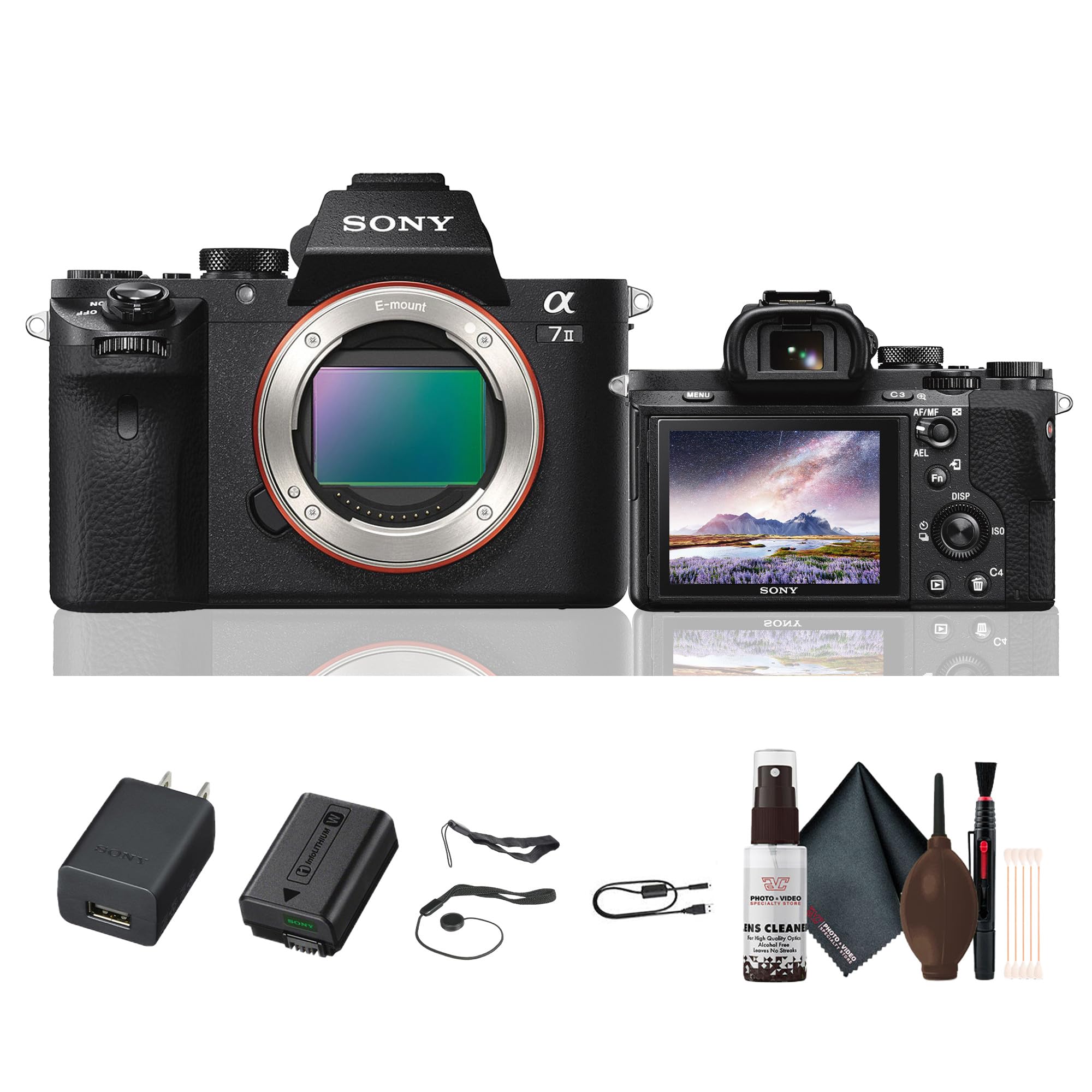
Obrázek 2.1: Zadní view of the Sony Alpha a7 II camera with the LCD screen closed, showing the electronic viewfinder, control dials, and buttons.
3. Nastavení
3.1. Vybalení a první kontrola
Opatrně vyjměte všechny součásti z obalu. Zkontrolujte, zda jsou přítomny všechny níže uvedené položky. Pokud některé položky chybí nebo jsou poškozené, obraťte se na prodejce.
Zahrnuté položky:
- Sony Alpha a7 II Mirrorless Digital Camera Body
- Dobíjecí baterie
- AC adaptér
- USB kabel
- Ramenní popruh
- Čepice těla
- Krytka sáněk pro příslušenství
- Okulár
3.2. Nasazení objektivu
- Sejměte krytku těla z fotoaparátu a zadní krytku objektivu z objektivu.
- Zarovnejte bílou značku na objektivu s bílou značkou na těle fotoaparátu.
- Nasaďte objektiv otáčením ve směru hodinových ručiček, dokud nezacvakne na místo.
Note: The a7 II uses Sony E-mount lenses. A-mount lenses can be used with an optional adapter.
3.3. Vložení baterie a paměťové karty
- Otevřete kryt baterie/paměťové karty, který se nachází ve spodní části fotoaparátu.
- Insert the fully charged battery pack with the arrow pointing towards the camera, pushing it in until it locks.
- Insert a compatible memory card (SD card, Memory Stick PRO Duo) into the memory card slot with the notched corner facing the correct direction, pushing until it clicks.
- Bezpečně zavřete kryt baterie/paměťové karty.
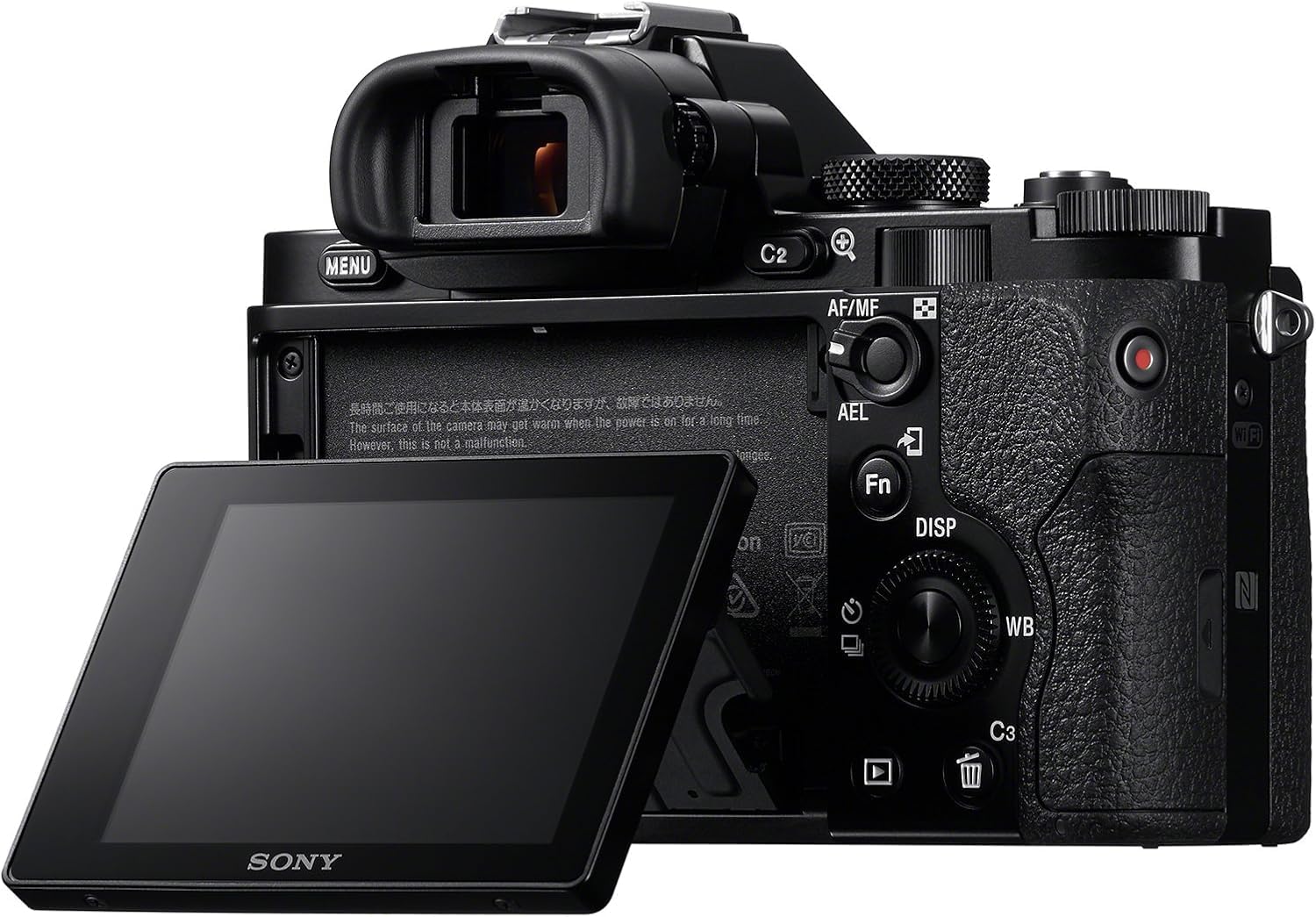
Obrázek 3.1: Zadní view of the Sony Alpha a7 II camera with the LCD screen tilted outwards, showing the battery/memory card compartment.
3.4. Nabíjení baterie
Connect the camera to the AC adaptor using the supplied USB cable. The charging indicator lamp Během nabíjení se rozsvítí a po dokončení nabíjení zhasne. Úplné nabití obvykle trvá přibližně 150 minut.
4. Ovládání fotoaparátu
4.1. Zapnutí/vypnutí
Chcete-li fotoaparát zapnout nebo vypnout, posuňte vypínač ON/OFF, který se nachází kolem tlačítka spouště.
4.2. Základní režimy snímání
Rotate the Mode Dial (located on the top plate) to select your desired shooting mode:
- Automatický: Fotoaparát automaticky upraví nastavení pro optimální výsledky.
- Automatický program (P): Fotoaparát nastavuje clonu a rychlost závěrky, ale můžete upravit i další nastavení.
- Priorita clony (A): Vy nastavíte clonu, fotoaparát nastaví rychlost závěrky.
- Priorita závěrky (S): Vy nastavíte rychlost závěrky, fotoaparát nastaví clonu.
- Manuál (M): Ovládáte clonu i rychlost závěrky.
- Film: Pro nahrávání videí.
- Výběr scény: Pre-set modes for specific scenes (e.g., Landscape, Portrait, Sports).
4.3. Zaostřování
The a7 II features a Fast Hybrid Autofocus system. To focus, half-press the shutter button. The camera will automatically detect and focus on your subject. You can also manually select focus points or use manual focus (MF) by setting the focus mode switch on your lens or in the camera menu.
4.4. Stabilizace obrazu
The camera's 5-axis SteadyShot INSIDE image stabilization system is active by default. This system helps reduce blur caused by camera shake, especially useful in low light or when using longer focal lengths. The system works with both native E-mount lenses and adapted lenses.
4.5. Nahrávání videí
To record video, set the Mode Dial to the Movie mode. Press the dedicated MOVIE button (usually located on the side or rear of the camera grip) to start and stop recording. The camera records Full HD 1080p video at various frame rates up to 60 fps.
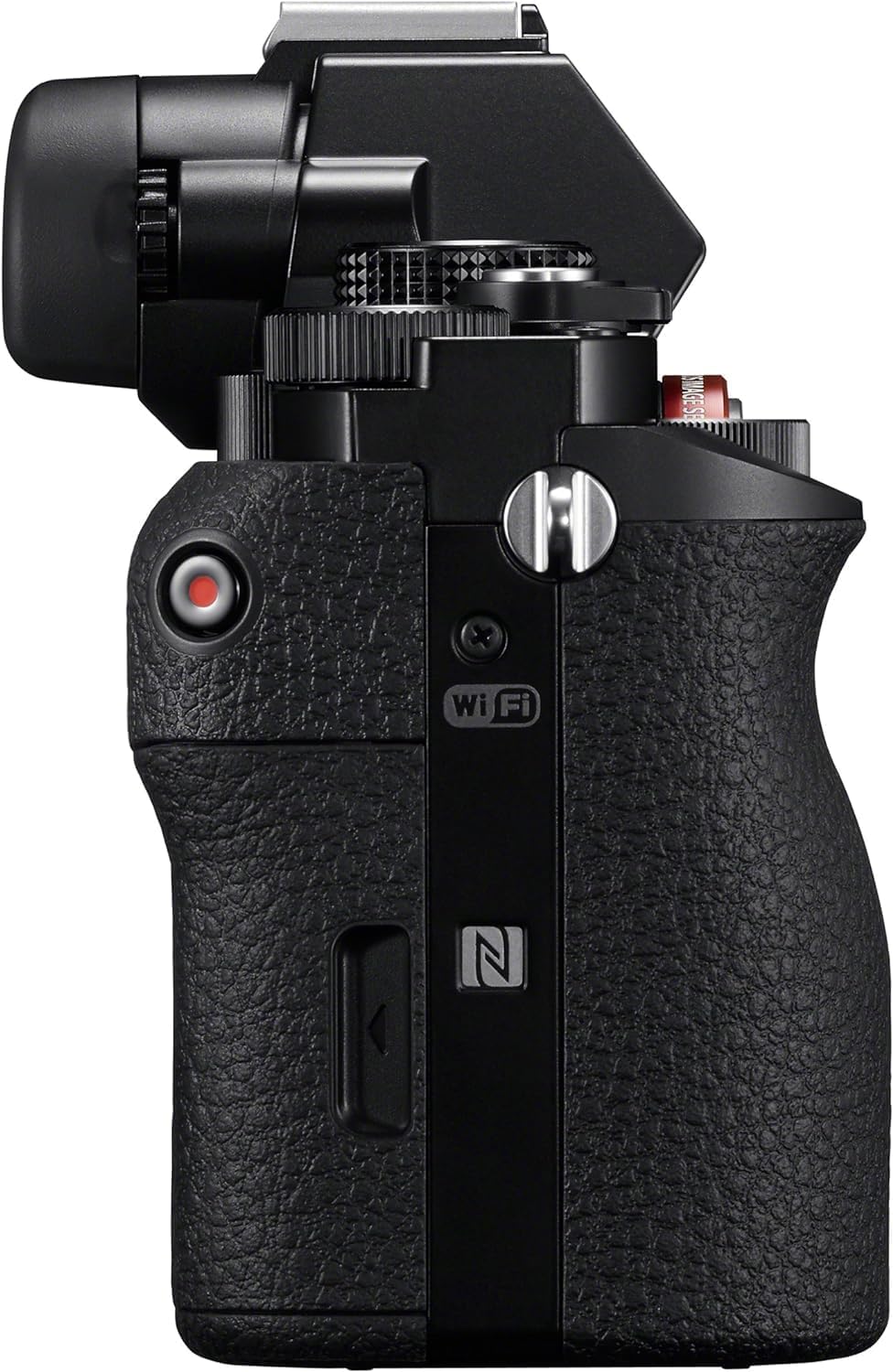
Obrázek 4.1: Strana view of the Sony Alpha a7 II camera, highlighting the grip and movie record button.
4.6. Konektivita
The camera supports HDMI and USB connectivity. Use the HDMI output to view photos and videos on a compatible display. The USB port can be used for charging, data transfer to a computer, or connecting to other compatible devices.
5. Údržba
5.1. Čištění fotoaparátu
- Tělo fotoaparátu: Otřete měkkým, suchým hadříkem. Na odolnou špínu použijte hadřík lehceampzalité vodou. Vyhněte se agresivním chemikáliím.
- Čočka: Use a lens brush or blower to remove dust. For smudges, use a lens cleaning solution and a microfiber cloth specifically designed for optics.
- Senzor: Sensor cleaning should only be performed by authorized service personnel or experienced users with appropriate tools to avoid damage.
- LCD obrazovka: Jemně otřete měkkým, suchým hadříkem.
5.2. Péče o baterie
- Always use genuine Sony battery packs.
- Charge the battery fully before first use and after extended periods of non-use.
- Baterie skladujte na chladném a suchém místě. Nevystavujte je extrémním teplotám.
5.3. Skladování
When storing the camera for an extended period, remove the battery and memory card. Store the camera in a dry, well-ventilated area, preferably with a desiccant to prevent mold and mildew.
6. Řešení problémů
Pokud narazíte na problémy s fotoaparátem, postupujte podle následujících běžných kroků pro řešení problémů:
- Fotoaparát se nezapne:
- Ujistěte se, že je baterie plně nabitá a správně vložená.
- Zkuste použít jinou, plně nabitou baterii, pokud je k dispozici.
- Nelze fotografovat:
- Zkontrolujte, zda je vložena paměťová karta a zda je na ní dostatek volného místa.
- Ujistěte se, že je krytka objektivu sejmuta.
- Verify the camera is not in a mode that prevents shooting (e.g., playback mode).
- Obrázky jsou rozmazané:
- Check focus settings (Autofocus vs. Manual Focus).
- Ensure shutter speed is fast enough for the shooting conditions to prevent motion blur.
- Verify image stabilization is active if shooting handheld in low light.
- Pokud jsou na čočce šmouhy, očistěte ji.
- Baterie se rychle vybíjí:
- Snižte jas LCD displeje.
- Pokud Wi-Fi/NFC nepoužíváte, vypněte jej.
- Omezte nepřetržité snímání nebo nahrávání videa.
- Ujistěte se, že baterie není stará nebo poškozená.
For more detailed troubleshooting, consult the comprehensive online manual available on the Sony support webmísto.
7. Specifikace
| Číslo modelu | ILCE-7M2/B |
| Typ snímače | Full Frame (35mm) Exmor CMOS |
| Efektivní rozlišení | 24.3 MP |
| Stabilizace obrazu | 5-axis Sensor-shift (SteadyShot INSIDE) |
| Systém automatického zaostřování | Fast Hybrid AF (117 phase-detection, 25 contrast-detection points) |
| Rozlišení videa | Full HD 1080p (up to 60 fps) |
| Formát videa | XAVC S, AVCHD, MP4 |
| Formát obrázku | JPEG, RAW |
| Kompatibilní montáže | Sony E-mount |
| Typ zobrazení | 3.0-inch Tilting LCD (1,228,800 dots) |
| Viewnálezce | 0.5-inch XGA OLED Electronic Viewfinder (2,359,296 dots) |
| Konektivita | HDMI (Type A), USB 2.0, Wi-Fi, NFC |
| Typ baterie | NP-FW50 Lithium-Ion Rechargeable Battery |
| Rozměry (Š x V x H) | Approx. 126.9 x 95.7 x 59.7 mm (5 x 3 7/8 x 2 3/8 inches) |
| Weight (with battery and memory card) | Cca. 599 g (1 lb 5.2 oz) |
8. Záruka a podpora
8.1. Informace o záruce
Your Sony Alpha a7 II camera is covered by a manufacturer's limited warranty. Please refer to the warranty card included in your product packaging for specific terms and conditions, including warranty period and coverage details. Retain your proof of purchase for warranty claims.
8.2. Zákaznická podpora
For technical assistance, service, or additional product information, please visit the official Sony support website or contact Sony customer service in your region. Online resources often include FAQs, driver downloads, and comprehensive digital manuals.
Podpora Sony Webmísto: www.sony.com/electronics/support


