1. Důležité bezpečnostní informace
Please read all safety instructions carefully before using your television. Keep this manual for future reference. Failure to follow these instructions may result in electric shock, fire, or damage to the product.
- Nevystavujte televizor dešti ani vlhkosti.
- Nezakrývejte ventilační otvory.
- Ujistěte se, že je televizor umístěn na stabilním povrchu.
- Use only the power cord provided by the manufacturer.
- Během bouřek nebo pokud televizor delší dobu nepoužíváte, odpojte jej ze zásuvky.
- Veškeré opravy svěřte kvalifikovanému servisnímu personálu.
2. Co je v krabici
Ověřte, zda jsou v balení přítomny všechny součásti:
- Haier QLED 4K UHD H50Q80FUX 50palcová chytrá televize
- Inteligentní dálkové ovládání
- Napájecí kabel
- Uživatelská příručka (tento dokument)
- Součásti televizního stolku (pokud existují)
3. Nastavení
3.1 Vybalení
Carefully remove the television from its packaging. It is recommended to keep the original packaging for potential future transport or servicing.
3.2 Připevnění stojanu
If you are not wall-mounting the TV, attach the included stand according to the diagrams provided in the quick start guide. Ensure all screws are securely fastened.
3.3 Montáž na stěnu
This TV is compatible with VESA 300 x 300 mm wall mounts. Use appropriate screws and consult a professional for installation if unsure. Ensure adequate ventilation around the TV.
3.4 Připojení periferních zařízení
Connect your external devices (e.g., game consoles, Blu-ray players, soundbars) to the TV's ports.
- HDMI 2.1: Use one of the four HDMI 2.1 ports for high-quality video and audio connections, especially for gaming consoles.
- USB: Připojte paměťová zařízení USB pro přehrávání médií.
- Ethernet: Pro stabilní kabelové připojení k internetu.
- Bluetooth 5.1: Spárujte bezdrátová sluchátka nebo jiná zařízení Bluetooth.
Image: TV Dimensions

This image illustrates the physical dimensions of the television, both with and without its included stand, to assist with placement and mounting decisions.
3.5 Počáteční zapnutí
After connecting the power cable, press the power button on the remote control or the TV. Follow the on-screen instructions to complete the initial setup, including network connection (Wi-Fi or Ethernet) and Google TV account setup.
4. Návod k obsluze
4.1 Inteligentní dálkové ovládání
The included smart remote control provides easy navigation and voice control. It features a solar panel for charging and can also be charged via USB-C.
4.2 Rozhraní Google TV
Your Haier Smart TV runs on Google TV, providing access to a wide range of streaming apps, movies, and shows. Navigate using the remote control's directional pad and select content from the personalized home screen.
Image: Google TV Interface

This image displays the user-friendly Google TV home screen, where applications and content are organized for easy access.
4.3 Nastavení obrazu
Optimalizujte své viewing experience with the TV's advanced picture technologies:
- QLED 4K UHD: Delivers ultra-defined images and intense colors.
- Dolby Vision IQ & HDR 10+: Provides dynamic picture enhancement, adjusting brightness, contrast, and color scene-by-scene for optimal viewing, even adapting to ambient light.
Image: QLED 4K Quantum Dot Technology

This image visually explains the QLED 4K Quantum Dot technology, highlighting its capability to produce a wide spectrum of vibrant colors.
Image: Dolby Atmos and Dolby Vision

This image depicts the combined effect of Dolby Atmos for immersive sound and Dolby Vision for superior picture quality, enhancing the overall cinematic experience.
4.4 Nastavení zvuku
Experience immersive sound with:
- Dolby Atmos: Delivers three-dimensional, moving audio that flows around you.
- DBX TV: Optimizes integrated TV speakers for clearer vocals, deeper bass, and enveloping sound effects.
4.5 Herní funkce
The TV is designed for a fluid and responsive gaming experience:
- 120Hz DLG Accelerator: Enhances motion clarity and response in 2K resolution for competitive gaming.
- HDMI 2.1: Provides high bandwidth for smooth, uninterrupted transmission, supporting features like VRR (Variable Refresh Rate) and ALLM (Auto Low Latency Mode).
- Technologie MEMC: Motion Estimation, Motion Compensation improves image quality in fast-moving scenes, reducing blur and maintaining sharpness.
Image: Gaming 120Hz DLG Accelerator

This image illustrates the difference in motion clarity between a standard 60Hz refresh rate and the enhanced 120Hz DLG Accelerator, showcasing smoother visuals for gaming.
Image: HDMI 2.1 Connectivity

This image highlights the HDMI 2.1 port, emphasizing its role in providing a smooth and fluid experience for gaming and high-resolution content.
Image: MEMC Technology
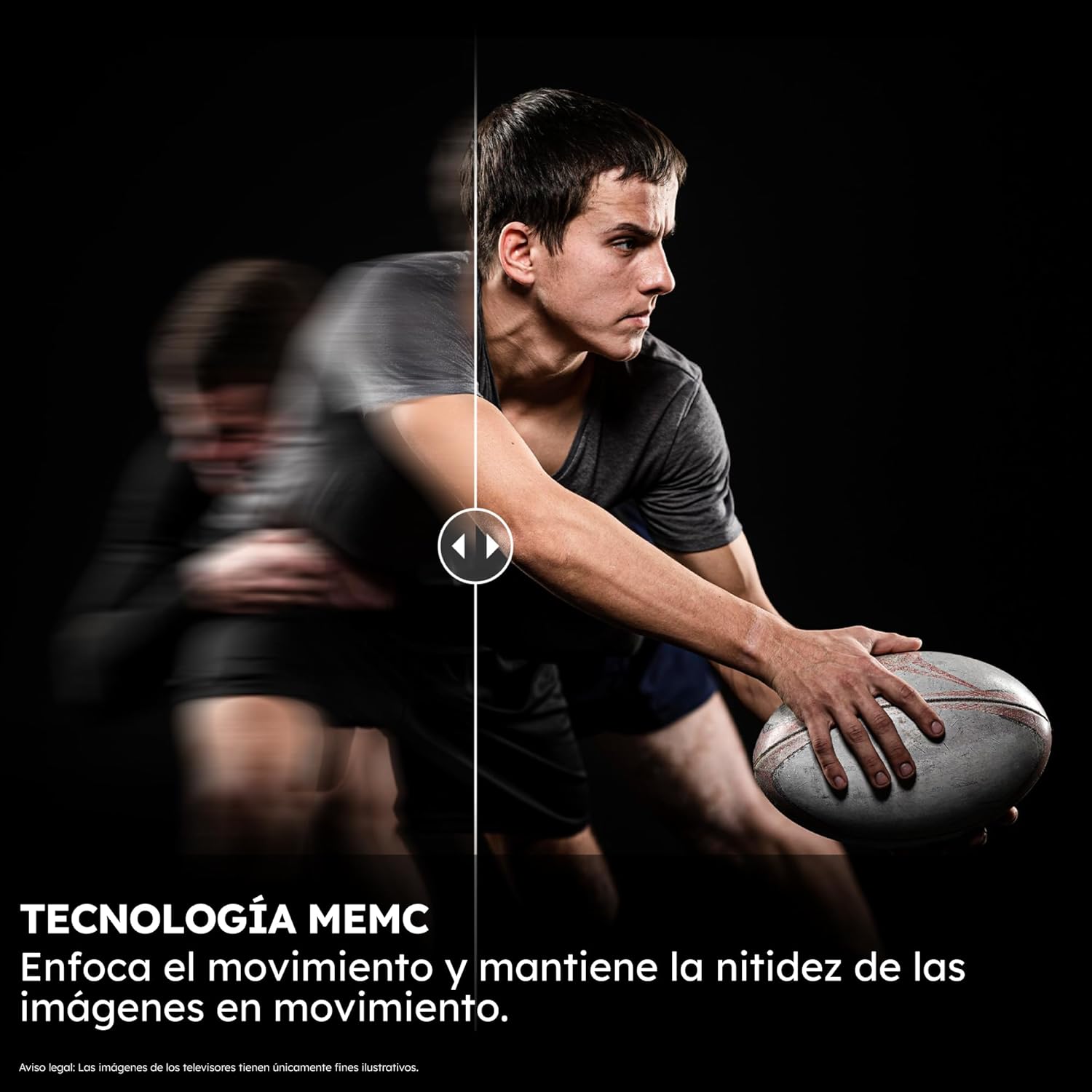
This image illustrates the effectiveness of MEMC (Motion Estimation, Motion Compensation) technology in maintaining image sharpness during fast-moving scenes.
4.6 Asistent Google
Use the integrated Google Assistant for voice control. Simply press the Google Assistant button on your remote and speak commands to search for content, control smart home devices, or get information.
Image: Google Assistant

This image shows the Google Assistant in action, demonstrating how users can interact with the TV using voice commands for integrated control.
5. Údržba
5.1 Čištění televizoru
Obrazovku jemně otřete měkkým, suchým hadříkem, který nepouští vlákna. V případě odolných skvrn ji lehce otřete.ampen the cloth with water or a screen-cleaning solution. Do not use harsh chemicals or abrasive materials. Clean the TV body with a soft, dry cloth.
5.2 Aktualizace softwaru
Your TV may receive automatic software updates via the internet. Ensure your TV is connected to the internet to receive the latest features and performance improvements. You can also manually check for updates in the TV's settings menu.
6. Řešení problémů
Pokud narazíte na problémy s televizorem, postupujte podle následujících běžných kroků pro řešení problémů:
| Problém | Možné řešení |
|---|---|
| Žádná síla | Zkontrolujte, zda je napájecí kabel bezpečně připojen k televizoru i k elektrické zásuvce. Zkuste jinou zásuvku. |
| Žádný obraz, ale zvuk je přítomen | Ensure the correct input source is selected. Check HDMI cable connections. |
| Žádný zvuk, ale obraz je přítomen | Check volume levels and mute settings. Ensure external audio devices are correctly connected and selected. |
| Dálkové ovládání nefunguje | Ensure the remote is charged (via solar or USB-C). Check for obstructions between the remote and TV. Re-pair the remote if necessary. |
| Problémy s připojením k síti | Restart your router. Check Wi-Fi password. Try a wired Ethernet connection. |
| Image Blur/Lag during Gaming | Ensure your game console is connected to an HDMI 2.1 port. Verify game settings and TV's gaming mode are enabled. |
For more detailed troubleshooting, please consult the full electronic user manual available through the TV's Google TV interface or the Haier support webmísto.
7. Specifikace
Klíčové technické specifikace chytré televize Haier QLED 4K UHD H50Q80FUX s úhlopříčkou 50 palců:
- Číslo modelu: H50Q80FUX
- Velikost obrazovky: 50 palce
- Technologie displeje: QLED 4K UHD
- Rezoluce: 3840 x 2160 pixelů (4K)
- Obnovovací frekvence: 60 Hz (Gaming 120Hz DLG ACCELERATOR for 2K)
- Technologie zvuku: Dolby Atmos, DBX TV
- Platforma Smart TV: Google TV with Google Assistant and Chromecast built-in
- Konektivita: 4 x HDMI 2.1, Bluetooth 5.1, Wi-Fi, Ethernet, USB
- Rozměry (bez podstavce): 111.1 cm (Š) x 65.2 cm (V) x 8.8 cm (H)
- Rozměry (se stojanem): 111.1 cm (Š) x 71.0 cm (V) x 27.7 cm (H)
- Hmotnost: 10 kg
- Kompatibilita s montáží VESA: 300 x 300 mm
- Interní úložiště: 2GB RAM + 32GB ROM
- Třída energetické účinnosti (SDR): F
- Třída energetické účinnosti (HDR): G
Obrázek: Energetický štítek
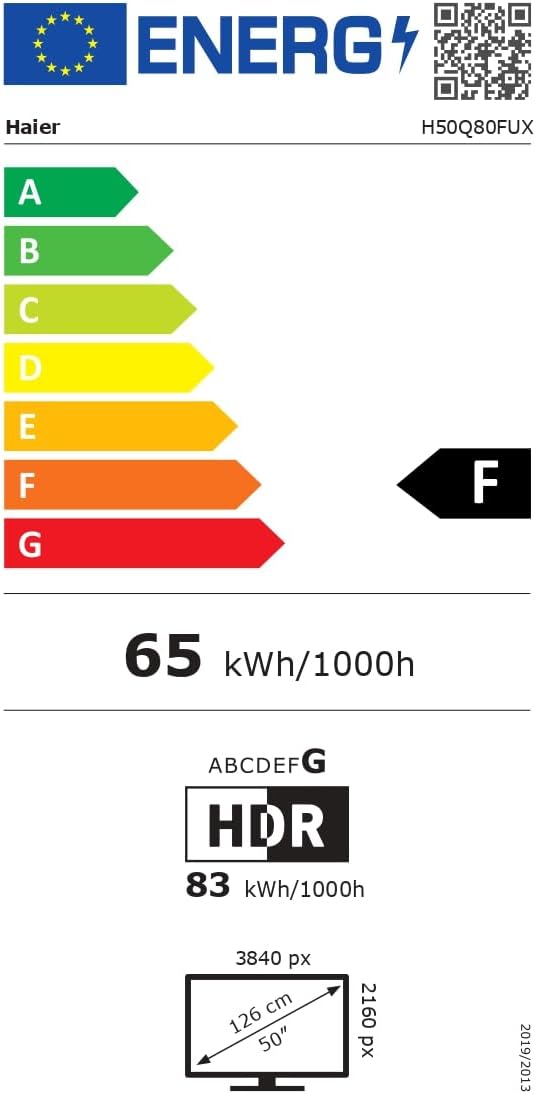
This image displays the official EU energy label, providing information on the TV's energy efficiency ratings and power consumption.
For detailed product information and the official product information sheet, please visit the EPREL database: https://eprel.ec.europa.eu/qr/2290964
8. Záruka a podpora
8.1 Informace o záruce
Your Haier QLED 4K UHD H50Q80FUX Smart TV comes with a standard manufacturer's warranty. Please refer to the warranty card included in your product packaging or visit the official Haier webkonkrétní podmínky platné pro váš region naleznete na webu.
8.2 Zákaznická podpora
For technical assistance, troubleshooting, or service requests, please contact Haier Customer Support. You can find contact details and frequently asked questions on the official Haier webmísto: https://www.haier-europe.com/


