1. Úvod
Thank you for choosing the OSCAL T2 Smartwatch. This device is designed to enhance your daily life with features like Bluetooth calling, comprehensive health monitoring, and multiple sports modes. This manual provides essential instructions for setup, operation, and maintenance to ensure optimal performance and longevity of your smartwatch.
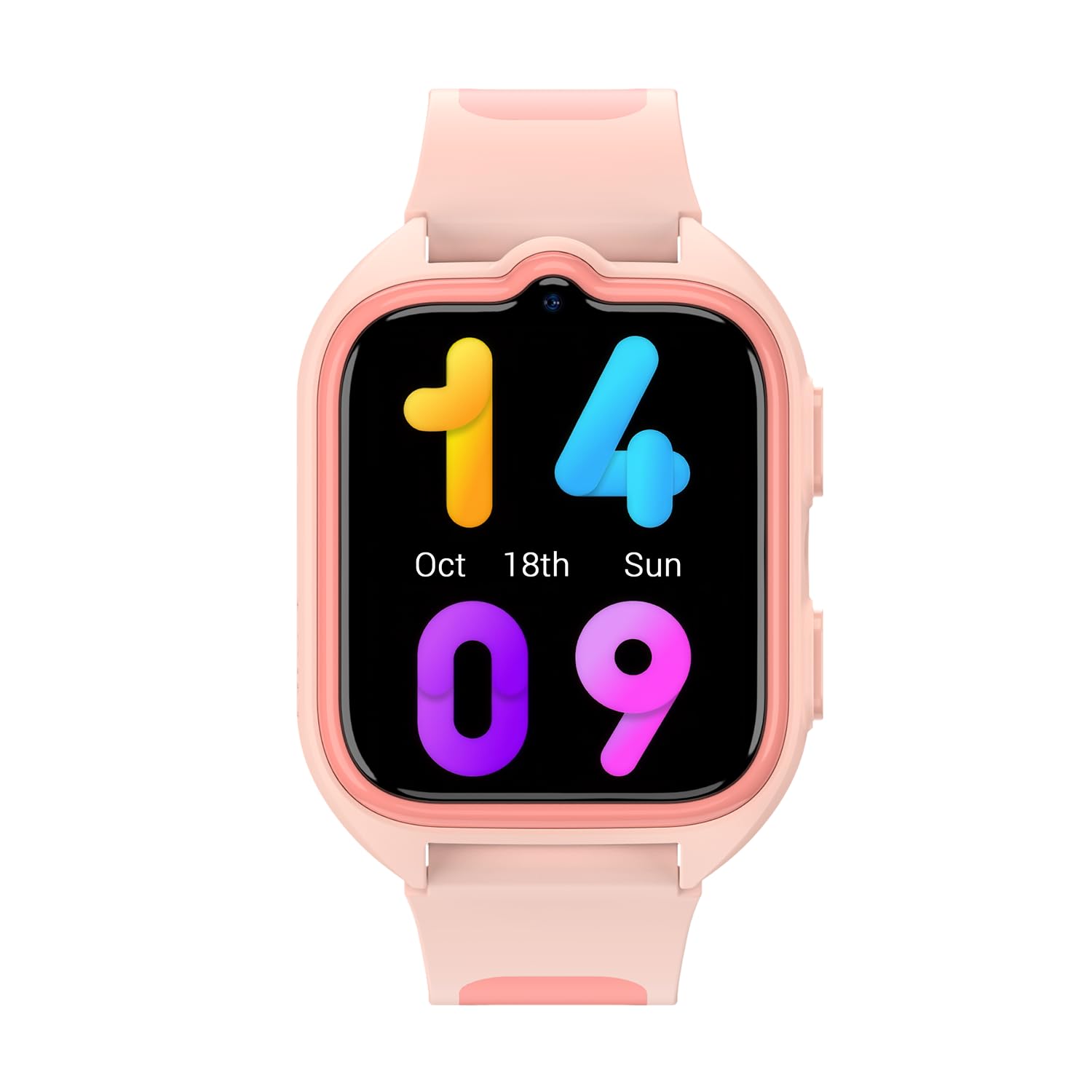
Obrázek 1.1: Přední strana view of the OSCAL T2 Smartwatch. This image displays the watch face and strap.
2. Nastavení
2.1. Co je v krabici
- OSCAL T2 Smartwatch
- Nabíjecí kabel
- Uživatelská příručka
2.2. Nabíjení chytrých hodinek
Before first use, fully charge your smartwatch. Connect the charging cable to the charging port on the back of the watch and plug the USB end into a standard USB power adapter (not included). The watch display will indicate charging status. A full charge provides up to 100 days of battery life under typical usage conditions.
2.3. Párování s vaším smartphonem
- Stáhněte si aplikaci: Scan the QR code in the manual or on the watch screen (if available) to download the official OSCAL smartwatch application from your smartphone's app store.
- Povolit Bluetooth: Ujistěte se, že je na vašem smartphonu povoleno Bluetooth.
- Otevřete aplikaci: Launch the OSCAL app and follow the on-screen instructions to create an account or log in.
- Přidat zařízení: In the app, select "Add Device" or a similar option. The app will search for available smartwatches.
- Připojit: Select "OSCAL T2" from the list of found devices. Confirm the pairing request on both your phone and the smartwatch.
- Kompletní nastavení: Follow any remaining prompts in the app to complete the pairing process and synchronize data.
3. Návod k obsluze
3.1. Základní navigace
- Dotyková obrazovka: Swipe left, right, up, or down to navigate through menus and widgets. Tap to select an option.
- Boční tlačítko: Stisknutím bočního tlačítka se vrátíte na domovskou obrazovku nebo probudíte displej. Dlouhým stisknutím můžete zobrazit možnosti napájení nebo rychlou nabídku.
3.2. Volání přes Bluetooth
Once paired with your smartphone, the OSCAL T2 Smartwatch supports Bluetooth calling. You can answer incoming calls directly from your wrist, dial numbers, or view call history. Ensure your watch is within Bluetooth range of your phone for this feature to function.
3.3. Sportovní režimy
The smartwatch offers over 100 sports modes. To access them, navigate to the "Workout" or "Sports" menu on your watch. Select your desired activity (e.g., running, cycling, swimming) to start tracking. The watch will record data such as duration, calories burned, and heart rate during your activity.
3.4. Monitorování zdraví
- Srdeční frekvence (HR): Access the heart rate monitor from the main menu. The watch will measure your current heart rate. Continuous monitoring can be enabled via the app.
- Kyslík v krvi (SpO2): Select the SpO2 function to measure your blood oxygen saturation level. Keep your arm still during measurement for accurate results.
- Analýza spánku: Wear the smartwatch to bed for automatic sleep tracking. The app will provide detailed analysis of your sleep patterns, including deep sleep, light sleep, and wake times.
- Poznámka: Toto zařízení není zdravotnický prostředek. Zdravotní údaje slouží pouze pro informativní účely a neměly by být používány k lékařské diagnóze ani léčbě.
3.5. Oznámení
Receive notifications for calls, messages, and app alerts directly on your smartwatch. Configure which app notifications you wish to receive through the OSCAL app on your smartphone.
3.6. Voděodolnost (IP68)
The OSCAL T2 Smartwatch is IP68 rated, meaning it is resistant to dust and can withstand immersion in water up to 1.5 meters for 30 minutes. It is suitable for daily use, hand washing, and light rain. Avoid hot water, saunas, or diving, as these conditions may compromise the water resistance.
4. Údržba
4.1. Čištění zařízení
Regularly clean your smartwatch and strap to prevent skin irritation and maintain functionality. Use a soft, damp, lint-free cloth. Do not use harsh chemicals or abrasive materials. Ensure the watch is dry before charging.
4.2. Péče o baterie
To maximize battery life, avoid exposing the watch to extreme temperatures. Charge the device fully when prompted. The smartwatch features a 100-day battery life, reducing the frequency of charging.
4.3. Aktualizace softwaru
Periodically check the OSCAL app for available software updates. Updates can improve performance, add new features, and fix bugs. Ensure your watch is sufficiently charged before starting an update.
5. Řešení problémů
5.1. Běžné problémy a jejich řešení
| Problém | Možné řešení |
|---|---|
| Hodinky se nezapínají: | Ujistěte se, že jsou hodinky plně nabité. Připojte je k nabíječce alespoň na 30 minut. |
| Nelze spárovat se smartphonem: |
|
| Nepřesné zdravotní údaje: |
|
| Neobdržená oznámení: |
|
6. Specifikace
| Funkce | Detail |
|---|---|
| Značka | OSCAL |
| Číslo modelu | Reloj inteligente OSCAL T2 |
| Velikost obrazovky | 1.74 palce |
| Typ zobrazení | LCD |
| Technologie připojení | Cellular (Bluetooth for phone connection) |
| Speciální funkce | Phone Call, Heart Rate Monitor, Sleep Monitor, Oximeter (SpO2), Multisport Tracking |
| Kompatibilní zařízení | Smartphone |
| Životnost baterie | 100 dní |
| Nabíjecí baterie | Ano |
| Voděodolnost | IP68 |
| Typ materiálu pásku | Silikon |
| GPS | Bez GPS |
| Tvar | Náměstí |
7. Záruka a podpora
7.1. Informace o záruce
OSCAL provides a warranty for this product in accordance with local consumer laws. Spare parts availability is guaranteed for 3 years from the date of purchase. Please retain your proof of purchase for warranty claims.
7.2. Zákaznická podpora
For further assistance, technical support, or warranty inquiries, please refer to the official OSCAL webwebové stránky nebo kontaktujte jejich oddělení zákaznických služeb. Kontaktní informace obvykle naleznete na obalu produktu nebo na oficiálním webmísto.


