Nadview
The CITLLA Wireless Keyboard is designed for comfortable and durable typing across multiple operating systems. It features a sleek aluminum housing, low-profile keys, and a leather palm rest for enhanced ergonomics. With multi-device pairing capabilities and adjustable backlighting, it adapts to various work and study environments.
- Comfortable & Durable Typing: The CITLLA wireless bluetooth keyboard features a sleek aluminum housing, a low-profile layout, and spherical scissor-switch keys that deliver smooth, precise keystrokes. Designed for comfort and durability, it’s perfect for long hours of work or study.
- With Leather Palm Rest: This ergonomic wireless keyboard includes a soft leather palm rest and adjustable tilt legs to reduce wrist strain—perfect for all-day productivity.
- Multi-Device Bluetooth Keyboard: Seamlessly switch between 3 devices via Bluetooth or 2.4G receiver. This wireless ergonomic keyboard works with Windows, Mac, iOS, Android, and more—perfect for multitasking.
- Backlit Wireless Keyboard: Work comfortably in dim environments with this wireless keyboard's soft white backlighting. Adjust brightness levels using FN + arrow keys for the perfect lighting every time.
- Rechargeable Full Size Wireless Keyboard: This full size wireless keyboard charges via USB-C and lasts up to 60 days (backlight off). Use while charging—no more interruptions during long work or study sessions.
Co je v krabici
- Klávesnice
- Leather Palm Rest
- USB kabel
- Uživatelská příručka
Nastavení
Nabíjení klávesnice
The keyboard is equipped with a rechargeable battery and charges via a USB-C port located on the top edge. Connect the provided USB-A to USB-C cable to the keyboard and a power source. A red indicator light will illuminate during charging and turn green when fully charged. A full charge can last up to 60 days with backlighting off.
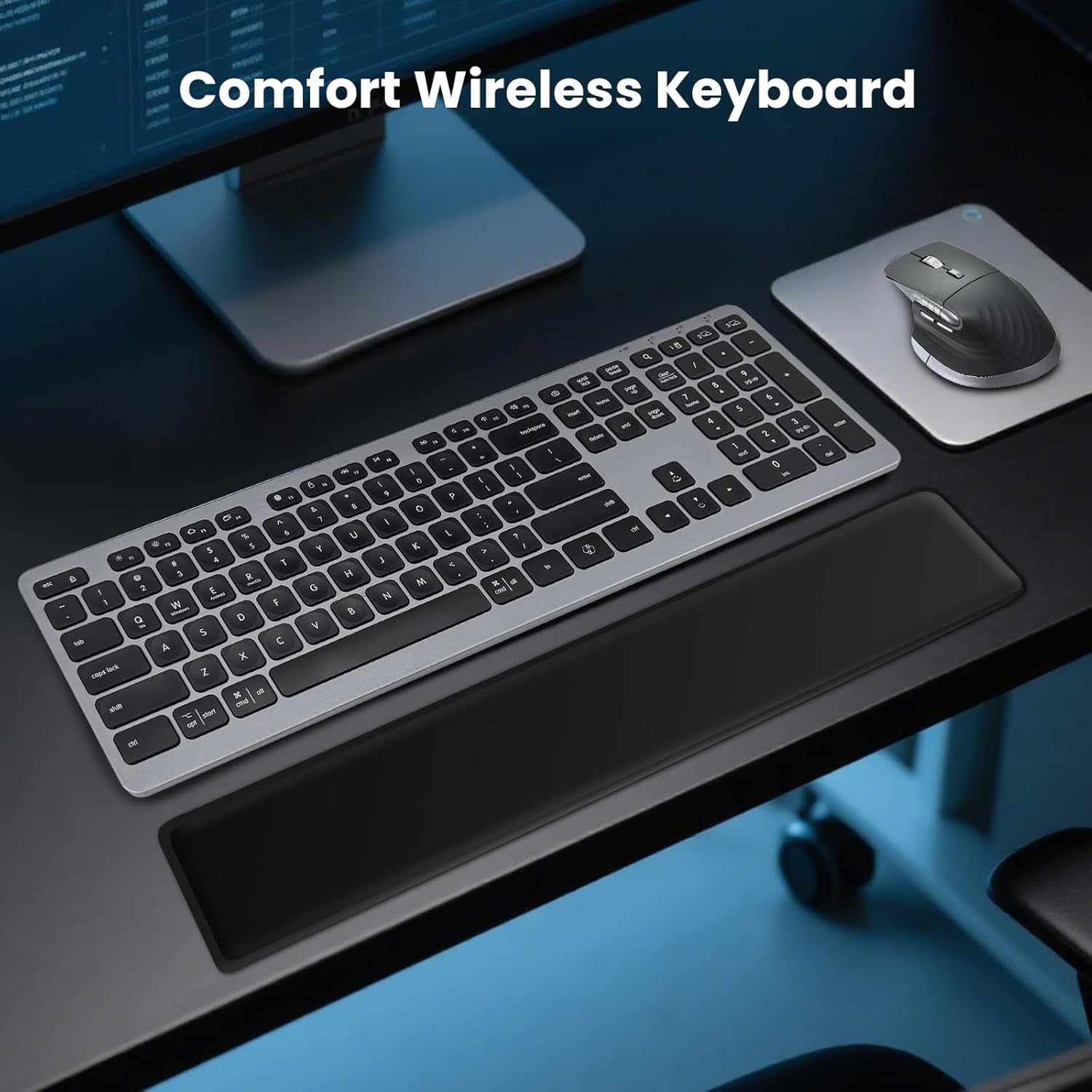
Image: USB-C charging port on the keyboard.
Video: Demonstrates the charging process and multi-device switching for a similar keyboard.
Připojení a párování
The keyboard supports multi-device pairing via Bluetooth and a 2.4G USB-A receiver, allowing seamless switching between up to three devices.
- 2.4G USB-A Receiver: Locate the USB-A receiver, usually stored in a compartment on the underside of the keyboard. Plug the receiver into an available USB port on your computer. The keyboard should connect automatically.
- Bluetooth párování:
- Zapněte klávesnici pomocí vypínače.
- Press and hold one of the Bluetooth channel keys (e.g., 'BT1', 'BT2', 'BT3' usually indicated by icons or numbers on the keys) for 3-5 seconds until the corresponding indicator light starts blinking rapidly. This indicates pairing mode.
- Na svém zařízení (počítači, tabletu, chytrém telefonu) přejděte do nastavení Bluetooth a vyhledejte nová zařízení.
- Select "CITLLA Wireless Keyboard" (or similar name) from the list of available devices.
- Follow any on-screen prompts to complete the pairing process. The indicator light on the keyboard will stop blinking and remain solid once connected.
- Přepínání mezi zařízeními: Once paired, simply press the corresponding channel key (e.g., 'BT1', 'BT2', 'BT3', or the 2.4G key) to switch between your connected devices.

Image: Multi-device wireless keyboard connected to various devices.
Video: Demonstrates connecting a Bluetooth keyboard to a tablet and phone, highlighting multi-device functionality.
Video: Shows the K9100 Wireless Bluetooth Keyboard, demonstrating its multi-device capabilities.
Návod k obsluze
Ovládání podsvícení
The keyboard features soft white backlighting for use in dim environments. To adjust the brightness levels, press the FN klávesu současně s Šipka nahoru or Šipka dolů klíče.

Image: Function keys for backlighting adjustment.
Ergonomický design
The keyboard is designed with user comfort in mind, featuring a soft leather palm rest and adjustable tilt legs. The tilt legs can be set to different angles (6°, 10°, 15°) to reduce wrist strain during long typing sessions.
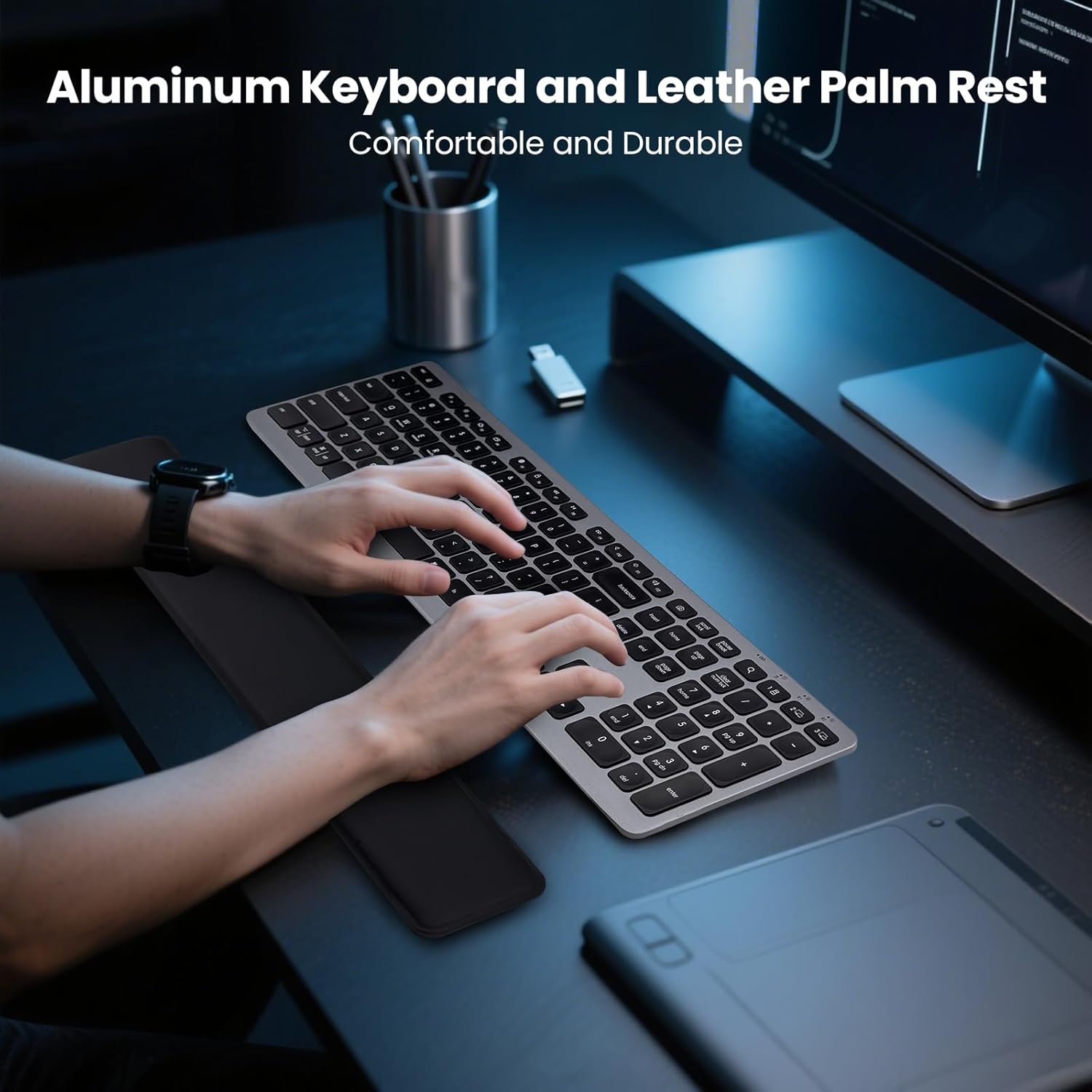
Image: Keyboard with leather palm rest for comfortable typing.

Image: Adjustable tilt angles to reduce wrist fatigue.
Multimediální a funkční klávesy
The keyboard includes 12 multimedia function keys (F1-F12) that can be accessed by pressing the FN key in combination with the desired function key. These keys provide quick access to features like media playback, volume control, and more. You can also switch system layouts (Windows, Mac, iOS, Android) using FN + Q/W/E/R klíče.
Obrázek: Overview of multimedia and function keys.
Úsporný režim
To conserve battery life, the keyboard features a smart power-saving mode. It will automatically enter auto-sleep mode after 15 minutes of inactivity. To wake up the keyboard, simply press any key.
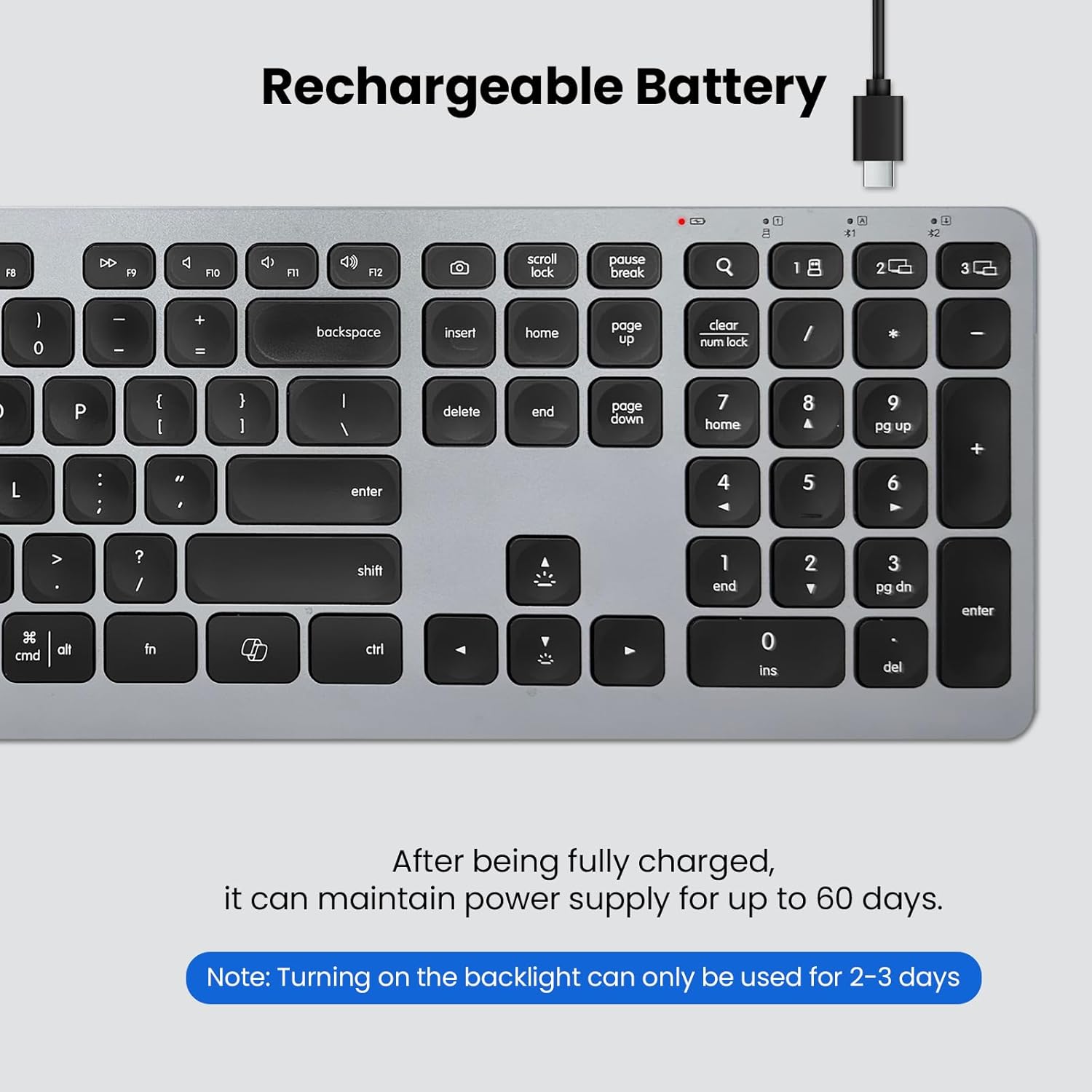
Image: Smart power saving with auto-sleep feature.
Specifikace
| Funkce | Detail |
|---|---|
| Rozměry produktu | 17.02 x 4.96 x 0.77 palce |
| Hmotnost položky | 1.94 libry |
| Výrobce | CITLLA |
| Baterie | 1 Jsou vyžadovány nestandardní baterie. (v ceně) |
| Značka | CITLLA |
| Kompatibilní zařízení | Notebook, PC, Smartphone, Tablet |
| Technologie připojení | Bluetooth, USB-A |
| Popis klávesnice | Multifunkční |
| Doporučená použití pro produkt | Business, Everyday Use, Multimedia, Student |
| Speciální funkce | Aluminum housing, Backlit, Detachable Palm Rest, Rechargeable, Silent |
| Podpora barev podsvícení klávesnice | Jednobarevné |
| Styl | US rozložení |
| Materiál | Hliník, Plast |
Údržba
To ensure the longevity and optimal performance of your CITLLA Wireless Keyboard, follow these maintenance guidelines:
- Čištění: Použijte měkký hadřík, který nepouští vlákna dampened with water or a mild cleaning solution to wipe down the keyboard surface. Avoid harsh chemicals or abrasive materials.
- Odstranění prachu: Use compressed air to remove dust and debris from between the keys regularly.
- Skladování: Pokud klávesnici delší dobu nepoužíváte, skladujte ji na chladném a suchém místě mimo dosah přímého slunečního záření a extrémních teplot.
Odstraňování problémů
If you encounter issues with your keyboard, try the following steps:
- Problémy s připojením:
- Ujistěte se, že je klávesnice zapnutá a plně nabitá.
- For 2.4G connection, verify the USB-A receiver is securely plugged into your device.
- For Bluetooth connection, ensure Bluetooth is enabled on your device and the keyboard is in pairing mode (blinking indicator light). Try unpairing and re-pairing the device.
- Try connecting the keyboard to a different device to rule out device-specific issues.
- Klávesy nereagují:
- Zkontrolujte úroveň nabití baterie a v případě potřeby klávesnici nabijte.
- Ujistěte se, že je klávesnice správně připojena k vašemu zařízení.
- Restartujte zařízení a klávesnici.
- Podsvícení nefunguje:
- Ensure the backlighting feature is enabled (FN + Up Arrow).
- Check the battery level; backlighting may be disabled at very low battery levels to conserve power.
Záruka a podpora
For warranty information, technical support, or further assistance, please refer to the official CITLLA website or contact their customer service directly. Details can typically be found in the included User Manual or on the product packaging.


