1. Úvod
This manual provides detailed instructions for the setup, operation, and maintenance of your TOMLOV TM3K-AF Max Autofocus Digital Microscope. This device features advanced autofocus capabilities, a 3K resolution camera, a 10.1-inch IPS screen, a flexible arm stand, and dual gooseneck LED lights, making it suitable for various applications including micro-soldering, coin inspection, and PCB component examination.
2. Co je v krabici
- 1x TM3K-AF Max 3K Autofocus Digital Microscope
- 1x Flex Arm Stand
- 1x 4" Stand
- 1x Dálkové ovládání
- 1x Pájecí podložka
- 1x HDMI kabel
- 2x USB kabel
- 1x 64G Card
- 1x Uživatelská příručka
3. Pokyny k nastavení
3.1 Assembling the Flex Arm Stand
Follow these steps to assemble the flexible arm stand and attach it to your workspace.
- Attach the base clamp to your desk or workbench. Ensure it is securely tightened.
- Insert the flexible arm into the base clamp.
- Adjust the arm's tension as needed using the provided hex key.
- Attach the microscope mounting bracket to the end of the flexible arm.
Video: How to Install The Stand of TM3K-AF. This video demonstrates the assembly process for the flexible arm stand.
3.2 Attaching the Microscope
Secure the microscope unit to the mounting bracket on the flexible arm. Ensure all connections are firm.

Image: The TOMLOV TM3K-AF Max Digital Microscope mounted on its flexible arm stand, ready for use.
3.3 Připojení napájení a příslušenství
Connect the power adapter to the microscope and plug it into an electrical outlet. Insert the 64G SD card into the designated slot. Connect the gooseneck lights to the microscope's ports.
4. Návod k obsluze
4.1 Zapnutí/vypnutí
Stiskněte tlačítko MOC button on the microscope's screen panel to turn the device on or off.
4.2 Automatické ostření (AF) a manuální ostření (MF)
The TM3K-AF Max features an advanced autofocus system. Press the AF button on the microscope body to activate autofocus. For fine adjustments or specific focusing needs, you can switch to manual focus and use the focus knob.
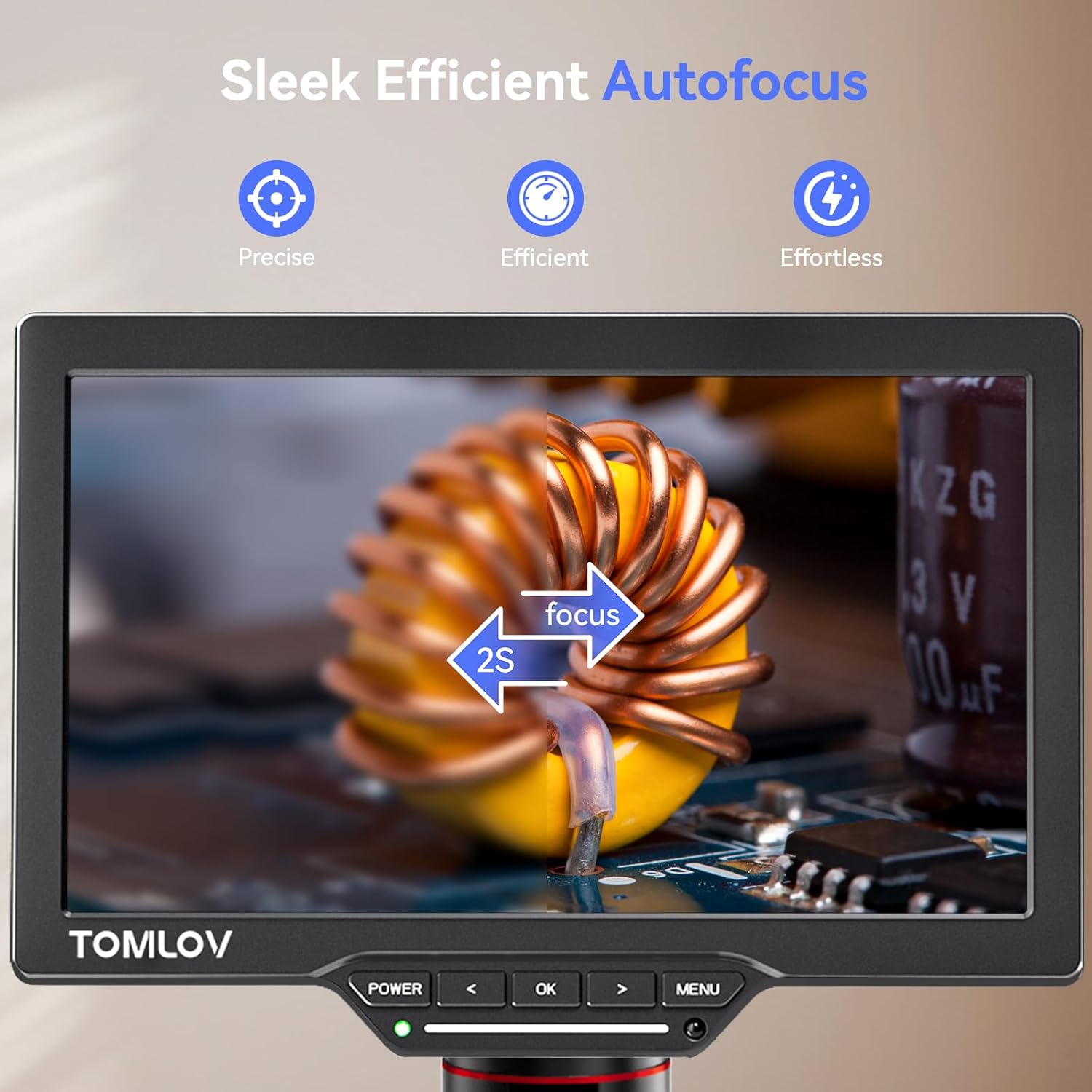
Image: The microscope screen displaying a circuit board, highlighting the autofocus feature for precise and efficient imaging.
Video: How to Use the AF & MF Function. This video demonstrates how to switch between and utilize the autofocus and manual focus functions.
4.3 Preset Memory Function (P1/P2)
The microscope allows you to save and recall two specific focus heights using the P1 a P2 buttons. This is useful for repetitive tasks where consistent viewing positions are required.
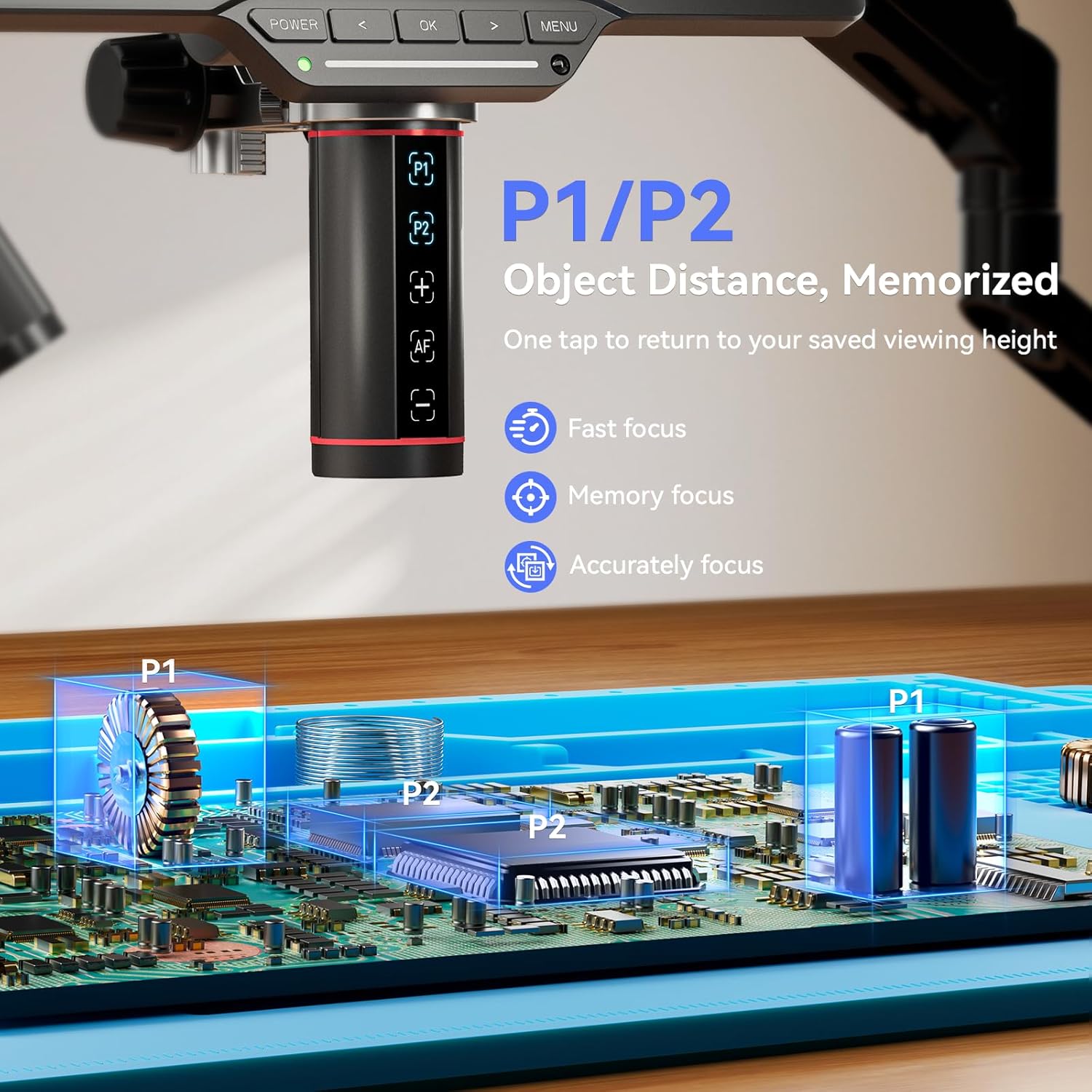
Image: A close-up of the microscope body indicating the P1 and P2 buttons for saving and recalling object distances.
4.4 Úprava osvětlení
The dual gooseneck LED lights provide flexible illumination. Adjust their position to eliminate shadows and achieve optimal lighting. The brightness can be controlled via the microscope's interface or the remote control.
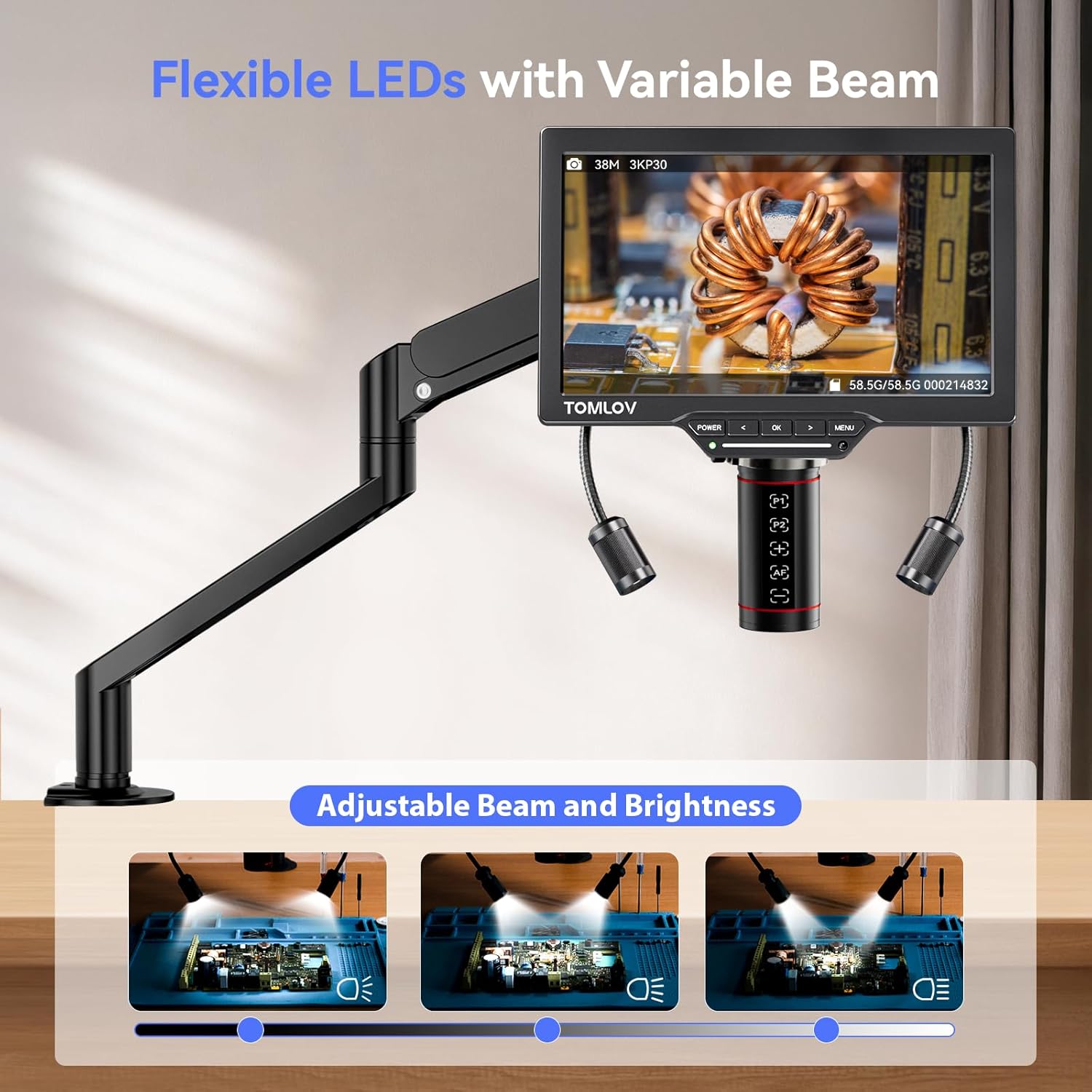
Image: The microscope with its flexible gooseneck LEDs illuminating a circuit board, demonstrating adjustable beam and brightness.
Video: How to Use the Lights. This video illustrates how to adjust the gooseneck lights for optimal illumination.
4.5 Zvětšení
The microscope offers up to 4X digital magnification, allowing you to zoom in on macro and micro details. The maximum magnification can reach 2000x when viewed on a larger monitor.

Image: The microscope screen displaying a coin at 2000X magnification, revealing intricate details.
4.6 Display Output (HDMI/USB)
You can connect the microscope to an external monitor, TV, or PC simultaneously using the HDMI and USB outputs. This enables larger viewing areas for collaboration or detailed analysis.
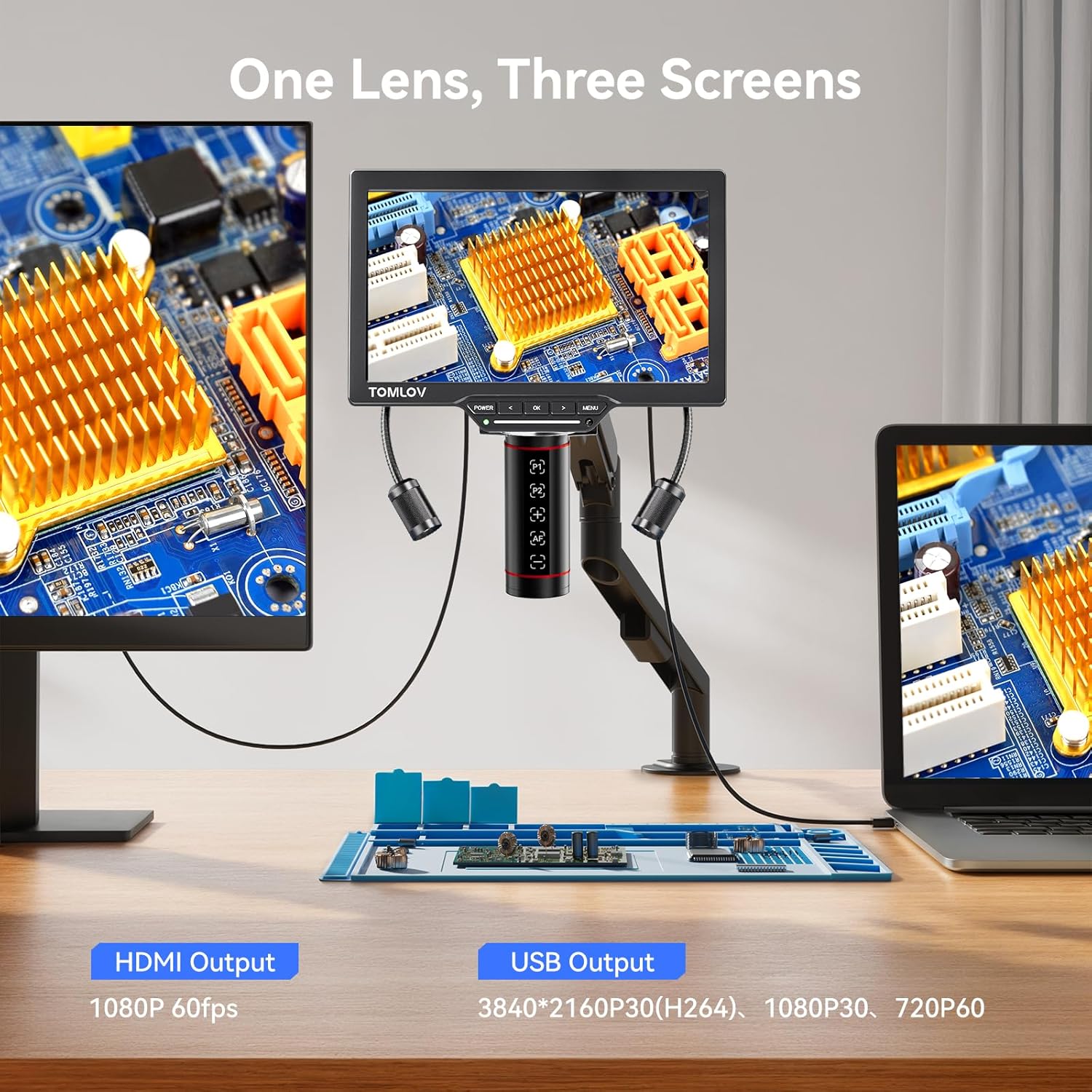
Image: The microscope displaying its output on its integrated screen, an external monitor via HDMI, and a laptop via USB, illustrating the three-screen display capability.
4.7 Dálkové ovládání
Use the wireless remote control for hands-free operation, including capturing photos, recording videos, and navigating the menu. This helps maintain stability during critical tasks.

Image: The microscope set up with its repair mat and remote control, demonstrating hands-free operation.
4.8 Aplikace
The TM3K-AF Max is designed for various detailed inspection tasks, including:
- Micro Soldering: Provides clear, magnified views of solder joints and small components.
- Coin Magnification: Ideal for examining intricate details on coins.
- Kontrola PCB: Facilitates detailed inspection of printed circuit boards.
- Kontrola šperků: Allows for close examination of jewelry pieces.
Video: Soldering Work with TM3K-AF Microscope. This video demonstrates the microscope's utility during soldering tasks.
Video: TOMLOV Autofocus Microscope TM3K-AF. This video provides an overview of the microscope's features and applications.
5. Údržba
5.1 Čištění
- Obrazovka: Use a soft, lint-free cloth to gently wipe the screen. For stubborn smudges, a screen cleaning solution can be applied to the cloth (not directly to the screen).
- Čočka: Use a lens brush or air blower to remove dust. For smudges, use a specialized lens cleaning solution and a microfiber cloth. Avoid touching the lens directly.
- Tělo: Wipe the microscope body with a dry, soft cloth. Do not use abrasive cleaners or solvents.
5.2 Skladování
When not in use, store the microscope in a clean, dry environment, away from direct sunlight and extreme temperatures. Cover the lens to protect it from dust.
6. Řešení problémů
- Bez napájení: Ensure the power adapter is securely connected to both the microscope and a working electrical outlet. Check the power indicator light.
- Rozmazaný obrázek: Activate autofocus by pressing the AF button. If using manual focus, adjust the focus knob carefully. Ensure the object is within the microscope's working distance.
- Žádný obraz na externím displeji: Verify that the HDMI or USB cable is correctly connected to both the microscope and the external display/PC. Check the input source selection on your external display.
- Světla nefungují: Check the connections of the gooseneck lights to the microscope. Adjust the brightness settings.
- Dálkové ovládání nereaguje: Ensure the remote control has fresh batteries and is pointed towards the microscope's receiver.
7. Specifikace
| Funkce | Specifikace |
|---|---|
| Název modelu | TM3K-AF Max |
| Obrazovka displeje | 10.1palcový IPS |
| Rezoluce | 3K (38MP sensor) |
| Zvětšení (maximální) | 2000x |
| Typ zaměření | Autofocus / Manual Focus |
| Světelný zdroj | Dual Gooseneck LED Lights |
| Výstupní porty | HDMI, USB |
| Skladování | Supports 64G SD Card (included) |
| Rozměry produktu | 14 x 5 x 15 palce |
| Hmotnost položky | 5 libry |
| Materiál | Kov |
| svtage | 5 V (DC) |
8. Záruka a podpora
Your TOMLOV TM3K-AF Max Digital Microscope is covered by a manufacturer's warranty. For specific warranty details, please refer to the warranty card included in your product packaging or contact TOMLOV customer support. If you encounter any issues or require assistance, please reach out to TOMLOV customer service through their official webwebu nebo kontaktních informací uvedených v dokumentaci k produktu.


