1. Úvod
This manual provides essential information for the safe and effective operation of your ZENTALITY Mini Projector A10 PLUS. Please read this manual thoroughly before using the product and retain it for future reference.
Konec produktuview
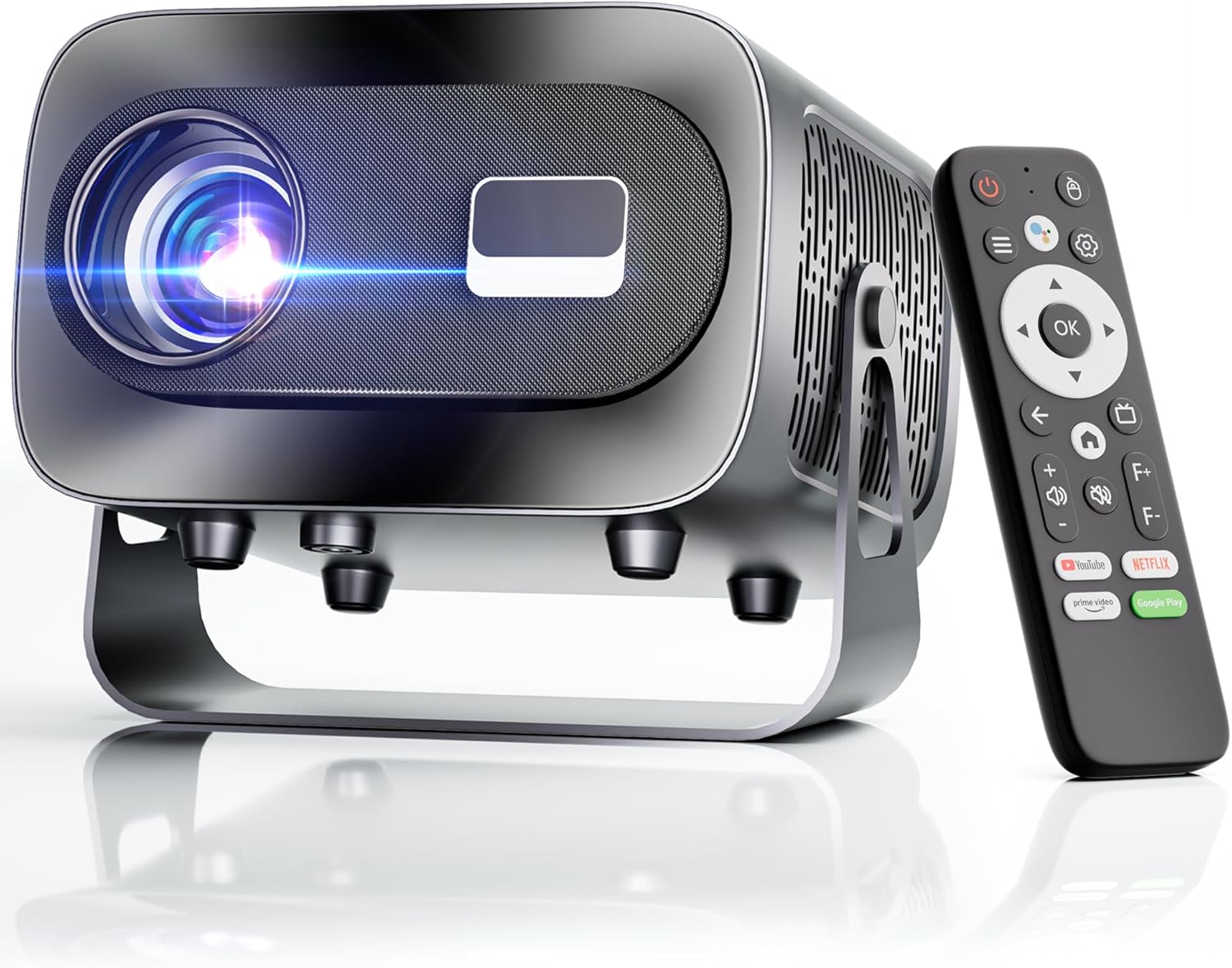
The ZENTALITY Mini Projector A10 PLUS is a smart projector featuring Android 13, designed for versatile home and outdoor entertainment. It supports 4K and 1080P HD content, offers electric focus, auto vertical keystone correction, and includes dual-band WiFi 6 and Bluetooth 5.1 connectivity. Its compact design and multiple input options make it suitable for various applications.
Co je v krabici
- ZENTALITY Mini Projector A10 PLUS
- HDMI kabel
- Napájecí adaptér
- Dálkové ovládání
- Uživatelská příručka (tento dokument)
2. Bezpečnostní informace
Dodržujte prosím následující bezpečnostní opatření, abyste předešli poškození projektoru a zajistili bezpečnost uživatele:
- Neblokujte větrací otvory. Zajistěte dostatečné proudění vzduchu kolem projektoru, abyste zabránili jeho přehřátí.
- Avoid direct exposure to the projector lens light. The bright light can cause eye strain or damage.
- Use only the provided power adapter. Using an incompatible adapter may cause fire, electric shock, or damage.
- Chraňte projektor před vodou nebo jinými kapalinami. Nepoužívejte jej vamp prostředí.
- Nepokoušejte se projektor rozebírat ani opravovat sami. Veškerý servis svěřte kvalifikovanému personálu.
- Umístěte projektor na stabilní a rovný povrch, aby nedošlo k jeho pádu.
- Uchovávejte mimo dosah dětí.
3. Product Components and Ports
Familiarize yourself with the projector's physical features and connectivity options.

Dostupné porty:
- USB (2x): For connecting USB drives, external storage, or other USB-compatible devices.
- HDMI: For connecting devices such as laptops, gaming consoles, or TV sticks.
- Audio výstup (3.5mm jack): Pro připojení externích reproduktorů nebo sluchátek.
- Příkon: Pro připojení napájecího adaptéru.
4. Počáteční nastavení
4.1 Připojení napájení
- Připojte napájecí adaptér ke vstupnímu portu projektoru.
- Zapojte napájecí adaptér do elektrické zásuvky.
- Stisknutím tlačítka napájení na projektoru nebo dálkovém ovladači jej zapněte.
4.2 Párování dálkového ovládání
Important: The remote control must be paired via Bluetooth before it can operate smoothly within 1-3 meters.
- Ujistěte se, že je projektor zapnutý.
- Navigate to the projector's Bluetooth settings (usually found in the 'Settings' menu).
- Select 'Pair new device' or similar option.
- On the remote control, press and hold the designated pairing button (refer to the remote's specific instructions if available, often a combination of 'OK' and 'Volume Down' or a dedicated Bluetooth button).
- Once the remote appears in the projector's Bluetooth device list, select it to complete pairing.

4.3 Umístění a nastavení obrazovky
The projector offers automatic and electric adjustments for optimal image clarity and alignment.
- Elektrické ostření: The projector features electric focus for instant clarity. Use the 'F+' and 'F-' buttons on the remote control to fine-tune the image sharpness.
- Automatická vertikální korekce lichoběžníkového zkreslení: The projector automatically corrects vertical image distortion up to ±15°. This ensures a rectangular image even if the projector is not perfectly perpendicular to the screen.
- Funkce zoom: Adjust the image size from 50% to 100% without moving the projector. This is useful for fitting the projection to your screen size.


5. Návod k obsluze
5.1 Android 13 Interface and App Access
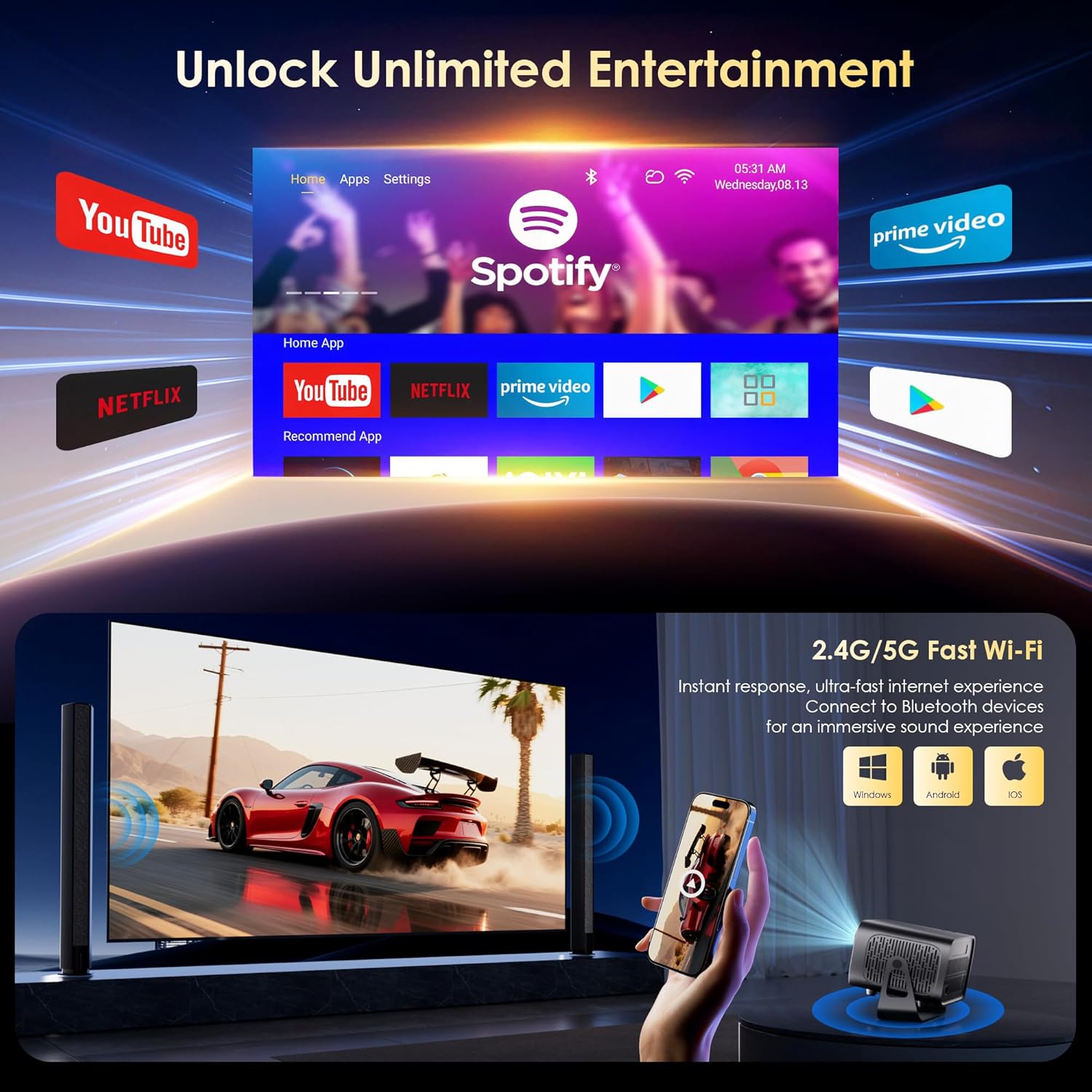
The projector runs on Android 13, providing access to a wide range of streaming applications.
- Upon startup, the home screen will display pre-installed applications like Netflix, Prime Video, and YouTube.
- Navigate using the remote control's directional pad and 'OK' button.
- Access the built-in app store (e.g., Google Play Store) to download additional applications.
- Use the voice assistant feature on the remote control for quick app launching or content search.

5.2 Připojení k Wi-Fi
The projector supports dual-band 5G/2.4G WiFi 6 for stable internet access and screen mirroring.
- Go to 'Settings' on the home screen.
- Vyberte možnost „Síť a internet“.
- Zapněte Wi-Fi a vyberte ze seznamu požadovanou síť.
- Zadejte heslo, pokud se zobrazí výzva, a připojte se.
Note: WiFi is required for the first setup or online apps. If you prefer not to connect to WiFi, you can use the projector offline by connecting external devices via the included HDMI cable or the USB port.

5.3 Připojení Bluetooth
The projector features Bluetooth 5.1 for audio streaming.
- Go to 'Settings' on the home screen.
- Vyberte možnost „Připojená zařízení“ nebo „Bluetooth“.
- Zapněte Bluetooth a vyhledejte dostupná zařízení.
- Select your Bluetooth speaker, headphones, or soundbar from the list to pair.
Note: Bluetooth supports audio output only, not video transmission.
5.4 Připojení externích zařízení
The projector supports various external devices via its HDMI and USB ports.
- HDMI: Connect your laptop, gaming console, or TV stick using an HDMI cable. The projector will automatically detect the input or you may need to select the HDMI source from the input menu.
- USB: Vložte USB disk pro přehrávání médií files directly. The projector's media player will typically launch automatically or can be accessed from the home screen.
5.5 Projekční režimy
The projector can be used in various orientations:
- Desktop Projection: Place the projector on a flat surface in front of the screen.
- Projekce stropu: Mount the projector upside down on the ceiling. Adjust the projection settings in the menu to flip the image.
- Montáž na stativ: Use the 1/4'' screw hole at the bottom to mount the projector on a tripod for flexible positioning.

6. Údržba
6.1 Čištění
- Čočka: Používejte měkký hadřík bez žmolků, speciálně určený pro optické čočky. Nepoužívejte abrazivní čisticí prostředky ani hadříky.
- Vnější: Otřete vnější povrch projektoru měkkým, suchým hadříkem. V případě odolných nečistot použijte lehceamp Lze použít hadřík a poté otřít do sucha.
- Větrací otvory: Periodically check and gently clean the ventilation openings to ensure they are free from dust and debris. Use a soft brush or compressed air.
6.2 Chladicí systém
The projector features an advanced dual-fan cooling system designed for low noise and efficient heat dissipation. To ensure its longevity and stable performance:
- Always ensure the projector has adequate space around its ventilation openings.
- Avoid placing the projector on soft surfaces (e.g., blankets, carpets) that might block airflow.
- Operating the projector in extremely hot or humid environments may affect its performance and lifespan.
7. Řešení problémů
Pokud se s projektorem setkáte s problémy, podívejte se na následující běžné problémy a jejich řešení:
| Problém | Možná příčina | Řešení |
|---|---|---|
| No power/Projector won't turn on | Napájecí kabel není připojen; Vadná zásuvka | Zkontrolujte připojení napájecího kabelu; zkuste jinou zásuvku |
| No image/Blank screen | Incorrect input source; Device not connected properly | Select correct input source (HDMI, USB); Reconnect external device |
| Image blurry/Out of focus | Zaostření není upraveno | Use the 'F+' and 'F-' buttons on the remote for electric focus adjustment |
| Image distorted/Trapezoid shape | Keystone not corrected | The projector has auto vertical keystone correction. Ensure it's on or manually adjust if needed. |
| Dálkové ovládání nefunguje | Not paired via Bluetooth; Low battery | Pair the remote control via Bluetooth (Section 4.2); Replace remote batteries |
| Žádný zvuk | Volume too low; Incorrect audio output; Bluetooth not connected | Increase volume; Check audio output settings; Ensure Bluetooth speaker is paired |
| Problémy s připojením k Wi-Fi | Nesprávné heslo; Problémy s routerem; Mimo dosah | Verify WiFi password; Restart router; Move projector closer to router |
8. Specifikace
Detailed technical specifications for the ZENTALITY Mini Projector A10 PLUS:
- Značka: ZENTALITA
- Číslo modelu: A10 PLUS
- Hmotnost položky: 3.1 libry
- Rozměry produktu: 7.4 x 6.22 x 4.8 palce
- Operační systém: Android 13
- Rozlišení displeje: 1920 x 1080 (Native 1080P Full HD)
- Podpora 4K: Ano
- Jas: 350 ANSI Lumens
- Kontrastní poměr: 10,000:1
- Technologie připojení: 3.5mm Jack, Bluetooth 5.1, HDMI, USB (x2), Wi-Fi 6 (2.4G/5G)
- Speciální vlastnosti: Built-In Media Player, Built-In Speaker, Electric Focus, Portable, Wi-Fi Ready, Auto Vertical Keystone Correction
- Doporučená použití: Obchod, vzdělávání, hry, domácí kino
- Lamp Životnost: Až 100,000 hodin

9. Záruka a podpora
ZENTALITY is committed to providing quality products and customer satisfaction.
- Záruka kvality: 360denní záruka kvality.
- Vrácení: 180denní bezplatné vrácení.
- Technická podpora: Doživotní technická podpora.
- Služby zákazníkům: 24/7 Fast Customer Service.
For support inquiries, please refer to the contact information provided on the ZENTALITY official webweb nebo vaše nákupní platforma.


