1. Úvod
This manual provides comprehensive instructions for the Maxwest Gravity G64 Smartphone. It covers setup, operation, maintenance, and troubleshooting to help you maximize your device's capabilities. Please read this manual thoroughly before using your new smartphone.
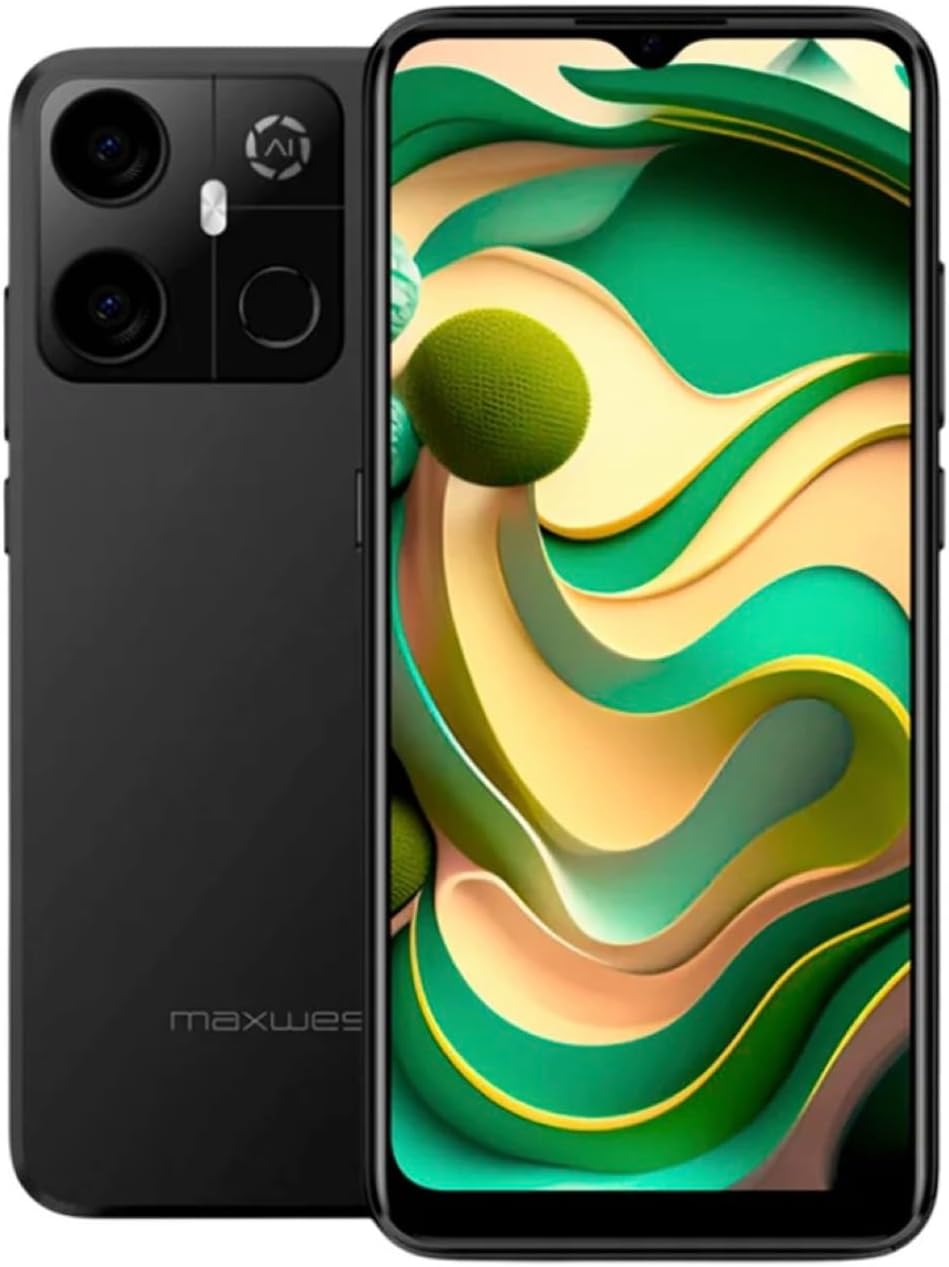
Image: Maxwest Gravity G64 Smartphone, front and back view. The front displays a vibrant screen, while the rear highlights the camera module and Maxwest branding.
2. Nastavení
2.1. Co je v krabici
- Maxwest Gravity G64 Smartphone
- Napájecí adaptér
- Battery (1 C battery, included)
2.2. Instalace SIM karty a paměťové karty
Locate the SIM card tray on the side of your device. Use the provided SIM ejector tool to open the tray. Insert your Nano-SIM card(s) and/or microSD card into the designated slots. Ensure the cards are correctly oriented before reinserting the tray firmly into the phone.
2.3. První zapnutí a nabíjení
Press and hold the power button located on the side of the phone until the Maxwest logo appears. For first-time use, it is recommended to fully charge the device. Connect the USB Type-C cable to the phone's charging port and the power adapter to a wall outlet. The battery indicator will show charging status.
3. Provoz
3.1. Základní navigace
The Gravity G64 features a responsive touchscreen. Swipe up, down, left, or right to navigate through menus and home screens. Tap icons to open applications. Use pinch-to-zoom gestures for images and web stránky.
3.2. Funkce displeje
The 6.57-inch HD+ display with a 60Hz refresh rate provides clear visuals and smooth scrolling. Adjust brightness and display settings via the 'Settings' menu under 'Display'.
3.3. Použití fotoaparátu
Launch the Camera application to utilize the 16MP AI Camera system. Tap to focus, pinch to zoom, and use the on-screen shutter button to capture photos. Explore various modes like Portrait, Panorama, and Night mode for enhanced photography.
3.4. Bezpečnostní prvky
Your Gravity G64 offers dual security options: Fingerprint Sensor and Face Unlock. To set these up, navigate to 'Settings' > 'Security & privacy' > 'Device unlock'. Follow the on-screen instructions to register your fingerprint(s) and face data.
3.5. Konektivita
- 4G mobilní sítě: Insert a compatible SIM card to access 4G networks. Manage mobile data settings in 'Settings' > 'Network & internet'.
- Wi-Fi: Connect to wireless networks via 'Settings' > 'Network & internet' > 'Wi-Fi'. Select your desired network and enter the password if required.
- Bluetooth: Pair with Bluetooth devices (headphones, speakers) through 'Settings' > 'Connected devices' > 'Bluetooth'.
3.6. Operační systém
The device runs on Android 14, providing access to the latest features, security updates, and a vast ecosystem of applications available on the Google Play Store.
4. Údržba
4.1. Péče o baterie
To prolong battery life, avoid extreme temperatures. Use only the provided power adapter and USB Type-C cable for charging. Avoid completely draining the battery frequently.
4.2. Aktualizace softwaru
Regularly check for software updates to ensure optimal performance and security. Go to 'Settings' > 'System' > 'System update' to check for and install available updates.
4.3. Čištění zařízení
K čištění obrazovky a těla telefonu používejte měkký hadřík, který nepouští vlákna. Nepoužívejte agresivní chemikálie ani abrazivní materiály, které by mohly zařízení poškodit.
5. Řešení problémů
- Zařízení se nezapne: Ujistěte se, že je baterie nabitá. Připojte nabíječku a zkuste to znovu.
- Aplikace padá nebo zamrzá: Close and reopen the app. If the issue persists, restart the phone. Clear app cache or reinstall the app.
- Slabý signál sítě: Check your SIM card installation. Move to an area with better coverage. Contact your carrier if issues persist.
- Odemykání otiskem prstu/obličejem nefunguje: Ensure your fingers are clean and dry, or your face is clearly visible. Re-register your biometric data if necessary.
- Obnovení továrního nastavení: As a last resort, you can perform a factory reset. Go to 'Settings' > 'System' > 'Reset options' > 'Erase all data (factory reset)'. Warning: This will erase all data on your phone. Back up important data first.
6. Specifikace
| Funkce | Detail |
|---|---|
| Název modelu | Gravity G64 |
| Zobrazit | 6.57-inch HD+ (60Hz Refresh Rate) |
| Procesor | Octa-Core Engine |
| BERAN | 8 GB |
| Interní úložiště | 64 GB |
| Zadní kamera | 16MP kamerový systém s umělou inteligencí |
| Operační systém | Android 14 |
| Kapacita baterie | 4000 XNUMX mAh |
| Konektivita | 4G, Bluetooth, Wi-Fi, USB Type-C |
| Zabezpečení | Snímač otisků prstů, odemykání obličejem |
| Rozměry | 6.43 x 3.31 x 0.35 palce |
| Hmotnost | 1.21 libry |
7. Záruka a podpora
7.1. Informace o záruce
For detailed warranty information, please refer to the warranty card included with your product or visit the official Maxwest webUschovejte si doklad o koupi pro případ reklamace.
7.2. Zákaznická podpora
If you encounter any issues not covered in this manual, please contact Maxwest customer support. Contact details can typically be found on the Maxwest official webmístě nebo na obalu produktu.