1. Úvod
The Tenda BE3600 Dual Band WiFi 7 Mesh Wi-Fi System ME3 Pro is designed to provide extensive and high-speed wireless coverage throughout your home or office. Utilizing the latest Wi-Fi 7 technology, this system ensures a stable and fast internet connection for numerous devices, eliminating dead zones and supporting demanding online activities.

Image 1.1: A single Tenda BE3600 WiFi 7 Mesh System ME3 Pro unit.

Obrázek 1.2: Konecview of the Tenda BE3600 system's capabilities, emphasizing speed and low latency.
2. Obsah balení
Ověřte, zda jsou v balení přítomny všechny položky:
- ME3 Pro unit (x1)
- Napájecí adaptér (x1)
- Quick Installation Guide (QIG) (x1)
- Gigabit Ethernet cable (x1)
3. Klíčové vlastnosti
- Latest Wi-Fi 7 Technology: Equipped with advanced Wi-Fi 7 (802.11be) for next-level speed and efficiency, including MLO (Multi-Link Operation) and 4K-QAM.
- Rychlosti ve dvou pásmech: Delivers combined dual-band speeds up to 3.6 Gbps (2882 Mbps on 5GHz + 688 Mbps on 2.4GHz), offering significant speed improvements over Wi-Fi 6.
- Rozšířené pokrytí: Provides seamless Wi-Fi coverage across approximately 2,500 sq.ft., effectively eliminating dead zones.
- Vysoká kapacita zařízení: Supports over 160 connected devices simultaneously without performance degradation, suitable for busy households.
- Stable Signal Performance: Features 5 high-gain antennas and 5 high-power FEMs per node for extended range and consistent signal strength.
- Bezproblémový roaming: Advanced algorithms ensure devices automatically connect to the strongest node as you move, maintaining uninterrupted connectivity.
- Gigabitové ethernetové porty: Each unit includes 3 auto-sensing Gigabit ports for high-speed wired connections to devices like gaming consoles or PCs.
- Enhanced Interference Resistance: Preamble Puncture technology improves wireless performance in environments with high interference.
- Zabezpečení WPA3: Incorporates WPA3 for robust network security and privacy protection.
- NFC One-Touch Networking: Allows for quick and effortless device connections via NFC (device must support NFC-based network connection).
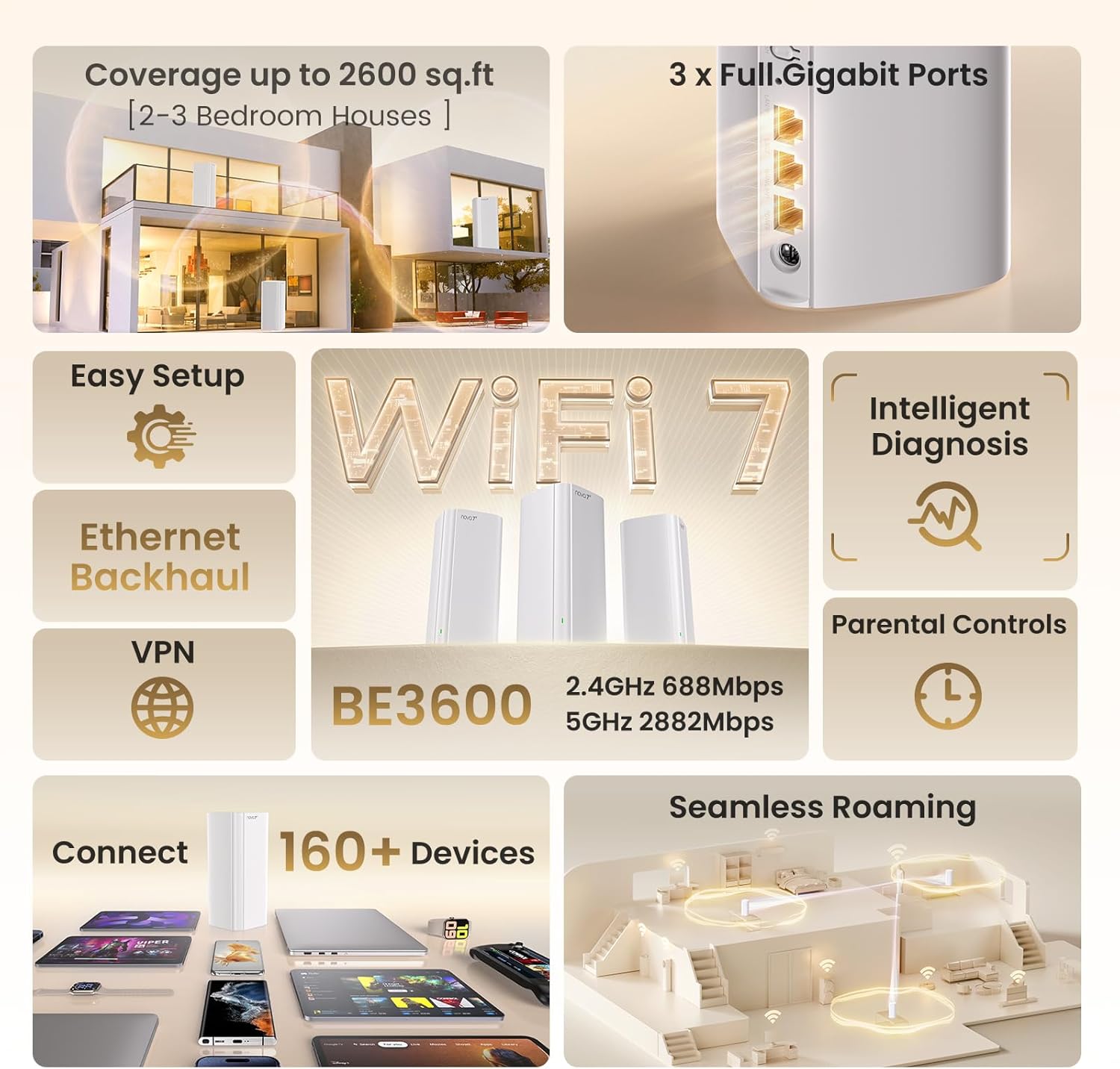
Image 3.1: Visual summary of key features including coverage, speed, and device support.

Image 3.2: Illustration of the high-speed Wi-Fi 7 capabilities.

Image 3.3: Depiction of reliable whole-home Wi-Fi coverage.

Image 3.4: Close-up of the efficient 6nm Wi-Fi 7 chip.
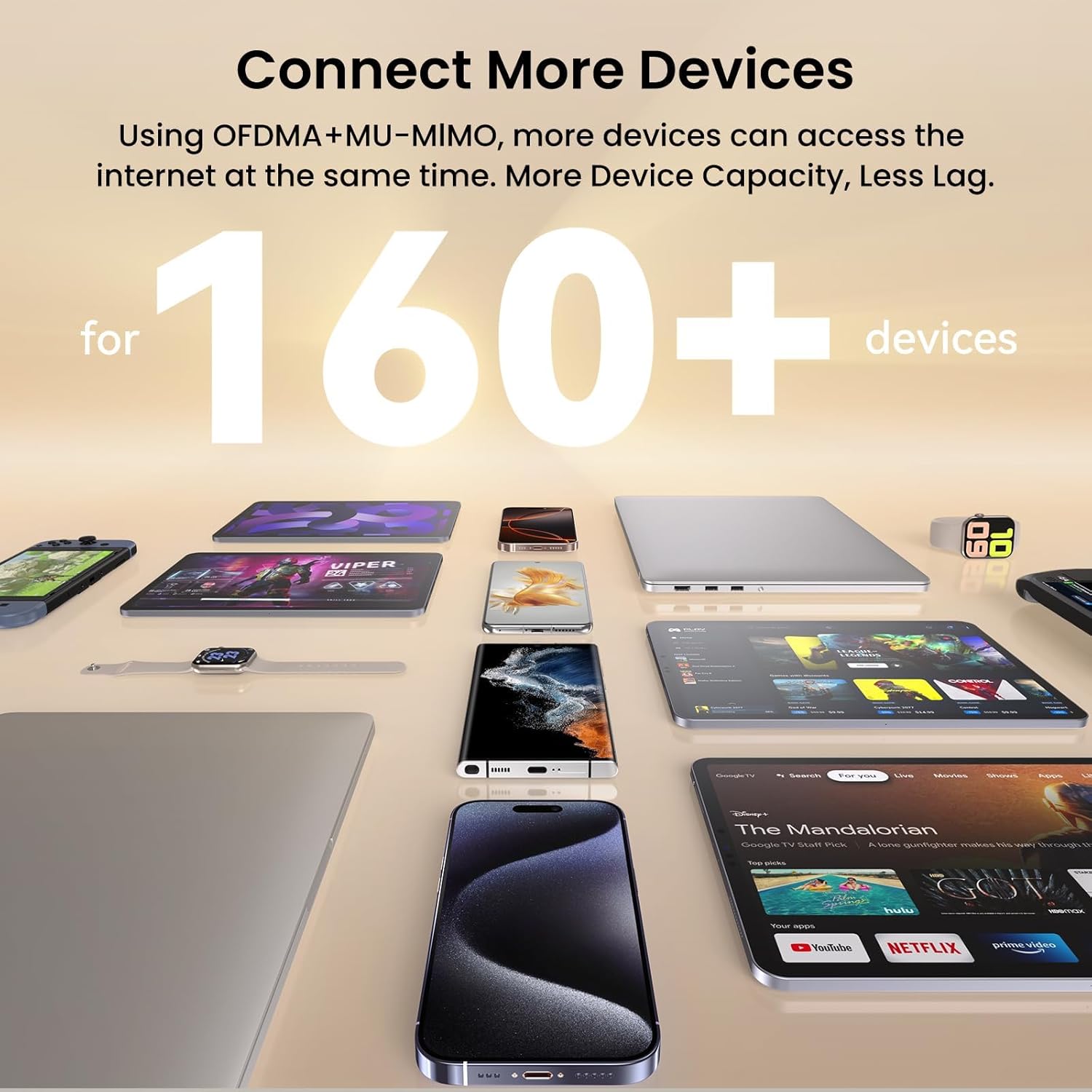
Image 3.5: Visual representation of the system's capacity to connect numerous devices.

Obrázek 3.6: Konecview of additional technologies including Multi-Band Support, Beamforming, BSS Coloring, Security Center, WPA3, IPv6, and VPN.
4. Pokyny k nastavení
4.1 Počáteční nastavení
- Rozbalit: Vyjměte všechny součásti z obalu.
- Připojte napájení: Plug the power adapter into the ME3 Pro unit and then into a power outlet.
- Připojení k modemu: Use the provided Ethernet cable to connect one of the Gigabit ports on the ME3 Pro unit to your internet modem or existing router. The ME3 Pro features auto-sensing ports, simplifying this connection.
- Zapnutí: Wait for the indicator light on the ME3 Pro unit to turn solid green, indicating it is ready.
- Stáhnout aplikaci: Stáhněte si aplikaci Tenda Wi-Fi z obchodu s aplikacemi ve vašem mobilním zařízení.
- Konfigurace sítě: Open the Tenda Wi-Fi app and follow the on-screen instructions to set up your new mesh Wi-Fi network, including setting a Wi-Fi name (SSID) and password.
4.2 Adding Additional Mesh Nodes (if applicable)
If you have multiple ME3 Pro units, they are designed to connect automatically:
- Zapnutí: Place additional ME3 Pro units in desired locations within your home and plug them into power outlets.
- Automatické párování: The additional units will automatically detect and connect to the main ME3 Pro unit, extending your mesh network. The indicator light will turn solid green once connected.
- Optimální umístění: For best performance, place mesh nodes strategically to ensure overlapping coverage and strong signal strength between units.
4.3 One-Touch Networking with NFC
For compatible devices, you can use NFC for quick connection:
- Povolit NFC: Ujistěte se, že máte na svém mobilním zařízení povoleno NFC.
- Tap to Connect: Tap your NFC-enabled device near the NFC tag on the ME3 Pro unit to automatically connect to the Wi-Fi network.
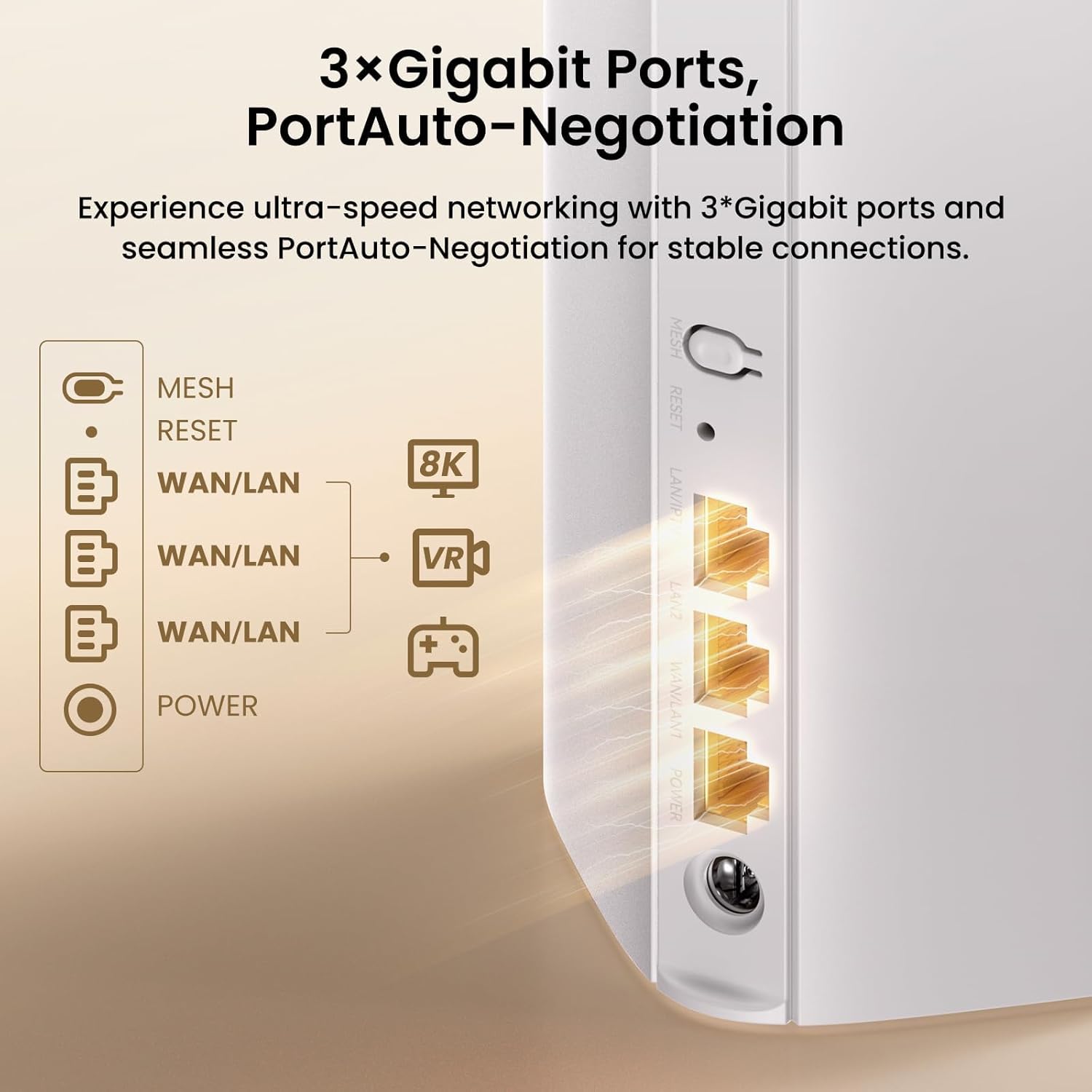
Obrázek 4.1: Zadní strana view of the ME3 Pro unit showing the 3 Gigabit Ethernet ports and power input.

Image 4.2: Demonstrating the NFC one-touch networking feature for easy device connection.
5. Obsluha systému
5.1 Network Management via App/Web Rozhraní
The Tenda Wi-Fi app and web interface provide comprehensive control over your mesh network:
- Bandwidth Management: Prioritize devices or applications for optimal performance.
- Síť pro hosty: Vytvořte pro hosty samostatnou Wi-Fi síť a zajistěte tak bezpečnost své hlavní sítě.
- Mesh Network Optimization: The system automatically optimizes connections for the best signal.
- Network Diagnosis: Use the app for intelligent diagnosis of network issues.
- Rodičovská kontrola: Set internet time limits and filter webstránky pro připojená zařízení.
- Podpora VPN: Supports VPN protocols (PPTP, L2TP) for secure remote access.

Image 5.1: Screenshot of the Tenda app and web interface for network setup and management.
5.2 Seamless Roaming
The Tenda BE3600 system ensures a smooth transition between mesh nodes as you move around your coverage area. This means your devices will automatically switch to the strongest Wi-Fi signal without interruption, ideal for voice calls, streaming, and online gaming.

Image 5.2: Illustration of seamless roaming technology, showing continuous connectivity across multiple rooms.
5.3 Zabezpečení sítě
The ME3 Pro supports WPA3 encryption, providing enhanced security for your wireless network. The Tenda app also allows for device control to manage who connects to your network.

Image 5.3: Visual representation of WPA3 Privacy Guard for network security.
6. Údržba
- Aktualizace firmwaru: Regularly check the Tenda Wi-Fi app for available firmware updates to ensure optimal performance and security.
- Optimální umístění: Ensure mesh nodes are placed in open areas, away from obstructions like large metal objects or thick walls, to maximize signal strength.
- Čištění: Keep the units clean and free from dust to prevent overheating and maintain proper ventilation. Use a soft, dry cloth for cleaning.
- Restartování: If you experience network issues, try restarting the main ME3 Pro unit and then any satellite units.
7. Řešení problémů
7.1 Žádné připojení k internetu
- Ověřte, zda váš modem funguje správně a má aktivní připojení k internetu.
- Ensure the Ethernet cable connecting the ME3 Pro to your modem is securely plugged in.
- Check the indicator lights on the ME3 Pro unit. Refer to the Quick Installation Guide for light status meanings.
- Restart both your modem and the ME3 Pro unit.
7.2 Pomalé rychlosti Wi-Fi
- Ujistěte se, že jsou vaše zařízení připojena k pásmu 5 GHz pro vyšší rychlosti, pokud je to podporováno.
- Check the placement of your mesh nodes. They should be within reasonable range of each other for optimal backhaul connection.
- Reduce interference by moving the units away from other electronic devices (e.g., microwaves, cordless phones).
- Use the Tenda Wi-Fi app's network diagnosis tool to identify potential issues.
7.3 Zařízení se nemohou připojit k Wi-Fi
- Ověřte, zda zadáváte správné heslo k Wi-Fi.
- Ensure the device is within the Wi-Fi coverage area.
- Check if the device has been blocked via parental controls or device management settings in the Tenda app.
- Restart the ME3 Pro unit.
7.4 Resetování zařízení
If you encounter persistent issues, you may need to reset the ME3 Pro unit to factory settings. Locate the reset button (often a small pinhole) on the unit, press and hold it for approximately 10 seconds until the indicator light changes, then release. This will erase all custom settings, and you will need to reconfigure the network.
8. Specifikace
| Značka | Tenda |
| Název modelu | ME3 Pro |
| Rozměry produktu | 3.39 x 3.39 x 7.48 palce |
| Hmotnost položky | 13.8 unce |
| Třída frekvenčního pásma | Dvoupásmové (2.4 GHz a 5 GHz) |
| Standard bezdrátové komunikace | 802.11be (Wi-Fi 7) |
| Technologie připojení | Ethernet, Wi-Fi |
| Ethernetové porty | 3 x Full Gigabit Auto-Sensing Ports |
| Speciální funkce | Access Point Mode, Alexa Compatible, Beamforming, Guest Mode, Parental Control, MLO, 4K QAM, VPN |
| Kompatibilní zařízení | Osobní počítač, bezpečnostní kamera, chytrá televize, chytrý telefon, tablet |
| Doporučená použití | Obchod, hry, domov |
| Barva | Bílý |
9. Záruka a podpora
9.1 Informace o záruce
Tenda products typically come with a limited warranty. Please refer to the warranty card included in your product packaging or visit the official Tenda webPodrobné záruční podmínky platné pro váš region naleznete na webových stránkách.
9.2 Technická podpora
For technical assistance, troubleshooting, or product inquiries, please contact Tenda customer support:
- E-mail: support.usa@tenda.cn (for US customers)
- Webmísto: Navštivte oficiální stránky Tendy website for support resources, FAQs, and contact information for other regions.


