1. Úvod
This manual provides essential information for the safe and proper assembly, operation, maintenance, and troubleshooting of your ARCADE1UP Terminator 2 Deluxe Arcade Machine. Please read this manual thoroughly before use and retain it for future reference.
The ARCADE1UP Terminator 2 Deluxe Arcade Machine brings the classic arcade experience of Terminator 2: Judgment Day into your home. Featuring a dedicated cabinet, dual light guns, a 17-inch BOE color monitor, and Wi-Fi online leaderboards, this machine offers an immersive gaming experience.

Obrázek 1.1: Přední strana view of the Arcade1Up Terminator 2 Deluxe Arcade Machine.
2. Bezpečnostní informace
Dodržujte prosím následující bezpečnostní opatření, abyste předešli zranění nebo poškození produktu:
- Vyžaduje sestavení pro dospělé: This product contains small parts and requires adult assembly.
- Elektrická bezpečnost: Ensure the power outlet matches the machine's voltage requirements. Do not overload electrical outlets. Keep the power cord away from heat sources and sharp edges.
- Stabilní umístění: Place the arcade machine on a flat, stable surface to prevent tipping.
- Větrání: Do not block ventilation openings. Ensure adequate airflow around the machine.
- Voda a vlhkost: Keep the machine away from water, moisture, and high humidity.
- Čištění: Disconnect power before cleaning. Use a dry, soft cloth. Avoid liquid cleaners.
- Děti: Supervise children during use. This product is not intended for children under 18 years of age.
3. Obsah balení
Verify that all components are present before beginning assembly. The package typically includes:
- Arcade machine cabinet components
- 17-inch BOE color monitor
- Control panel with dual light guns
- Napájecí adaptér
- Assembly hardware (screws, fasteners, etc.)
- Návod k použití (tento dokument)
4. Nastavení a montáž
Assembly of the ARCADE1UP Terminator 2 Deluxe Arcade Machine requires careful attention to detail. Refer to the separate detailed assembly guide included in your package for step-by-step instructions.
4.1 Klíčové aspekty montáže
- Požadované nástroje: Obvykle je potřeba křížový šroubovák.
- Dvoučlenná montáž: Due to the size and weight of some components, two adults are recommended for assembly.
- Identifikace součásti: Lay out all parts and identify them using the assembly guide's parts list before starting.
- Zapojení: Carefully connect all internal wiring as instructed, ensuring secure connections for the monitor, control panel, and light-up marquee.

Image 4.1: The machine stands over 5 feet tall when assembled, with dimensions of approximately 18.7 x 18.43 x 61.65 inches.
5. Návod k obsluze
5.1 Zapnutí/vypnutí
- Connect the power adapter to the machine's power input and then to a wall outlet.
- Locate the power switch (usually on the back or bottom of the control panel) and flip it to the 'ON' position.
- To power off, flip the power switch to the 'OFF' position and disconnect from the wall outlet.
5.2 Game Selection and Start
The machine includes the classic game Terminátor 2: Soudný den.
- Once powered on, the game will typically load automatically.
- Insert virtual credits by pressing the 'Coin' button on the control panel.
- Press the '1 Player Start' or '2 Player Start' button to begin the game.

Image 5.1: The machine features the iconic Terminator 2: Judgment Day game and exclusive behind-the-scenes footage.
5.3 Using the Light Guns
The machine is equipped with two light guns for interactive gameplay.
- Hold the light gun firmly.
- Aim at the screen to target enemies.
- Press the trigger button to fire.
- Reloading is typically automatic or by shooting off-screen, depending on game settings.
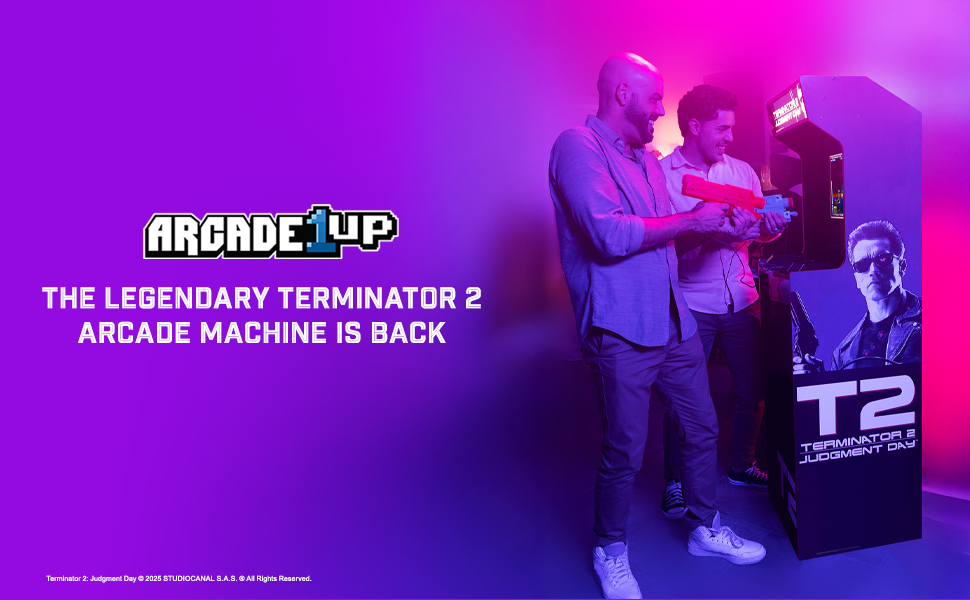
Image 5.2: The dual light guns utilize Sinden Light-Gun Tech for precise aiming and gameplay.
5.4 Wi-Fi Online Leaderboards
Connect your machine to Wi-Fi to access online leaderboards and compete with other players.
- Access the settings menu (refer to on-screen prompts or the assembly guide for specific button combinations).
- Navigate to the Wi-Fi settings and connect to your home network.
- Once connected, your scores will automatically be uploaded to the online leaderboards.
5.5 Behind-the-Scenes Bonus Footage
This machine includes exclusive behind-the-scenes footage. Access this content through the main menu or a dedicated button, as indicated on-screen or in the assembly guide.
6. Údržba
Pravidelná údržba zajistí dlouhou životnost a optimální výkon vašeho herního automatu.
- Čištění skříně: K otření povrchů skříně použijte měkký, suchý hadřík. V případě odolných skvrn použijte lehceamp cloth with mild soap can be used, followed by a dry cloth. Avoid abrasive cleaners.
- Čištění obrazovky: Use a soft, lint-free cloth specifically designed for electronics screens. Do not spray cleaner directly onto the screen.
- Lehké zbraně: Keep the light guns clean and free of dust. Avoid dropping or subjecting them to impact.
- Skladování: If storing the machine for an extended period, disconnect it from power and cover it to protect from dust. Store in a dry, temperature-controlled environment.
7. Řešení problémů
Pokud narazíte na problémy, podívejte se na následující běžné problémy a jejich řešení:
| Problém | Možná příčina | Řešení |
|---|---|---|
| Stroj se nezapne | Napájecí kabel není připojen; Vypínač je vypnutý; Vadná zásuvka | Ensure power cord is securely plugged in; Flip power switch to ON; Test outlet with another device |
| Na obrazovce není žádný obraz | Monitor cable loose; Monitor faulty | Check monitor cable connections inside the cabinet; Contact support if issue persists |
| Light guns not responding | Light gun cable loose; Calibration needed; Sensor obstruction | Check light gun cable connections; Refer to game settings for calibration; Ensure no obstructions between gun and screen |
| Žádný zvuk | Volume too low; Speaker cables loose | Adjust volume in game settings; Check speaker cable connections inside the cabinet |
| Nelze se připojit k Wi-Fi | Nesprávné heslo; Mimo dosah; Problém se sítí | Verify Wi-Fi password; Move machine closer to router; Restart router |
If these solutions do not resolve the issue, please contact ARCADE1UP customer support.
8. Specifikace
Key technical specifications for the ARCADE1UP Terminator 2 Deluxe Arcade Machine:
- Číslo modelu: TER-A-501311
- Rozměry produktu (smontovaný): 18.7 x 18.43 x 61.65 palce (D x Š x V)
- Hmotnost položky: Přibližně 64.8 libry
- Monitor: 17-inch BOE Color Monitor
- Zvuk: Duální reproduktory
- Konektivita: Wi-Fi for Online Leaderboards
- Ovládání: 2-Player Light Guns (Sinden Light-Gun Tech)
- Game Included: Terminátor 2: Soudný den
- Další vlastnosti: Light-Up Marquee, Behind-the-Scenes Bonus Footage
- Minimální věk výrobce: 216 měsíců (18 roky)
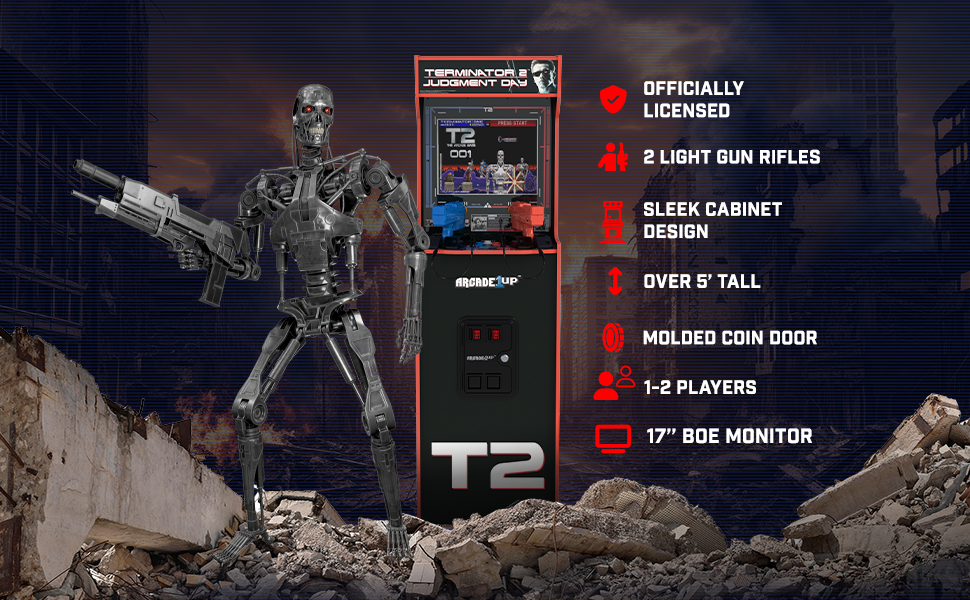
Obrázek 8.1: Konecview of key features including licensed design, light guns, and monitor size.
9. Záruka a podpora
For warranty information, please refer to the warranty card included with your product or visit the official ARCADE1UP website. If you require technical assistance, replacement parts, or have questions not covered in this manual, please contact ARCADE1UP customer support.
ARCADE1UP Customer Support: Refer to your product packaging or the official ARCADE1UP webstránky s aktuálními kontaktními informacemi.


