1. Úvod
Thank you for choosing the MZEIBO KY-Mini 50W Sound Bar. This manual provides detailed instructions for setting up, operating, and maintaining your new sound bar to ensure an optimal audio experience. Please read this manual thoroughly before use and retain it for future reference.

The MZEIBO KY-Mini Sound Bar enhances your home entertainment experience.
2. Konec produktuview
Klíčové vlastnosti:
- Powerful 50W Audio Output: Delivers rich sound with deep bass and clear audio.
- 360° prostorový zvuk: Experience immersive audio from various angles.
- Kompaktní a přenosný design: Easy to integrate into any setting, ideal for various uses.
- Připojení Bluetooth 5.3: Ensures stable and seamless wireless audio streaming.
- Více možností připojení: Supports ARC, Optical, AUX, and Bluetooth inputs.
Co je v krabici:
- MZEIBO KY-Mini Sound Bar
- Napájecí kabel
- Dálkové ovládání
- Rychlý průvodce
- ARC/Optical/AUX Cables
- Šrouby na zeď
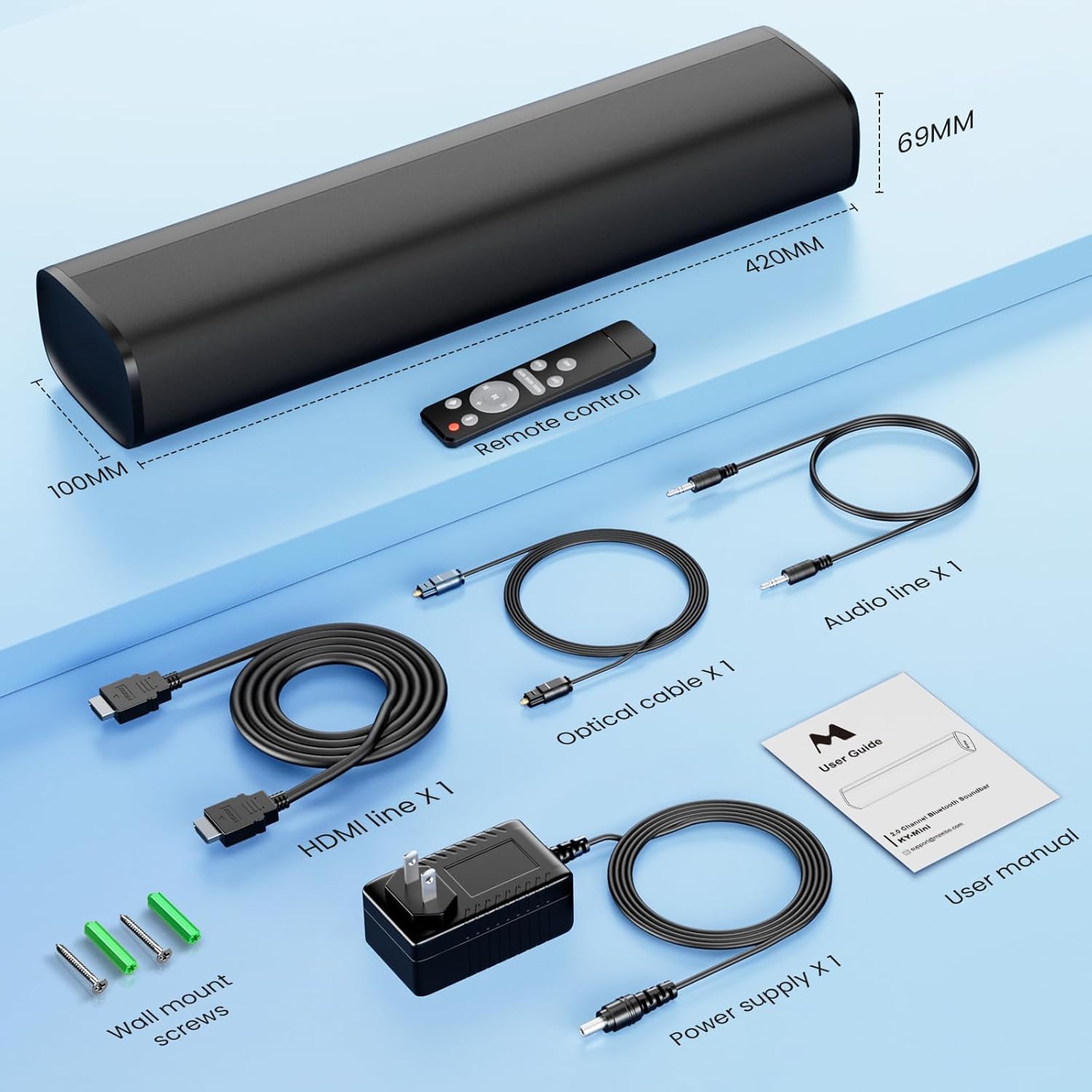
All components included with your MZEIBO KY-Mini Sound Bar.
3. Pokyny k nastavení
Umístění:
The MZEIBO KY-Mini Sound Bar can be placed on a tabletop or wall-mounted. Ensure it is positioned centrally in front of your TV or display for the best audio experience.
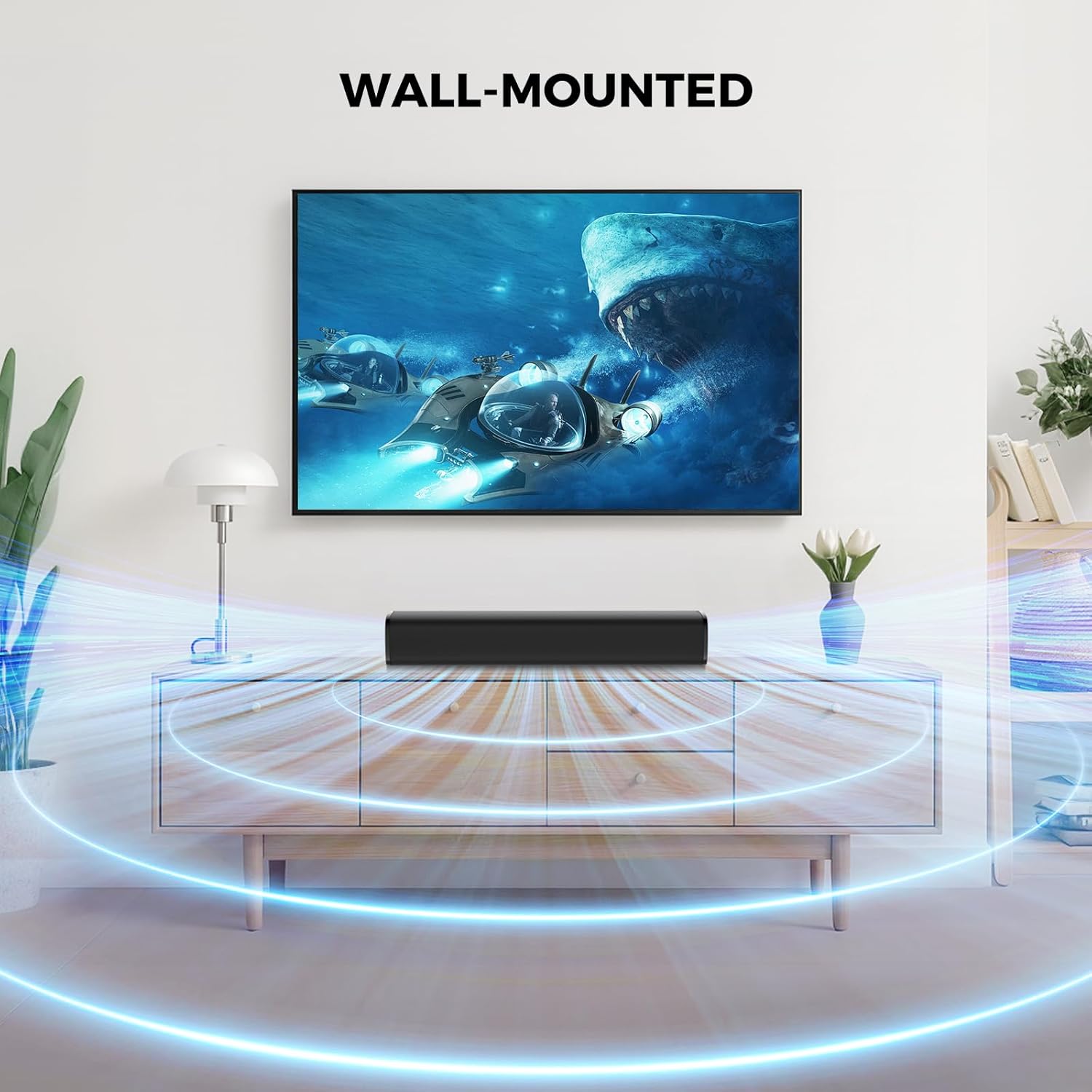
The sound bar can be placed on a surface or wall-mounted.
Připojení k vašemu zařízení:
The sound bar offers multiple connection options. Choose the method that best suits your device.
- Připojení HDMI ARC:
Connect one end of the HDMI cable to the ARC port on your sound bar and the other end to the HDMI ARC port on your TV. This allows your TV remote to control the sound bar's volume. - Optické připojení:
Connect one end of the optical cable to the OPT port on your sound bar and the other end to the optical output port on your TV or audio source. - Připojení AUX:
Connect one end of the 3.5mm AUX cable to the AUX port on your sound bar and the other end to the 3.5mm audio output port on your device. - Připojení Bluetooth:
Power on the sound bar. Press the 'Mode' button on the remote or the sound bar until 'BT' appears on the display. On your device, search for 'KY-Mini' in the Bluetooth settings and pair.

Rear panel connections for the MZEIBO KY-Mini Sound Bar.
Zapnutí:
After connecting the power cable to the sound bar and a power outlet, press the power button on the sound bar or the remote control to turn it on.
4. Návod k obsluze
Použití dálkového ovládání:
The included remote control allows you to manage all functions of your sound bar.
- Vypínač: Zapíná nebo vypíná soundbar.
- Zvýšení/Snížení hlasitosti: Upravuje hlavní úroveň hlasitosti.
- Tlačítko režimu: Cycles through input sources (Bluetooth, ARC, Optical, AUX).
- Režimy EQ: Selects between Music, Movie, and News sound modes.
- Přehrát/Pozastavit/Přeskočit: Ovládá přehrávání médií v režimu Bluetooth.
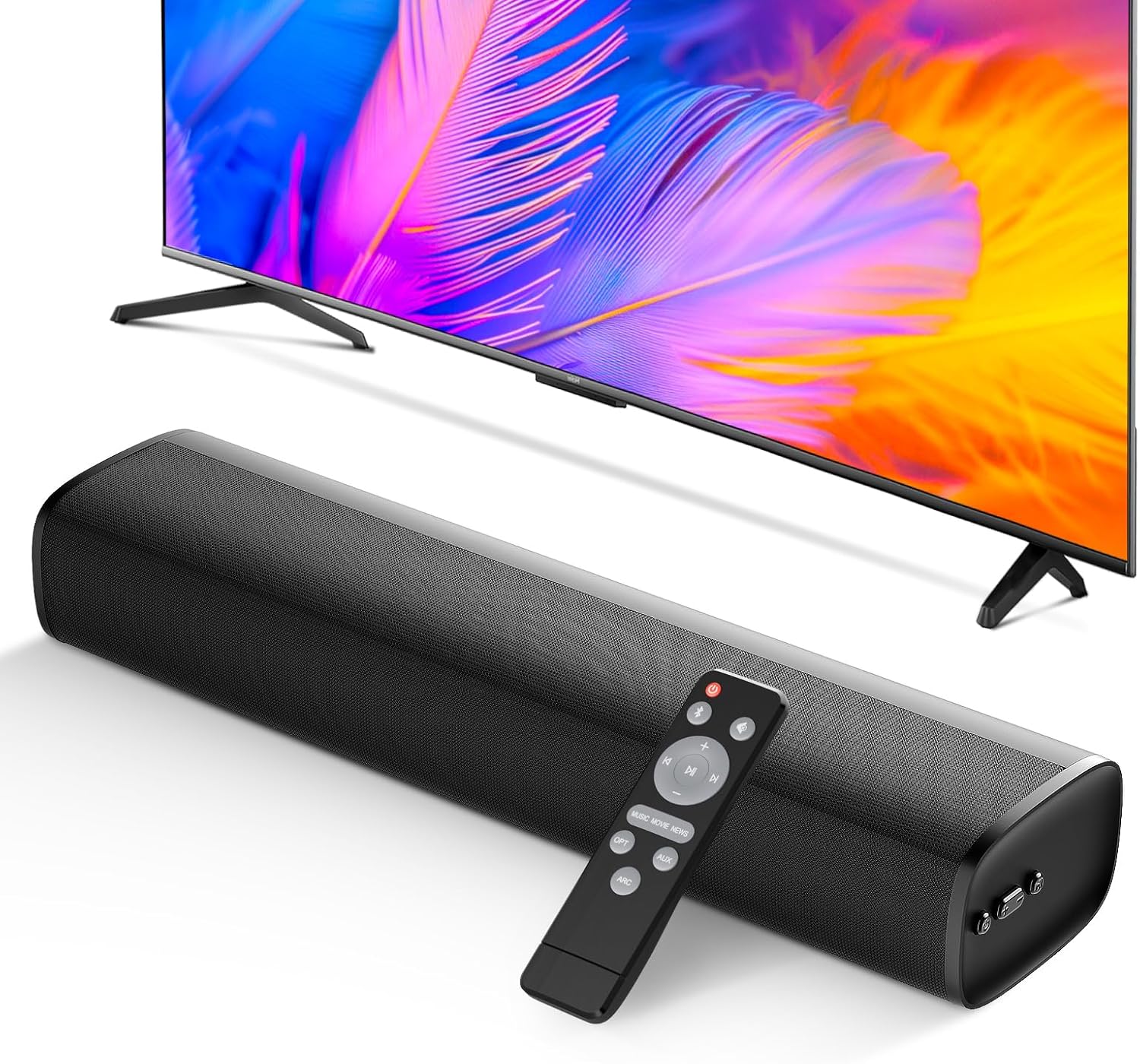
The remote control provides full command over your sound bar's features.
Zvukové režimy:
Optimize your audio experience with three distinct equalizer (EQ) modes:
- Hudební režim: Enhances musical clarity and bass for a vibrant listening experience.
- Režim filmu: Provides dynamic and immersive sound for films, emphasizing dialogue and effects.
- Režim zpráv: Optimizes vocal clarity, making spoken content easier to understand.

Switch between Movie, Music, and News modes for tailored audio.
5. Integrace médií
Konec produktuview Video:
Podívejte se na toto video pro komplexní přehledview of the MZEIBO 50W Sound Bar's features and design.
6. Údržba
To ensure the longevity and optimal performance of your MZEIBO KY-Mini Sound Bar, follow these maintenance guidelines:
- Čištění: Use a soft, dry cloth to wipe the surface of the sound bar. Avoid using liquid cleaners or abrasive materials, as they may damage the finish.
- Skladování: Pokud se soundbar delší dobu nepoužívá, skladujte jej na chladném a suchém místě mimo dosah přímého slunečního záření a extrémních teplot.
- Větrání: Ensure the sound bar has adequate ventilation. Do not block any vents or place it in an enclosed space that could restrict airflow.
7. Řešení problémů
If you encounter any issues with your MZEIBO KY-Mini Sound Bar, please refer to the following table for common problems and solutions:
| Problém | Možná příčina | Řešení |
|---|---|---|
| Žádná síla | Napájecí kabel není připojen nebo zásuvka nefunguje. | Zkontrolujte připojení napájecího kabelu. Zkuste jinou zásuvku. |
| Žádný zvuk | Incorrect input source selected. Volume too low. Cable connection loose or faulty. | Press the 'Mode' button to select the correct input. Increase volume. Reconnect audio cables securely. Ensure TV audio output is set correctly. |
| Párování Bluetooth se nezdařilo | Sound bar not in pairing mode. Device too far away. Interference. | Ensure sound bar is in BT mode and flashing. Move device closer. Turn off other Bluetooth devices. |
| Dálkové ovládání nefunguje | Batteries depleted. Obstruction between remote and sound bar. | Replace batteries. Remove any obstructions. Ensure remote is pointed at the sound bar's sensor. |
8. Specifikace
| Funkce | Detail |
|---|---|
| Název modelu | KY-Mini |
| Typ reproduktoru | Soundbar |
| Maximální výstupní výkon reproduktoru | 50 wattů |
| Technologie připojení | ARC, Auxiliary, Bluetooth, Optical |
| Verze Bluetooth | 5.3 |
| Režim zvukového výstupu | Stereo |
| Frekvenční odezva | 20 kHz |
| Rozměry produktu | 17"H x 3.9"Š x 2.7"V |
| Hmotnost položky | 4.09 liber (1.86 kilogramů) |
| Typ montáže | Stolní držák |
| Kontrolní metoda | Tlačítko, dálkové ovládání |
| Kompatibilní zařízení | Gaming Console, Home Theater, Laptop, Smartphone, Television |
| Vnitřní/venkovní použití | Uvnitř, venku |
9. Záruka a podpora
The MZEIBO KY-Mini Sound Bar comes with a standard manufacturer's warranty. For specific warranty details, please refer to the warranty card included in your product packaging or contact MZEIBO customer support. If you require further assistance or have questions not covered in this manual, please reach out to MZEIBO customer service through their official webwebové stránky nebo kontaktní informace uvedené při nákupu.


