1. Úvod a konecview
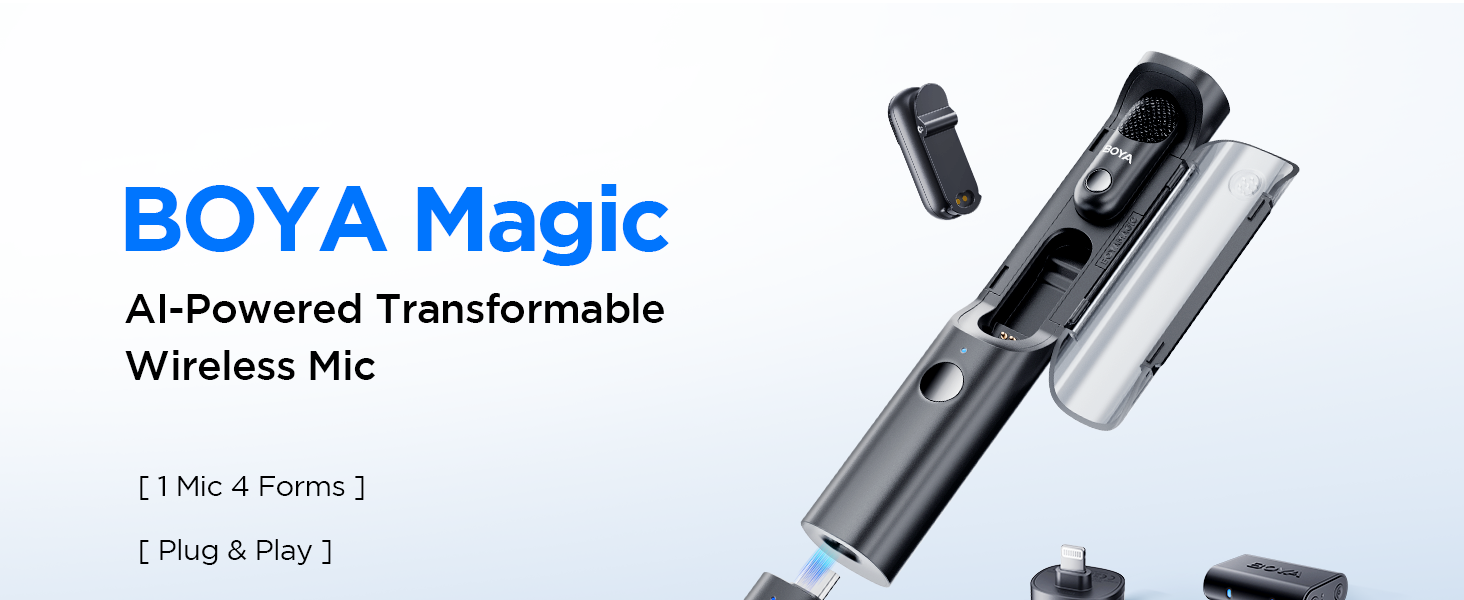
The BOYA Magic-02 is a versatile 4-in-1 wireless lavalier microphone system designed for content creators. It offers multiple usage modes, advanced audio protection features, and broad compatibility across various devices.
Klíčové vlastnosti:
- Transformable Flexibility: Functions as a clip-on, handheld, desktop, or on-camera microphone.
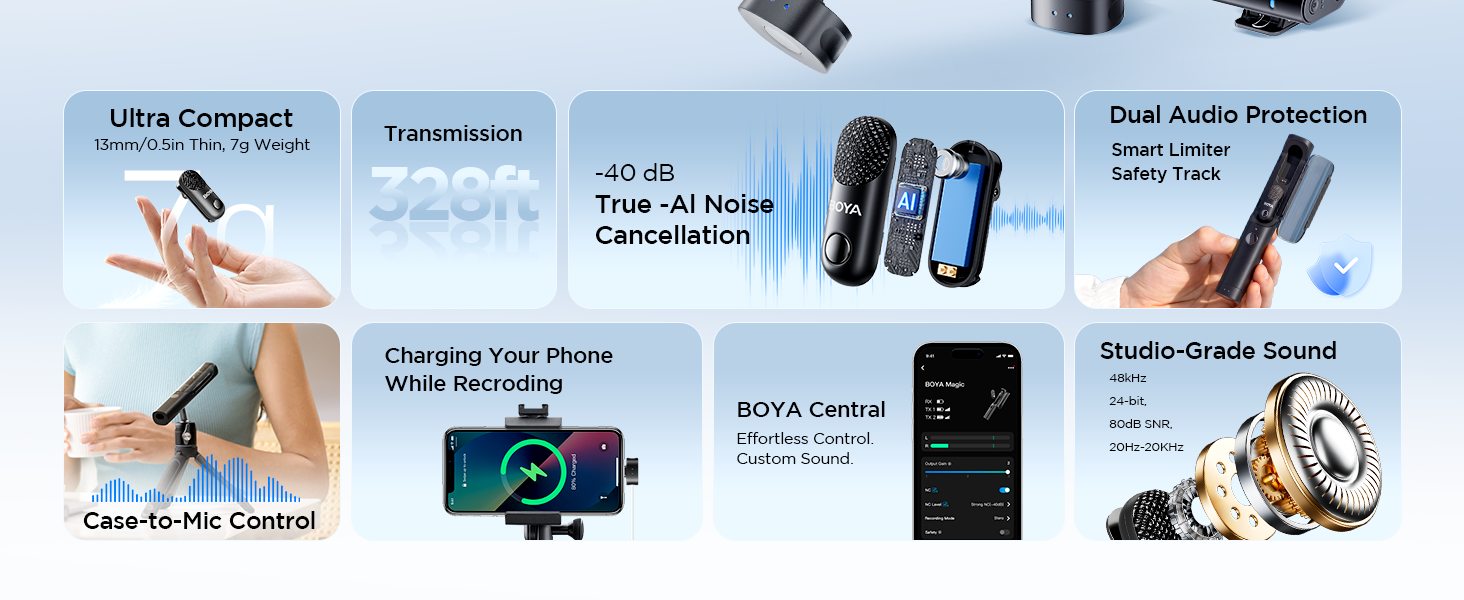
- Redukce šumu AI: Equipped with True AI-power noise reduction, suppressing up to 40dB of interference.
- Ultra-Slim & Long Battery Life: Weighs just 7g, 13mm thin. Offers 6 hours per transmitter and 30 hours total with the charging case.
- Professional Audio Protection: Features a limiter and safety track for distortion-free, 48kHz/24-bit studio-grade sound.
- Široká kompatibilita: Includes USB-C, Lightning, and 3.5mm TRS receivers for instant connection to smartphones, cameras, camcorders, tablets, and computers.
2. Komponenty produktu
The BOYA Magic-02 system includes the following components:
- 2 x BOYA Magic Transmitters (TX)
- 1 x USB-C Receiver (RX)
- 1 x Lightning Receiver (RX)
- 1 x 3.5mm TRS Receiver (RX)
- 1 x nabíjecí pouzdro
- 2 x magnety
- 3 x Fur Windshields (2 for TX, 1 for Charging Case)
- 1 x USB-C to USB-A Data Cable
- 1 x datový kabel USB-C na USB-C
- 1 x All-in-One Storage Bag
3. Nastavení
Follow these steps to set up your BOYA Magic-02 Wireless Lavalier Microphone:
- Nabíjení zařízení: Ensure both transmitters and the charging case are fully charged. The charging case acts as a power bank for the transmitters.
- Vyberte přijímač: Choose the appropriate receiver (USB-C, Lightning, or 3.5mm TRS) for your recording device.
- Připojení přijímače: Plug the selected receiver directly into your smartphone, camera, camcorder, tablet, or computer. For Android devices, ensure OTG is enabled in system settings before connecting.
- Vysílače při zapnutí: Turn on the transmitters by pressing and holding the power button for 5 seconds until their status indicators blink blue quickly to pair.
- Párování: The transmitters will automatically pair with the receiver. Once paired, the indicator lights will turn solid blue.
- Připojení mikrofonu: Clip the transmitter discreetly onto your clothing using the built-in clip or the included magnets for a secure fit.

Video: How to Set Up BOYA Magic on My Phone
This video provides a step-by-step guide on connecting and setting up the BOYA Magic-02 microphone system with a smartphone, demonstrating the ease of use and compatibility.
4. Návod k obsluze
Maximize your audio recording experience with the BOYA Magic-02's versatile operating modes and features.
4-in-1 Usage Modes:
- Clip-On: Attach the lightweight 7g transmitter directly to your clothing for discreet recording.
- Handheld: Insert the transmitter into the charging case to convert it into a handheld microphone for interviews or presentations.
- Desktop: Pair with a compatible BOYA stand (sold separately) for professional desktop recording.
- Před kamerou: Plug the receiver directly into your camera's hot shoe for integrated audio capture.

Redukce šumu AI:
The BOYA Magic-02 features True AI-power noise reduction. Activate this feature with a single button press on the transmitter to effectively suppress up to 40dB of background noise, ensuring pristine vocals even in noisy environments.
Safety Track & Limiter:
For professional audio protection, the microphone includes a limiter to prevent audio peaks and a safety track that records a backup audio track at -12dB to prevent clipping and distortion. This ensures high-quality 48kHz/24-bit sound comparable to studio recordings.

BOYA Central App Control:
Download the BOYA Central app to fine-tune settings such as output gain, noise cancellation level, recording modes (mono/stereo), and custom EQ presets for a personalized audio experience.

Video: How to Use the BOYA Magic App
This video demonstrates how to connect the BOYA Magic-02 to the BOYA Central app and utilize its advanced settings for customized audio recording.
5. Údržba
Proper maintenance ensures the longevity and optimal performance of your BOYA Magic-02 system.
- Nabíjení: Always return transmitters to the charging case when not in use. The case provides up to 30 hours of total usage. Connect the charging case to a USB-C power source when its indicator lights are low.
- Čištění: Regularly wipe the charging contacts on the transmitters and charging pins in the case with a clean, dry cloth to ensure proper connection and prevent charging issues.
- Skladování: Store the microphone system in the provided all-in-one storage bag to protect it from dust, moisture, and physical damage.
- Péče o baterie: Avoid completely depleting the batteries for extended periods. Charge the devices regularly, especially if they haven't been used for a long time.
6. Řešení problémů
If you encounter problems with your BOYA Magic-02, refer to the following checklist. If the issue persists, contact the seller for after-sales service.
- Transmitter(s) cannot pair with the receiver:
- Vypněte vysílač(e) a přijímač. Stiskněte a podržte tlačítka napájení po dobu 5 sekund, dokud jejich stavové indikátory rychle neblikají modře, aby se zařízení znovu spárovala.
- Charging case cannot pair with the receiver:
- When using the charging case as a handheld or desktop microphone, ensure the microphone is placed in the first slot. If the microphone is already in the first slot but cannot connect to the receiver, remove it and re-pair following the steps above.
- Operating range is limited, sound changes, or noise appears:
- Make sure there is no interference from high-power wireless routers or devices in your recording environment.
- Due to 2.4GHz wireless frequency, signal can be easily attenuated. Try to avoid obstacles such as walls and buildings, and avoid close proximity to devices with 2.4 GHz signals such as high-power Wi-Fi antennas, radios, etc.
- Ujistěte se, že je přijímač správně připojen k vašemu zařízení.
- Transmitter(s) or the receiver doesn't power on:
- Pokud je baterie zcela vybitá, protože vysílač(e) nebo přijímač nebyly delší dobu používány, nabijte ji.
- Charging case can't charge the transmitter(s):
- Pokud je zbývající úroveň nabití nabíjecího pouzdra příliš nízká, nabijte jej a zkuste to znovu.
- Otřete nabíjecí kontakty na vysílači (vysílačích) a nabíjecí piny v pouzdře čistým hadříkem. Ujistěte se, že na nich nejsou žádné nečistoty.
- If the charging contacts and pins are not firmly connected due to insufficient magnetic force, please contact us for after-sales service.
7. Specifikace
| Funkce | Detail |
|---|---|
| Název modelu | Magic-02 |
| Tvarový faktor mikrofonu | Lavalier |
| Technologie připojení | USB |
| Typ konektoru | 3.5 mm Jack, USB Type-C, Lightning |
| Speciální funkce | Redukce šumu |
| Kompatibilní zařízení | Fotoaparát, Smartphone |
| Zdroj napájení | Napájení z baterie |
| Počet baterií | Je zapotřebí 3 C baterií. |
| Odstup signálu od šumu | 80 dB |
| Počet kanálů | 2 |
| Hmotnost položky | 50 gramů (1.76 unce) |
| Rozměry balení | 8.31 x 3.78 x 3.35 palce |
| Výrobce | BOYA |
8. Záruka a podpora
BOYA is committed to providing quality products and customer satisfaction.
- Oficiální záruka: The BOYA Magic-02 comes with an official warranty. For specific terms and conditions, please refer to the warranty card included in your package or visit the official BOYA webmísto.
- Technická podpora: For any technical assistance, product inquiries, or after-sales service, please contact the seller directly or reach out to BOYA's customer support.
- Ověření transparentnosti: Každá položka má unikátní kód, který je před odesláním ověřen, čímž je zajištěna pravost produktu.


