1. Úvod
Thank you for choosing the FLEXISPOT OC3 Cloud Ergonomic Office Chair. This manual provides detailed instructions for assembly, operation, maintenance, and troubleshooting to ensure you get the most comfortable and efficient experience from your new chair. Please read this manual thoroughly before assembly and use, and retain it for future reference.
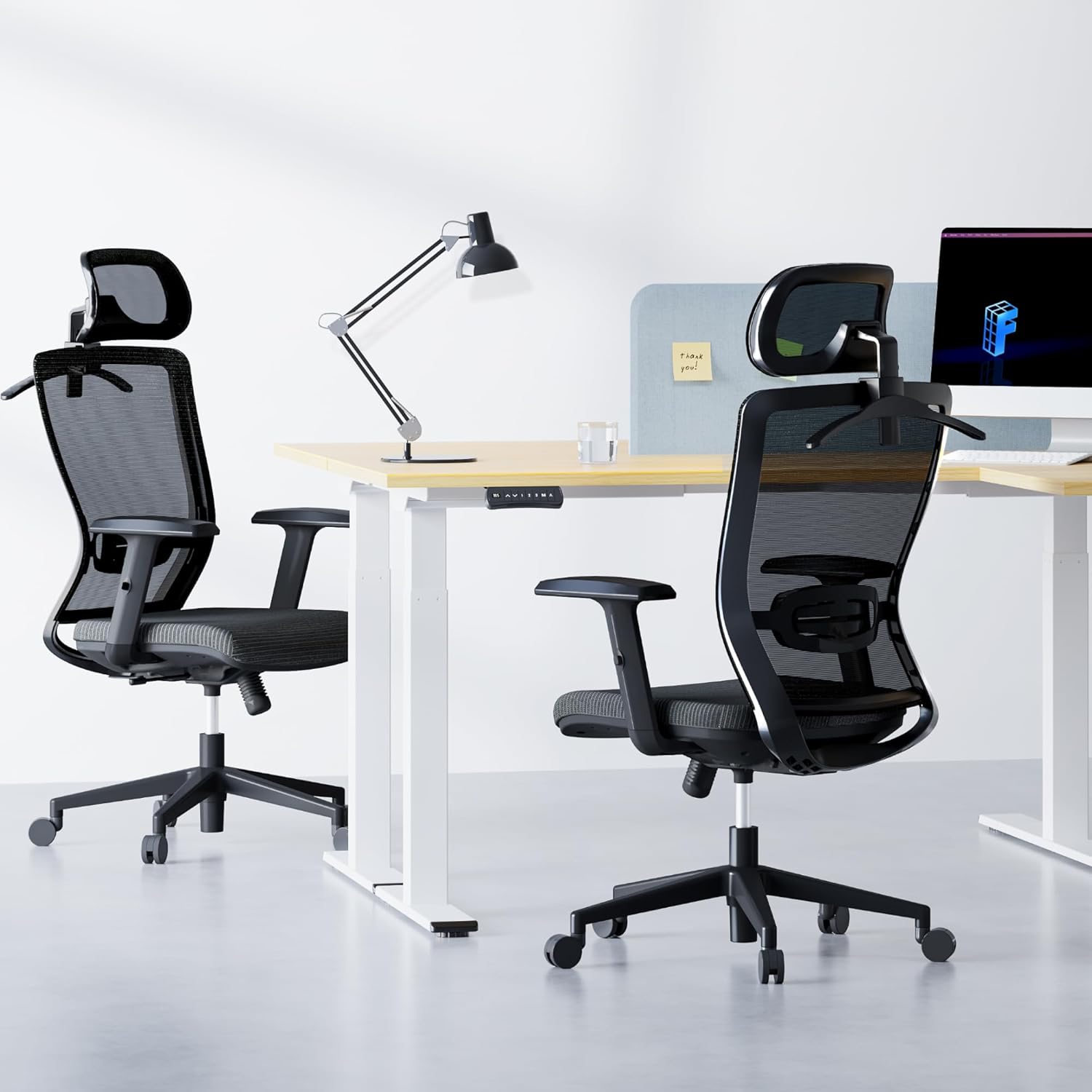
Image: The FLEXISPOT OC3 Cloud Ergonomic Office Chair, designed for comfort and support in an office environment.
2. Bezpečnostní informace
To prevent injury and ensure safe operation, please adhere to the following guidelines:
- Nepřekračujte maximální nosnost 136 kg (300 liber).
- Ensure all screws and bolts are securely tightened before using the chair. Periodically check and re-tighten as necessary.
- Nestávejte na židli ani ji nepoužívejte jako schůdky.
- Do not sit on the armrests as this may cause damage or instability.
- Keep children and pets away from the chair during assembly. Small parts may pose a choking hazard.
- Židli používejte na rovném povrchu, aby se nepřevrhla.
- Follow all assembly and adjustment instructions carefully. Improper assembly or adjustment can lead to injury.
3. Seznam dílů
Před zahájením montáže se prosím ujistěte, že jsou všechny součásti přítomny a nepoškozené. Pokud některé součásti chybí nebo jsou poškozené, kontaktujte zákaznickou podporu.
- Opěrka zad (B)
- Sedák (C)
- Armrest L (D)
- Armrest R (D)
- Base (E)
- Gas Lift (F)
- Wheels (K) x 5
- Mechanism (A)
- Headrest (O)
- Clothes Hanger (Q)
- Screws and Tools (H, I, G, L)
4. Nastavení a montáž
Follow these steps to assemble your FLEXISPOT OC3 Cloud Ergonomic Office Chair. It is recommended to assemble the chair on a soft, clean surface to prevent damage.
Step-by-Step Assembly Video
Video: Official installation guide for the FLEXISPOT OC3 Cloud Ergonomic Office Chair, demonstrating step-by-step assembly.
Written Assembly Instructions
- Připevnění loketních opěrek k sedáku: Connect the left and right armrests (D) to the underside of the seat cushion (C) using the provided M6*25MM screws (G). Ensure they are securely fastened.
- Install Mechanism: Attach the mechanism (A) to the underside of the seat cushion (C) using the M6*20MM screws (I). Ensure the front of the mechanism aligns with the front of the seat cushion.
- Připojení opěradla: Secure the backrest (B) to the mechanism (A) using the M8*18MM screws (H).
- Sestavte základnu: Insert the five wheels (K) firmly into the holes at the end of each leg of the chair base (E). Ensure they are fully seated.
- Vložte plynový zvedák: Remove the protective cover from the gas lift (F) and insert it into the center hole of the assembled base (E).
- Připevnění sedadla k základně: Carefully place the assembled seat cushion and backrest onto the gas lift (F), aligning the center hole of the mechanism with the top of the gas lift. Press down firmly to secure.
- Install Headrest and Hanger: Remove the two screws from the headrest (O). Attach the headrest (O) and the clothes hanger (Q) to the top of the backrest (B) using the screws previously removed.
5. Pokyny k obsluze a nastavení
The FLEXISPOT OC3 Cloud chair offers multiple adjustment options to customize your seating experience for optimal comfort and ergonomic support.
Chair Features Overview Video
Video: Konecview video showcasing the ergonomic features and adjustments of the FLEXISPOT OC3 Cloud Ergonomic Office Chair.
Úpravy
- Nastavení výšky sedadla: Locate the lever on the right side under the seat. Pull the lever up to raise the seat. While seated, pull the lever up to lower the seat. Release the lever to lock the height.
- Nastavení bederní opěrky: The chair features adjustable lumbar support. Gently push or pull the lumbar support pad on the backrest to adjust its position vertically to match the curve of your lower back. The lumbar support can be moved up and down by approximately 1.9 inches.

Image: Adjusting the vertical position of the lumbar support for personalized back comfort.
- Backrest Recline and Lock: Use the tilt tension control mechanism to adjust the reclining angle. The backrest can be locked between 90 and 130 degrees. Push the lever inwards to lock the backrest in your desired position, and pull it outwards to unlock and recline.

Image: Visual representation of the chair's recline angles and tilt tension adjustment.
- 2D nastavení opěrky hlavy: The headrest can be adjusted in multiple dimensions for precise neck and head support. It can be moved up and down by 2.1 inches and rotated by 30 degrees. Gently push or pull the headrest to adjust its height and angle.

Image: Details on adjusting the headrest for height and rotation.
- Nastavení loketní opěrky: The armrests are adjustable to provide comfortable support for your arms and shoulders. Lift the armrest to adjust its height.
- Integrovaný ramínko na šaty: The headrest includes a convenient coat hanger to store clothing, keeping your workspace tidy.

Image: The headrest with its integrated coat hanger feature.
6. Údržba
Regular maintenance will prolong the life and appearance of your office chair.
- Čištění: For mesh and fabric parts, use a soft brush or vacuum cleaner to remove dust. For stains, gently dab with a damp cloth and mild soap, then wipe with a clean, dry cloth. Avoid harsh chemicals.
- Rám: Kovové a plastové součásti otřete měkkým hadříkemamp tkanina.
- Kolečka: Periodically clean hair and debris from the casters to ensure smooth movement.
- Spojovací materiál: Check all screws and bolts every few months and re-tighten if necessary to maintain stability.
7. Řešení problémů
Pokud narazíte na jakékoli problémy s vaší židlí, podívejte se na následující běžné problémy a jejich řešení:
| Problém | Možná příčina | Řešení |
|---|---|---|
| Židle se nedá nastavit na výšku | Gas lift cover not removed; Gas lift faulty; Actuation lever disconnected. | Ensure gas lift cover is removed. Check if the gas lift is properly inserted. Verify the lever mechanism is connected. Contact support if gas lift is faulty. |
| Židle se kymácí nebo je nestabilní | Uvolněné šrouby; Nerovná podlaha. | Zkontrolujte a utáhněte všechny montážní šrouby. Ujistěte se, že židle stojí na rovném a vodorovném povrchu. |
| Kolečka se neotáčejí hladce | Debris in casters; Casters damaged. | Remove any hair or debris from the caster wheels. If casters are damaged, contact support for replacements. |
| Opěradlo se nedá sklopit ani zablokovat | Tilt mechanism locked; Mechanism faulty. | Ensure the recline lock lever is disengaged. Check the tilt tension knob. If the mechanism is faulty, contact support. |
Pokud problém přetrvává i po vyzkoušení těchto řešení, kontaktujte zákaznickou podporu FLEXISPOT.
8. Specifikace
Detailed specifications for the FLEXISPOT OC3 Cloud Ergonomic Office Chair:
| Funkce | Detail |
|---|---|
| Značka | FLEXISPOT |
| Název modelu | OC3 Cloud (Item model number: FLEXISPOT-OC3-CLOUD) |
| Barva | Černý |
| Rozměry produktu (D x Š x V) | 21"H x 25.6"Š x 47.2"V |
| Hloubka sedu | 21 palců |
| Materiál | Metal, Comfortable Foam (Seat Cushion), Mesh (Backrest) |
| Styl zad | Comfortable Mesh Back |
| Styl paže | Recessed, Adjustable |
| Speciální funkce | Adjustable Lumbar Support (1.9in up/down), 2D Headrest (2.1in lift, 30° rotation), Lockable Backrest (90-130 degrees), Foam Seat Cushion, Breathable Mesh, Integrated Coat Hanger |
| Hmotnostní kapacita | 300 liber |
| Hmotnost položky | 42.7 libry |
| UPC | 840460485920 |
| Vnitřní/venkovní použití | Krytý |

Image: Comprehensive dimensions of the OC3 Cloud chair for reference.
9. Záruka a podpora
FLEXISPOT provides a warranty for its products. For specific warranty details, including coverage period and terms, please refer to the warranty card included with your product or visit the official FLEXISPOT website. If you require assistance with assembly, operation, or troubleshooting, or if you need to claim warranty service, please contact FLEXISPOT customer support through their official channels.
Další informace a podporu získáte na adrese Obchod FLEXISPOT na Amazonu.


