1. Úvod
Thank you for choosing the HARDELL Mini Cordless Rotary Tool. This versatile and compact tool is designed for various light-duty tasks such as sanding, polishing, drilling, carving, and engraving. Its cordless design and multiple speed settings provide flexibility and precision for your DIY projects and crafts. Please read this manual thoroughly before use to ensure safe and optimal operation.
2. Bezpečnostní informace
- Během provozu vždy používejte vhodné osobní ochranné prostředky, včetně ochranných brýlí.
- Udržujte pracovní prostor čistý a dobře osvětlený. Nepořádek nebo tmavé prostory vedou k nehodám.
- Nepracujte s elektrickým nářadím ve výbušném prostředí, například v přítomnosti hořlavých kapalin, plynů nebo prachu.
- Při práci s elektrickým nářadím držte děti a přihlížející mimo dosah. Rozptylování může způsobit ztrátu kontroly.
- Zabraňte náhodnému spuštění. Před připojením akumulátoru, zvednutím nebo přenášením nářadí se ujistěte, že je vypínač v poloze vypnuto.
- Netlačte na elektrické nářadí násilím. Používejte správné elektrické nářadí pro vaši aplikaci.
- Před seřizováním, výměnou příslušenství nebo před uložením elektrického nářadí odpojte akumulátor od nářadí.
- Nepoužívané elektrické nářadí skladujte mimo dosah dětí a nedovolte osobám, které nejsou obeznámeny s elektrickým nářadím nebo s těmito pokyny, aby s elektrickým nářadím pracovaly.
- Údržba elektrického nářadí a příslušenství. Zkontrolujte, zda nejsou pohyblivé části vychýlené nebo zaseknuté, zda nejsou některé části zlomené a zda nejsou jiné podmínky, které by mohly ovlivnit provoz elektrického nářadí.
- Elektrické nářadí, příslušenství a bity používejte v souladu s těmito pokyny, s ohledem na pracovní podmínky a práci, kterou budete provádět.
- This rotary tool is not designed for heavy-duty tasks.
3. Obsah balení
The HARDELL Mini Cordless Rotary Tool kit includes the following items:
- HARDELL Mini Cordless Rotary Tool (Orange)
- Nabíjecí kabel USB-C
- Assorted Accessories (35 pieces), including:
- Brusné pásy
- Leštící podložky
- Grinding heads
- Vrtáky
- Engraving tips
- Řezací kotouče
- Collets (various sizes)
- Wrench for accessory changes

Image: The HARDELL Mini Cordless Rotary Tool shown with its included USB-C charging cable and various accessories, such as sanding bands, cutting discs, drill bits, and grinding heads.
4. Konec produktuview
Familiarize yourself with the components of your HARDELL Mini Cordless Rotary Tool:

Image: Diagram showing the key parts of the rotary tool, including the Locking Collar, Spindle Lock Button, On/Off Button, Speed Control Button, Unique Cooling Device, and Type-C Charging Port.
- Zamykací límec: Firmly fixes accessories in place.
- Tlačítko zámku vřetena: Quick collet lock for fast accessory changes. Caution: Do not press this button when the device is running.
- Tlačítko zapnutí/vypnutí: Zapíná nebo vypíná nástroj.
- Speed Control Buttons (+/-): Adjusts the rotational speed. The "+" button increases speed, and the "-" button decreases speed.
- LED světlo: Illuminates the work area for enhanced precision and visibility.
- Nabíjecí port typu C: For convenient charging using a USB-C cable.
- Unique Cooling Device: Designed to dissipate heat during operation.
Nastavení rychlosti
The tool features 5-speed settings for various applications:
- Rychlost 1: 5000 RPM (Recommended for polishing)
- Rychlost 2: 8000 RPM (Recommended for sanding)
- Rychlost 3: 11000 RPM (Recommended for carving)
- Rychlost 4: 14000 RPM (Recommended for grinding)
- Rychlost 5: 18000 RPM (Recommended for drilling)
5. Setup and Accessory Installation
Proper installation of accessories is crucial for safe and effective operation.
General Accessory Installation
- Stiskněte aretační tlačítko vřetena a odšroubujte matici.
- Choose the suitable collet and insert it into the tool. Then, place the black nut over the collet. Install the accessory you need to use.
- Press the spindle lock button again, then tighten the nut to secure the accessory.

Image: Visual guide demonstrating the four steps to install various accessories into the rotary tool's collet.
Installing a Sanding Band
- Insert the sanding drum into the collet and tighten the nut.
- Loosen the screw of the sanding drum.
- Install the sanding band onto the drum.
- Press down the spindle lock button and tighten the screw of the sanding drum with the provided wrench.

Image: Visual instructions for attaching a sanding band to the rotary tool, showing the drum, band, and tightening process.
Installing an HSS Cutting Disc or Sanding Paper
- Insert the wheel mandrel into the collet and tighten the nut.
- Dismantle the screw of the wheel mandrel.
- Install the wheel mandrel and assemble the HSS cutting disc or sanding paper.
- Press down the spindle lock button and tighten the screw of the wheel mandrel with the provided wrench.
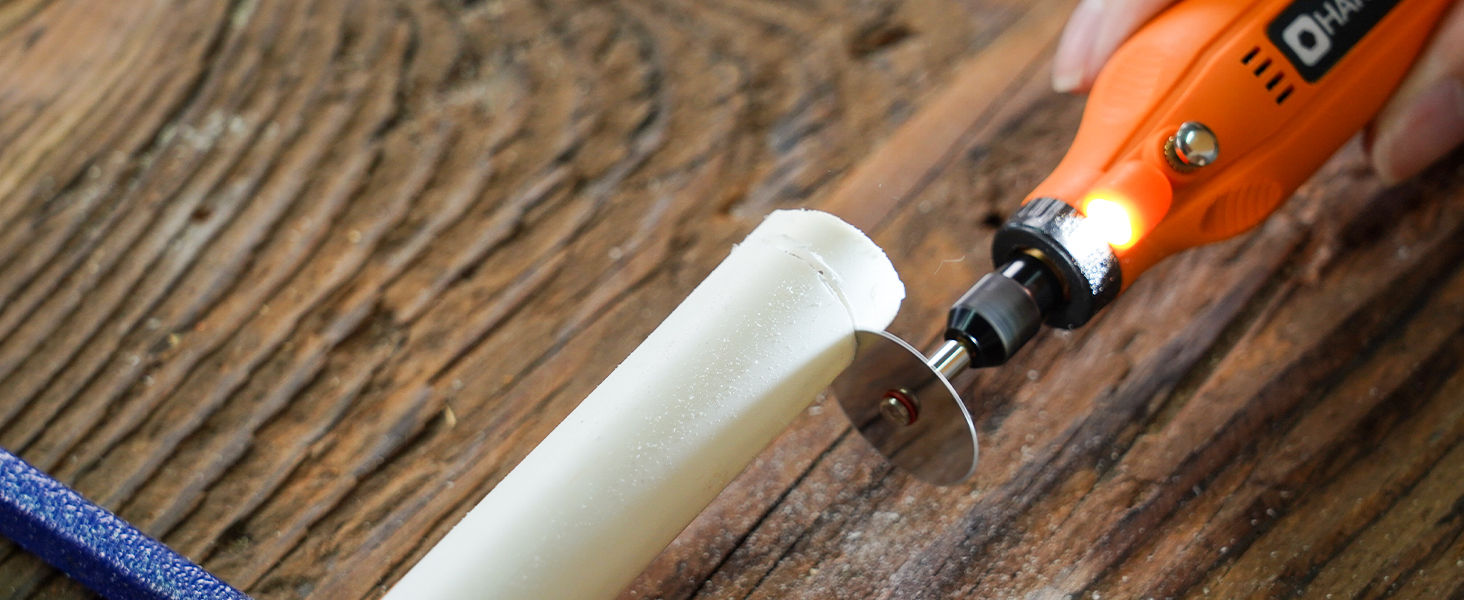
Image: Visual instructions for attaching an HSS cutting disc or sanding paper to the rotary tool, detailing the mandrel and securing steps.
6. Návod k obsluze
- Zapnutí/vypnutí: Press the On/Off button to turn the tool on or off.
- Upravit rychlost: Use the '+' and '-' buttons to cycle through the 5 available speed settings (5000 RPM to 18000 RPM). The LED indicators will show the current speed level.
- LED světlo: The integrated LED light automatically illuminates when the tool is powered on, providing visibility for detailed work.
- Operace: Hold the tool firmly and apply gentle pressure to the workpiece. Allow the tool to do the work; excessive force can lead to poor results or damage to the tool/workpiece.

Image: A person using the HARDELL Mini Cordless Rotary Tool for carving a wooden piece, demonstrating its ergonomic design and precision.

Obrázek: Detailní záběr view of the rotary tool in action, with its LED light brightly illuminating the precise point of contact on a workpiece, highlighting its utility in detailed tasks.
7. Aplikace
The HARDELL Mini Cordless Rotary Tool is ideal for a variety of light-duty projects, including but not limited to:
- Engraving on various materials
- Sanding small surfaces or edges
- Carving intricate designs
- Drilling small holes
- Grinding for shaping or smoothing
- Polishing for a smooth finish
- Trimming excess material

Obrázek: Výstava kolážíasing the multi-purpose capabilities of the rotary tool, including sanding wood, carving glass, polishing beads, grinding metal, drilling shells, and cutting plastic.
8. Údržba
Nabíjení nástroje
- Connect the provided USB-C charging cable to the charging port at the base of the tool.
- Plug the other end of the USB-C cable into a compatible power source (e.g., computer, car charger, power bank).
- The LED indicators will show the charging status. A full charge provides up to 100 minutes of continuous use under no-load conditions.
Čištění a skladování
- After each use, disconnect any accessories and gently wipe the tool body with a clean, dry cloth.
- Remove any dust or debris from the collet and spindle area.
- Store the tool and its accessories in a dry, clean place, preferably in its original carrying case, away from direct sunlight and extreme temperatures.
9. Řešení problémů
- Nástroj se nezapne: Ensure the tool is fully charged. If the battery is low, connect it to a power source using the USB-C cable.
- Snížený výkon: Check if the accessory is securely installed. Ensure the battery is adequately charged. The tool is designed for light-duty tasks; avoid using it for heavy-duty applications that may exceed its capacity.
- Nadměrné vibrace nebo hluk: Ensure the accessory is correctly inserted and tightened. A loose or damaged accessory can cause vibration. Replace any worn or damaged accessories.
- Přehřívání: If the tool feels excessively hot, discontinue use and allow it to cool down. Ensure the cooling vents are not obstructed.
10. Specifikace
| Funkce | Specifikace |
|---|---|
| Značka | HARDELL |
| Číslo modelu | DM12405ORANGEH-2 |
| Zdroj napájení | Napájení z baterie (3.7V lithium-iontová) |
| Nastavení rychlosti | 5-Speed (5000-18000 RPM) |
| Typ nabíjení | USB-C |
| Hmotnost položky | 0.3 lbs (7.4 ounces / 0.21 Kilograms) |
| Speciální funkce | Compact, LED Light |
| Zahrnuté komponenty | 35 Accessories, USB-C Cable |
11. Záruka a podpora
For warranty information, technical support, or any questions regarding your HARDELL Mini Cordless Rotary Tool, please refer to the documentation included in your product packaging or contact HARDELL customer service directly. Contact details can typically be found on the manufacturer's webmístě nebo na obalu produktu.


