1. Úvod
The Brother HL-L1242W is a compact monochrome laser printer designed for efficient printing in home or small office environments. This manual provides essential information for setting up, operating, and maintaining your printer to ensure optimal performance.
Mezi klíčové vlastnosti patří:
- Compact design for small spaces.
- Print speeds up to 20 pages per minute.
- Versatile connectivity with Wi-Fi (5 GHz) and USB.
- Support for printing from PCs and mobile applications.
- 150-sheet paper input tray.
- Includes a starter toner cartridge for up to 450 pages.
2. Počáteční nastavení
2.1 Vybalení tiskárny
Opatrně vyjměte tiskárnu z obalu. Ujistěte se, že jsou z vnější i vnitřní strany tiskárny odstraněny všechny ochranné pásky a balicí materiály.
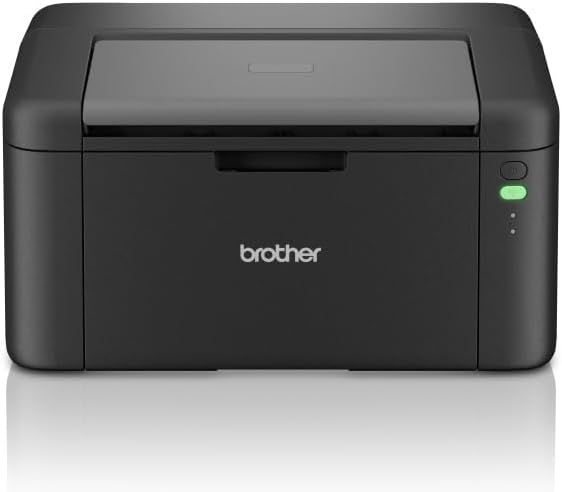
Obrázek 1: Přední strana view of the Brother HL-L1242W printer, showing its compact design and control panel on the right side.
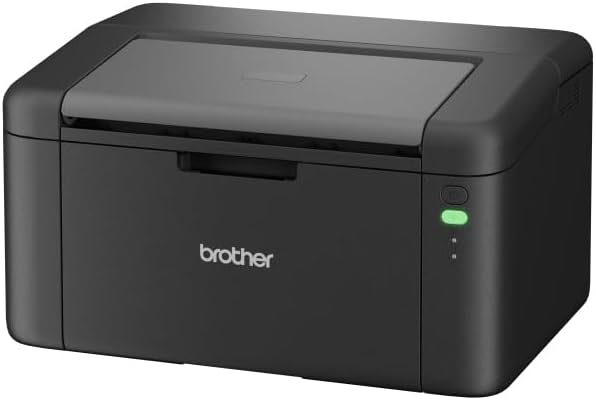
Obrázek 2: Zkosená přední strana view of the Brother HL-L1242W printer, highlighting its sleek, black finish and output tray.
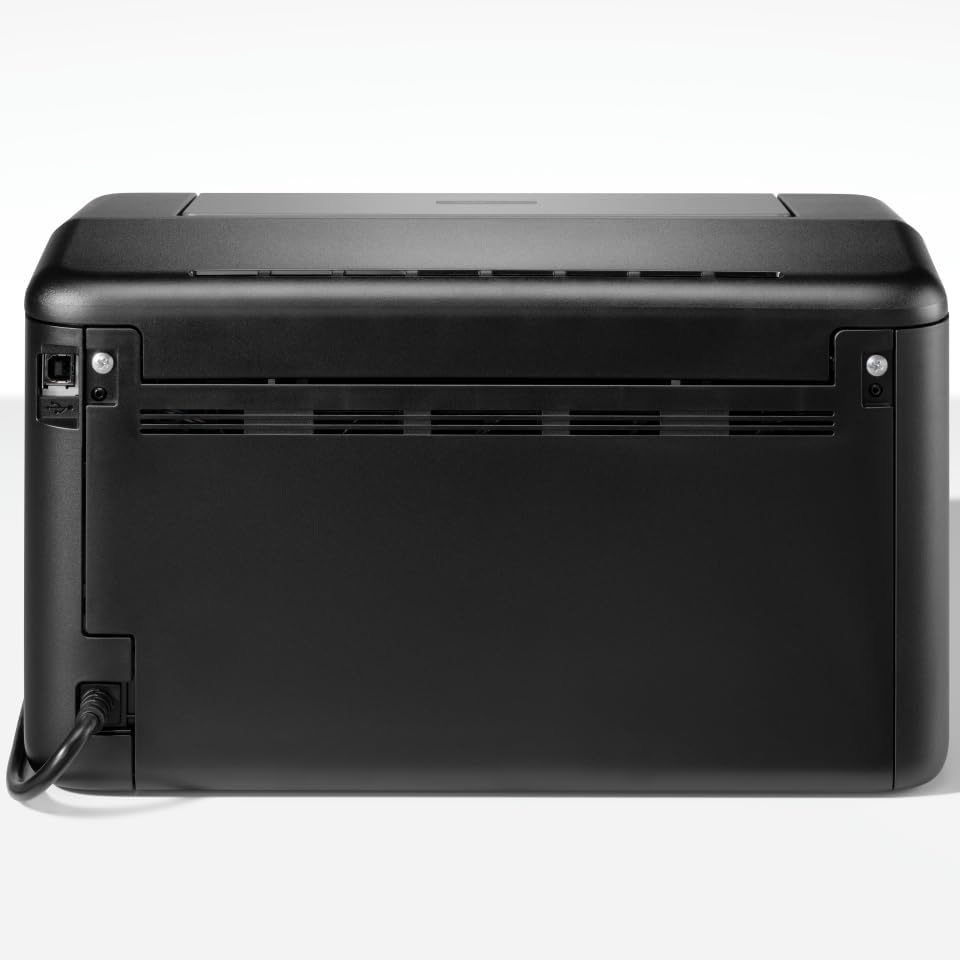
Obrázek 3: Zadní view of the Brother HL-L1242W printer, displaying the power input and USB port.
2.2 Instalace tonerové kazety
- Open the front cover of the printer to access the toner compartment.
- Locate the orange protective paper inside the compartment. This paper is attached to the toner support.
- Gently remove the toner support to detach the orange paper.
- Unpack the new toner cartridge from its sealed bag. Remove any orange plastic protective pieces from the toner cartridge.
- Insert the toner cartridge into the drum unit. Ensure it clicks into place.
- Slide the combined toner and drum unit back into the printer until it locks securely.
- Zavřete přední kryt.
2.3 Připojení napájení
Connect the AC power cable to the printer and then to a power outlet. Press the power button to turn on the printer.
2.4 Připojení a instalace ovladačů
Your Brother HL-L1242W printer supports both USB and Wi-Fi connectivity.
USB připojení:
- Připojte tiskárnu k počítači pomocí kabelu USB (není součástí balení).
- Install the printer drivers from the official Brother support website. Follow the on-screen instructions.
Wi-Fi připojení:
- Download the Brother iPrint&Scan app on your mobile device or visit the Brother support website for PC/Mac setup.
- Follow the instructions provided by the app or website to connect your printer to your wireless network. This process typically involves selecting your Wi-Fi network and entering the password.
- Ensure your printer and device are on the same network for successful wireless printing.
3. Provoz
3.1 Vkládání papíru
Open the paper tray and load up to 150 sheets of plain or recycled A4 paper. Adjust the paper guides to fit the paper size.

Figure 4: A user loading paper into the front paper tray of the Brother HL-L1242W printer.
3.2 Tisk dokumentů
Once the printer is connected and drivers are installed, you can print from your computer or mobile device.
- Otevřete dokument nebo obrázek, který chcete vytisknout.
- Select the "Print" option from your application's menu (e.g., File > Tisk).
- Choose your Brother HL-L1242W printer from the list of available printers.
- Upravte nastavení tisku podle potřeby (např. počet kopií, velikost papíru).
- Klikněte na „Tisk“.
3.3 Duplexní (oboustranný) tisk
The HL-L1242W supports manual duplex printing.
- In your print settings, select the option for manual duplex printing.
- The printer will first print all odd-numbered pages.
- Once the first side is printed, a prompt will appear on your computer screen instructing you to reinsert the printed pages into the paper tray. Follow the on-screen instructions carefully regarding paper orientation.
- Confirm the reinsertion, and the printer will then print the even-numbered pages on the reverse side.
4. Údržba
4.1 Výměna tonerové kazety
When the toner cartridge is low or empty, the printer's status indicator will alert you. Replace the toner cartridge with a genuine Brother TN-1150 toner cartridge for optimal print quality and printer longevity.
- Ujistěte se, že je tiskárna zapnutá.
- Otevřete přední kryt.
- Remove the old toner cartridge and drum unit assembly.
- Separate the old toner cartridge from the drum unit. Dispose of the old toner cartridge according to local regulations.
- Unpack the new toner cartridge and install it into the drum unit until it locks.
- Reinsert the toner and drum unit assembly into the printer.
- Zavřete přední kryt.
The included starter toner cartridge is rated for approximately 450 pages. Actual yield may vary based on usage.
4.2 Čištění tiskárny
Pravidelné čištění pomáhá udržovat kvalitu tisku a prodlužuje životnost tiskárny.
- Vnější: Vnější povrch tiskárny otřete měkkým hadříkem, který nepouští vlákna. Nepoužívejte abrazivní čisticí prostředky ani rozpouštědla.
- Interiér: Periodically open the front cover and gently wipe away any loose toner dust with a dry, lint-free cloth. Avoid touching the drum unit's surface directly.
5. Řešení problémů
This section addresses common issues you might encounter with your Brother HL-L1242W printer.
5.1 Tiskárna nereaguje
- Ujistěte se, že je tiskárna zapnutá a napájecí kabel je bezpečně připojen.
- Check USB cable connections if using a wired connection.
- For Wi-Fi, verify that the printer is connected to your network and that your computer/mobile device is on the same network. Restarting the printer and your router may resolve connectivity issues.
- Confirm that the correct printer driver is installed and selected on your computer.
5.2 Špatná kvalita tisku
- Check the toner level. Replace the toner cartridge if it is low or empty.
- Ujistěte se, že používáte vhodný papír pro laserový tisk.
- Clean the drum unit and other internal components as described in the maintenance section.
5.3 Zaseknutí papíru
- Vypněte tiskárnu a odpojte ji ze zásuvky.
- Carefully open all covers and gently remove any jammed paper. Avoid tearing the paper, as small pieces can cause further issues.
- Ensure the paper is loaded correctly in the paper tray and that the paper guides are adjusted properly.
- Close all covers, plug in the printer, and turn it back on.
For more detailed troubleshooting, refer to the Brother support webnebo kontaktujte zákaznický servis.
6. Specifikace
| Funkce | Specifikace |
|---|---|
| Název modelu | HL-L1242W |
| Typ tiskárny | Monochromatický laser |
| Maximální rychlost tisku (černobíle) | Až 20 stran za minutu |
| Maximální rozlišení tisku | 2400 x 600 dpi |
| Oboustranný tisk | Manuál |
| Konektivita | Wi-Fi (5 GHz), USB |
| Vstupní kapacita papíru | Až 150 listů |
| Maximální velikost média | A4 (210 x 297 mm) |
| Podporované typy médií | Plain paper, Recycled paper |
| Spotřeba energie | 380 Watts (printing) |
| Rozměry (D x Š x V) | 23.8 cm x 34 cm x 18.9 cm |
| Hmotnost | 4764 gramů |
| Zahrnuté komponenty | Brother HL-L1242W Printer, Starter Toner Cartridge(s), AC Power Cable, Warranty Card |
7. Záruka a podpora
7.1 Záruka na produkt
The Brother HL-L1242W printer comes with a standard manufacturer's warranty. Please refer to the warranty card included in your product packaging for specific terms, conditions, and duration of coverage.
7.2 Zákaznická podpora
For technical assistance, driver downloads, FAQs, and additional support resources, please visit the official Brother support website. You can also contact Brother customer service for personalized help.


