1. Úvod
The IIWEY IK5 is a portable 9-inch touchscreen car stereo designed to upgrade your vehicle with modern connectivity features. It offers wireless Apple CarPlay and Android Auto, an integrated 4K dash cam, and a 1080p backup camera. This manual provides detailed instructions for installation, operation, and maintenance to ensure optimal performance and a seamless user experience.
2. Obsah balení
Ověřte, zda jsou v balení obsaženy všechny níže uvedené položky:
- 4K CarPlay Device (Main Unit)
- 1080P couvací kamera
- 64GB SD karta
- Car Charger with Extra USB Port
- Sací držák
- 3M Sticker Mount
- Páčidlo (pro vedení kabelů)
- Retrieve Card Pin
- Wire Buckles (x5)
- Uživatelská příručka
- Nabídka FAQ
- Balení v dárkové krabičce

Figure 2.1: Contents of the IIWEY IK5 package, including the main unit, cameras, mounts, and cables.
3. Instalace
The IIWEY IK5 is designed for plug-and-play installation. Choose your preferred mounting method and follow the steps below.
3.1 Možnosti montáže
The device offers flexible mounting solutions for various vehicle dashboards and windshields.
- Dashboard Suction Mount: Provides a secure attachment to flat dashboard surfaces.
- 3M Sticker Mount: For a more permanent dashboard installation.
- Windshield Suction Mount: Allows mounting on the windshield for optimal viewing úhly.
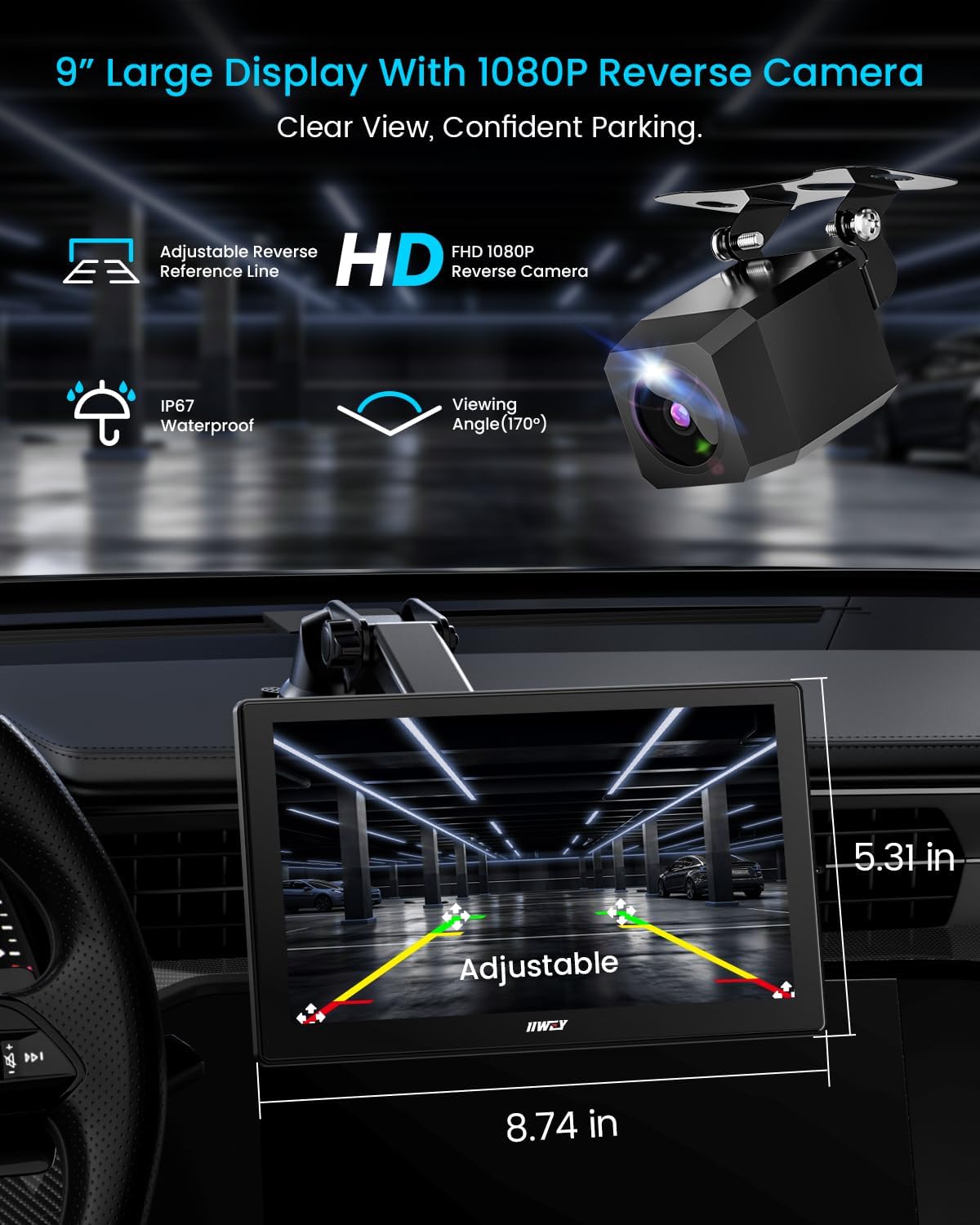
Figure 3.1: The IIWEY IK5 unit shown with its 9-inch display and the included 1080P rear camera, highlighting adjustable parking guidelines for safe reversing.
Video 3.1: Overview of the IIWEY IK5, demonstrating its features and components, including mounting options and connectivity.
3.2 Připojení napájení
Connect the provided car charger to your vehicle's 12V cigarette lighter socket and then to the USB-C port on the main unit. The device is designed to automatically power on and start recording when the engine is activated.
3.3 Instalace kamery (volitelné)
The IK5 includes a 4K front dash cam integrated into the main unit and a separate 1080p rear backup camera.
- Přední kamera: Integrated with the main unit, positioned to record the view napřed.
- Zadní kamera 1080p: Install the 1080p backup camera at the rear of your vehicle. Route the camera cable discreetly to the main unit. The red trigger wire should be connected to the positive terminal of your vehicle's reverse lamp. When your car is shifted into reverse, the display will automatically switch to full rearview režimu.
Use the provided crowbar and wire buckles to neatly hide cables along the vehicle's interior trim, avoiding interference with airbags.
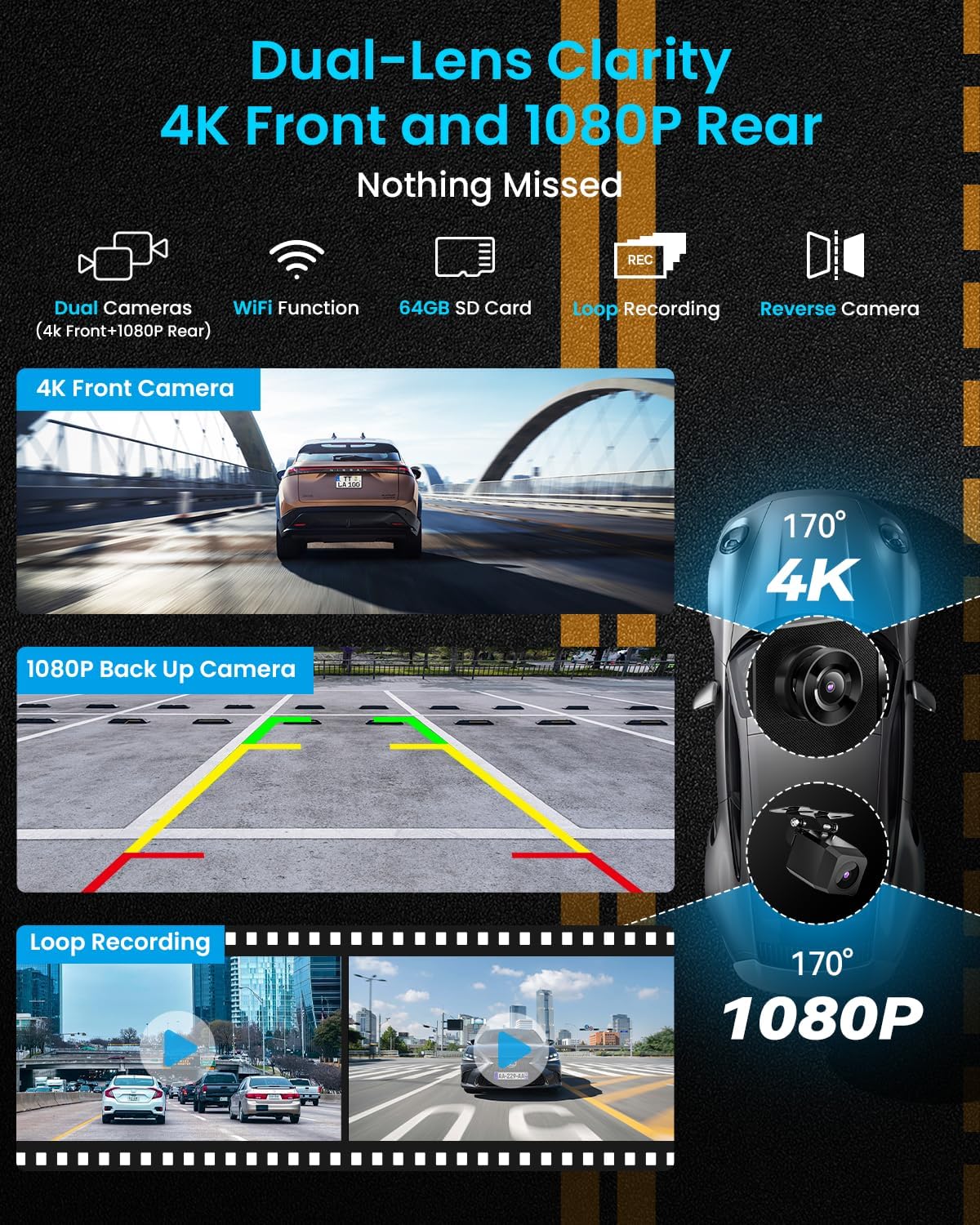
Figure 3.2: Illustration of the dual-lens camera system, showing the integrated 4K front camera and the external 1080p rear camera for comprehensive road coverage.
Video 3.2: A short demonstration of the dash cam functionality, highlighting its use for recording driving events.
4. Konektivita
The IIWEY IK5 supports wireless Apple CarPlay, Android Auto, AirPlay, and Miracast for seamless smartphone integration.
4.1 Bezdrátové Apple CarPlay
- Choose the CarPlay mode on the IK5 screen.
- Open Bluetooth settings on your iPhone, find "IIWEY-IK5-XXXX" and connect.
- Agree to the pairing request.
- When prompted, select "Use CarPlay" on your iPhone.
- After 5-10 seconds, CarPlay will automatically launch on the IK5.
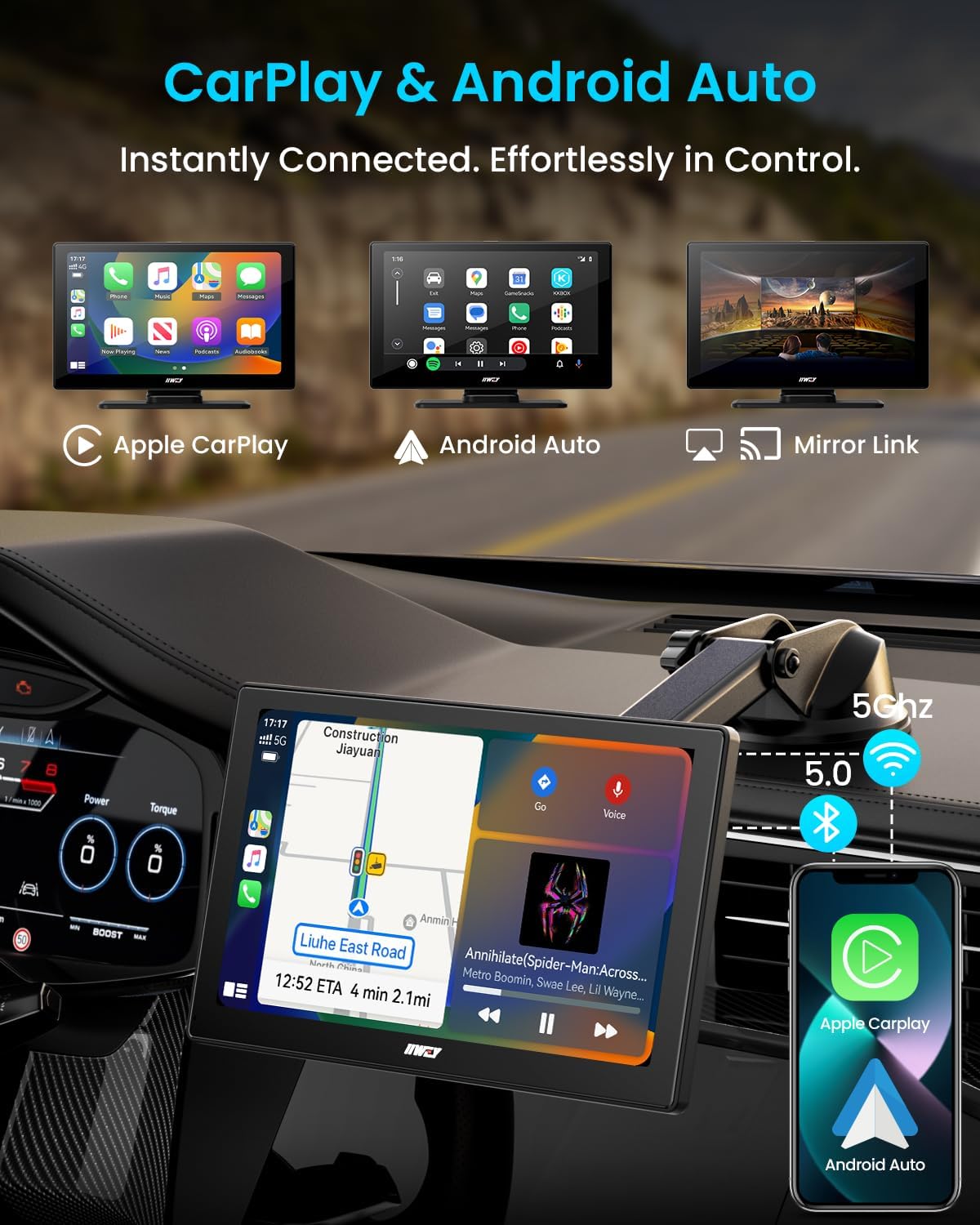
Figure 4.1: The main screen showing the options for Apple CarPlay, Android Auto, and Mirror Link.
4.2 Bezdrátový Android Auto
- Choose the Android Auto mode on the IK5 screen.
- Open Bluetooth settings on your Android phone, find "IIWEY-IK5-XXXX" and connect.
- Agree to the pairing request and allow access to messages.
- Android Auto will automatically launch on the IK5.
4.3 AirPlay & Miracast (Mirror Link)
The IK5 supports wireless mirroring for both iOS (AirPlay) and Android (Miracast) devices, allowing you to project apps, videos, and maps directly from your smartphone.
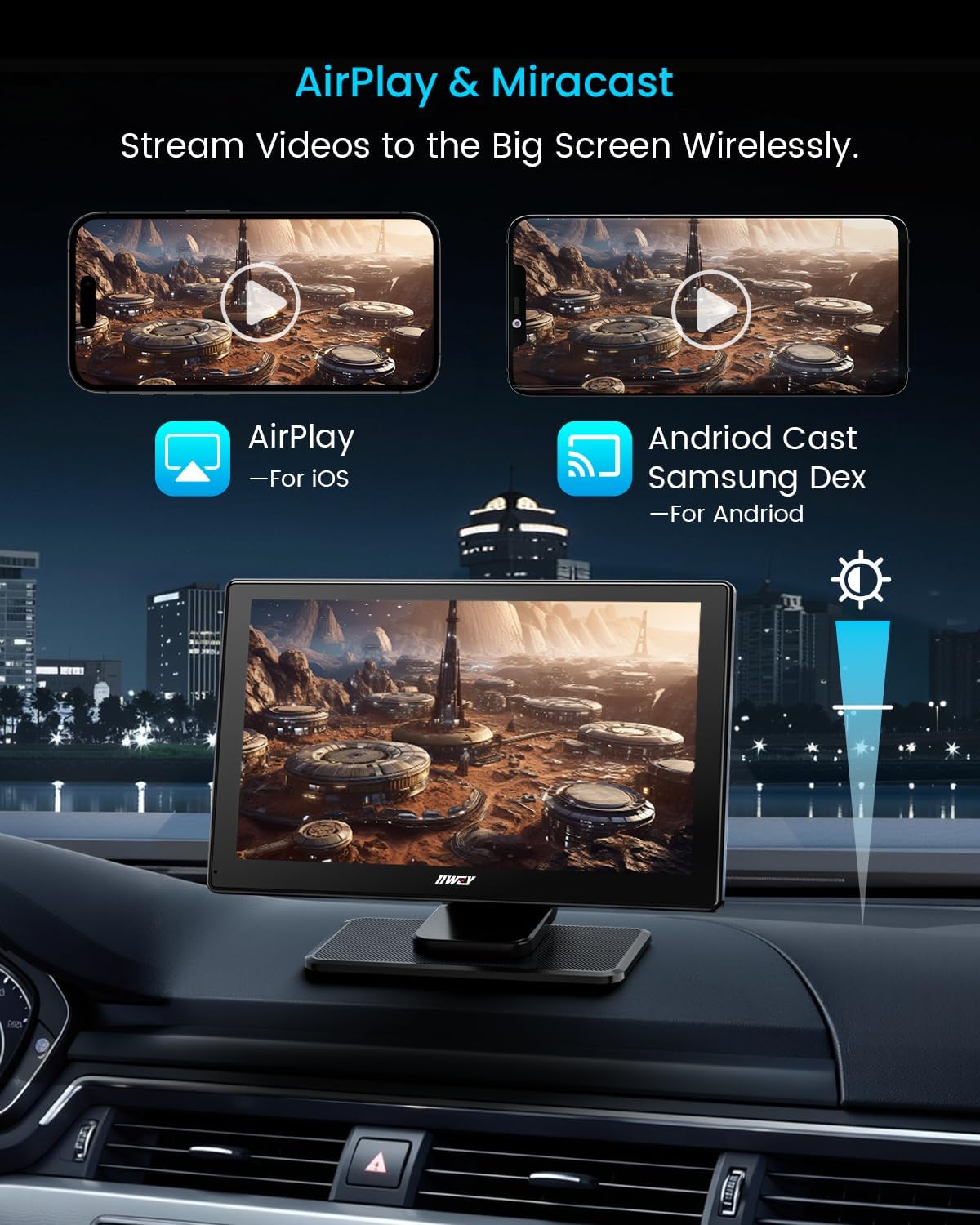
Figure 4.2: The screen displaying mirrored content from a smartphone via AirPlay and Android Cast (Miracast).
5. Návod k obsluze
5.1 Funkce palubní kamery
The integrated 4K front dash cam and 1080p rear camera provide continuous recording of your journey. The included 64GB SD card stores footage, and loop recording ensures older files are overwritten when storage is full.
- 4K přední fotoaparát: Records high-resolution video of the road ahead.
- Zadní kamera 1080p: Poskytuje jasné view behind your vehicle, especially useful for reversing.
- Nahrávání ve smyčce: Automatically manages storage by overwriting the oldest files.
- Wi-Fi připojení: Přenos zaznamenán files to your smartphone via the IIWEY app.
Video 5.1: Podrobný popisview highlighting the features and performance of the wireless car screen, including dash cam capabilities.
5.2 Možnosti zvukového výstupu
Enjoy audio through various methods:
- Vestavěný reproduktor: Pro přímé přehrávání zvuku z jednotky.
- Bluetooth do auta: Connect to your vehicle's existing Bluetooth system for audio output.
- FM přenos: Tune your car radio to an unused FM frequency and set the IK5 to transmit audio to that frequency.
- AUX kabel: Connect the IK5 to your car's AUX input for wired audio.
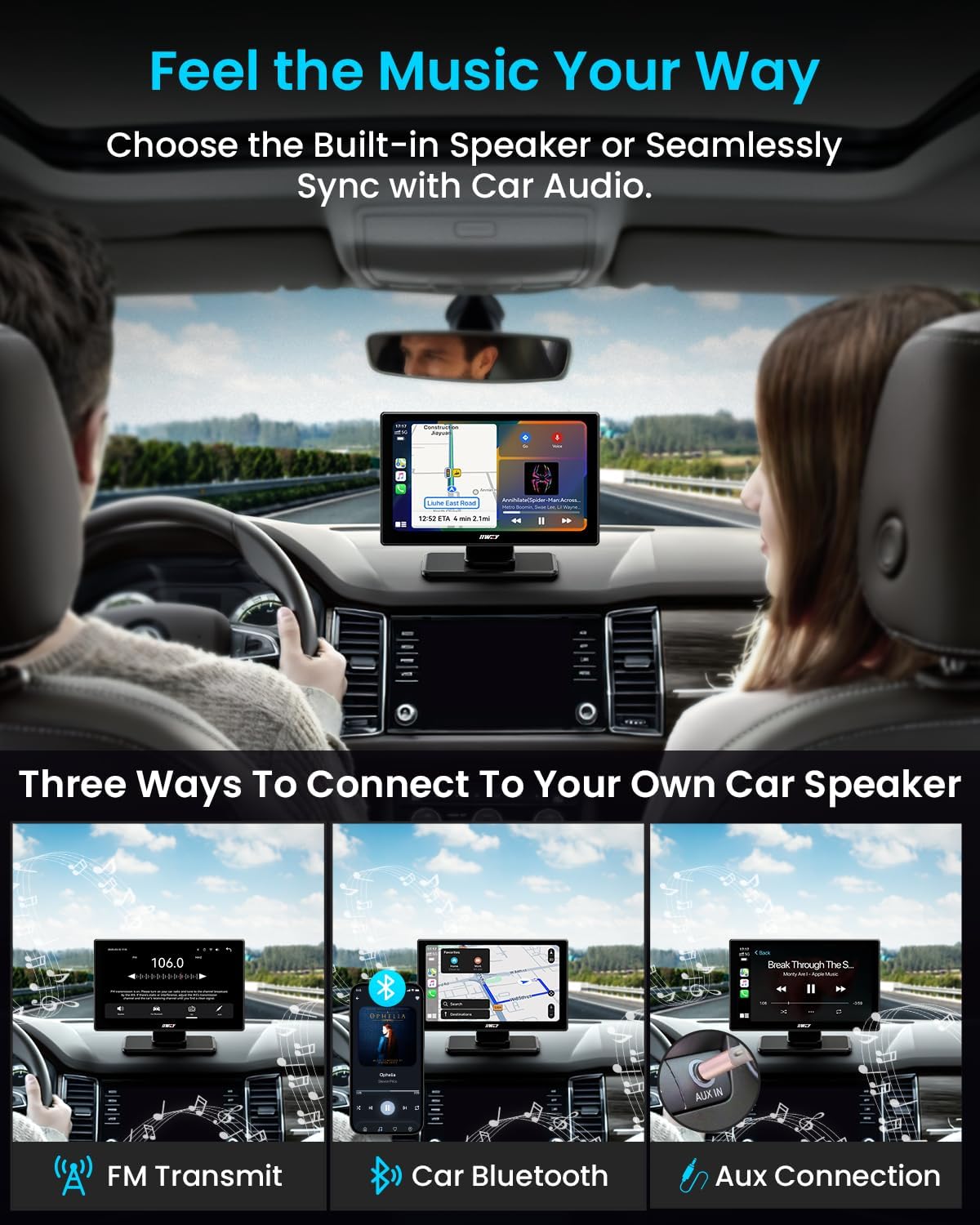
Figure 5.1: Visual representation of connecting the IIWEY IK5 to your car's audio system via FM Transmit, Car Bluetooth, or Aux Connection.
5.3 Voice Control & Navigation
Utilize Siri or Google Assistant for hands-free control over calls, messages, music, and navigation. Mirror navigation apps like Google Maps or Waze from your phone for real-time traffic updates and voice-guided routing.

Figure 5.2: The screen displaying voice command prompts for Siri and Google Assistant, alongside navigation apps like Waze and Google Maps.
6. Nastavení
Access the settings menu on the IK5 to customize various aspects of the device:
- Zobrazit: Adjust brightness, contrast, and screen timeout.
- Zvuk: Configure audio output preferences (Bluetooth, FM, AUX).
- Dash Cam: Manage recording resolution (4K/1080P), loop recording duration, and G-sensor sensitivity.
- Systém: Update firmware, restore factory settings, and view informace o zařízení.
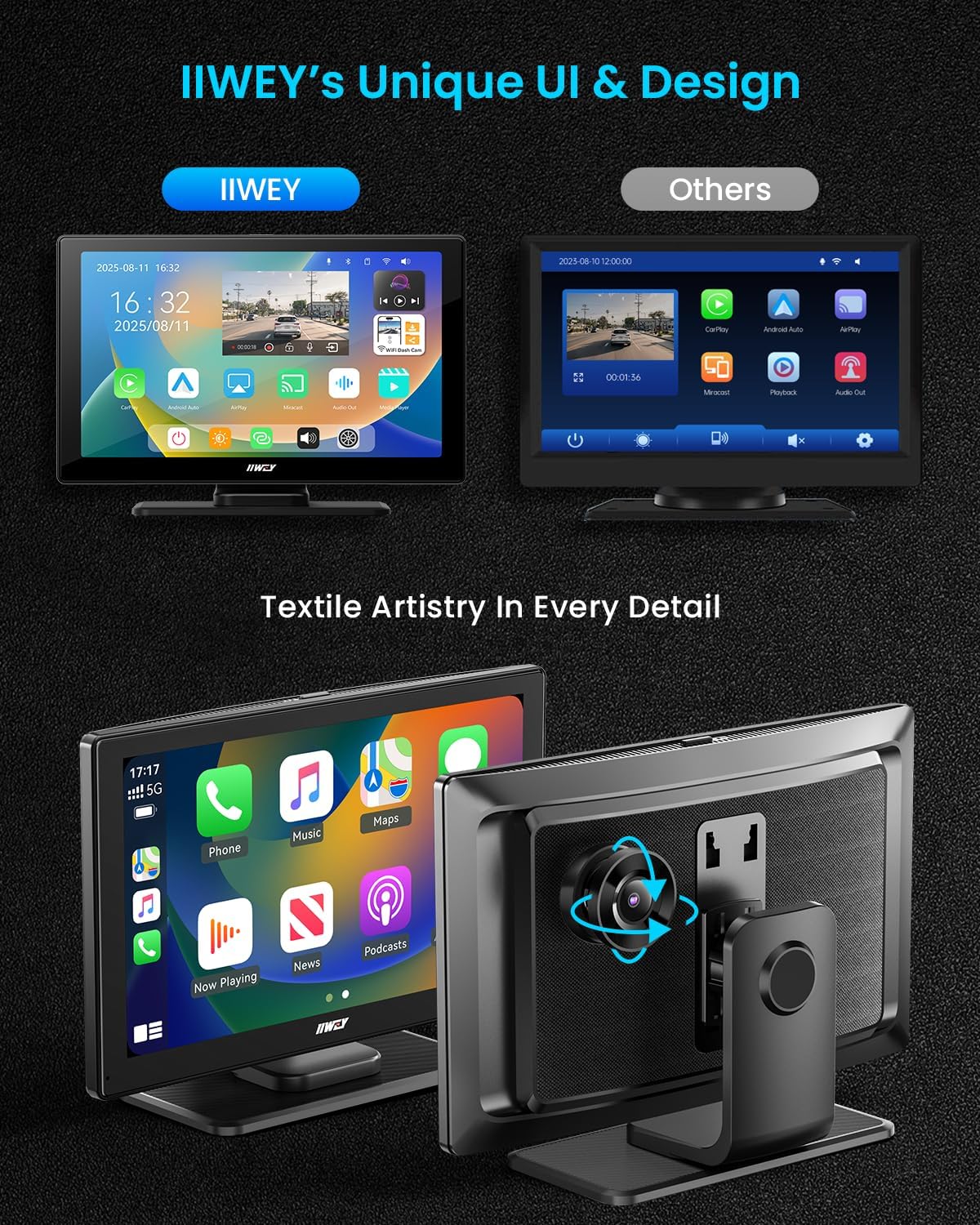
Figure 6.1: The IIWEY IK5's user interface, showcasing its design and various app icons, including settings.
7. Údržba
- Čištění: K čištění obrazovky a těla zařízení používejte měkký, suchý hadřík. Nepoužívejte abrazivní čisticí prostředky ani rozpouštědla.
- SD karta: Periodically format the 64GB SD card to maintain optimal recording performance and prevent data corruption.
- Aktualizace firmwaru: Check the IIWEY website or app for any available firmware updates to ensure the device operates with the latest features and stability.
8. Řešení problémů
| Problém | Řešení |
|---|---|
| Zařízení se nezapne. | Ensure the car charger is securely plugged into both the vehicle's 12V socket and the IK5's USB-C port. Check the vehicle's fuse for the cigarette lighter. |
| Nelze se připojit k CarPlay/Android Auto. | Ensure Bluetooth and WLAN are enabled on your phone. Disconnect and re-pair the device. Check if your phone's OS version meets the minimum requirements (Android 8.0 or later, iOS 11 or higher). |
| Žádný zvuk nebo špatná kvalita zvuku. | Verify the selected audio output method (Built-in Speaker, Bluetooth, FM, AUX). If using FM, try a different frequency. If using AUX, ensure the cable is fully inserted and not damaged. |
| Dash cam not recording or SD card error. | Ensure the 64GB SD card is properly inserted. Format the SD card through the device settings. If issues persist, try a different recommended Micro-SD card (Class 10, U3 speed). |
| Zadní kamera se nezobrazuje. | Check the physical connection of the rear camera cable to the main unit. Ensure the red trigger wire is correctly connected to the reverse light power. |
9. Specifikace
- Rozměry produktu: 1.8 x 8.7 x 5.3 palce
- Hmotnost položky: 14.1 unce
- Název modelu: IK5
- Zobrazit: 9-inch HD Touchscreen (1024x600 resolution)
- Přední kamera: 4K Video Capture Resolution
- Zadní kamera: 1080P Video Capture Resolution
- Skladování: Includes 64GB SD Card (supports up to 256GB)
- Bezdrátová komunikace: Bluetooth, WiFi
- Technologie připojení: Wireless, Apple CarPlay, Android Auto, Mirror Link, GPS (via phone)
- Způsob ovládání: App, Touch, Voice (Siri/Google Assistant)
- Typ montáže: Suction Mount, 3M Sticker Mount
- Barva: Linen Gray Fabric Finish
10. Záruka a podpora
The IIWEY IK5 comes with a 1-letá záruka a a 30denní zásada vrácení. For any technical assistance, setup guidance, or warranty claims, please contact our 24/7 support team.
E-mail podpory: podpora@iiwey.com
You can also scan the QR code in the user manual or visit the IIWEY website for online help and to register your device for extended warranty (up to 24 months).

