Zavedení
The NBCP W15 Retro Game Console provides access to classic gaming experiences. It comes preloaded with 30 licensed vintage games across various genres, offering a nostalgic entertainment option. The console is designed for straightforward plug-and-play operation, connecting to your display via HDMI. It features a 1.5GHz quad-core processor for responsive gameplay and an optimized Android-based system. Online multiplayer capabilities are supported via WiFi and LAN (RJ45) connections.
Video: Overview of the NBCP W15 Retro Game Console, highlighting its features, included accessories, and ease of use for retro gaming enthusiasts.
Co je v krabici
The package for your NBCP W15 Retro Game Console includes the following items:
- Herní konzole
- Game controller (x2)
- SD karta
- HDMI kabel
- Napájecí adaptér
- Uživatelská příručka

Image: The packaging contents, showing the console, two wireless controllers, an HDMI cable, a power adapter, and a user manual.
Pokyny pro nastavení
- Připojte konzolu: Insert the HDMI cable into the HDMI port on the back of the NBCP W15 console and connect the other end to an available HDMI input on your TV, monitor, or projector.

Obrázek: Podrobný view of the console's ports, including HD PORT (HDMI), LAN, USB-1, USB-2, AV, and DC power input. A controller diagram is also shown below.
- Připojení napájení: Připojte napájecí adaptér ke vstupnímu portu stejnosměrného proudu na konzoli a zapojte adaptér do elektrické zásuvky.
- Insert Controller Batteries: Each wireless controller requires three AAA batteries (not included). Open the battery compartment on the back of each controller and insert the batteries, observing polarity.
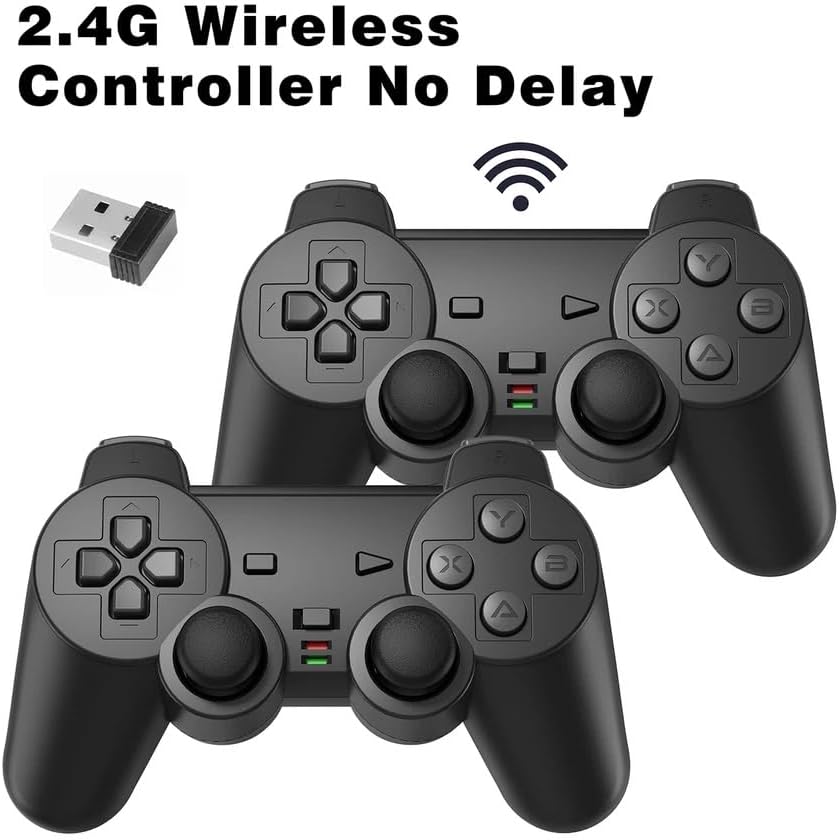
Image: Two wireless controllers and a USB dongle. The controllers are black with standard button layouts.
- Připojení bezdrátového dongle: Insert the USB wireless dongle (included with controllers) into one of the USB ports on the console. This dongle facilitates communication between the console and the wireless controllers.
- Zapnutí: Turn on your TV/monitor and select the correct HDMI input. Press the power button on the console to start.
- Výběr jazyka: Upon first boot, you may be prompted to select a language. Use the controller to navigate and confirm your selection.
- Síťové připojení (volitelné): For online multiplayer, connect the console to the internet via Wi-Fi or an Ethernet cable (RJ45). Navigate to the network settings in the console's menu to configure your connection.
Video: A user demonstrates the unboxing and initial setup of the NBCP W15 Retro Game Console, including connecting the HDMI cable, power adapter, and wireless controller dongle. The video also shows the language selection screen and the Wi-Fi setup process.
Návod k obsluze
Základní navigace
- Použijte D-Pad or Levý joystick on the controller to navigate through menus and game selections.
- Stiskněte tlačítko Tlačítko (or equivalent action button) to confirm selections.
- Stiskněte tlačítko B tlačítko (or equivalent back button) to return to the previous screen.
- The START button typically begins a game or pauses gameplay.
- The VYBRAT button may offer in-game options or menu functions depending on the game.
Hraní her
- From the main menu, navigate to the desired game using the controller.
- Stiskněte tlačítko Tlačítko ke spuštění hry.
- Follow on-screen prompts to start gameplay.
- To exit a game, consult the in-game menu or the console's user manual for specific instructions, as this can vary by game.

Image: The NBCP W15 console and two controllers positioned in front of a television displaying a grid of game titles, illustrating the main game selection interface.
Seznam her
The NBCP W15 Retro Game Console comes preloaded with 30 licensed classic games. A partial list of included games is provided below:
| Kategorie 1 | Kategorie 2 | Kategorie 3 |
|---|---|---|
| gourmet-sentai-bara-yarou | Top Racer | Snow Board Championství |
| Magická fialová | Eliminator Boat Duel | Gadget Twins |
| Power Piggs | Top Racer 3000 | Squash |
| Burglar X | Water Margin, the Tales of Clouds and Wind | Pouliční závodník |
| Skuljagger | Big Karnak | Dragon Master |
| World Rally | Power Balls | Radical Rex |
| Thunder Hoop | Hard Times | Second Samurai |
| World Beach Volley | Top Racer 2 | Stone Protectors |
| Maniac Square | Fancy World | Prásk! |

Image: A visual representation of the game list, including titles like Top Racer, Power Piggs, and Skuljagger. The image also depicts online gaming scenarios in different geographical regions.
Online Multiplayer
The NBCP W15 console supports online multiplayer functionality, allowing users to connect and play with others globally. This feature is enabled through built-in Wi-Fi and an RJ45 Ethernet port.
Connecting Online
- Ensure your console is connected to the internet via Wi-Fi or Ethernet as described in the Setup section.
- Navigate to the "Online Games" or "Multiplayer" section within the console's interface.
- You may need to register an account or log in to access online features.
- Select a game that supports online multiplayer and follow the on-screen instructions to join or host a session.
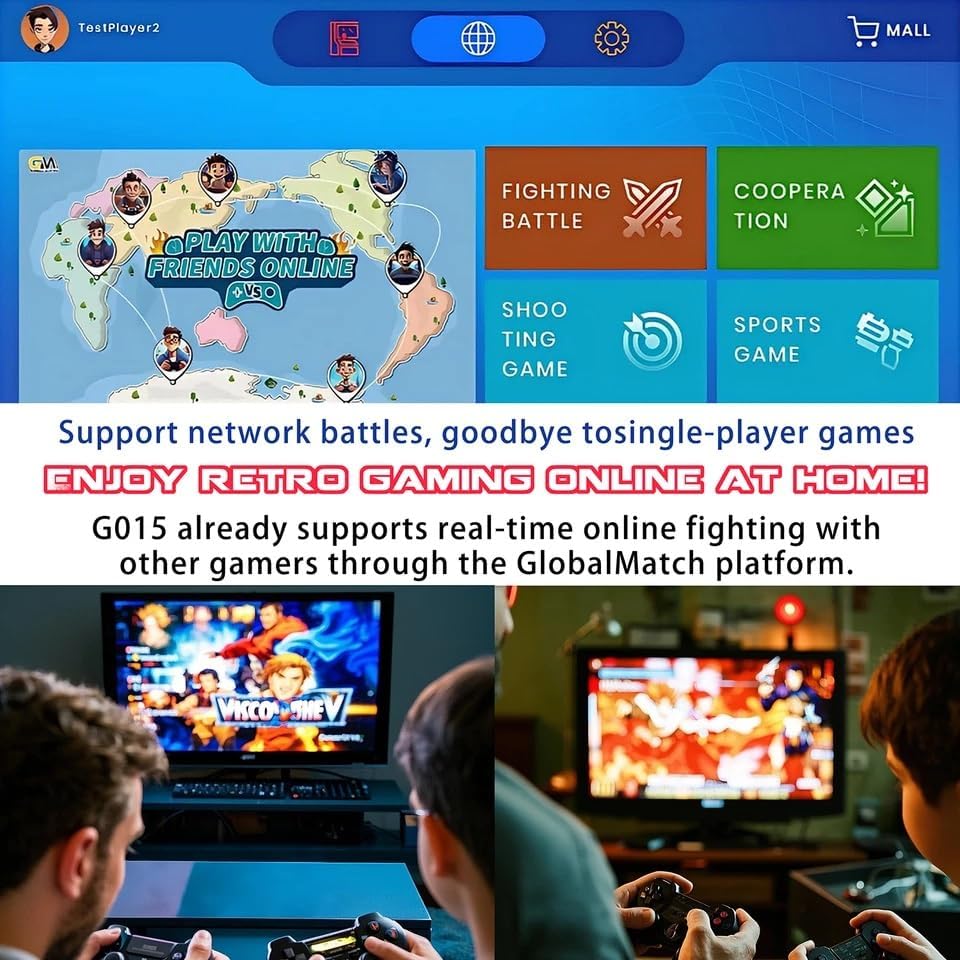
Image: The online gaming interface of the console, displaying categories for different types of online play such as fighting, cooperation, shooting, and sports games.

Image: Two players engaged in a game on the NBCP W15 console, highlighting the multiplayer aspect of the system.
Údržba
- Čištění: K čištění konzole a ovladačů používejte měkký, suchý hadřík. Nepoužívejte tekuté čisticí prostředky ani abrazivní materiály.
- Skladování: Konzoli a příslušenství skladujte na chladném a suchém místě mimo dosah přímého slunečního záření a extrémních teplot.
- Výměna baterie: Replace controller batteries when performance degrades. Ensure correct battery type (AAA) and polarity.
Odstraňování problémů
- Bez napájení:
- Ensure the power adapter is securely connected to both the console and a working power outlet. Verify the power button on the console is pressed.
- Žádný signál na televizi:
- Check that the HDMI cable is firmly connected to both the console and the TV. Confirm your TV is set to the correct HDMI input source.
- Ovladače nereagují:
- Verify that fresh AAA batteries are correctly installed in the controllers. Ensure the USB wireless dongle is plugged into the console. Try turning the controllers off and on using their respective switches.
- Game Freezes or Lags:
- Restart the console. Ensure the console has adequate ventilation to prevent overheating. If playing online, check your internet connection stability.
Bezpečnostní informace
Please read and adhere to the following safety guidelines to ensure safe operation and prevent damage to the product or injury to users:
- This product is not suitable for children under 3 years old due to small parts that may present a choking hazard.
- Always use the product under adult supervision, especially with children.
- Avoid exposing the console and accessories to high temperatures, water, or direct sunlight.
- Do not attempt to disassemble or modify the console or controllers. Unauthorized modifications can void the warranty and pose safety risks.
- Use only the included power adapter and cables. Using incompatible accessories can cause damage or electrical hazards.
- Keep the device away from liquids or moisture to prevent electric shock.
- Ensure adequate ventilation around the console during long gaming sessions to prevent overheating.
- Stop use immediately if the device overheats, emits an abnormal smell, or produces smoke. Disconnect from power and contact support.
Specifikace
| Číslo modelu: | W15 |
| Materiál: | Polyetylen s vysokou hustotou (HDPE) |
| Úložná kapacita paměti: | 8 GB |
| Rozměry produktu: | 10 x 8 x 10 palce |
| Hmotnost položky: | 1.1 libry |
| Procesor: | 1.5GHz quad-core ARM Cortex-A7 CPU |
| Konektivita: | HDMI, USB, LAN (RJ45), Wi-Fi |
| Doporučený věk: | 24 měsíců a starší (s dohledem dospělé osoby) |
Záruka a podpora
For warranty information, technical support, or service inquiries, please refer to the contact details provided with your purchase documentation or visit the official NBCP webUschovejte si doklad o koupi pro případ reklamace.


