Zavedení
This manual provides essential information for the safe and efficient operation, maintenance, and troubleshooting of your Xiaomi Robot Vacuum 5 Pro. Please read this manual thoroughly before using the product and retain it for future reference.
Důležité bezpečnostní informace
To reduce the risk of injury or damage, read and follow all safety precautions. This device is for household use only.
- Nepoužívejte robotický vysavač na mokrých površích nebo v prostředí se stojatou vodou.
- Keep children and pets away from the robot vacuum during operation.
- Používejte pouze originální napájecí adaptér a nabíjecí stanici dodané výrobcem.
- Ujistěte se, že napájecí kabel není poškozený nebo zamotaný.
- Před čištěním odstraňte z podlahy všechny volné kabely, malé předměty nebo křehké předměty, abyste zabránili jejich zamotání nebo poškození.
- Nepoužívejte robotický vysavač v blízkosti otevřeného ohně nebo hořlavých materiálů.
- Nesedejte si na robotický vysavač ani na něj nepokládejte těžké předměty.
- Před prováděním jakékoli údržby nebo čištění vypněte robotický vysavač a odpojte nabíjecí stanici ze zásuvky.
Obsah balení
Ověřte, zda jsou v balení přítomny všechny komponenty:
- Xiaomi Robot Vacuum 5 Pro
- Self-cleaning Base Station
- Napájecí adaptér
- Boční štětec
- Hlavní kartáč (předinstalovaný)
- Popelnice (předinstalovaná)
- Vodní nádrž (předinstalovaná)
- Mopové podložky (x2)
- Uživatelská příručka
Konec produktuview
Familiarize yourself with the components and features of your Xiaomi Robot Vacuum 5 Pro.
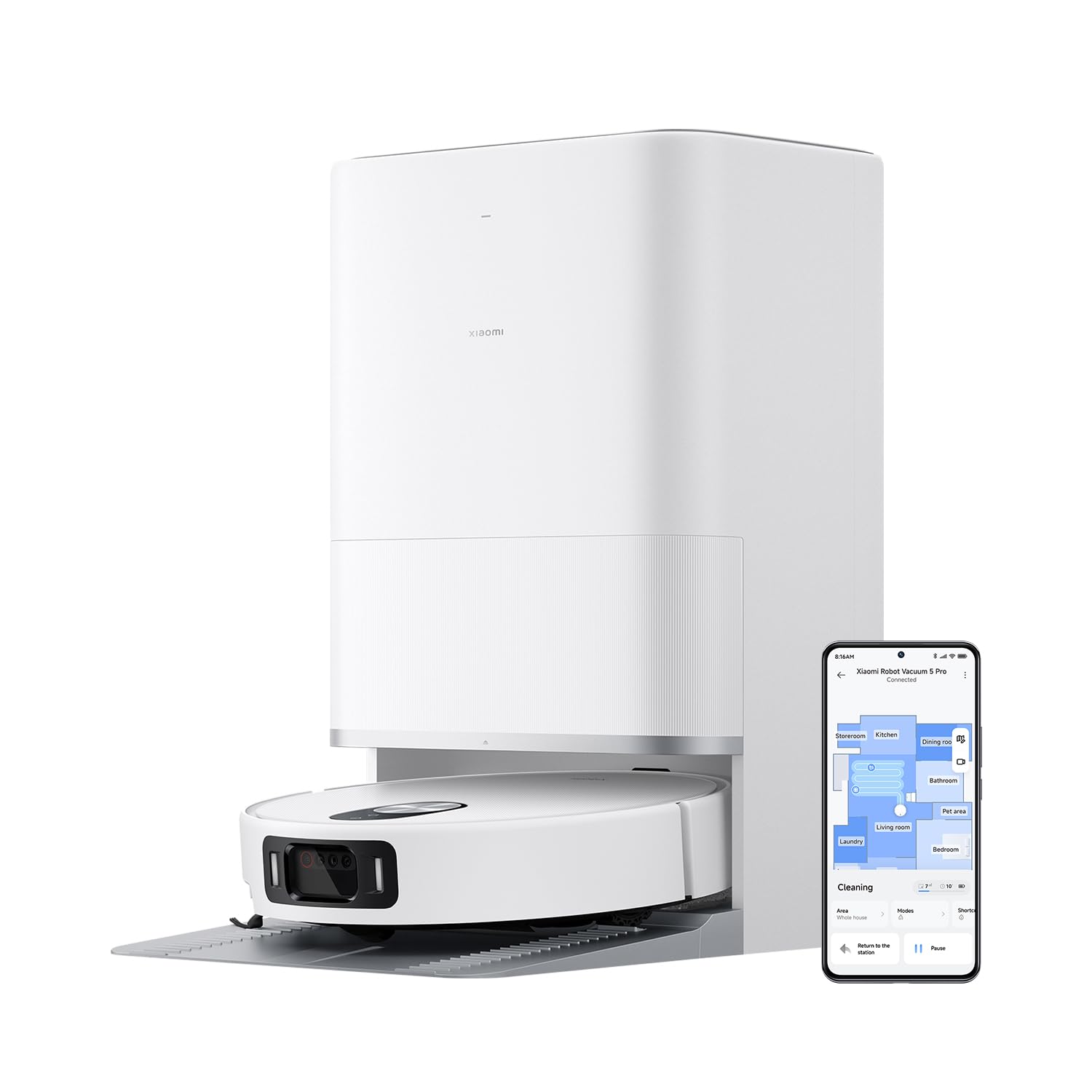
Obrázek 1: The Xiaomi Robot Vacuum 5 Pro docked in its self-cleaning base station, with a smartphone displaying the control app interface.
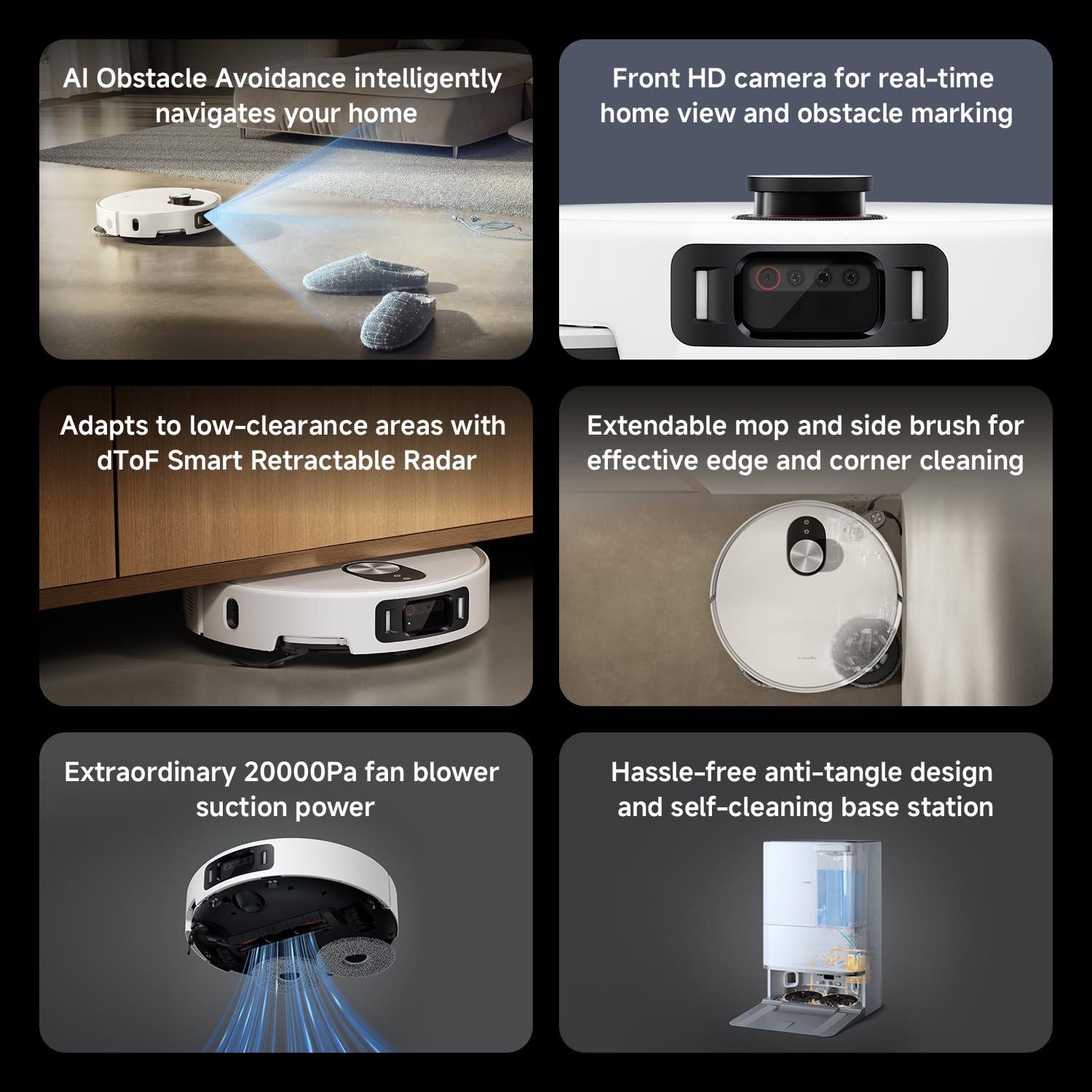
Obrázek 2: Nadview of key features including AI obstacle avoidance, front HD camera, dToF radar, extendable mop, powerful suction, and the self-cleaning base station.

Obrázek 3: The AI triple-camera smart detection system, comprising an RGB camera, two infrared cameras, and an infrared 3D dot projector for accurate environment sensing.
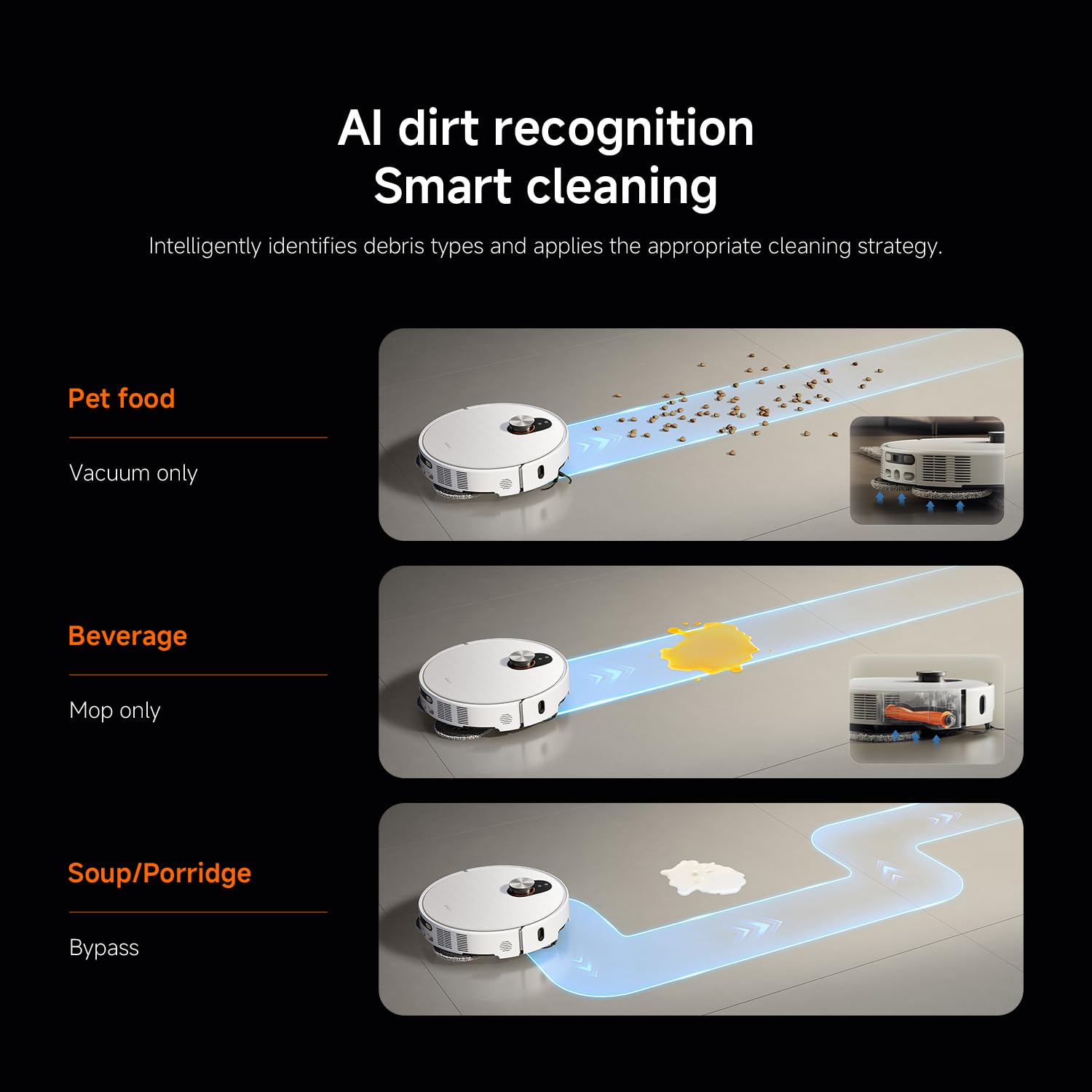
Obrázek 4: AI dirt recognition system intelligently identifying debris types and applying appropriate cleaning strategies (vacuum, mop, or bypass).
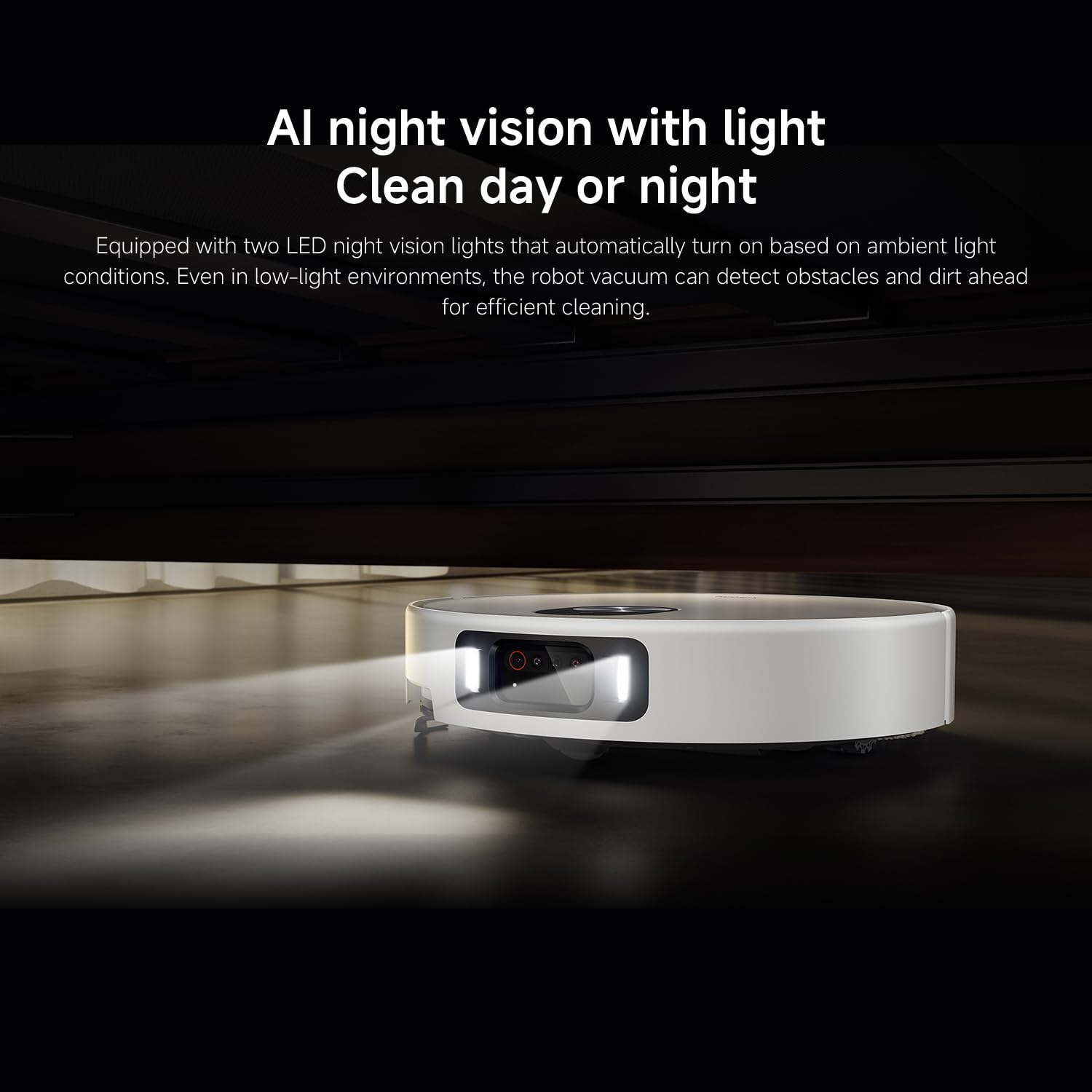
Obrázek 5: AI night vision with two LED lights, enabling the robot vacuum to detect obstacles and dirt efficiently in low-light conditions.
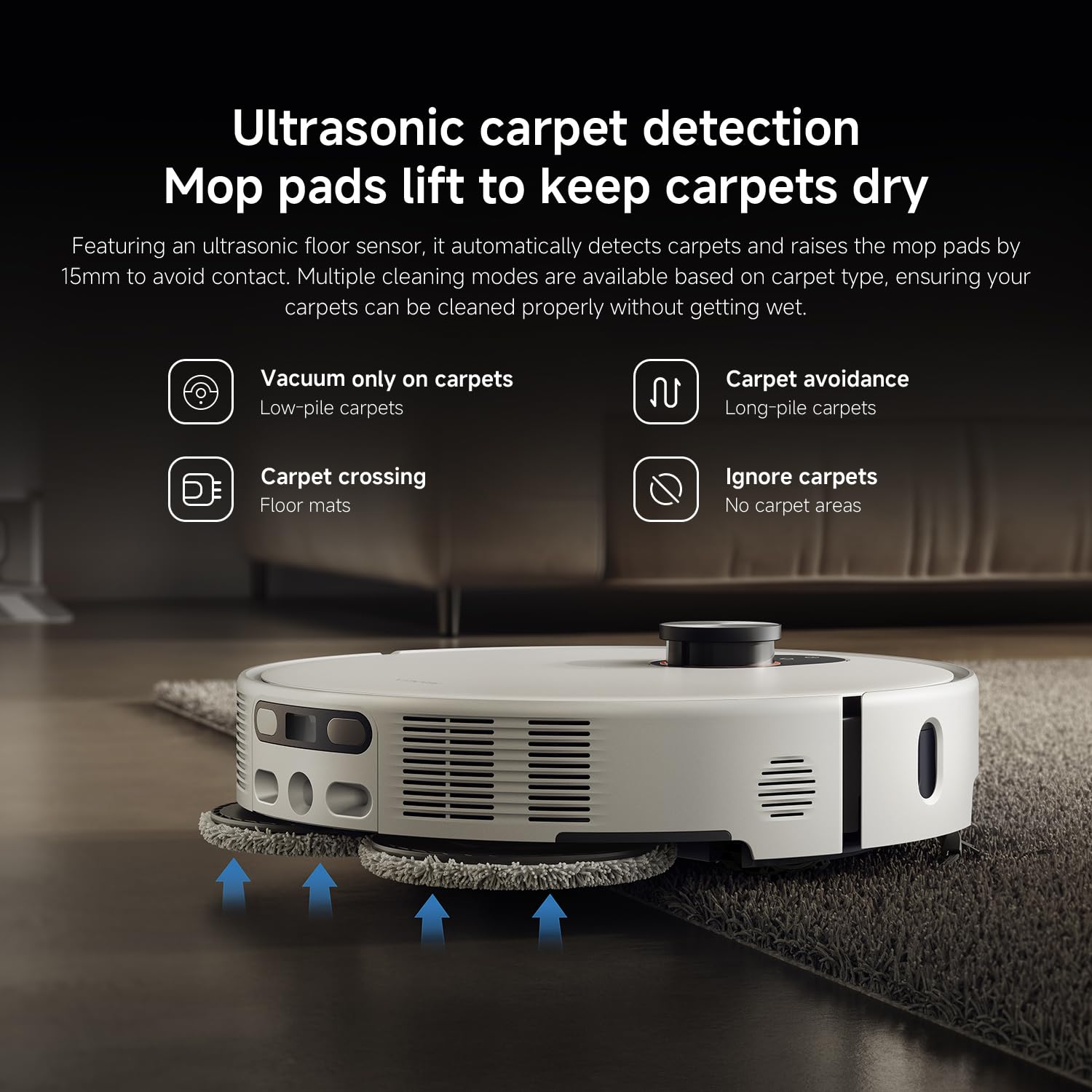
Obrázek 6: Ultrasonic carpet detection system, which automatically lifts mop pads by 15mm to avoid wetting carpets, offering multiple cleaning modes.
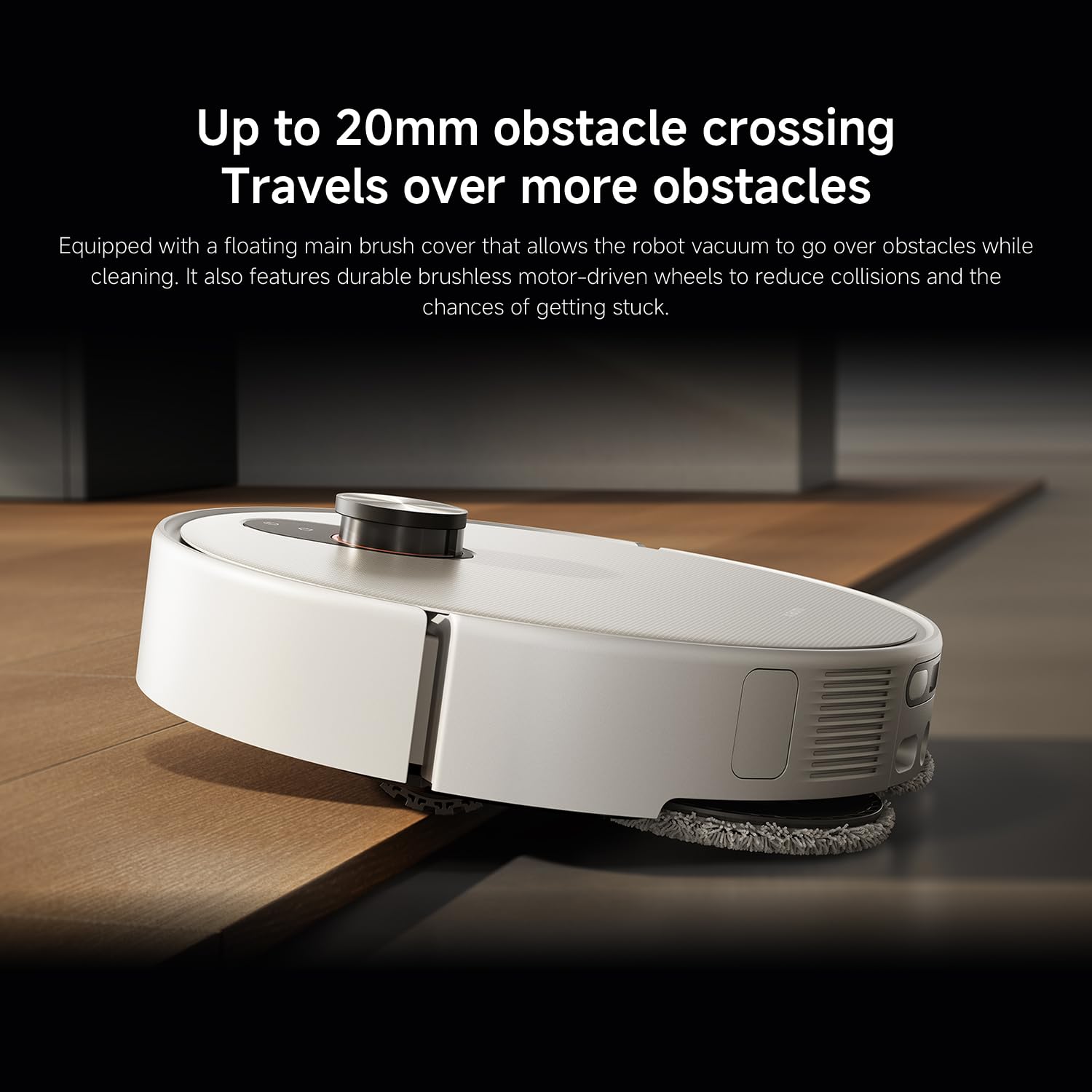
Obrázek 7: The robot vacuum's ability to cross obstacles up to 20mm high, facilitated by a floating main brush cover and durable wheels.
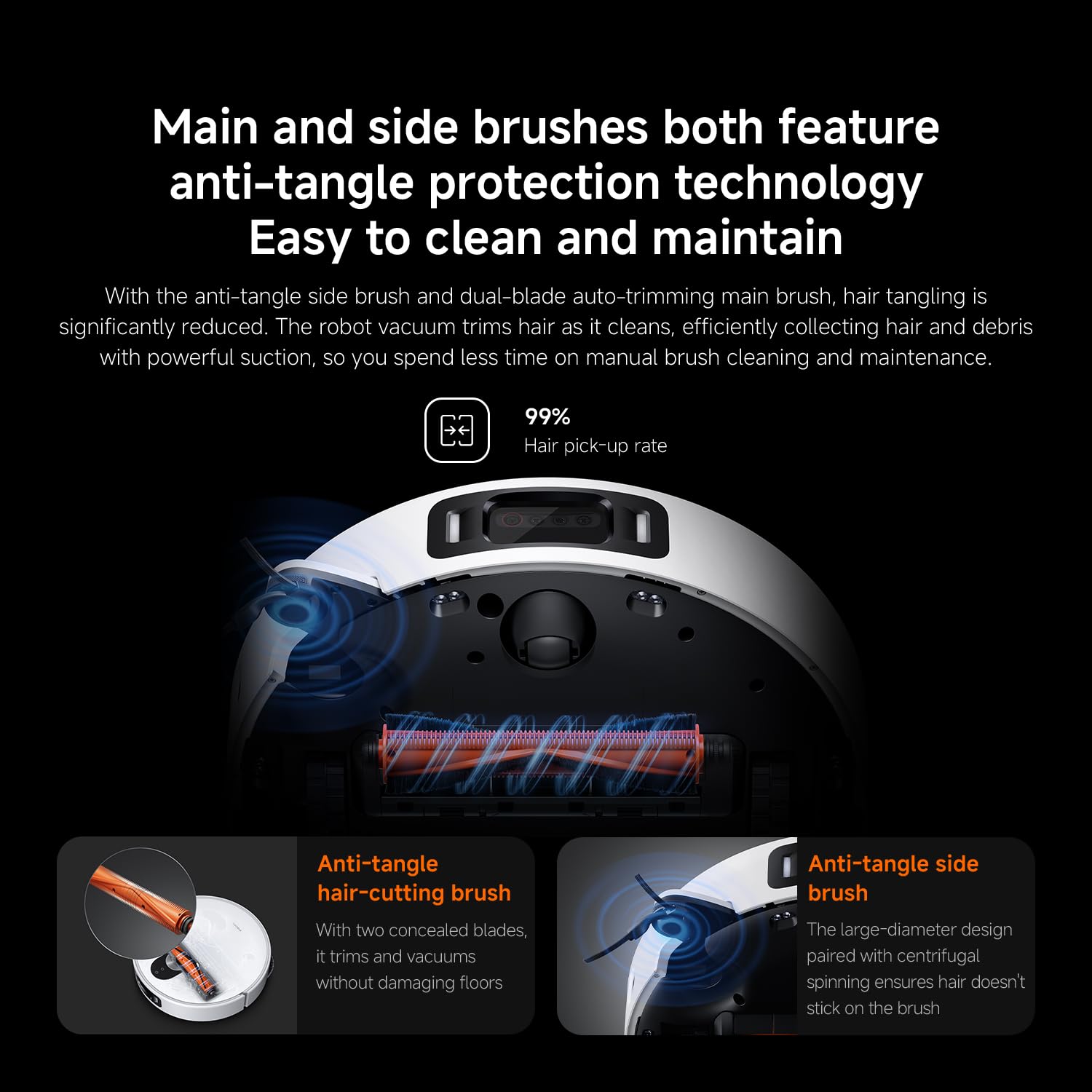
Obrázek 8: Main and side brushes featuring anti-tangle protection technology, including concealed blades for the main brush and a large-diameter design for the side brush.
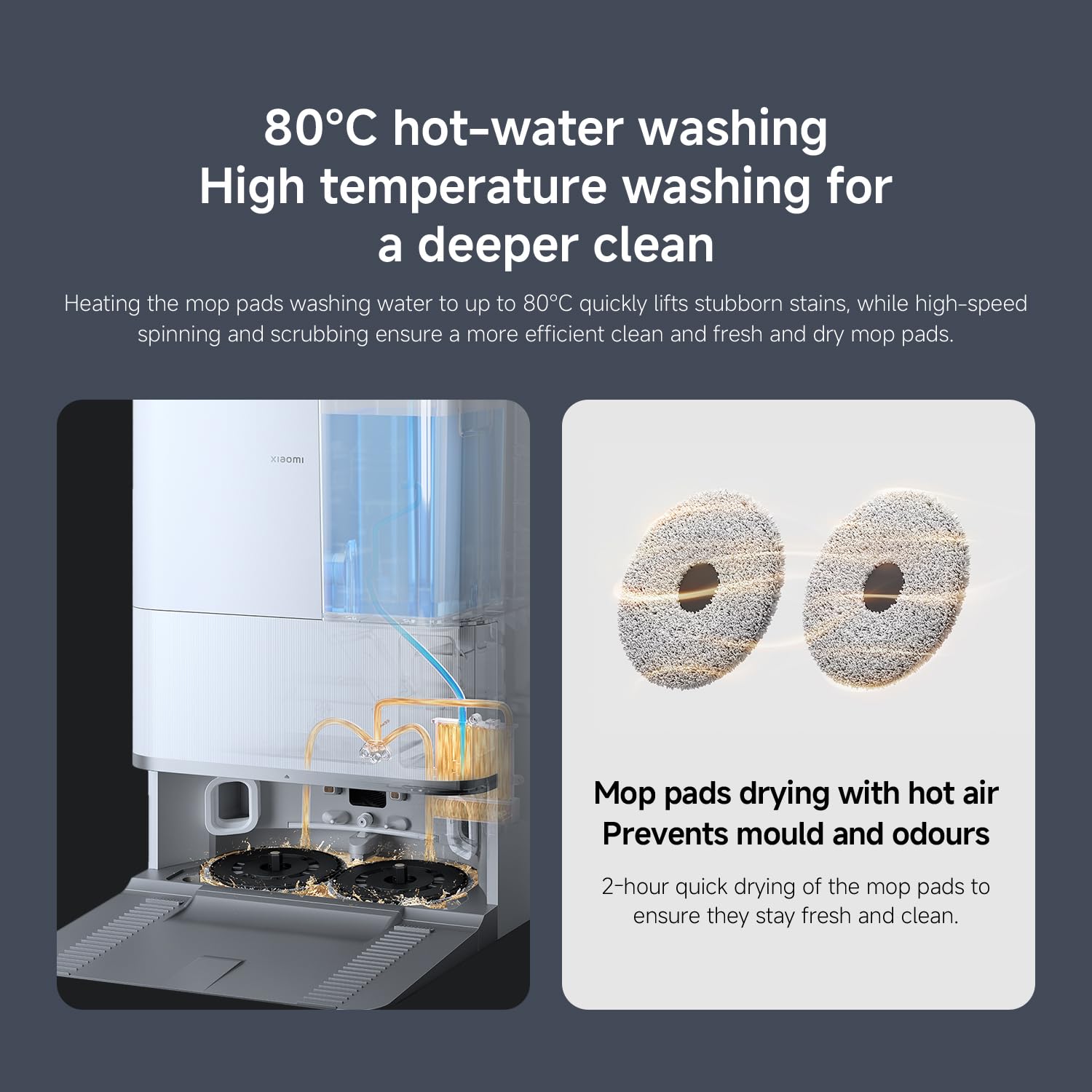
Obrázek 9: The self-cleaning base station performing 80°C hot-water washing for deep cleaning and 2-hour hot air drying of mop pads to prevent mold and odors.
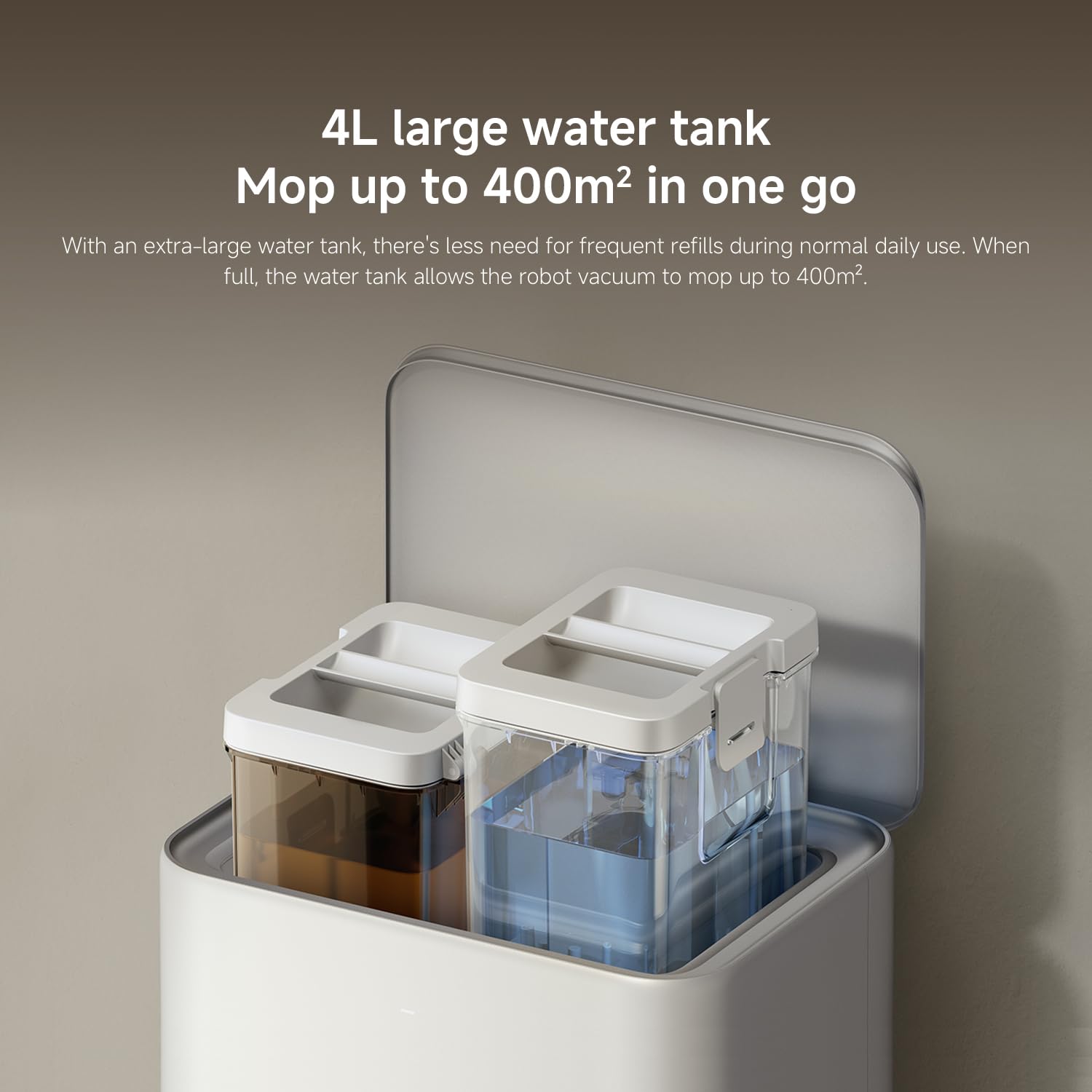
Obrázek 10: The 4L large water tank system within the self-cleaning base station, designed for extended mopping coverage without frequent refills.
Průvodce nastavením
1. Vybalení a umístění
- Opatrně vyjměte všechny součásti z obalu.
- Choose a suitable location for the self-cleaning base station. Ensure there is at least 0.5 meters of clear space on both sides and 1.5 meters in front of the base station.
- Place the base station against a wall on a hard, level surface. Do not place it on carpets.
- Connect the power adapter to the base station and plug it into a power outlet. Ensure the cable is neatly tucked away to prevent entanglement.
2. Počáteční nabíjení
- Place the robot vacuum onto the charging contacts of the base station. Ensure the contacts align.
- The robot will automatically power on and begin charging. Allow it to fully charge before first use (approximately 6 hours). The indicator light on the robot will change when fully charged.
3. Stažení aplikace a připojení
- Stáhněte si Domov Xiaomi aplikaci z obchodu s aplikacemi vašeho chytrého telefonu (App Store pro iOS, Google Play Store pro Android).
- Otevřete aplikaci a vytvořte si účet nebo se přihlaste.
- Klepněte na ikonu „+“ v pravém horním rohu pro přidání zařízení.
- Select "Xiaomi Robot Vacuum 5 Pro" from the list of available devices or scan the QR code on the robot.
- Follow the in-app instructions to connect the robot to your home Wi-Fi network. Ensure your phone is connected to a 2.4GHz Wi-Fi network during setup.
- Po připojení můžete robota ovládat, view maps, set schedules, and access advanced features through the app.
Návod k obsluze
1. Spuštění a zastavení čištění
- Začněte s čištěním: Press the power button on the robot or tap "Clean" in the Xiaomi Home app. The robot will automatically map your home and begin cleaning.
- Pozastavení čištění: Press any button on the robot or tap "Pause" in the app.
- Obnovit úklid: Press the power button again or tap "Resume" in the app.
- Návrat na základnu: Press the home button on the robot or tap "Recharge" in the app. The robot will return to the self-cleaning base station.
2. Režimy čištění
The Xiaomi Home app allows you to select various cleaning modes:
- Pouze vakuové: For dry debris and general vacuuming.
- Pouze mop: For wet cleaning with mop pads.
- Vysavač a mop: Současné vysávání a vytírání.
- Úklid prostor: Select specific rooms or zones on the map to clean.
- Bodové čištění: Nasměrujte robota k úklidu konkrétní malé oblasti.
3. Advanced Features via Xiaomi Home App
- Správa map: View and edit your home's map. Set virtual walls and no-go zones to restrict the robot from certain areas.
- Plánované čištění: Nastavte konkrétní časy, kdy bude robot automaticky čistit.
- Cleaning Preferences: Adjust suction power, water flow level, and carpet cleaning modes (e.g., vacuum only on carpets, carpet avoidance).
- Monitorování v reálném čase: Monitor the robot's cleaning progress and location in real-time.
- AI Dirt Recognition: The robot automatically adjusts its cleaning strategy based on detected dirt types.
- Noční vidění s umělou inteligencí: Enables cleaning in low-light conditions.
Údržba
Regular maintenance ensures optimal performance and extends the lifespan of your robot vacuum. Always turn off the robot and unplug the base station before performing maintenance.
1. Popelnice a filtr
- Vyprázdněte popelnici: The self-cleaning base station will automatically empty the dustbin. However, manually check and empty the dustbin if the base station is not used or if the dustbin is full.
- Vyčistit filtr: Tap the dustbin to remove loose dirt. Rinse the filter under running water. Ensure it is completely dry before re-installing (allow 24 hours). Replace the filter every 3-6 months, or as needed.
2. Water Tank and Mop Pads
- Nádrž na vodu: The base station will manage water levels. Ensure the clean water tank in the base station is filled.
- Čisté mopové podložky: The base station automatically washes and dries the mop pads. Periodically remove and hand wash the mop pads for a deeper clean. Replace mop pads every 1-3 months, depending on usage.
3. Štětce
- Hlavní kartáč: Remove the main brush cover and lift out the main brush. Use the cleaning tool to remove hair and debris. Check the bearings for any entanglement. Reinstall the brush. Replace every 6-12 months.
- Boční kartáč: Unscrew the side brush and remove any tangled hair or debris. Reattach the brush. Replace every 3-6 months.
4. Senzory a nabíjecí kontakty
- Wipe all sensors (cliff sensors, wall sensors, dToF radar) and charging contacts on both the robot and the base station with a clean, dry cloth.
Odstraňování problémů
Pokud se s robotickým vysavačem setkáte s problémy, podívejte se na následující běžné problémy a jejich řešení:
| Problém | Možná příčina | Řešení |
|---|---|---|
| Robot se nezapíná ani nenabíjí. | Baterie je vybitá; nabíjecí kontakty jsou znečištěné; napájecí adaptér není připojen. | Ensure robot is properly docked. Clean charging contacts. Check power adapter connection. |
| Robot se často zasekává. | Obstacles on floor; low-clearance furniture; cliff sensors dirty. | Clear floor of cables and small items. Use virtual walls in app. Clean cliff sensors. |
| Špatný čisticí výkon. | Dustbin full; brushes tangled; filter clogged; low suction setting. | Empty dustbin. Clean main and side brushes. Clean/replace filter. Increase suction power in app. |
| Robot se nemůže vrátit na základnovou stanici. | Base station obstructed; robot too far from base; charging contacts dirty. | Ensure clear path to base. Move robot closer to base. Clean charging contacts. |
| Mopové podložky nečistí efektivně nebo zanechávají šmouhy. | Mop pads dirty; water tank empty; low water flow setting. | Clean or replace mop pads. Refill clean water tank. Adjust water flow in app. |
| Problémy s připojením k aplikaci. | Nesprávné heslo k Wi-Fi; síť Wi-Fi 5 GHz; robot je příliš daleko od routeru. | Ensure 2.4GHz Wi-Fi. Re-enter password. Move robot closer to router. Restart robot and router. |
Specifikace
| Funkce | Detail |
|---|---|
| Značka | XIAOMI |
| Číslo modelu | 65238 |
| Číslo dílu | BHR07WEGB |
| svtage | 240 voltů |
| Zdroj napájení | Napájení z baterie |
| Baterie jsou součástí dodávky | Ano (1 x 12V baterie) |
| Form Factor | Kolo |
| Rozměry produktu | 44.3 x 43.1 x 68.6 cm |
| Hmotnost položky | 15 kg |
| Doporučení pro povrch | Víceplošné |
| Datum první dostupnosti | 23. září 2025 |
Záruka a podpora
Informace o záruce a zákaznické podpoře naleznete v záručním listu dodaném s produktem nebo na oficiálních webových stránkách XIAOMI. website. You can also contact XIAOMI customer service for assistance with product inquiries, technical support, or service requests.
Oficiální Webmísto: www.mi.com


