1. Úvod
Thank you for choosing the TECKNET TK-MS024 Wireless Bluetooth Mouse. This manual provides detailed instructions for setting up, operating, and maintaining your new mouse. Please read this guide thoroughly to ensure optimal performance and longevity of your device.
2. Konec produktuview
The TECKNET TK-MS024 is a versatile wireless mouse designed for comfort and efficiency. It features multiple connectivity options, adjustable DPI, and an ergonomic design suitable for various computing tasks.
Klíčové vlastnosti:
- Three-Mode Wireless Connection: Supports Bluetooth 5.0, Bluetooth 3.0, and 2.4 GHz wireless via USB-A receiver.
- 4-Way Scroll Wheel: Enables both vertical and horizontal scrolling for enhanced navigation.
- Nastavitelné DPI: Six sensitivity levels (800/1200/1600/2400/3200/4800 DPI) with an indicator light.
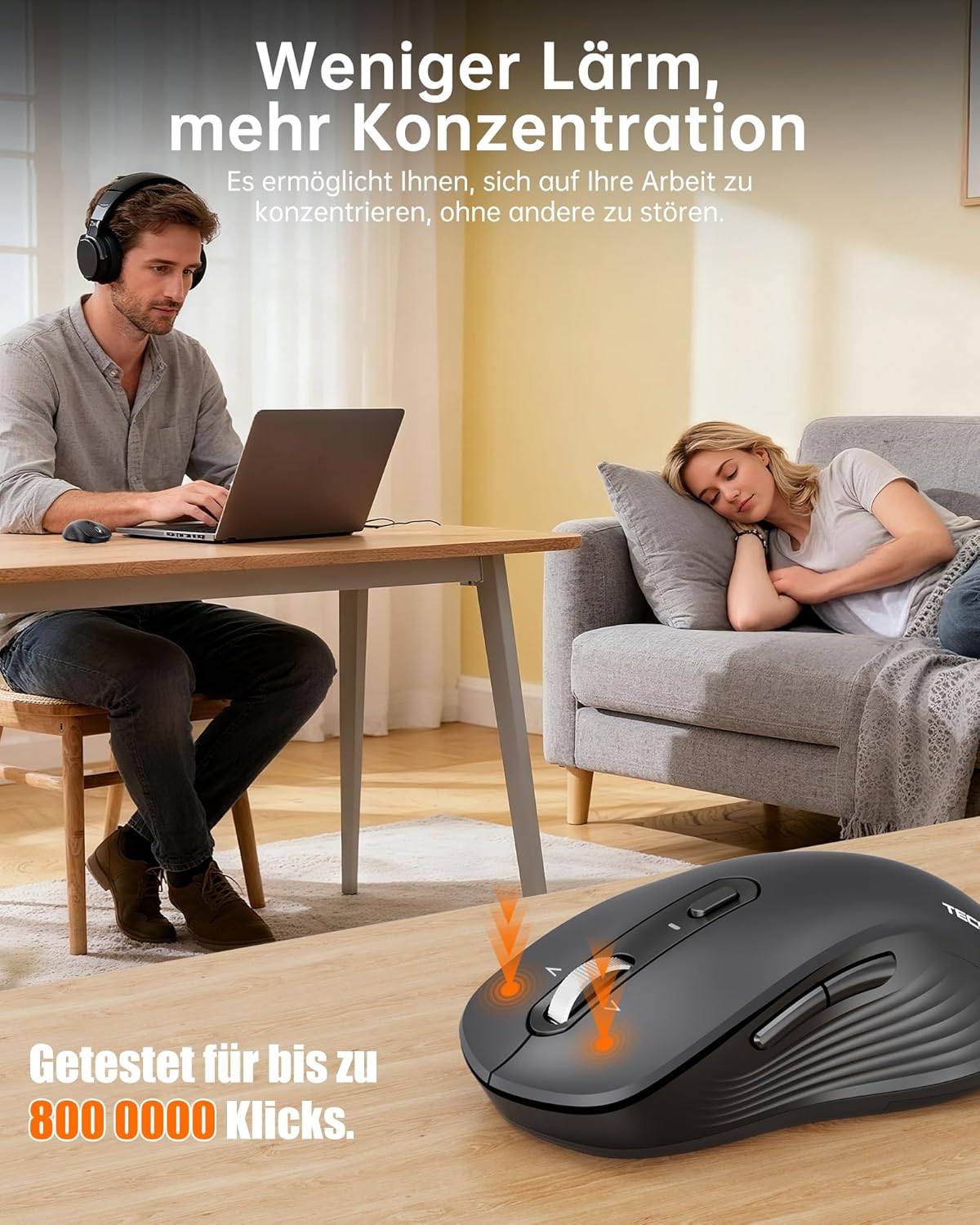
- Tichý provoz: Up to 90% quieter clicks compared to conventional mice.
- Ergonomický design: Full-size shape with natural curvature for reduced wrist strain and comfort.
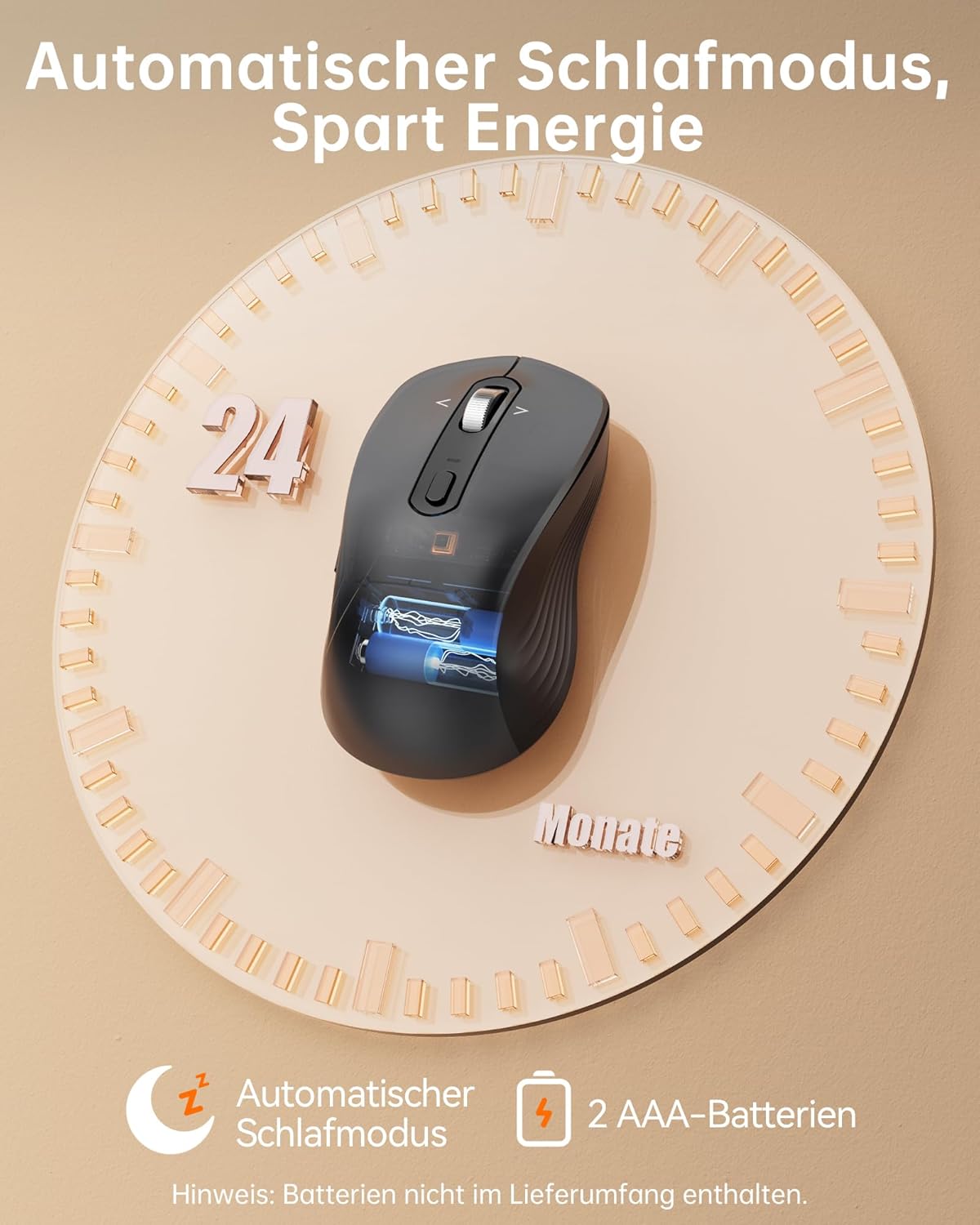
- Dlouhá výdrž baterie: Up to 24 months with intelligent auto-sleep mode.
The mouse features an ergonomic, full-size design with a natural curvature and integrated wrist rest, suitable for both left and right-handed users, ensuring comfort during long work sessions.

Designed for quiet operation, the mouse's silent clicks reduce noise by up to 90%, promoting better concentration in various environments.
3. Nastavení
3.1 Instalace baterie
- Open the battery compartment cover located on the underside of the mouse.
- Insert two AAA batteries (not included) according to the polarity indicators (+/-).
- Bezpečně zavřete kryt bateriového prostoru.

This image shows the mouse's automatic sleep mode feature, which conserves battery life, and indicates that it requires 2 AAA batteries (not included).
3.2 Režimy připojení
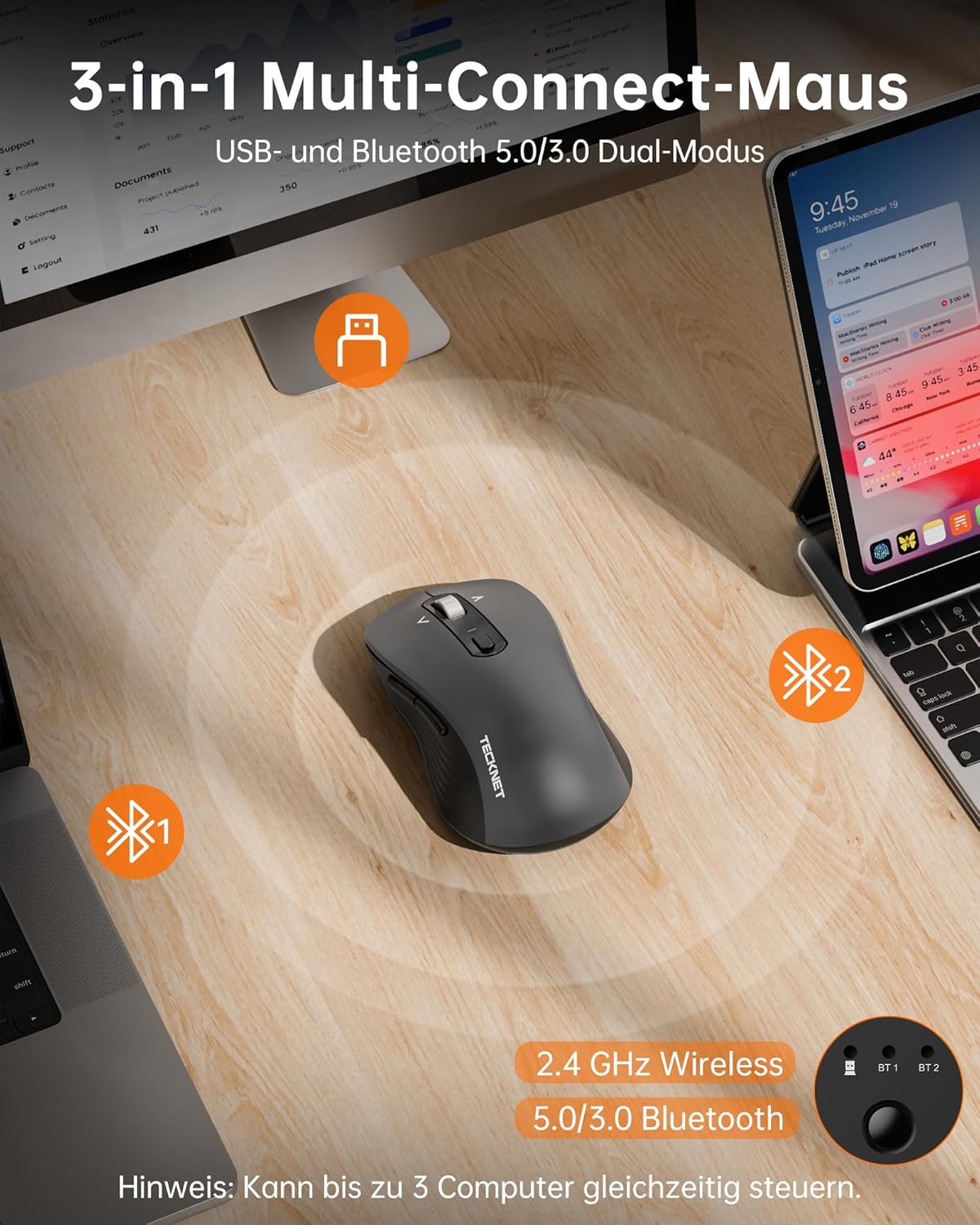
The mouse supports three connection modes: 2.4 GHz wireless (via USB receiver), Bluetooth 5.0, and Bluetooth 3.0. You can connect to up to three devices simultaneously and switch between them.
Bezdrátové připojení 2.4 GHz:
- Locate the USB-A receiver stored in the battery compartment of the mouse.
- Zapojte přijímač USB-A do volného portu USB v počítači.
- Zapněte myš. Myš by se měla automaticky připojit.
Bluetooth Connection (BT 5.0 / BT 3.0):
- Zapněte myš.
- Press the mode switch button on the underside of the mouse to select either BT1 or BT2 mode. The corresponding indicator light will flash.
- On your device (laptop, PC, Mac, tablet), go to Bluetooth settings and search for new devices.
- Select "TECKNET Mouse" from the list of available devices to pair.
- Po spárování kontrolka přestane blikat a zůstane několik sekund svítit nepřetržitě.
The mouse offers versatile connectivity with 2.4 GHz wireless, Bluetooth 5.0, and Bluetooth 3.0 modes, allowing connection to up to three devices simultaneously.
4. Návod k obsluze
4.1 Nastavení DPI
The mouse features 6 adjustable DPI levels to suit various tasks and preferences. Press the DPI button, located behind the scroll wheel, to cycle through the settings:
- 800 DPI
- 1200 DPI
- 1600 DPI
- 2400 DPI
- 3200 DPI
- 4800 DPI
An indicator light will signal the current DPI level. The mouse includes a memory function that saves your last DPI setting.
This image illustrates the mouse's intelligent sensitivity with 6 adjustable DPI levels (800, 1200, 1600, 2400, 3200, 4800) for precise control, indicated by an LED.
4.2 4-Way Scrolling
The intelligent metal scroll wheel allows for both vertical and horizontal scrolling. Tilt the scroll wheel left or right to perform horizontal scrolling, which is particularly useful for navigating wide spreadsheets or large artboards.

The mouse features an intelligent metal scroll wheel that supports both vertical and horizontal scrolling, enhancing navigation in wide documents and spreadsheets.
4.3 Přepínání více zařízení
To switch between connected devices (2.4G, BT1, BT2), simply press the mode switch button on the underside of the mouse. The corresponding indicator light will illuminate to show the active connection.
5. Údržba
- Čištění: K čištění myši použijte měkký, suchý hadřík. V případě odolných nečistot použijte lehceamp Lze použít hadřík, ale dbejte na to, aby se do zařízení nedostala vlhkost.
- Výměna baterie: Replace AAA batteries when the mouse's performance degrades or the low battery indicator (if present) illuminates.
- Skladování: When not in use for extended periods, remove the batteries to prevent leakage. Store the mouse in a cool, dry place.
6. Řešení problémů
Myš nereaguje:
- Ujistěte se, že je myš zapnutá.
- Zkontrolujte stav baterie a v případě potřeby ji vyměňte.
- Pro připojení 2.4 GHz se ujistěte, že je USB přijímač bezpečně zapojený do funkčního USB portu. Zkuste jiný USB port.
- For Bluetooth connection, ensure Bluetooth is enabled on your device and the mouse is correctly paired. Try re-pairing the mouse.
- Ensure the mouse is within the effective operating range (up to 15 meters).
Přerušované připojení:
- Přesuňte myš blíže k zařízení.
- Nepoužívejte myš na kovových površích, které mohou rušit bezdrátové signály.
- Minimalizujte rušení od jiných bezdrátových zařízení pracujících na stejné frekvenci.
Pohyb kurzoru je nepravidelný:
- Vyčistěte optický senzor na spodní straně myši.
- Používejte myš na čistém, nereflexním povrchu nebo na podložce pod myš.
- Pokud je kurzor příliš citlivý, upravte nastavení DPI na nižší úroveň.
7. Specifikace
| Značka | TECNET |
| Číslo modelu | TK-MS024 |
| Technologie připojení | Bluetooth 5.0, Bluetooth 3.0, 2.4 GHz Wireless (USB-A) |
| Úrovně DPI | 800, 1200, 1600, 2400, 3200, 4800 |
| Počet tlačítek | 6 |
| Technologie detekce pohybu | Optický |
| Speciální funkce | 4-Way Scrolling, Ergonomic Design, LED Lights, Soundless Clicks, Wireless |
| Kompatibilní zařízení | Desktop, Laptop, Mac, Tablet |
| Kompatibilita operačního systému | Windows XP/7/8/10/11, macOS 10.4+, Linux, Android, Chrome OS |
| Zdroj napájení | 2 x AAA baterie (nejsou součástí balení) |
| Průměrná životnost baterie | Až 24 měsíců |
| Rozměry produktu | 11.8 x 6.6 x 0.1 cm |
| Hmotnost položky | 100 g |
8. Záruka a podpora
TECKNET offers a Záruka 36 měsíců for registered users of this product. If you encounter any issues or have questions regarding your TECKNET TK-MS024 Wireless Bluetooth Mouse, please contact TECKNET customer service for assistance. Please refer to the official TECKNET website or your purchase documentation for specific contact details and warranty registration information.


