Zavedení
The Razer BlackShark V3 X HyperSpeed is a wireless esports gaming headset designed for high-performance audio and clear communication across multiple platforms. This manual provides essential information for setting up, operating, maintaining, and troubleshooting your headset.
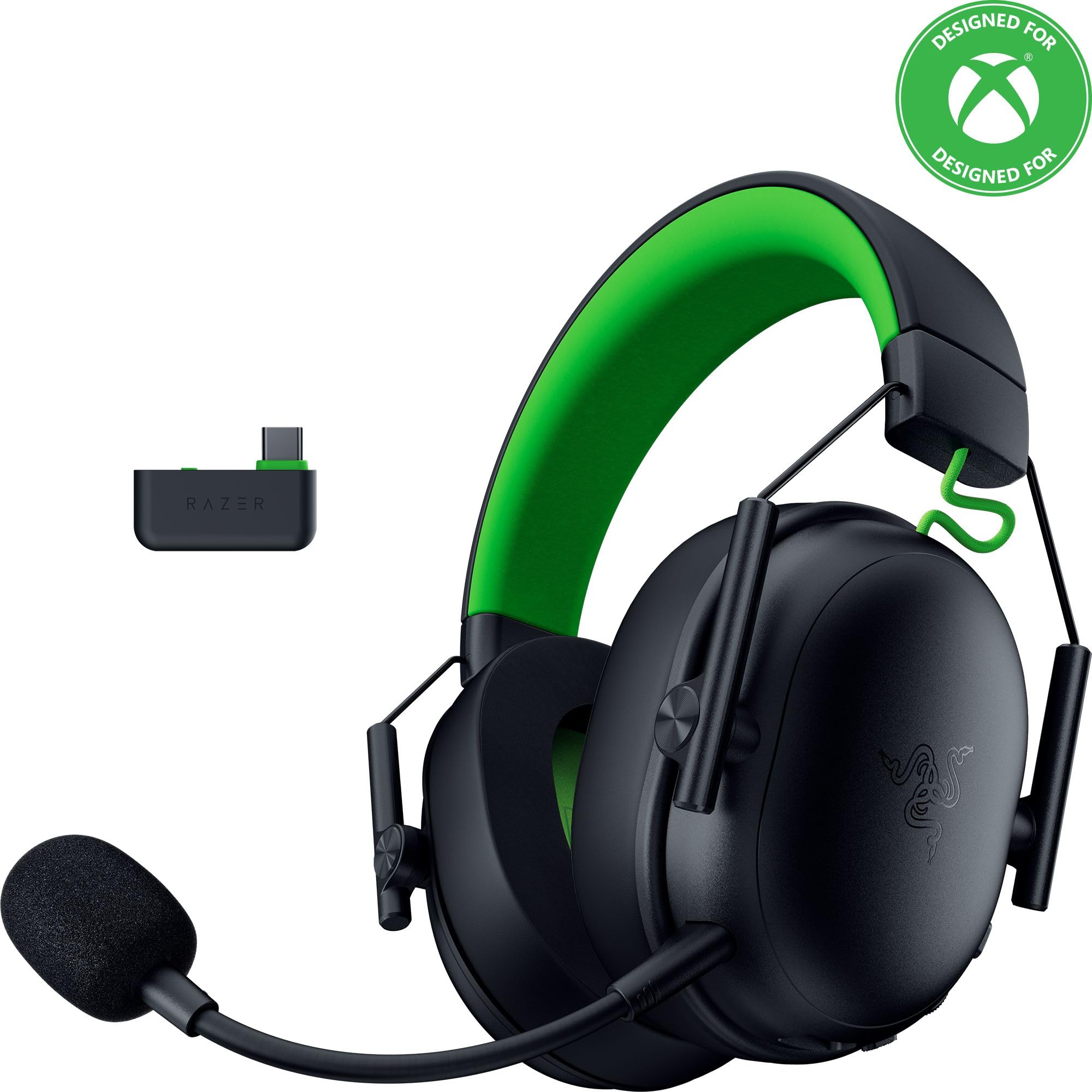
Image: The Razer BlackShark V3 X HyperSpeed Wireless Gaming Headset, showcasinjeho design a odnímatelný mikrofon.
Co je v krabici
Ujistěte se, že balení obsahuje všechny následující komponenty:
- Razer BlackShark V3 X HyperSpeed Wireless Gaming Headset
- USB Type C Razer HyperSpeed Wireless Dongle
- Detachable Razer HyperClear Cardioid 9.9mm Mic
- USB Type A to Type C Cable (for charging and wired connection)
- USB Type A to Type C Adapter Cable
- Uživatelská příručka (tento dokument)

Image: The Razer BlackShark V3 X HyperSpeed headset on a stand next to its retail packaging, illustrating the product and its box.
Nastavení
1. Nabíjení náhlavní soupravy
Before initial use, fully charge your headset using the provided USB Type A to Type C cable. Connect the USB-C end to the headset's charging port and the USB-A end to a powered USB port.
2. Připevnění mikrofonu
Insert the detachable Razer HyperClear Cardioid 9.9mm Mic into the microphone port located on the left earcup. Ensure it is securely connected.

Image: Close-up of the Razer BlackShark V3 X HyperSpeed headset showing the detachable HyperClear Cardioid microphone attached.
3. Možnosti připojení
The headset supports three modes of connectivity: 2.4 GHz HyperSpeed Wireless, Bluetooth, and wired USB-C.
- 2.4 GHz HyperSpeed Wireless (PC, Mac, PS5, Nintendo Switch, Xbox Series X|S, Xbox One):
Insert the USB Type C Razer HyperSpeed Wireless Dongle into an available USB-C port on your device. If your device only has USB-A ports, use the provided USB Type A to Type C Adapter Cable. Ensure the switch on the dongle is set to 'USB' for PC/Mac/PS5/Switch or 'XBOX' for Xbox consoles. The headset will automatically connect. - Bluetooth (Smartphones, Tablets, Handheld Gaming Devices):
With the headset powered on, press and hold the power button until the LED indicator blinks blue, indicating pairing mode. On your device, search for and select "Razer BlackShark V3 X HyperSpeed" from the list of available Bluetooth devices. - Kabelové USB-C:
Connect the headset directly to your device using the USB Type A to Type C Cable. This mode provides audio and microphone functionality without relying on battery power.

Image: The Razer BlackShark V3 X HyperSpeed headset alongside its USB-C wireless dongle, illustrating the wireless connectivity component.

Image: A visual representation of the headset's three connectivity modes: 2.4 GHz Wireless, Bluetooth, and USB, highlighting its versatility.
Ovládání náhlavní soupravy
1. Ovládací prvky Overview
Sluchátka mají intuitivní ovládací prvky umístěné na náušnících:
- Vypínač: Press and hold to power on/off. Single press to switch between 2.4 GHz HyperSpeed Wireless and Bluetooth modes.
- Tlačítko ztlumení mikrofonu: Stisknutím ztlumíte nebo zrušíte ztlumení mikrofonu.
- Kolečko hlasitosti: Upravuje celkovou hlasitost zvuku.
- Mic Monitoring Wheel: Adjusts the volume of your own voice heard through the headset (sidetone).

Obrázek: Boční view of the Razer BlackShark V3 X HyperSpeed headset, highlighting the location of the power button, volume wheel, and mic mute button.
2. Audio Quality and Features
- Razer TriForce 50mm Drivers Gen-2: Experience powerful, clear audio with enhanced positional accuracy for competitive gaming.
- Razer HyperClear Cardioid 9.9mm Mic: The detachable microphone features a unidirectional pickup pattern to focus on your voice and minimize background noise.
- Prostorový zvuk: Enjoy immersive surround sound with Windows Sonic on Xbox and 7.1 Surround Sound on PC for precise audio cues.

Obrázek: Explodoval view of the Razer TriForce 50mm Drivers Gen-2, illustrating their internal components for powerful and clear audio.

Image: The Razer BlackShark V3 X HyperSpeed headset surrounded by sound waves, representing its advanced surround sound capabilities for Xbox and PC.
3. Pohodlí a design
Weighing just 270g, the headset is designed for extended gaming sessions with plush memory foam cushions and a fatigue-free design.

Image: The Razer BlackShark V3 X HyperSpeed headset with an icon representing its ultra-lightweight design, emphasizing comfort for long gaming sessions.
4. Oficiální video produktu
Video: An official product video from Razer showcasing the BlackShark V3 headset line, highlighting its features and design for esports performance.
Údržba
1. Čištění
- K čištění povrchů sluchátek s mikrofonem použijte měkký, suchý hadřík.
- Náušníky jemně otřete čisticím prostředkem.amp hadříkem a v případě potřeby jemným mýdlem, poté důkladně osušte. Zabraňte nadměrné vlhkosti.
- Nepoužívejte agresivní chemikálie nebo abrazivní materiály.
2. Skladování
- Sluchátka skladujte na chladném a suchém místě mimo dosah přímého slunečního záření a extrémních teplot.
- When not in use, consider placing it on a headset stand to maintain its shape and prevent damage.
Odstraňování problémů
Žádný zvuk/Špatná kvalita zvuku
- Kontrola hlasitosti: Ujistěte se, že je kolečko hlasitosti na sluchátkách otočené nahoru.
- Konektivita: Verify the headset is correctly connected via 2.4 GHz dongle, Bluetooth, or USB-C. For 2.4 GHz, ensure the dongle switch is set to the correct platform (USB/XBOX).
- Nastavení zařízení: Confirm the headset is selected as the default audio output device in your computer's or console's sound settings.
- Opravit: For wireless connections, try re-pairing the headset with your device.
Mikrofon nefunguje
- Zkontrolujte ztlumení: Ensure the mic mute button on the headset is not activated.
- Mic Connection: Verify the detachable microphone is securely inserted into the port.
- Nastavení zařízení: Confirm the headset microphone is selected as the default input device in your computer's or console's sound settings.
- Monitorování mikrofonu: Adjust the mic monitoring wheel to hear your own voice, confirming mic functionality.
Problémy s připojením
- Rušení: Přesuňte se dále od jiných bezdrátových zařízení, která mohou způsobovat rušení.
- Rozsah: Ensure you are within the effective range of the wireless dongle or Bluetooth connection.
- Dongle Switch: Double-check that the switch on the USB-C dongle is set to the correct position (USB for PC/Mac/PS5/Switch, XBOX for Xbox).
Výdrž baterie kratší, než se očekávalo
- Nabíjení: Před použitím se ujistěte, že je náhlavní souprava plně nabitá.
- Používání: High volume levels or continuous use of certain features can reduce battery life.
Specifikace
| Název modelu | BlackShark V3 X HyperSpeed |
| Číslo modelu | RZ04-05420200-R3U1 |
| Technologie připojení | Bluetooth, USB, 2.4 GHz Wireless |
| Typ zvukového ovladače | Dynamic Driver (Razer TriForce 50mm Drivers Gen-2) |
| Frekvenční odezva | 12 Hz - 28 kHz |
| Citlivost | 106 dB |
| Mikrofon | Detachable Razer HyperClear Cardioid 9.9mm Mic |
| Kontrola hluku | Zvuková izolace |
| Kompatibilní zařízení | Xbox Series X|S, Xbox One, PS5, PS4, PC, Mac, Nintendo Switch, Smartphones, Tablets |
| Hmotnost položky | 270 grams (without mic) |
| Baterie | 1 lithium-iontová baterie (součástí balení) |
| Verze Bluetooth | 5.3 |
Záruka a podpora
Pro informace o záruce, technickou podporu nebo další pomoc navštivte oficiální stránky podpory Razer. webUschovejte si doklad o koupi pro případ reklamace.
Online podpora: www.razer.com/support


