1. Úvod
This manual provides essential information for setting up, operating, and maintaining your NIMO 15.6-inch FHD Laptop Nimo N155. Please read this manual thoroughly before using your device to ensure proper function and longevity.

Figure 1: NIMO 15.6-inch FHD Laptop Nimo N155 Overview
The NIMO N155 laptop is equipped with an AMD Ryzen 7 6800H processor, 32GB DDR5 RAM, and a 1TB PCIe 4.0 SSD, designed for efficient performance in various computing tasks. It features a 15.6-inch Full HD IPS anti-glare display, a backlit keyboard, and an integrated fingerprint sensor for enhanced security and user experience.
2. Co je v krabici
Ověřte, zda jsou v balení přítomny všechny položky:
- 1 x Nimo N155 Laptop
- 1 x Type-C 100W PD Fast Charger
- 1 x Uživatelská příručka (tento dokument)
- Windows 11 Home Operating System (pre-installed)
3. Počáteční nastavení
3.1. Charging the Laptop
Before first use, connect the laptop to the power adapter and charge it fully. The Type-C 100W PD Fast Charger provides rapid charging capabilities.
- Connect the Type-C charger to a power outlet.
- Plug the Type-C connector into one of the Type-C ports on your laptop.
- The charge LED indicator will illuminate, indicating that the laptop is charging.

Figure 2: Connecting the Type-C 100W PD Fast Charger
3.2. Zapnutí
Press the power button located on the keyboard to turn on the laptop. Follow the on-screen instructions to complete the initial Windows 11 setup, including language selection, network connection, and user account creation.
4. Komponenty a porty notebooku
Familiarize yourself with the various components and ports of your NIMO N155 laptop.

Obrázek 3: Porty a konektory notebooku
4.1. Porty na levé straně
- Port USB 2.0: Pro připojení starších USB zařízení.
- Port USB 3.0: Pro připojení vysokorychlostních USB zařízení.
- Slot pro kartu Micro SD: For reading and writing to Micro SD cards.
- Sluchátkový jack: Pro připojení sluchátek nebo externích reproduktorů.
- Slot zámku Kensington: Pro zabezpečení notebooku kompatibilním zámkem.
4.2. Porty na pravé straně
- LED nabíjení: Indikuje stav nabíjení.
- Type-C (PD/Charging) Port: Primarily for power delivery and charging.
- Type-C (Multifunction) Port: Supports data transfer and display output.
- Porty USB 3.0 (x2): Pro připojení vysokorychlostních USB zařízení.
- Port HDMI: Pro připojení k externím displejům nebo projektorům.
4.3. Vnitřní komponenty
- Procesor: AMD Ryzen 7 6800H (8 Cores, 16 Threads, up to 4.7 GHz).
- Grafika: Integrated AMD Radeon 680M GPU.
- BERAN: 32GB DDR5 (upgradeable).
- Skladování: 1TB PCIe 4.0 SSD (upgradeable).
- Zobrazit: 15.6-inch FHD (1920x1080) IPS Anti-Glare Display.
- Webvačka: 2.0 MP with privacy shield.
- Bezdrátový: 802.11a/b/g/n/ac (Wi-Fi 5) and Bluetooth 5.2.

Figure 4: AMD Ryzen 7 6800H Processor Details

Figure 5: High-Speed RAM and PCIe SSD
5. Ovládání notebooku
5.1. Displej
The 15.6-inch Full HD IPS display offers a resolution of 1920x1080 pixels. Adjust brightness and display settings through Windows settings (Right-click on desktop > Display settings).
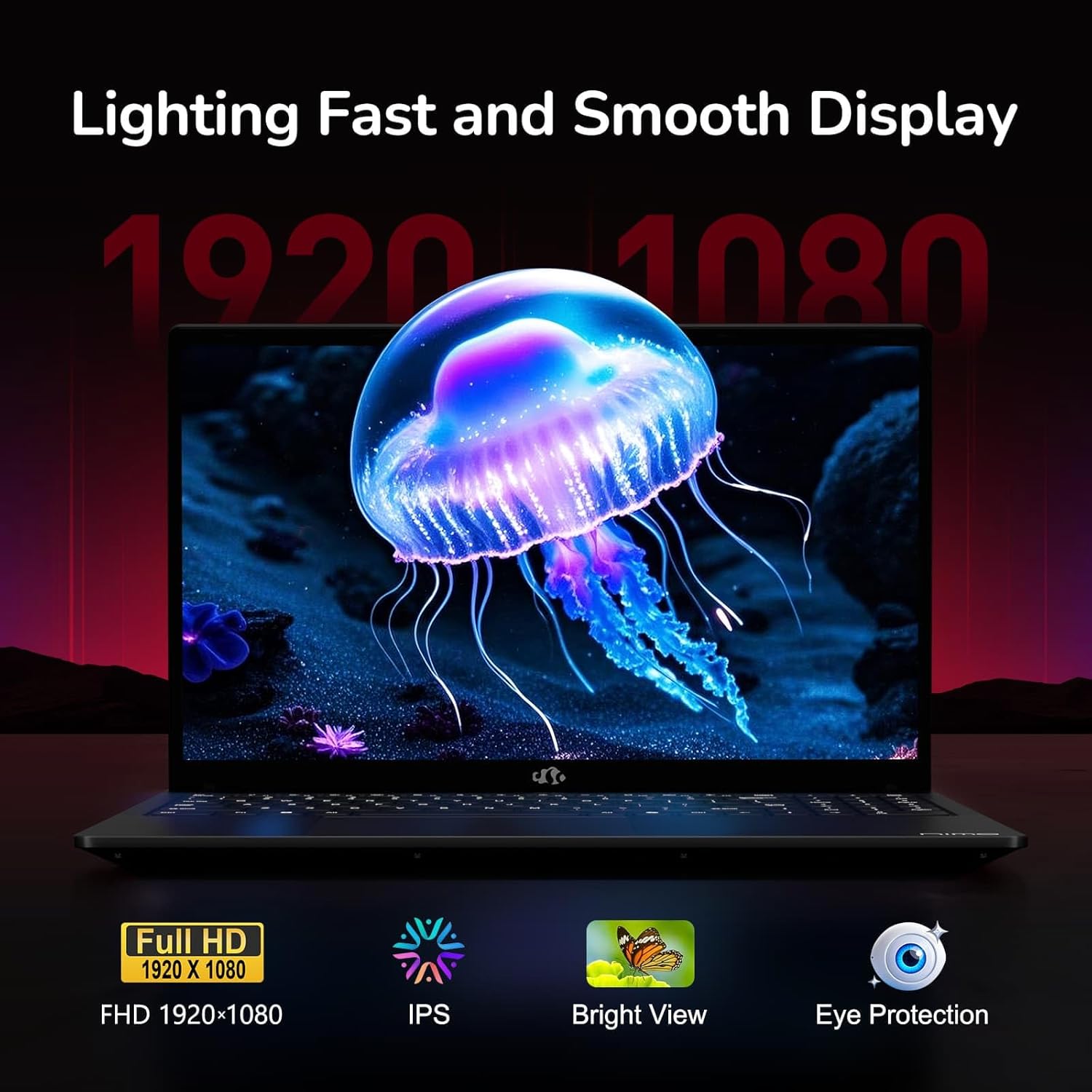
Figure 6: Laptop Display Features
5.2. Klávesnice a touchpad
The laptop features a backlit keyboard and a responsive touchpad with multi-touch gesture support. The integrated fingerprint sensor is located on the touchpad for secure login.
- Podsvícená klávesnice: Stiskněte Fn + Fx (where Fx is the backlight key, typically F3 or F4) to adjust keyboard backlight brightness.
- Snímač otisku prstu: Enroll your fingerprints via Windows Settings > Accounts > Sign-in options for quick and secure access.
- WebŠtít soukromí kamery: Slide the physical cover over the webcam for privacy when not in use.

Figure 7: Keyboard and Input Features

Figure 8: Seamless Security Integration (Fingerprint and Webcam Shield)
5.3. Řízení spotřeby
The laptop is equipped with a 4700mAh (53.58Wh) Lithium Polymer battery. Battery life can vary based on usage. To optimize battery life, adjust power settings in Windows and close unnecessary applications.

Obrázek 9: Specifikace baterie
6. Údržba a péče
6.1. Čištění
- K čištění obrazovky a vnějšího povrchu použijte měkký hadřík, který nepouští vlákna.
- Pro odolné skvrny, dampOtřete hadřík vodou nebo čističem obrazovek. Vyhněte se agresivním chemikáliím.
- Před čištěním se ujistěte, že je notebook vypnutý a odpojený od sítě.
6.2. Skladování a manipulace
- Notebook skladujte na chladném a suchém místě mimo dosah přímého slunečního záření a extrémních teplot.
- Nepokládejte na notebook těžké předměty.
- Nevystavujte notebook tekutinám.
6.3. Upgrades
The NIMO N155 laptop supports detachable RAM and SSD, allowing for user upgrades. Refer to the official NIMO support website or contact customer service for detailed upgrade instructions to avoid voiding your warranty.
7. Řešení problémů
This section addresses common issues you might encounter with your NIMO N155 laptop.
| Problém | Možné řešení |
|---|---|
| Notebook se nezapne. | Ensure the charger is properly connected and the battery has sufficient charge. Try a different power outlet. |
| Obrazovka je prázdná. | Check if the laptop is powered on. Adjust screen brightness. Connect to an external monitor to check if the issue is with the laptop's display. |
| Problémy s připojením k Wi-Fi. | Ujistěte se, že je v nastavení systému Windows povolena Wi-Fi. Restartujte router a notebook. Aktualizujte ovladače Wi-Fi. |
| Podsvícení klávesnice nefunguje. | Press the Fn key combined with the appropriate function key (e.g., F3 or F4) to toggle or adjust the backlight. |
| Fingerprint sensor not responding. | Ensure your finger is clean and dry. Re-enroll your fingerprints in Windows settings. Update fingerprint sensor drivers. |
If you encounter issues not listed here or require further assistance, please contact NIMO customer support.
8. Technické specifikace
| Funkce | Specifikace |
|---|---|
| Název modelu | Nimo N155 |
| Zobrazit | 15.6-inch FHD (1920x1080) IPS Anti-Glare |
| Procesor | AMD Ryzen 7 6800H (8 jader, 16 vláken, až 4.7 GHz) |
| Grafika | Integrovaná grafická karta AMD Radeon 680M |
| BERAN | 32GB DDR5 4800 MHz (Dual-channel, upgradeable) |
| Skladování | 1TB PCIe 4.0 SSD (upgradeable) |
| Operační systém | Windows 11 Home |
| Bezdrátové připojení | Wi-Fi 5 (802.11a/b/g/n/ac), Bluetooth 5.2 |
| Porty | 1x USB 2.0, 3x USB 3.0, 2x Type-C (1x PD, 1x Multifunction), 1x HDMI, 1x Micro SD, 1x Headphone Jack, 1x Kensington Lock |
| Webvačka | 2.0 MP (with privacy shield) |
| Baterie | 4700mAh / 53.58Wh Lithium Polymer |
| Napájecí adaptér | Type-C 100W PD Fast Charger |
| Rozměry (DxŠxV) | 14.07 x 8.98 x 0.76 palce (357.4 x 228 x 19.2 mm) |
| Hmotnost | 3.8 libry (1.7 kg) |
| Speciální funkce | Podsvícená klávesnice, čtečka otisků prstů, HD zvuk, numerická klávesnice |
9. Záruka a podpora
9.1. Záruka výrobce
Your NIMO N155 laptop comes with a 2letá záruka výrobceTato záruka se vztahuje na vady materiálu a zpracování při běžném používání. Uschovejte si prosím doklad o koupi pro případ uplatnění záruky.
9.2. Zásady vrácení zboží
NIMO offers a 90denní bezproblémová lhůta pro vrácení zboží from the date of purchase. For details on eligibility and the return process, please refer to your purchase documentation or contact customer support.
9.3. Zákaznická podpora
For technical assistance, warranty claims, or any other inquiries, please visit the official NIMO support website or contact their customer service team. Contact information can typically be found on the NIMO brand store page or included documentation.
NIMO Brand Store: Visit NIMO Store on Amazon


