Zavedení
Thank you for choosing the GOBOULT Crown Smart Watch. This manual provides essential information for the proper setup, operation, and maintenance of your device. Please read it thoroughly to ensure optimal performance and longevity of your smartwatch.
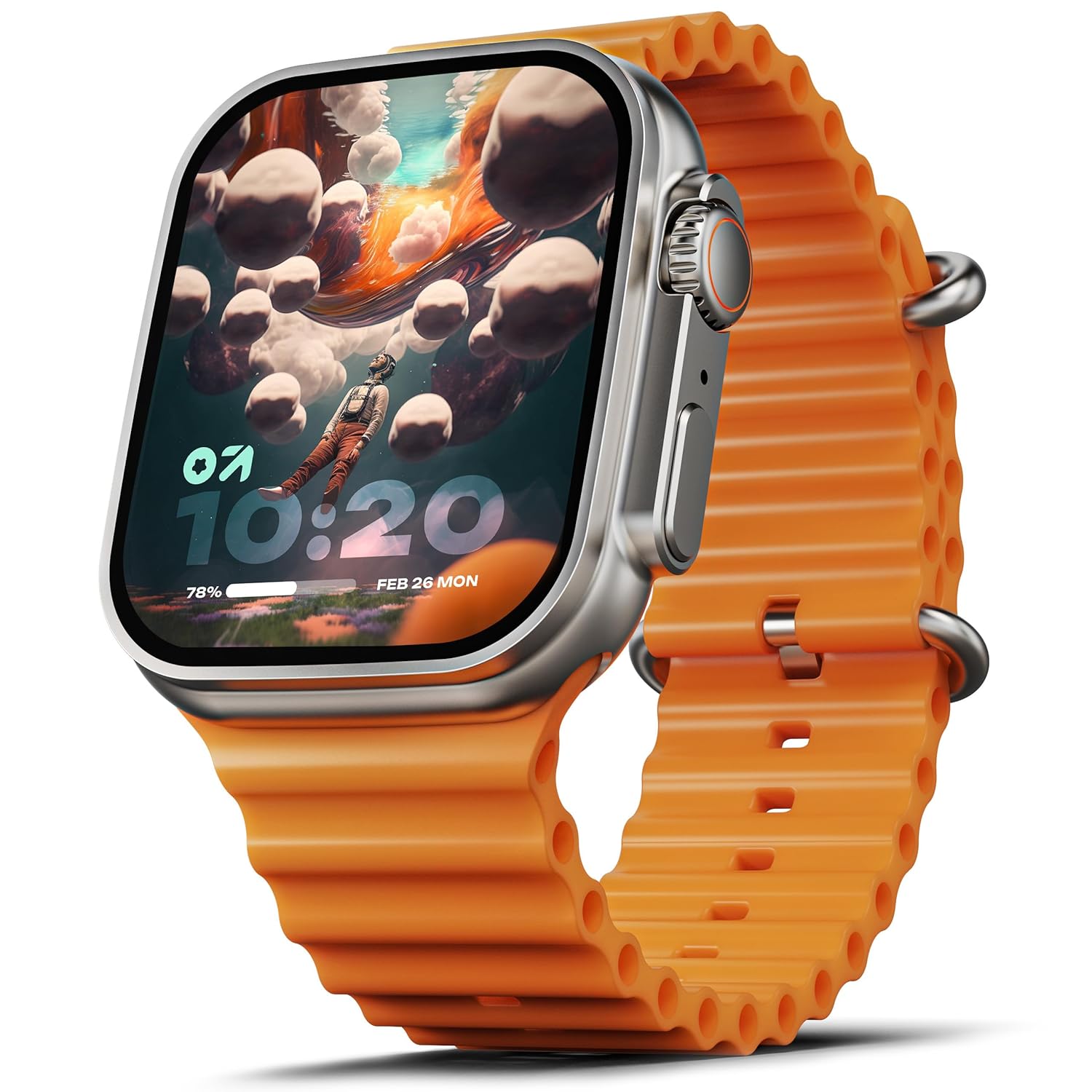
Image: The GOBOULT Crown Smart Watch, featuring a large display and an orange silicone strap.
Co je v krabici
Po vybalení zkontrolujte, zda jsou součástí balení všechny následující položky:
- GOBOULT Crown Smart Watch
- Nabíjecí kabel
- Uživatelská příručka
- Záruční list
Začínáme
1. Nabíjení chytrých hodinek
Before initial use, fully charge your GOBOULT Crown Smart Watch. Connect the provided charging cable to the charging port on the back of the watch and to a standard USB power adapter. The watch display will indicate charging status.
2. Zapnutí/vypnutí
To power on, press and hold the side button until the GOBOULT logo appears. To power off, navigate to the settings menu on the watch, select 'Power Off', and confirm.
3. Párování s vaším smartphonem
- Download the official GOBOULT companion app from your smartphone's app store (available for Android and iOS).
- Ujistěte se, že je na vašem smartphonu povoleno Bluetooth.
- Open the GOBOULT app and follow the on-screen instructions to search for and pair with your Crown Smart Watch.
- Potvrďte požadavek na párování na telefonu i hodinkách.
Návod k obsluze
Displej a navigace

Image: Close-up of the smartwatch display, highlighting its 1.95-inch size and 900 Nits brightness for clear visibility.
- 1.95" HD displej: The large, high-definition screen provides clear visuals and responsive touch interaction.
- Jas 900 nitů: Zajišťuje vynikající viditelnost i za jasného venkovního světla.
- Working Rotating Crown: Use the functional rotating crown on the side of the watch to scroll through menus, zoom in/out, and switch watch faces.
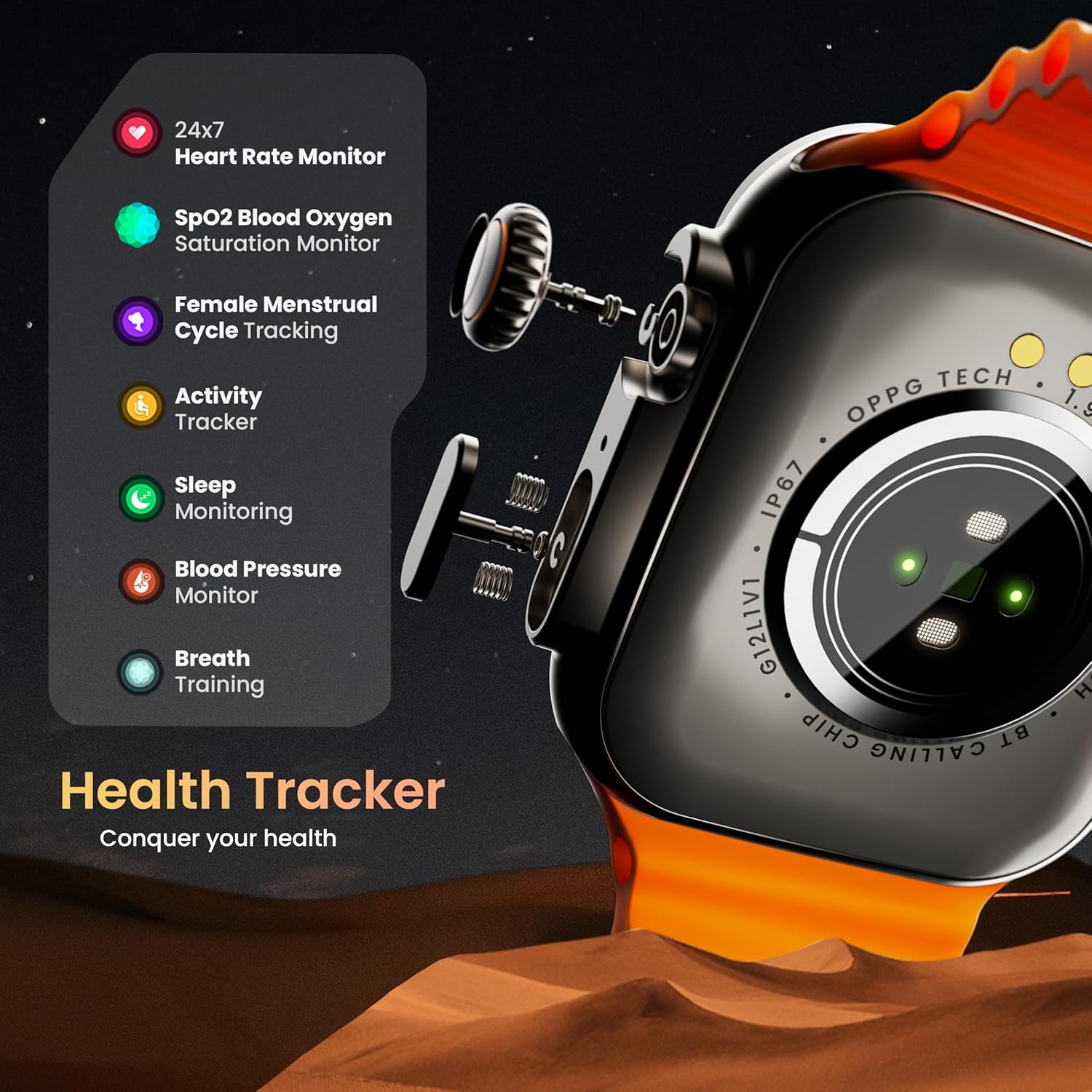
Obrázek: Explodoval view illustrating the internal mechanism of the working rotating crown, used for navigation and control.
Volání pomocí Bluetooth

Image: The smartwatch screen showing an incoming call, alongside diagrams explaining Bluetooth 5.2 calling features like call answer/reject, dial pad, and contact sync.
The GOBOULT Crown Smart Watch supports Bluetooth Calling 5.2, allowing you to make and receive calls directly from your wrist. It features a built-in speaker and microphone for clear communication.
- Přijímání/odmítání hovorů: Tap the green icon to answer or the red icon to reject an incoming call.
- Číselník: Access the dial pad on the watch to make outgoing calls.
- Synchronizace kontaktů: Sync your phone's contacts to the watch via the companion app.
Monitorování zdraví
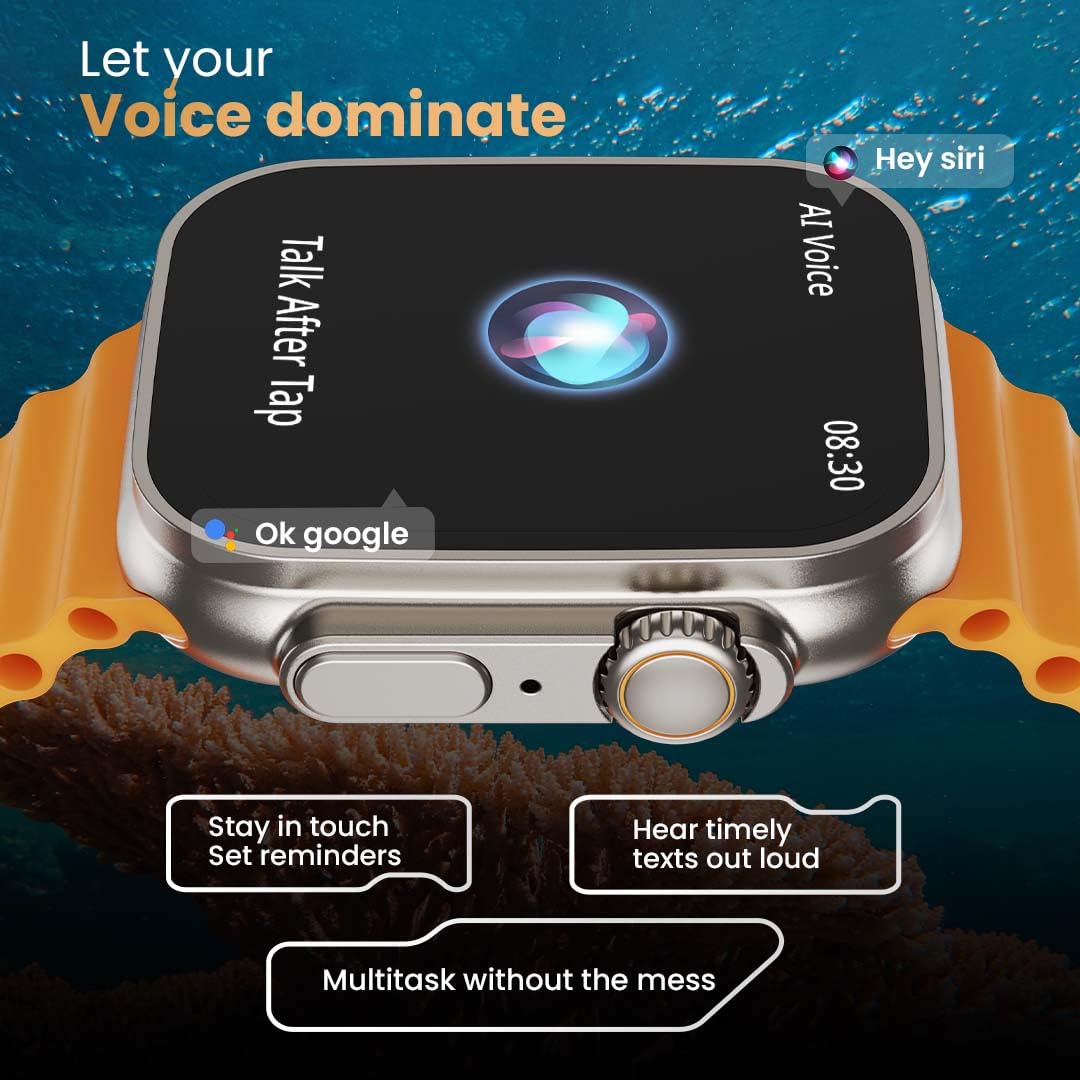
Image: The rear of the smartwatch showing its health sensors, accompanied by a list of health metrics it tracks, including heart rate, SpO2, and sleep.
The watch is equipped with an advanced health suite to help you monitor your well-being:
- 24/7 Heart Rate Monitor: Neustále sleduje váš tepový tep po celý den.
- SpO2 Blood Oxygen Saturation Monitor: Měří hladinu kyslíku v krvi.
- Monitorování spánku: Analyzuje vaše spánkové vzorce a kvalitu spánku.
- Sledování aktivity: Zaznamenává kroky, vzdálenost a spálené kalorie.
- Sledování menstruačního cyklu u žen: Provides insights and predictions for menstrual cycles.
- Dechový trénink: Řízená dechová cvičení pro relaxaci.
Sportovní režimy
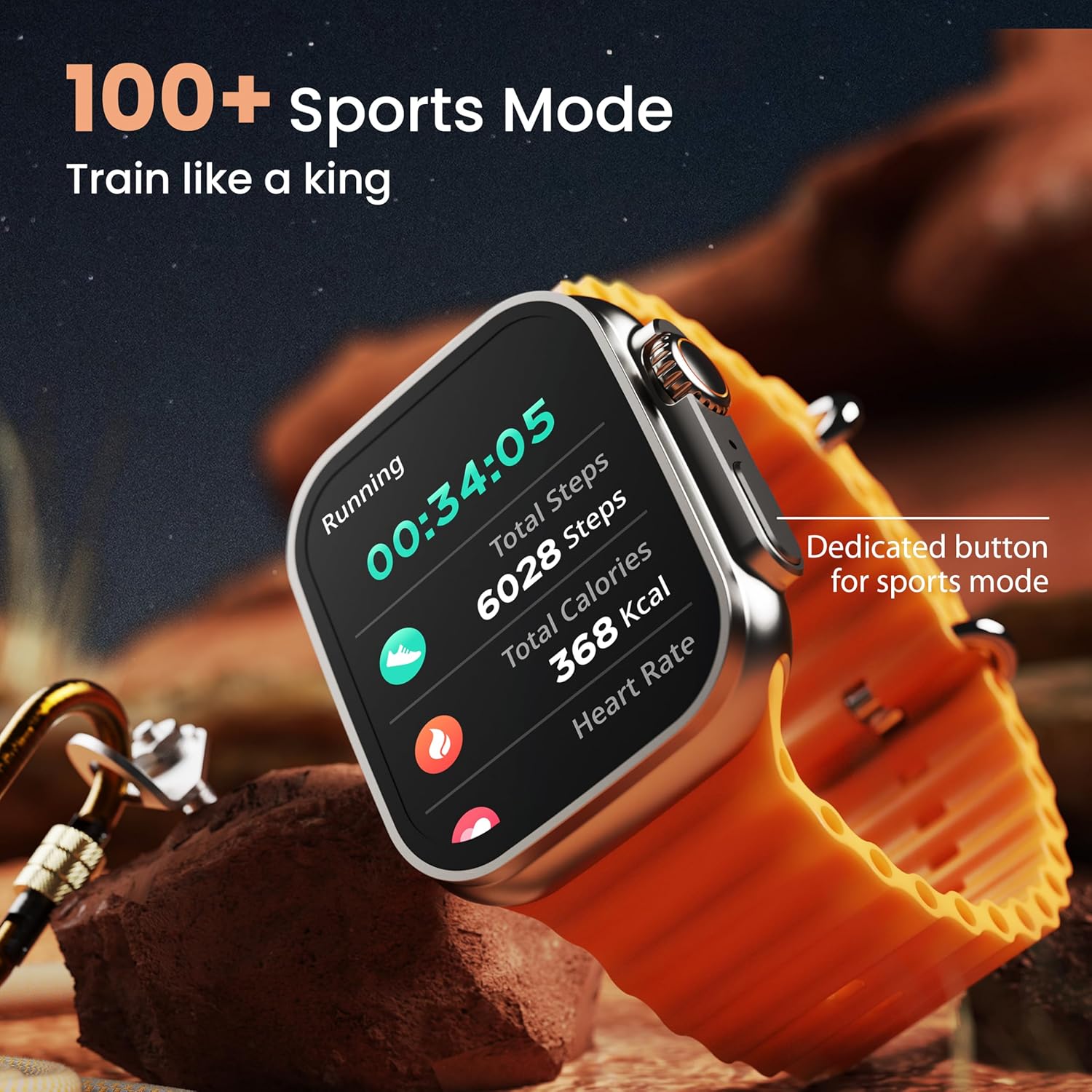
Image: The smartwatch screen showing a 'Running' sports mode with real-time metrics like duration, total steps, calories, and heart rate. A dedicated button for sports mode is also visible.
With over 120 sports modes, the GOBOULT Crown Smart Watch can track a wide range of physical activities. Select your desired sport from the watch menu to record real-time metrics, performance insights, and track your progress.
Přizpůsobení

Obrázek: Výstava kolážíasing various watch faces, including custom and animated options, along with different UI styles available for personalization on the smartwatch.
Přizpůsobte si zážitek z chytrých hodinek:
- 100+ Cloud-Based Watch Faces: Choose from a wide selection of watch faces available through the companion app.
- Možnosti přizpůsobení: Customize your screen with widgets, backgrounds, and layouts to match your style.
- 8 UI Styles: Select from different user interface styles for menu navigation.
Doplňkové funkce
- Hlasový asistent AI: Interact with your watch using voice commands (e.g., "Hey Siri" or "Ok Google") for tasks like setting reminders or hearing texts aloud.
- Najít můj telefon: If your paired phone is misplaced, use this feature on your watch to make it ring/vibrate.
- Mini hry: Enjoy pre-installed mini-games directly on your watch.
- Oznámení a připomenutí: Receive SMS, WhatsApp, social media, and mail notifications. Set goal achievement reminders.
- Kalkulačka: Hodinky mají k dispozici základní funkci kalkulačky.
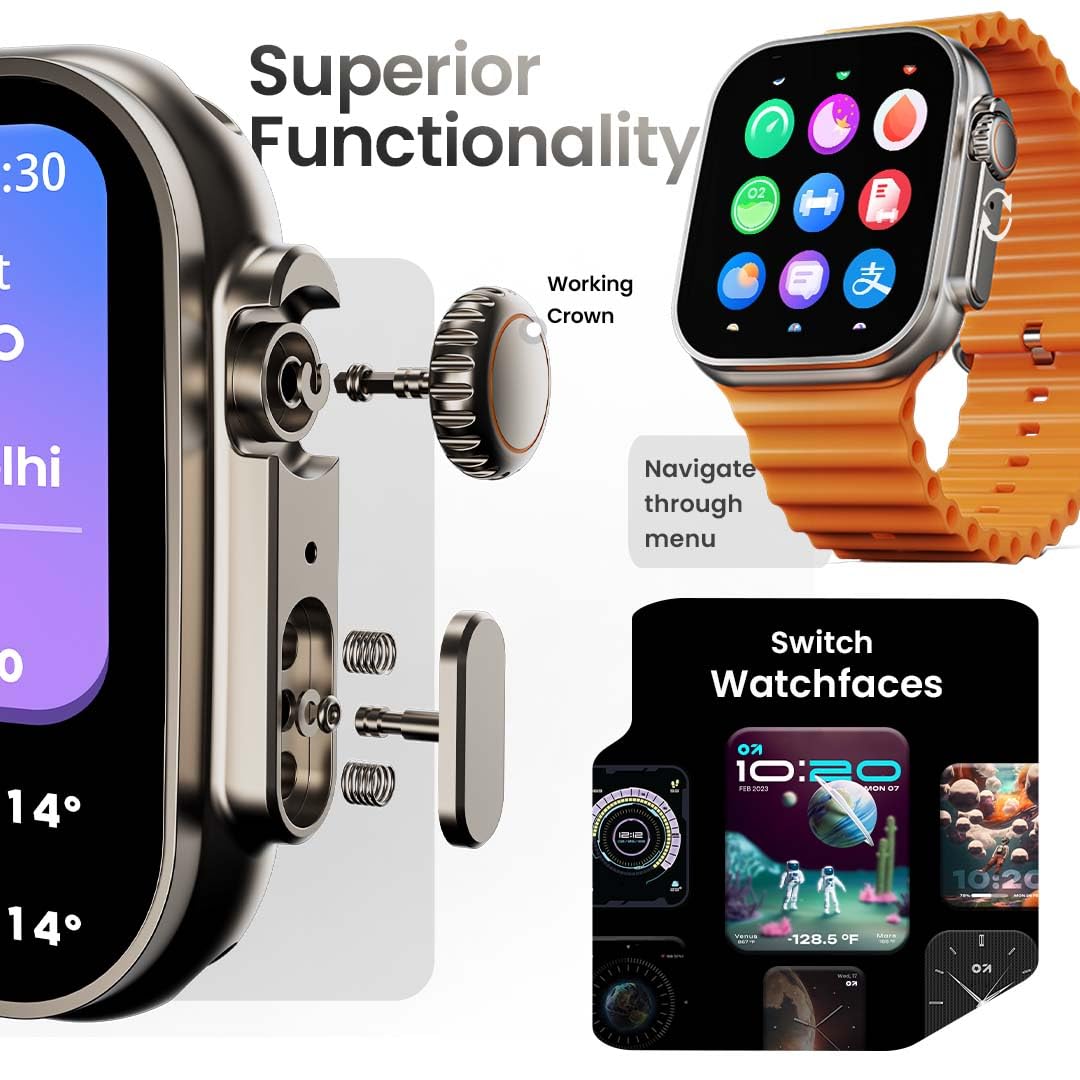
Image: The smartwatch screen showing the AI Voice Assistant interface, indicating support for voice commands like "Hey Siri" and "Ok Google".
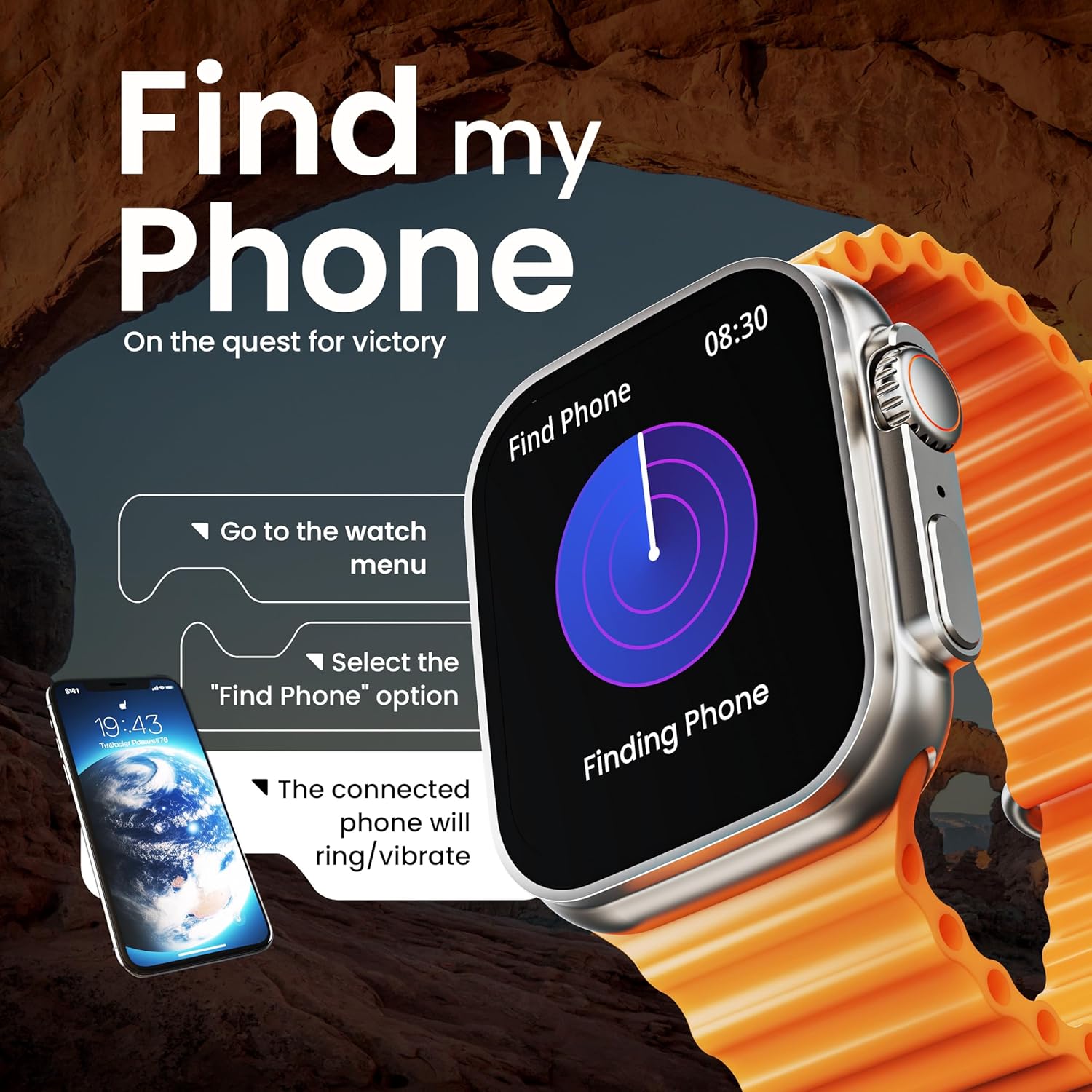
Image: The smartwatch screen illustrating the 'Find Phone' feature, with instructions on how to activate it to locate a connected smartphone.
Obrázek: Ukázka obrazovky chytrých hodinekasing a selection of mini-games available on the device, such as 'Young Bird', 'Hamster', and 'Battleships'.

Image: The smartwatch screen showing a calculator interface, along with a pop-up notification and a list of reliable and robust features like sync notifications and reminders.
Údržba
Čištění
Regularly clean your smartwatch and strap to prevent skin irritation and maintain device hygiene. Use a soft, lint-free cloth. If necessary, slightly damphadřík vodou. Vyhněte se agresivním chemikáliím nebo abrazivním materiálům.
Voděodolnost
The GOBOULT Crown Smart Watch is IP67 water resistant. This means it is protected against dust and can withstand immersion in water up to 1 meter for up to 30 minutes. It is suitable for daily use and light splashes but not recommended for swimming, showering, or diving.
Péče o popruhy
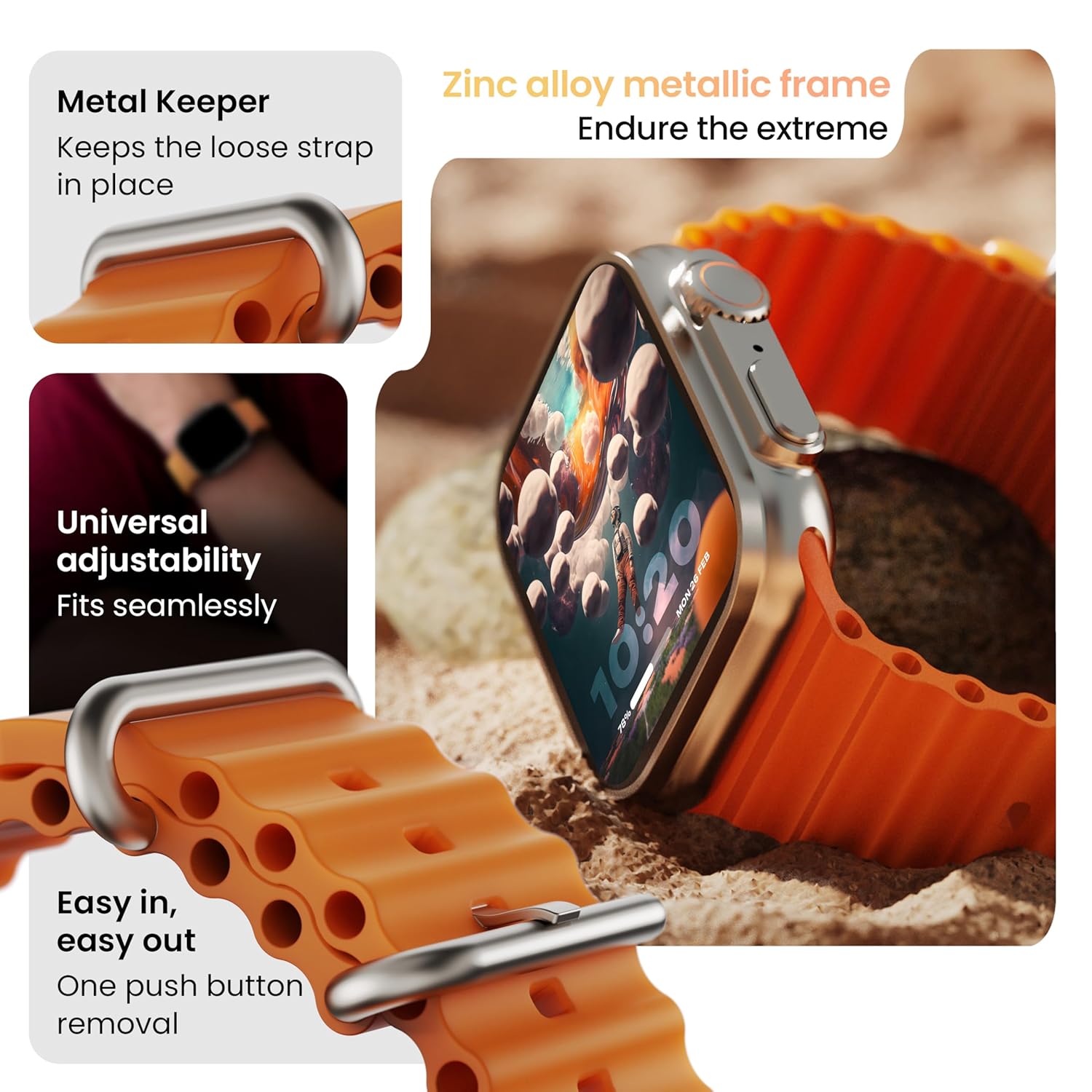
Obrázek: Podrobný view of the smartwatch strap, highlighting features such as the metal keeper for securing the loose end, universal adjustability for a seamless fit, and a push-button mechanism for easy removal.
The skin-friendly silicone strap is designed for comfort. Ensure it is not too tight or too loose for accurate health tracking. Clean the strap regularly, especially after workouts, to remove sweat and dirt.
Odstraňování problémů
Hodinky se nezapínají
- Ujistěte se, že jsou hodinky plně nabité. Připojte je k nabíječce alespoň na 30 minut.
- Stiskněte a podržte boční tlačítko po dobu 10–15 sekund pro pokus o nucený restart.
Problémy s párováním
- Ujistěte se, že máte v telefonu i hodinkách povoleno Bluetooth.
- Ensure the watch is within the Bluetooth range (approximately 10 meters).
- Restartujte telefon i hodinky.
- Clear the Bluetooth cache on your phone or forget the device and try pairing again.
Nepřesné zdravotní údaje
- Ujistěte se, že hodinky máte na zápěstí pevně utažené, ale ne příliš.
- Vyčistěte senzory na zadní straně hodinek.
- Avoid excessive movement during measurements for better accuracy.
Oznámení se nezobrazují
- Check if the watch is properly connected to your phone via Bluetooth.
- Verify notification permissions for the GOBOULT app in your phone's settings.
- Ujistěte se, že na telefonu ani hodinkách není aktivní režim „Nerušit“.
Specifikace
| Funkce | Detail |
|---|---|
| Značka | GOBOULT |
| Model | Chytré hodinky Crown |
| Velikost displeje | 1.95 palce |
| Jas displeje | 900 nitů |
| Konektivita | Bluetooth 5.2 |
| Operační systém | Android Wear 1.0, iOS compatible |
| Výdrž baterie (průměrná) | 7 dní |
| Doba nabíjení baterie | 150 minut |
| Kapacita baterie | 300 miliamp hodiny |
| Voděodolnost | IP67 |
| Hmotnost položky | 40 g |
| Zahrnuté komponenty | Smartwatch, Charging Cable, User Manual, Warranty Card |
Záruka a podpora
Your GOBOULT Crown Smart Watch comes with a Warranty Card included in the box. Please refer to this card for detailed information regarding warranty coverage and terms. For technical support or further assistance, please contact GOBOULT customer service through the contact information provided on the warranty card or the official GOBOULT webmísto.


